In this lesson you’ll learn how to leave inline comments on specific lines (or a contiguous selection of lines) inside a GitHub pull request (PR), review those comments, apply fixes in a follow-up commit, and complete the merge. This walkthrough uses a small game project example where a multi-ball power-up could unintentionally cause exponential growth of the balls array. Open the pull request that needs review. In this example the PR is awaiting review from Alice and Siddharth Barahalikar.
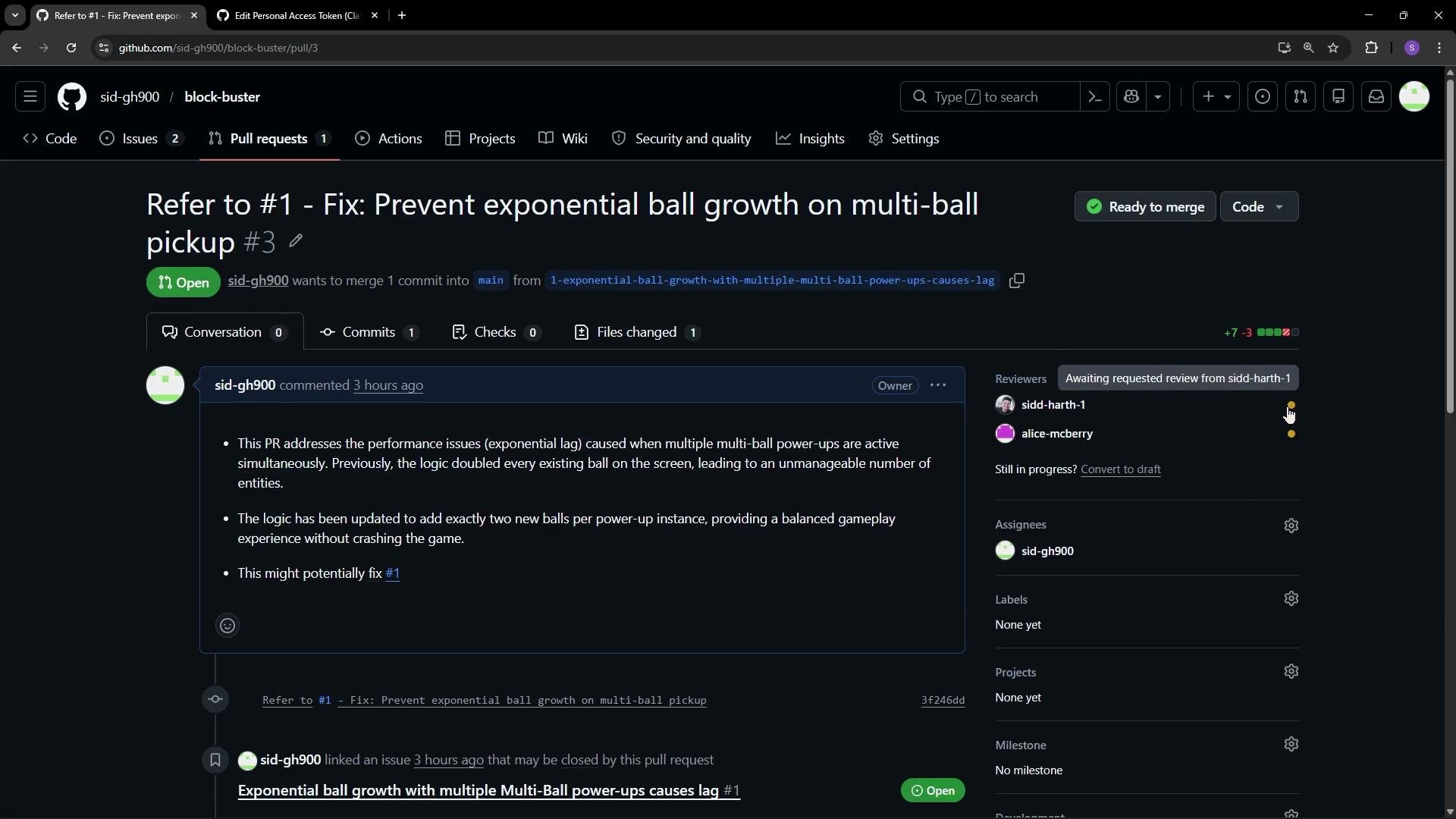
This image shows a GitHub pull request titled "Fix: Prevent exponential ball growth on multi-ball pickup," addressing performance issues with power-ups in a project. The pull request is open and awaiting review.
Switch to Alice’s account to perform the review. Alice sees a notification for a requested review; clicking it opens the PR where she can read the description, comments, and examine the Files changed tab. She starts by inspecting the changed code. Example of the buggy implementation under review (this mutates the array during iteration which may lead to exponential growth):
How to add inline comments and multi-line comments
  • Click the plus icon to the left of a line to open a small comment box tied to that specific line.
  • To comment on multiple contiguous lines, click and drag to select them — the resulting comment will reference the selection.
  • Comments can be standalone or grouped into a pending review. Starting a review collects comments until you submit them as a single review action.
Sample inline reviewer comment (added to the PR):
“This block mutates gameState.balls while iterating — that can cause exponential growth. Please avoid mutating the array while iterating and also ensure we cap the total number of balls.”
Review workflows and submission options When you start a review, comments are added as pending on the PR. When submitting the review you choose one of three outcomes:
  • Comment — general feedback that does not block merging
  • Approve — indicates the PR is ready to merge
  • Request changes — prevents merging until required changes are made
In this scenario, Alice requests changes and suggests a safe, non-mutative approach that caps the number of balls. One corrected implementation applied in a follow-up commit looks like this:
Avoid mutating an array while iterating over it (for example, pushing into the same array inside a forEach). Instead, collect new items separately or push a known small number of items derived from an existing base element.
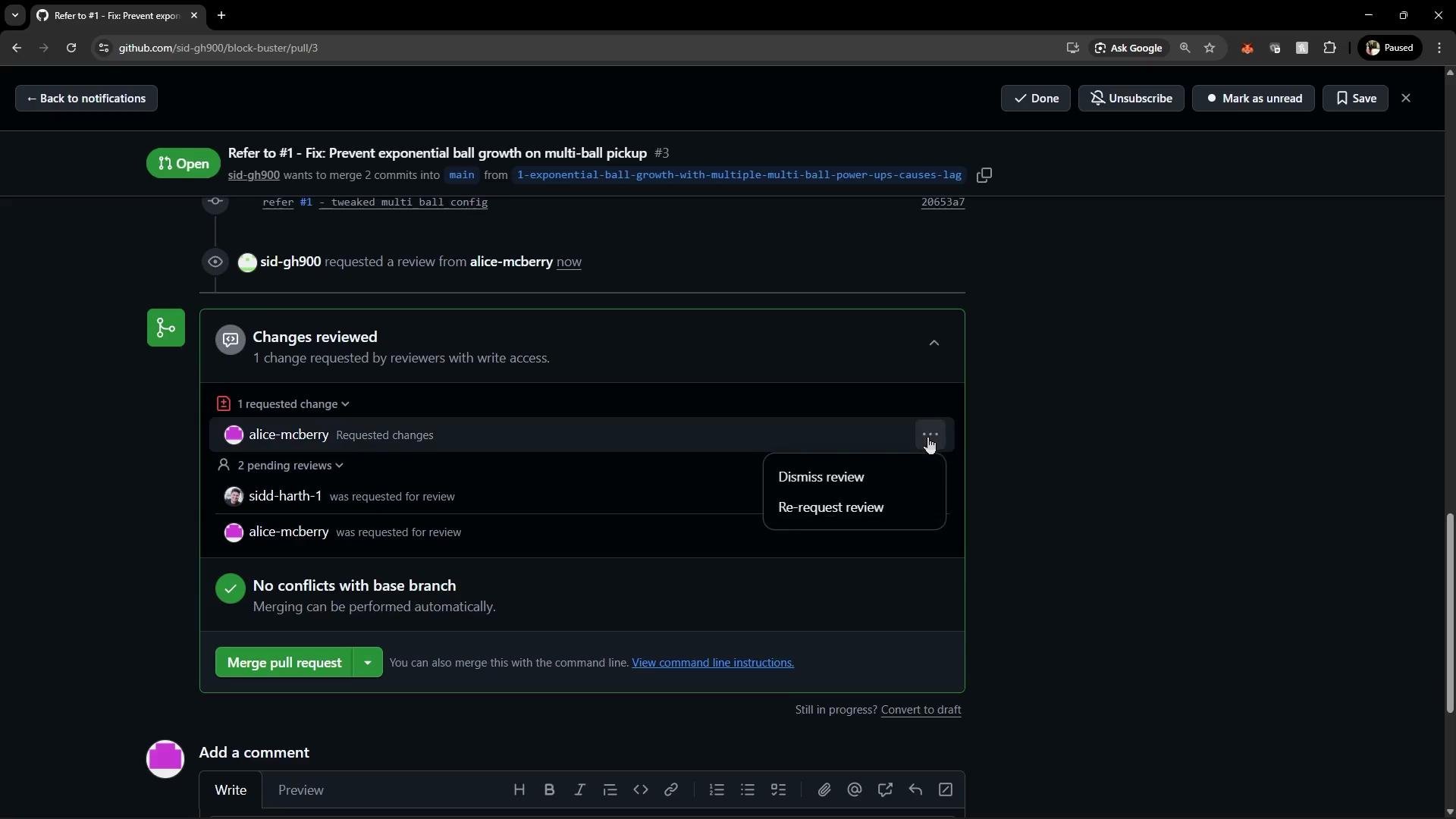
After Alice submits a “request changes” review with inline comments, the PR UI reflects that a change was requested. The PR page also provides options to dismiss the review, ask the reviewer to re-check, or see who requested changes.
The image shows a GitHub pull request interface where a user named "sid-gh900" wants to merge commits into a main branch. There is a requested change, two pending reviews, and no conflicts with the base branch for merging.
Author applies the suggested fix locally Switch back to the author’s account (Siddharth). He reads Alice’s comments and updates the code locally. Typical local workflow to stage, commit, and push the fix to the same PR branch:
After pushing, the PR automatically includes the new commit(s). Refreshing the PR shows the updated diff and lets reviewers inspect the exact lines that changed. Review re-check and approval Once the author pushes the fix, reviewers can reopen the review flow, inspect the new commits, and approve if the changes are satisfactory. In this example Alice inspects the update and submits an approval with a brief message:
Merging the PR and post-merge actions After approval the author (or an authorized maintainer) can merge the PR. If the PR or commit references an issue (for example, by including #1), GitHub will automatically close that linked issue on merge.
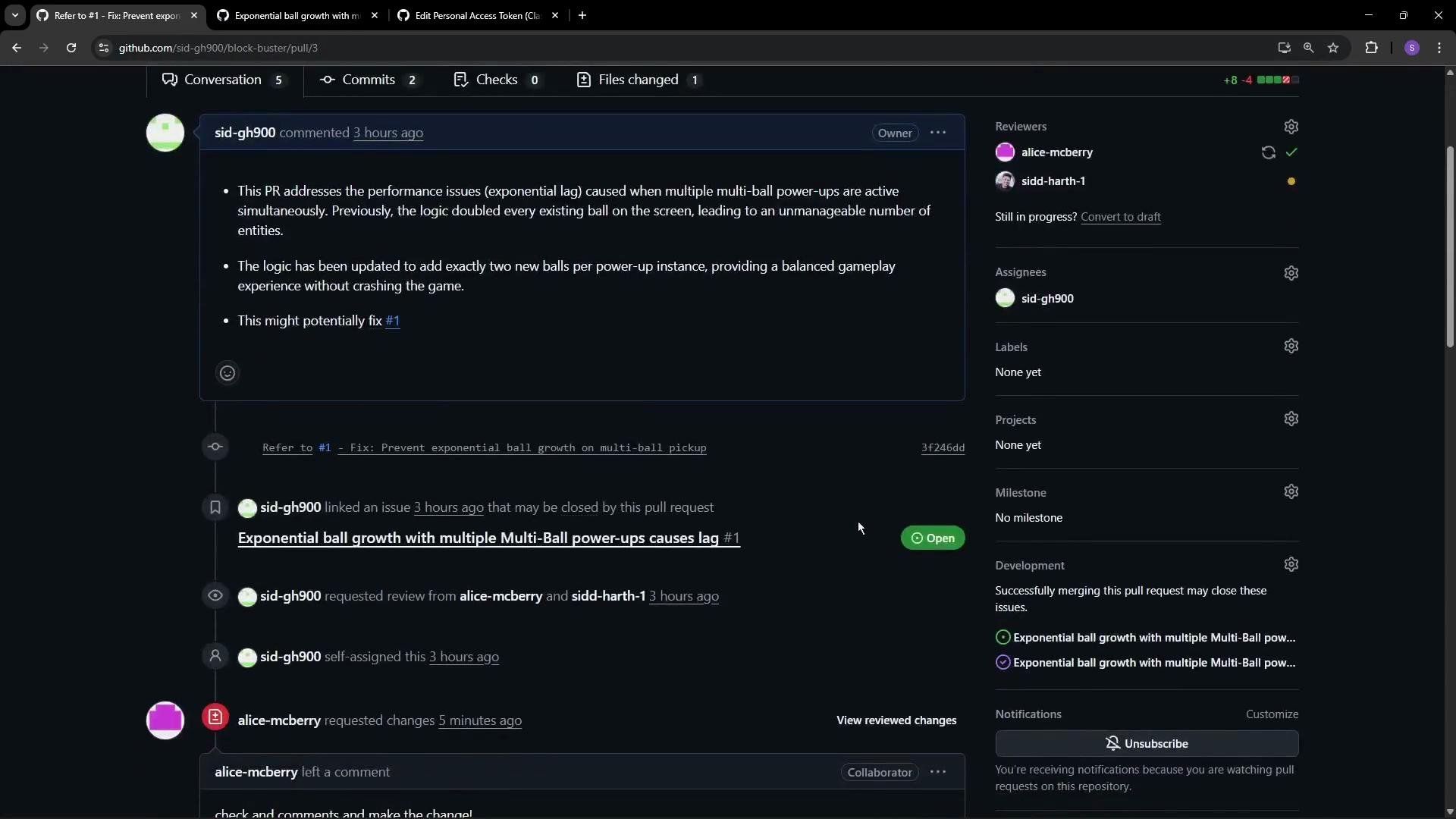
The image shows a GitHub pull request (PR) discussing fixes for performance issues due to multiple multi-ball power-ups in a game. The conversation includes comments and review requests with assigned reviewers and assignees.
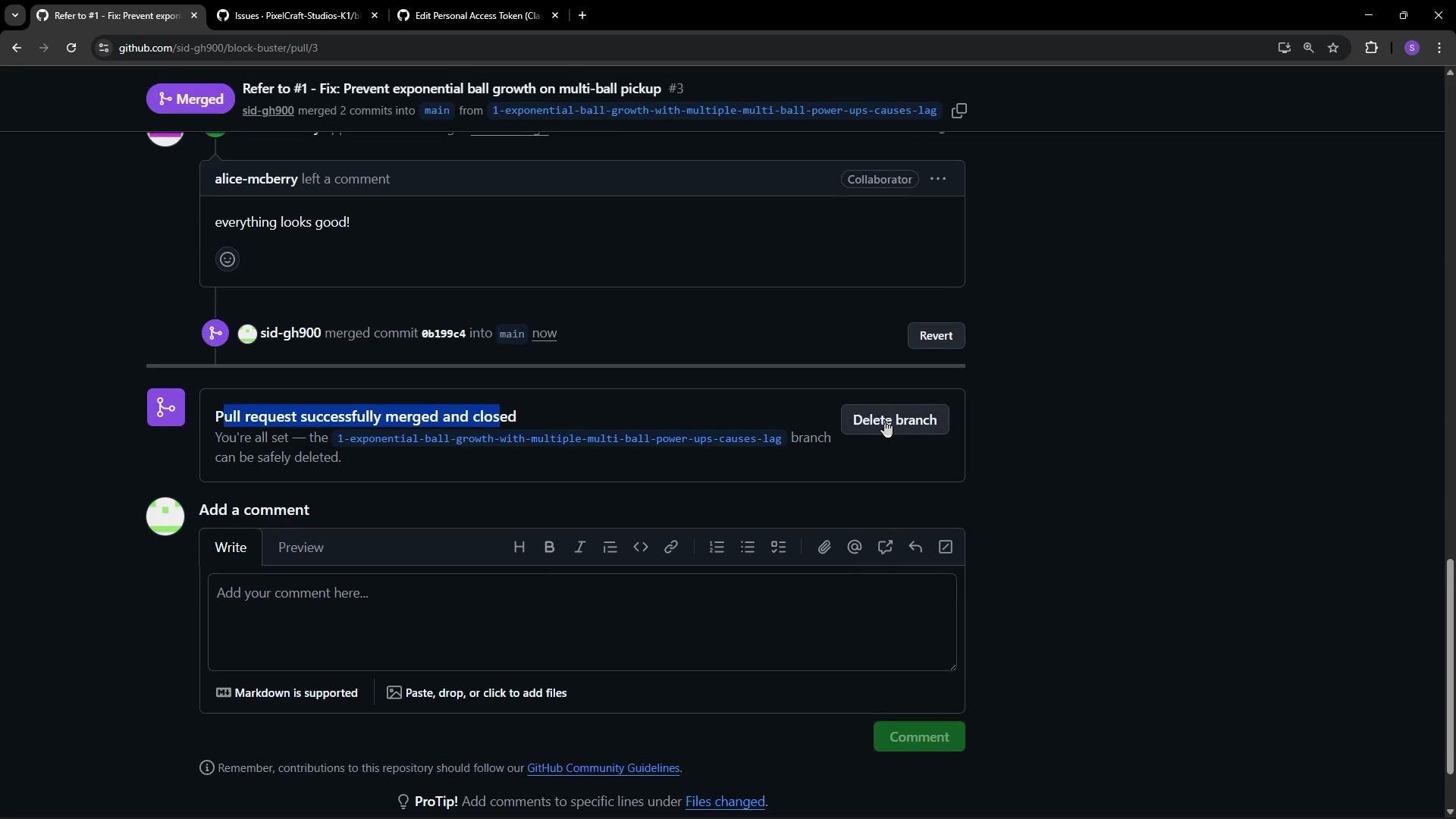
Once merged, the PR displays as merged and closed and the UI offers the option to delete the source branch.
The image shows a GitHub pull request page where a pull request titled "Refer to #1 - Fix: Prevent exponential ball growth on multi-ball pickup" has been successfully merged and closed. There is an option to delete the branch, and a section to add comments.
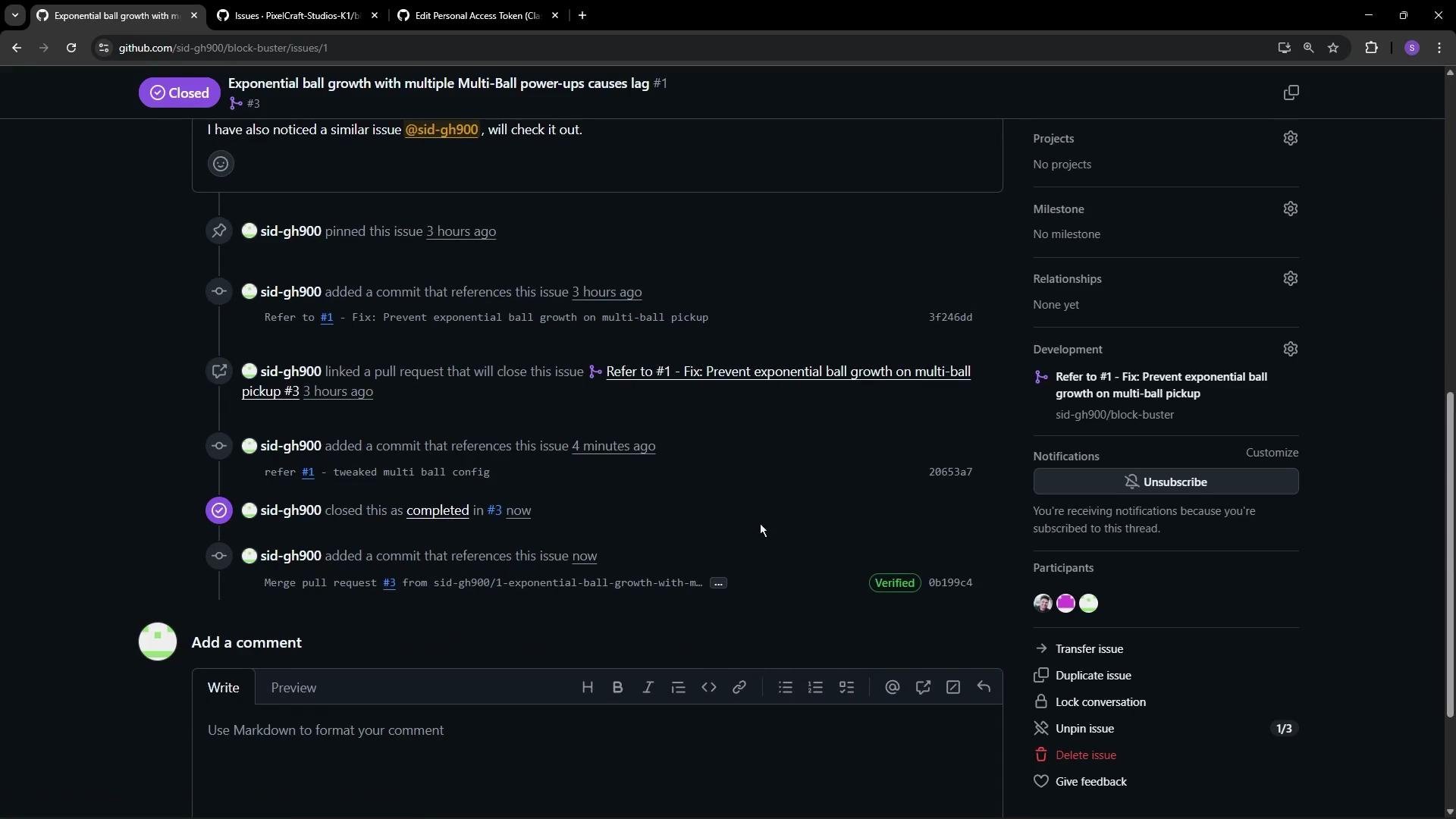
Returning to the linked issue will show it as closed with a reference to the PR that fixed it; the issue timeline includes the PR link and the merge.
The image is a screenshot of a GitHub issue page titled "Exponential ball growth with multiple Multi-Ball power-ups causes lag," showing various comments and actions taken to address the issue, including linking a pull request and marking it as completed.
If your repository enforces branch protection or requires multiple approvals, make sure you understand those rules before merging. Deleting the source branch is optional—only delete it when you no longer need it for additional work.
Quick reference: review outcomes and what they mean Helpful links and references Summary
  • Use the plus icon to comment on a single line; select multiple lines to create a multi-line comment that references a block of code.
  • Start a review to collect multiple inline comments before submitting (you can Comment / Approve / Request changes).
  • Avoid mutating arrays while iterating — instead, snapshot an element or collect new items separately and cap additions to prevent exponential growth.
  • Push fixes to the same branch; the PR will update automatically so reviewers can re-check and approve before merging.

Watch Video