

Watch and Star.
Why follow?
- Receive a curated view of public activity from people and organizations you care about.
- Discover repositories, contributions, and community activity relevant to your interests.
- Build a list of profiles to quickly revisit.
How to follow an individual user
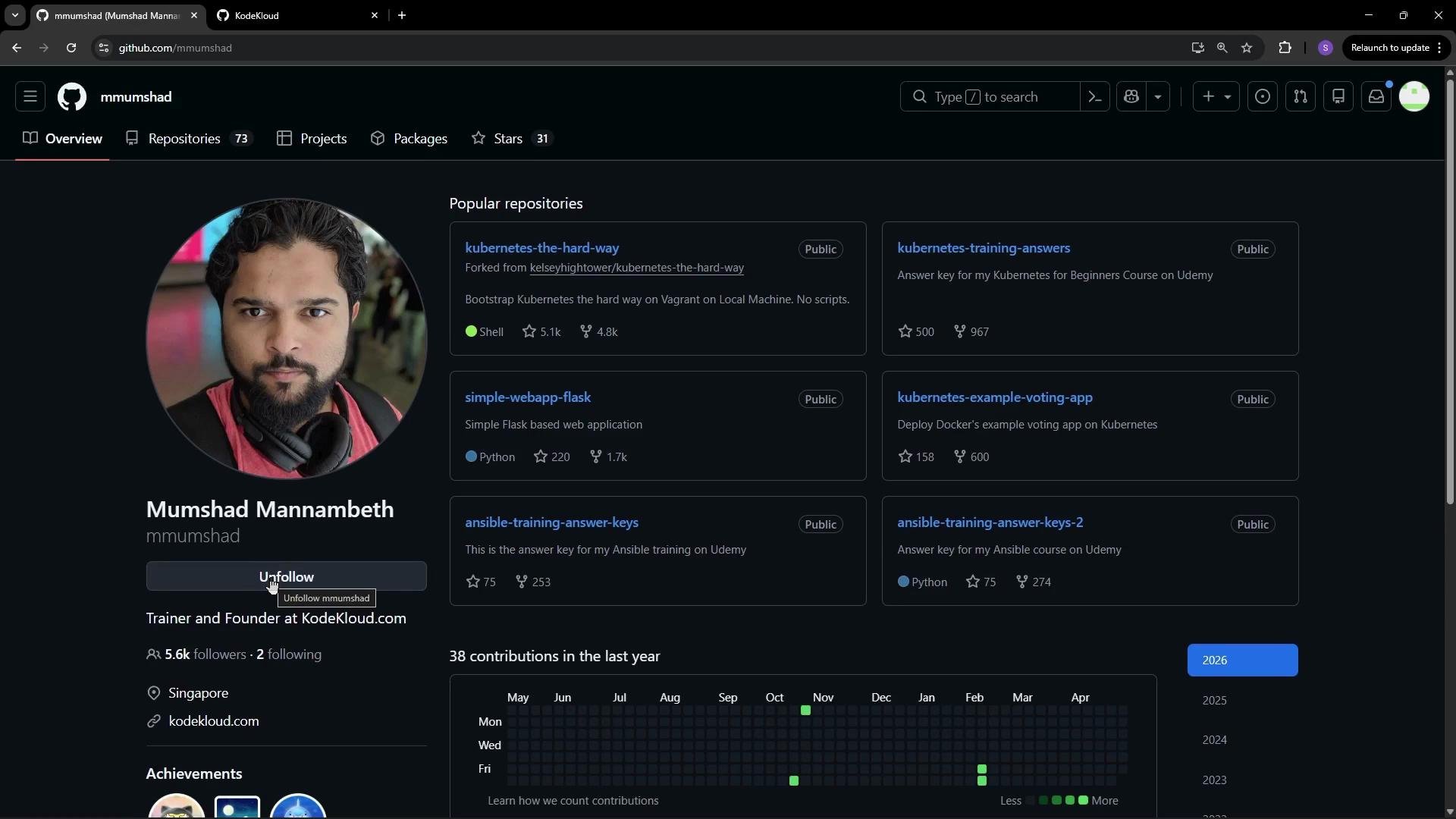
- Navigate to the user’s GitHub profile page.
- Locate the “Follow” button near the top-right of the profile header.
- Click the “Follow” button.
How to follow an organization
- Search for the organization by name or navigate to its GitHub organization page.
- Open the organization profile.
- Click the “Follow” button, usually near the top-right of the organization header.
Following someone or an organization surfaces their public activity in your feed. To receive issue/PR/email notifications for a specific repository, use that repository’s
Watch settings.Follow vs Watch vs Star — quick comparison
For repository-level notifications:
- Click the
Watchbutton on the repository page and choose the notification level you want (e.g., “All Activity”, “Custom”).
Additional tips and important notes
- Following someone or an organization does not:
- Subscribe you to issue/PR notifications for their repositories, or
- Grant access to private repos or organization resources.
Following does not change repository permissions or privacy. If you need notifications for a repository, set the repository’s
Watch level or adjust notification settings in your GitHub account.