

- Improves first impressions and discoverability on GitHub and search engines.
- Reduces friction for new contributors by documenting setup and contribution workflows.
- Clarifies legal permissions and triage procedures for security issues.
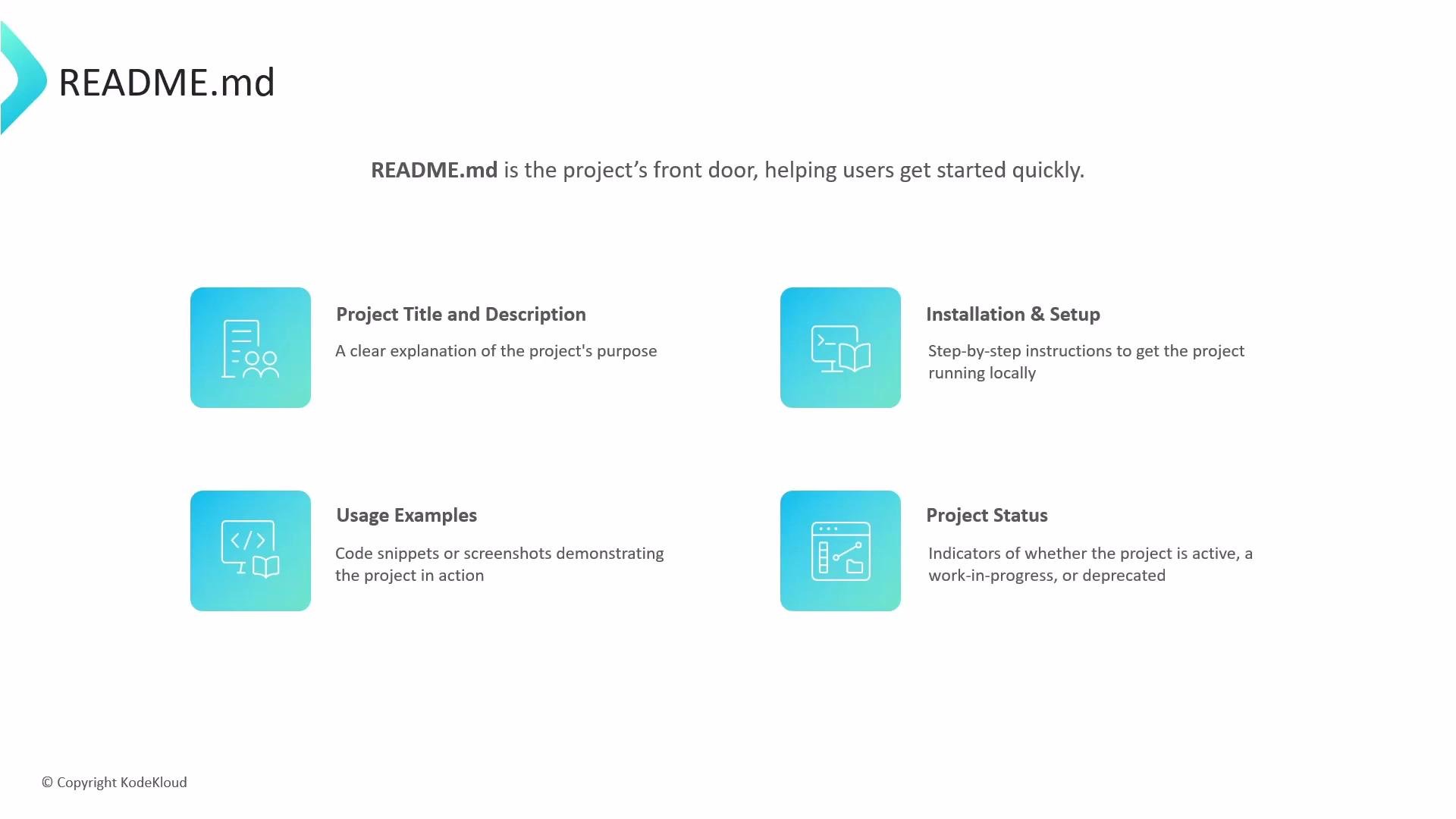
- Project title and a short, clear description of purpose and benefits.
- Prerequisites and installation/setup steps with examples and commands.
- Usage examples and minimal, copyable code snippets that demonstrate common workflows.
- Screenshots, demo GIFs, or links to live demos to showcase functionality.
- Project status badges (build, release, license) and a quick “Getting Started” section.
- GitHub renders
README.mdfound at the repository root (on the default branch) on the repository’s main page. - You can keep additional README files in subfolders (for example
.github/ordocs/) to document specific areas of the project, but these are supplemental and won’t replace the root README on the main page. - Common pattern: a concise root
README.mdfor general project orientation, and more detailed docs indocs/or.github/.
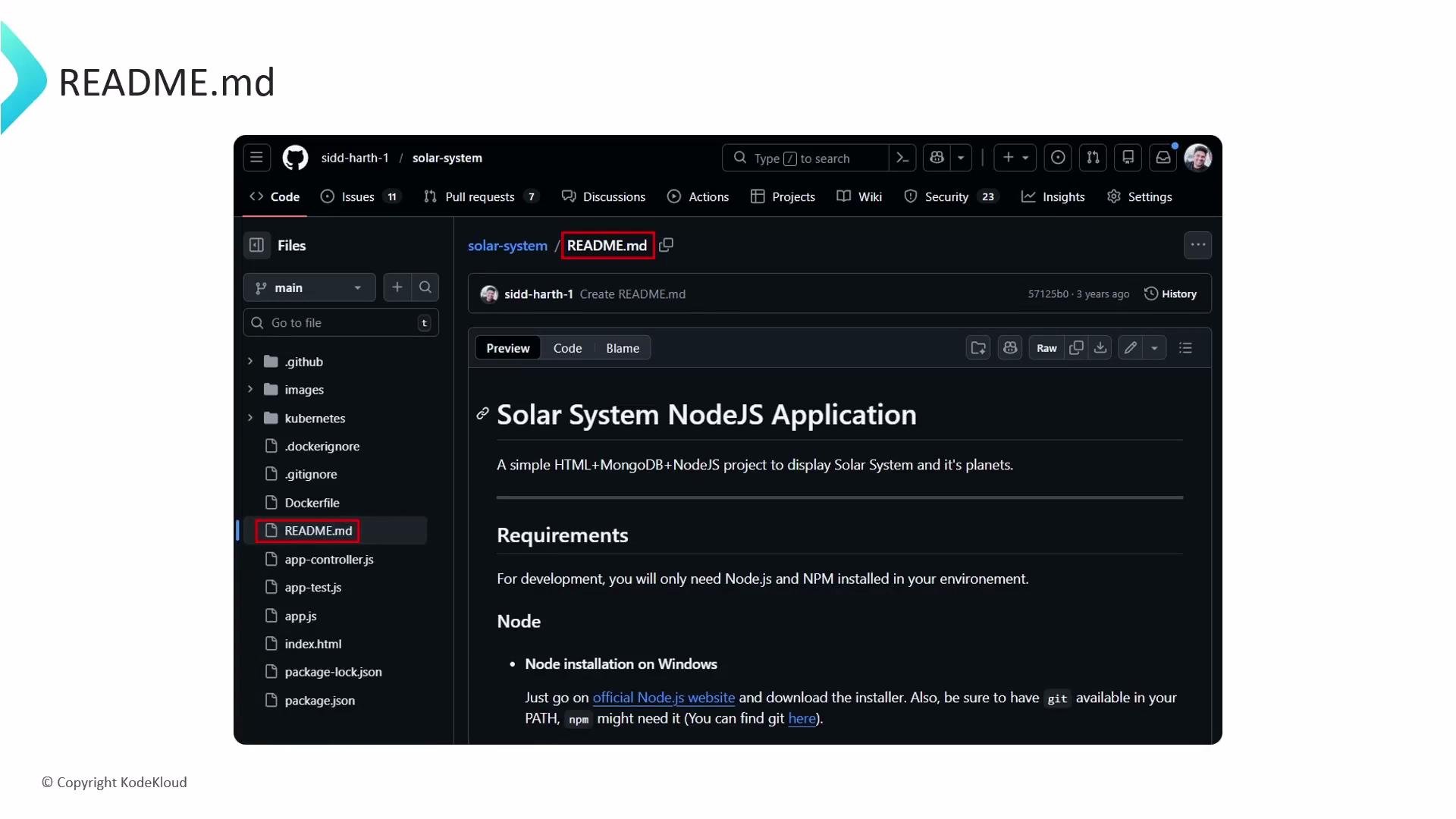
README.mdat the repository root — primary README displayed on the repository main page..github/README.md— useful for repository-specific metadata or community files (e.g., contributing guidelines, templates).docs/README.md— useful for longer-form documentation or content used by a docs site.- If you create a public repository named exactly after your GitHub username, its root
README.mdwill also appear on your personal GitHub profile page.
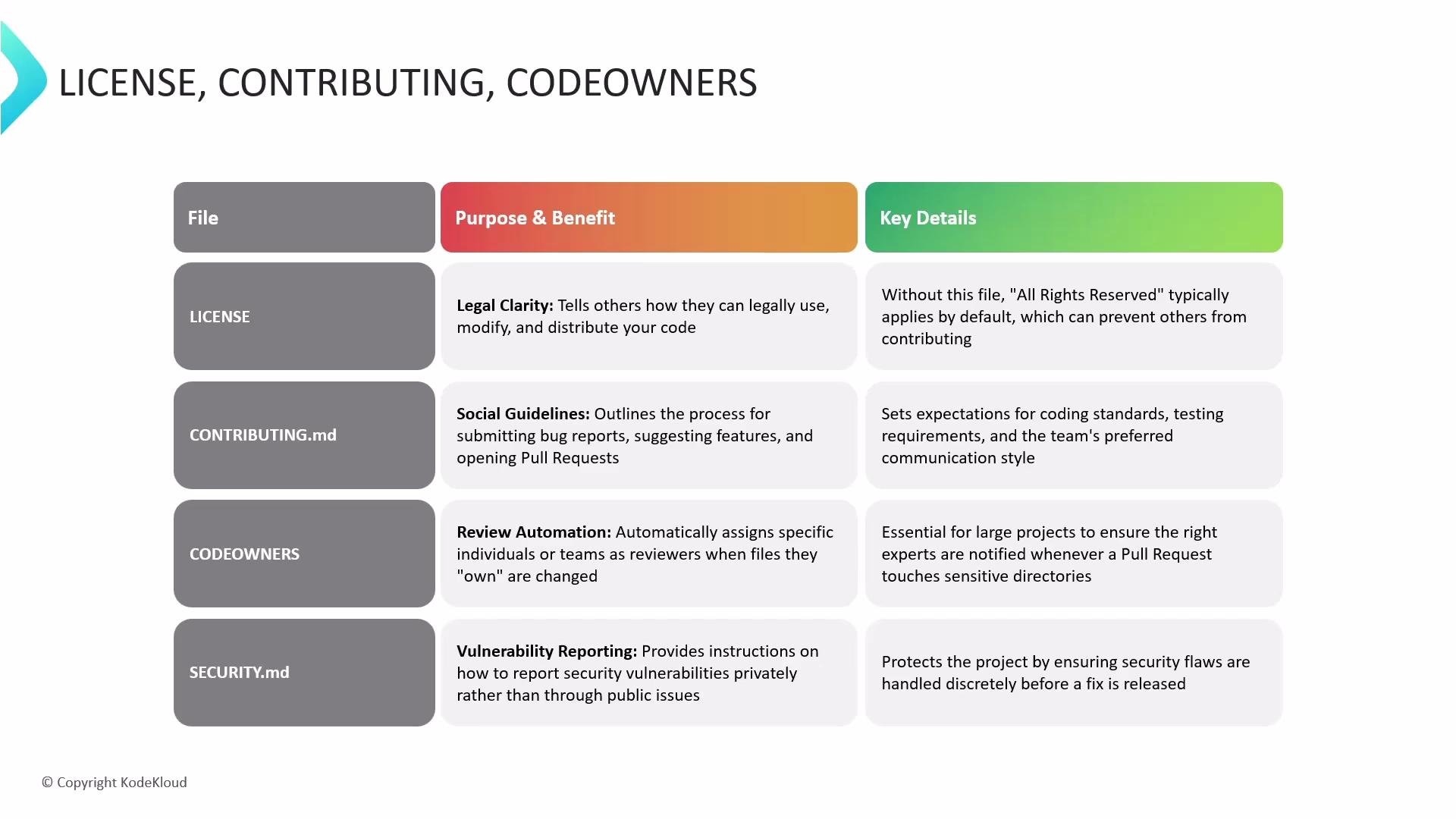
- LICENSE — Clearly states how others may use, modify, and distribute your code. Without one, your project defaults to “all rights reserved,” which limits reuse and contributions. Choose a license using resources like the GitHub Licensing Guide or https://choosealicense.com/.
- CONTRIBUTING.md — Documents how to report issues, request features, and submit pull requests. Outline coding standards, tests, and the expected review process to set contributor expectations.
- CODEOWNERS — Specifies who automatically receives review requests when certain files change. This helps enforce code ownership and speeds up reviews for critical components.
- SECURITY.md — Provides a secure, private process for reporting vulnerabilities rather than opening public issues, helping maintainers address security problems before public disclosure.
Include a clear LICENSE and CONTRIBUTING.md early in your repository to reduce legal ambiguity and make it easier for others to contribute.
- Start by creating a concise
README.mdat your repo root with setup and usage examples. - Add
LICENSE,CONTRIBUTING.md,CODEOWNERS, andSECURITY.mdaccording to your project’s needs. - Useful references:
- GitHub Docs: https://docs.github.com/
- Choose a License: https://choosealicense.com/
- Writing good CONTRIBUTING guides: https://opensource.guide/starting-a-project/#writing-a-contributing-guide