

File format and user experience
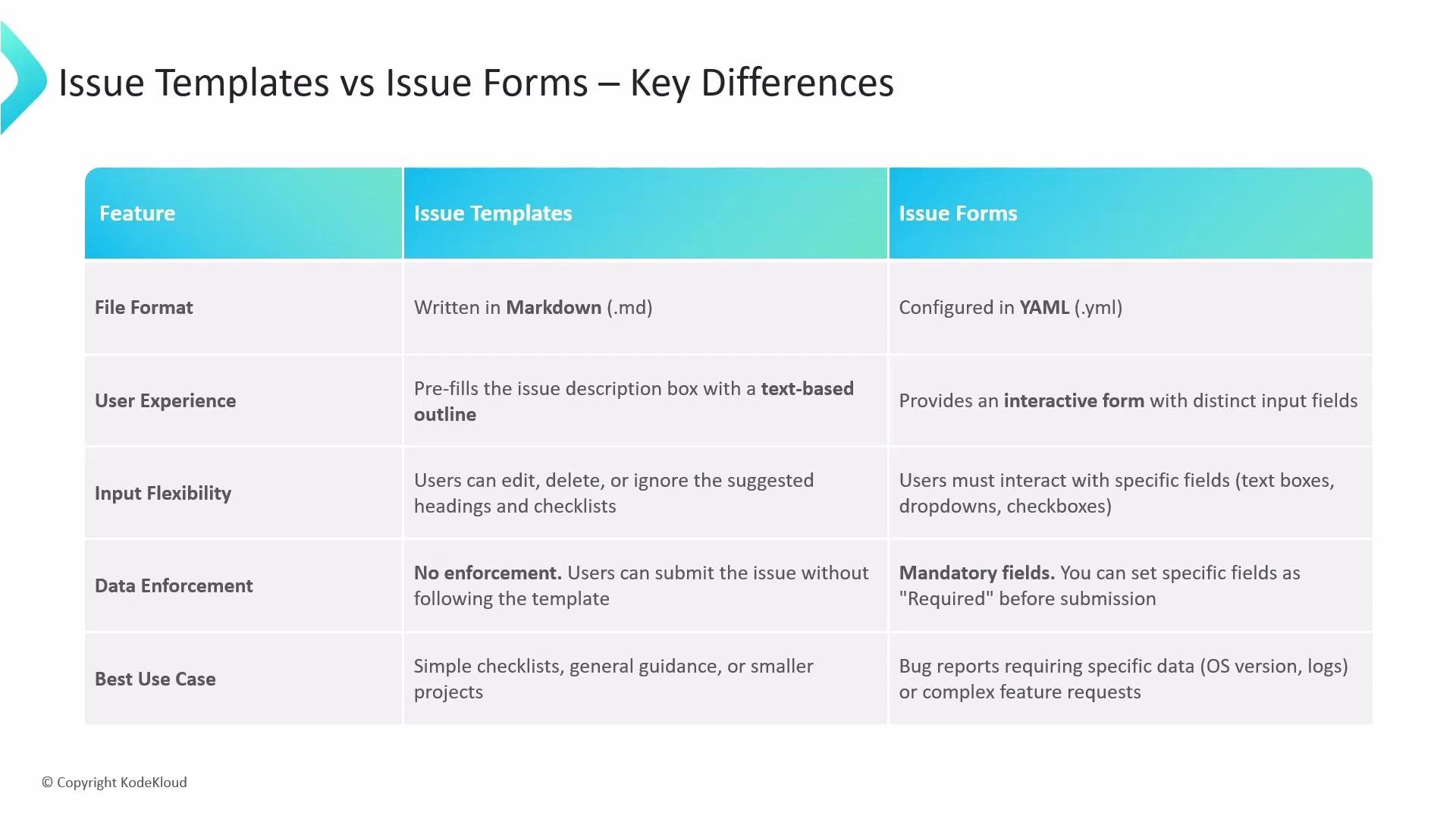
- Issue templates are plain Markdown files that pre-fill the issue description with headings, prompts, and checklists. Contributors see editable text in the description box and can change anything before submitting.
- Issue forms are defined in YAML and render as a structured UI made of fields (text inputs, textareas, checkboxes, dropdowns, etc.), giving contributors a guided experience and clearer prompts.
- Markdown templates: easy to author, flexible, familiar to contributors.
- YAML issue forms: structured data, better validation, easier to use for automation and triage.
Examples
Example: a simple Markdown issue templateSide-by-side comparison
When to use which
-
Use issue templates (Markdown) when:
- You want quick, flexible guidance or checklists.
- The project is small or contributions are informal.
- You don’t need strict, machine-readable fields.
-
Use issue forms (YAML) when:
- You need consistent, structured input (e.g., OS, reproduction steps, logs).
- You want to enforce required fields to improve triage.
- You plan to automate issue handling, labels, or routing based on field values.
Quick tips for authors
- Convert high-value templates to forms if you repeatedly need the same structured fields.
- Keep forms concise: too many required fields can discourage contributors.
- Provide helpful placeholders and examples to reduce low-quality reports.
- Use labels, issue actions, or GitHub Actions to automate workflows based on form fields.
Links and references
Choose Markdown templates when you need flexibility and light guidance. Choose YAML-based issue forms when you need consistent, enforceable fields that improve triage, automation, and data quality.