

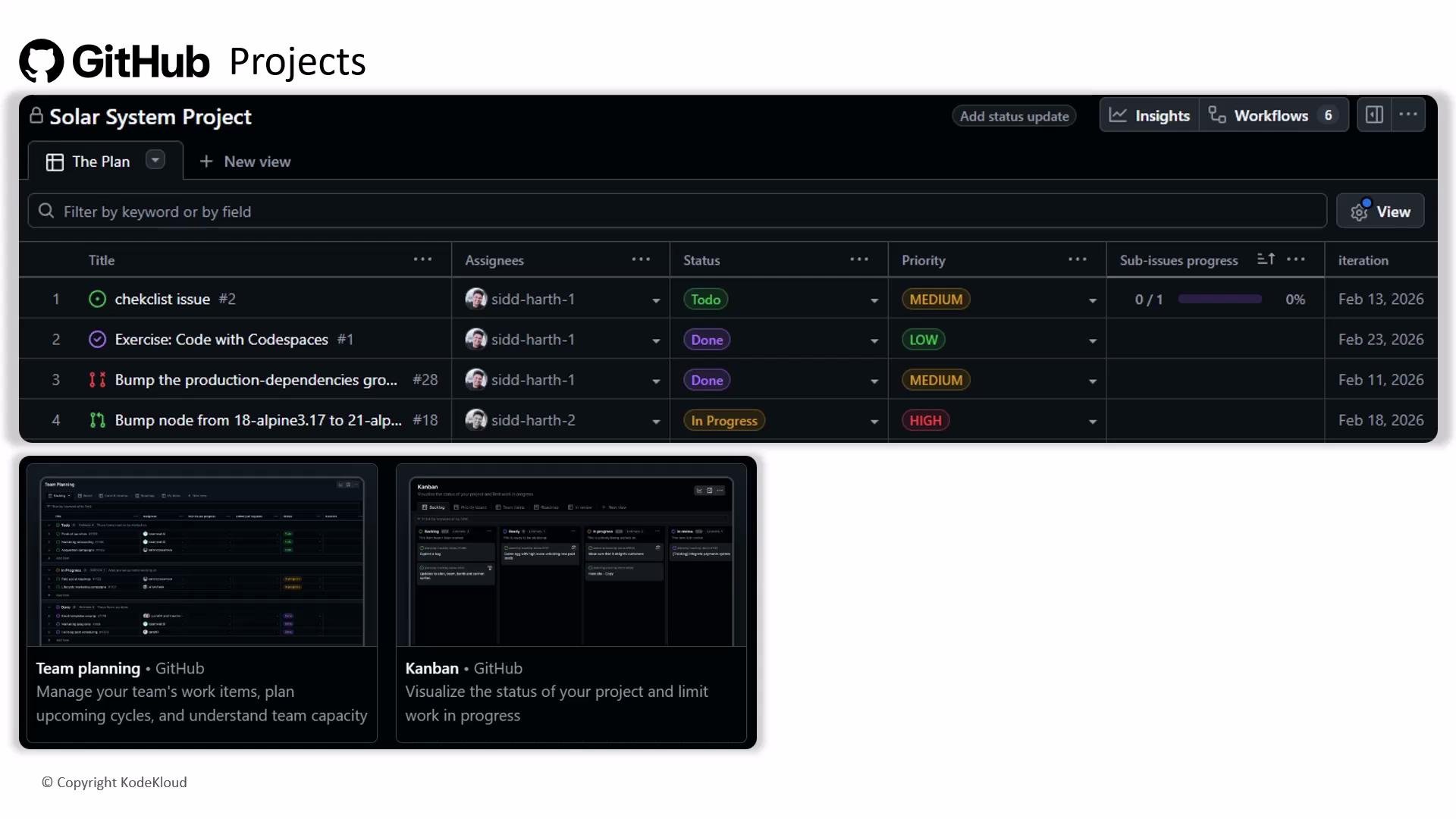
GitHub Projects aggregates issues and pull requests from multiple repositories into a single board or table. Combine custom fields, saved views, and automation to keep your project synchronized with issues/PRs and reduce manual updates.
Overview: Core capabilities at a glance
Use the table below to quickly understand the main capabilities and typical use cases for GitHub Projects.How Projects connects with issues and pull requests
- Add issues/PRs to a project from their sidebar or by dragging cards into a board.
- When you enable automation, project items can update in response to repository events (for example, moving a card when an issue is closed).
- Link back to the source issue/PR so the canonical record stays in the repository while the project tracks status and metadata.
Recommended workflow examples
-
Basic Kanban workflow
- Create a project and add columns: Backlog, In Progress, Review, Done.
- Add issues and PRs to the project via the “Projects” selection in each issue/PR, or drag them into columns.
- Configure automation rules to move items to Done when their linked issue is closed or PR is merged.
-
Sprint planning using table view
- Create custom fields such as
Sprint,Story Points, andPriority. - Filter for the current sprint and bulk-edit the
Sprintfield or drag items into the sprint column. - Save this filtered view to use during planning and daily standups.
- Create custom fields such as
-
Release planning with templates
- Create a project template for release checklists and common tasks.
- Instantiate the template for each release to ensure consistency across teams.
- Use the timeline/roadmap view (if available) to visualize release milestones.
Be cautious with automations and permissions: overly complex automation can make project behavior unpredictable. Ensure users have the proper repository and project permissions before adding or modifying cross-repo items.
Best practices
- Start from a template to reduce setup time and keep structures consistent.
- Standardize custom field names and allowed values (for example: Priority = High / Medium / Low).
- Limit the number of automations per project and document their rules so team members understand expected behavior.
- Use saved views for role-specific dashboards (maintainers, QA, product owners).
- Regularly review and prune views, fields, and automations to prevent drift and clutter.
Extending Projects: integrations and reporting
-
Integrations and API
- Use the GitHub API and webhooks to integrate Projects with CI/CD systems, calendar tools, dashboards, or custom reporting. See the GitHub docs for developers: https://docs.github.com/en/developers/webhooks-and-events
- Third-party apps in the GitHub Marketplace can add notifications, analytics, and other enhancements.
-
Reporting
- Export project data or query via API to produce stakeholder reports (velocity, cycle time, open vs. closed items).
- Use consistent custom fields (e.g.,
Story Points,Sprint) to enable meaningful metrics across projects.
Quick reference links
- GitHub Projects documentation: https://docs.github.com/en/issues/planning-and-tracking-with-projects
- GitHub API & webhooks: https://docs.github.com/en/developers/webhooks-and-events