

main (historically master) branch typically contains production-ready code that’s frequently deployed. When you need to build a new feature, fix a bug, or experiment without affecting main, you create a feature branch. A feature branch is an isolated copy of the codebase where you and your teammates can commit, iterate, and test changes before merging them back into main.
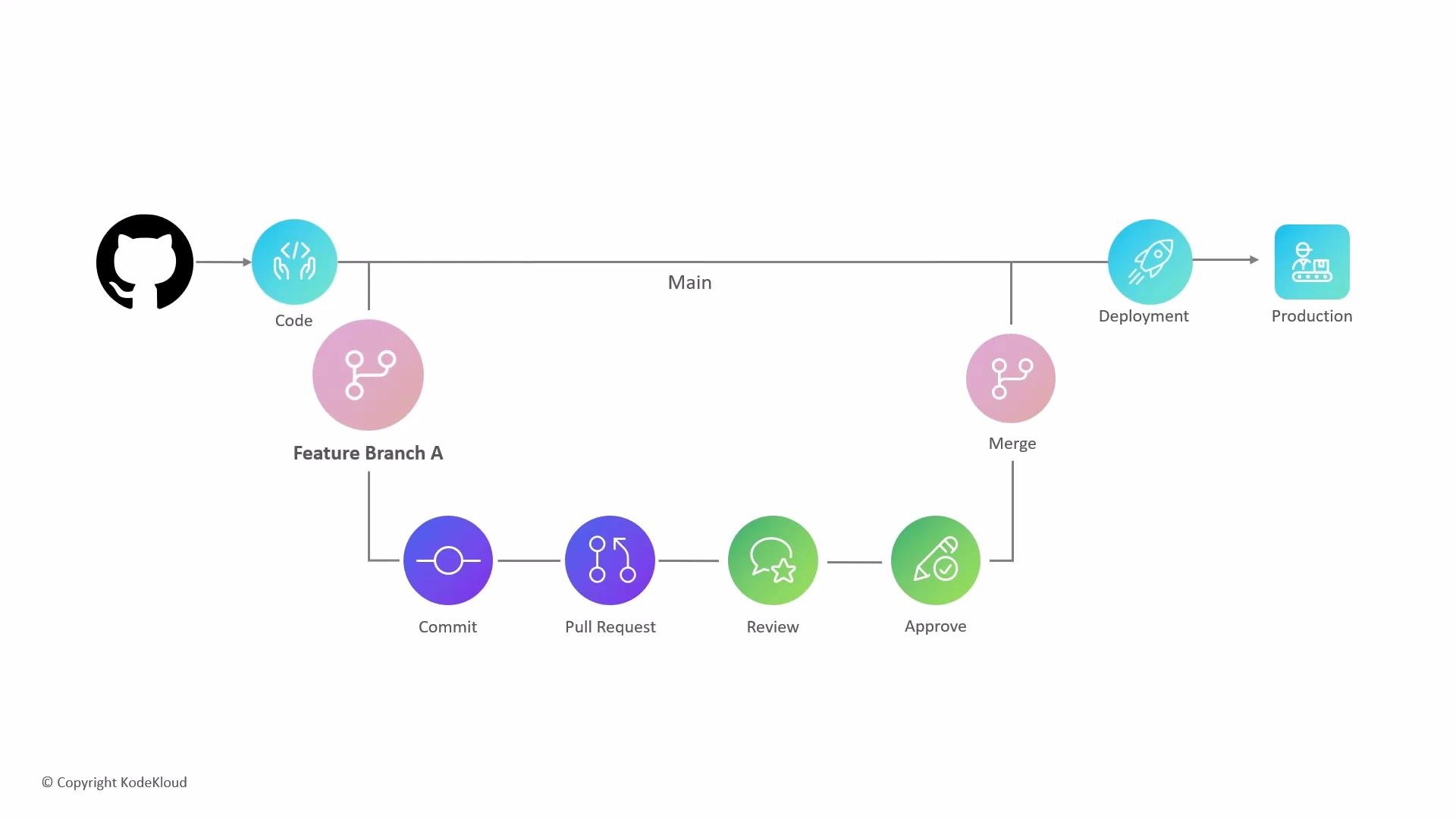
- Isolation: Implement changes without risking
main. - Collaboration: Multiple contributors can work on the same feature branch.
- Safer releases: Code is validated by CI and peer review before merging.
- Parallel development: Different features and fixes can be developed simultaneously.
- Create a descriptive branch from
main. - Make changes locally; commit often with meaningful messages.
- Push the branch to the remote repository.
- Open a pull request (PR) to merge the feature branch into
main. - CI runs automated checks (tests, linters) and reviewers inspect the code.
- Address feedback by updating the branch and pushing additional commits.
- Once CI passes and reviewers approve, merge the branch into
main. - Deploy
mainto staging or production as your release process requires.
- Merge commit: preserves all commits and creates a merge commit (
git merge). - Squash-and-merge: combines all branch commits into a single commit on
main. - Rebase-and-merge: rewrites branch commits on top of
mainto create a linear history.
Best practices
- Use short, descriptive branch names, e.g.
feature/login-form,fix/calc-bug-123. - Keep
maindeployable at all times. - Run CI locally (or via pre-commit hooks) to reduce failing checks in PRs.
- Keep branches up to date with
mainby merging or rebasing regularly to minimize conflicts. - Prefer small, focused pull requests for easier review.
Use clear, short branch names (for example
feature/login-form or fix/calc-bug-123) and keep main deployable. Run CI locally (or via pre-commit hooks) before pushing to reduce noisy failures in pull requests.Avoid rebasing branches that are already pushed and shared with others unless your team agrees—rewriting history can disrupt collaborators. Use
merge for shared branches, or coordinate a force-push after rebasing.- Regularly merge or rebase changes from
maininto your feature branch. - Address CI failures quickly and update the PR with fixes.
- Use branch protection rules (required reviews, required status checks) to enforce quality gates.
main remains stable and ready for deployment. Follow naming conventions, keep branches current with main, and use CI and code reviews to ensure high-quality merges.