

Prerequisites
- An existing ExpressRoute circuit.
- A Virtual Network with an associated virtual network gateway configured for ExpressRoute (not a VPN gateway).
- Appropriate permissions in the subscription or access to an authorization key if the circuit is in another subscription.
Steps: Create the ExpressRoute Connection
- Open the ExpressRoute circuit you want to use in the Azure portal.
- In the left-hand menu, choose Connections, then click Add at the top of the page to create a new connection.
- Subscription, resource group, and region.
- Connection type set in context of this circuit.
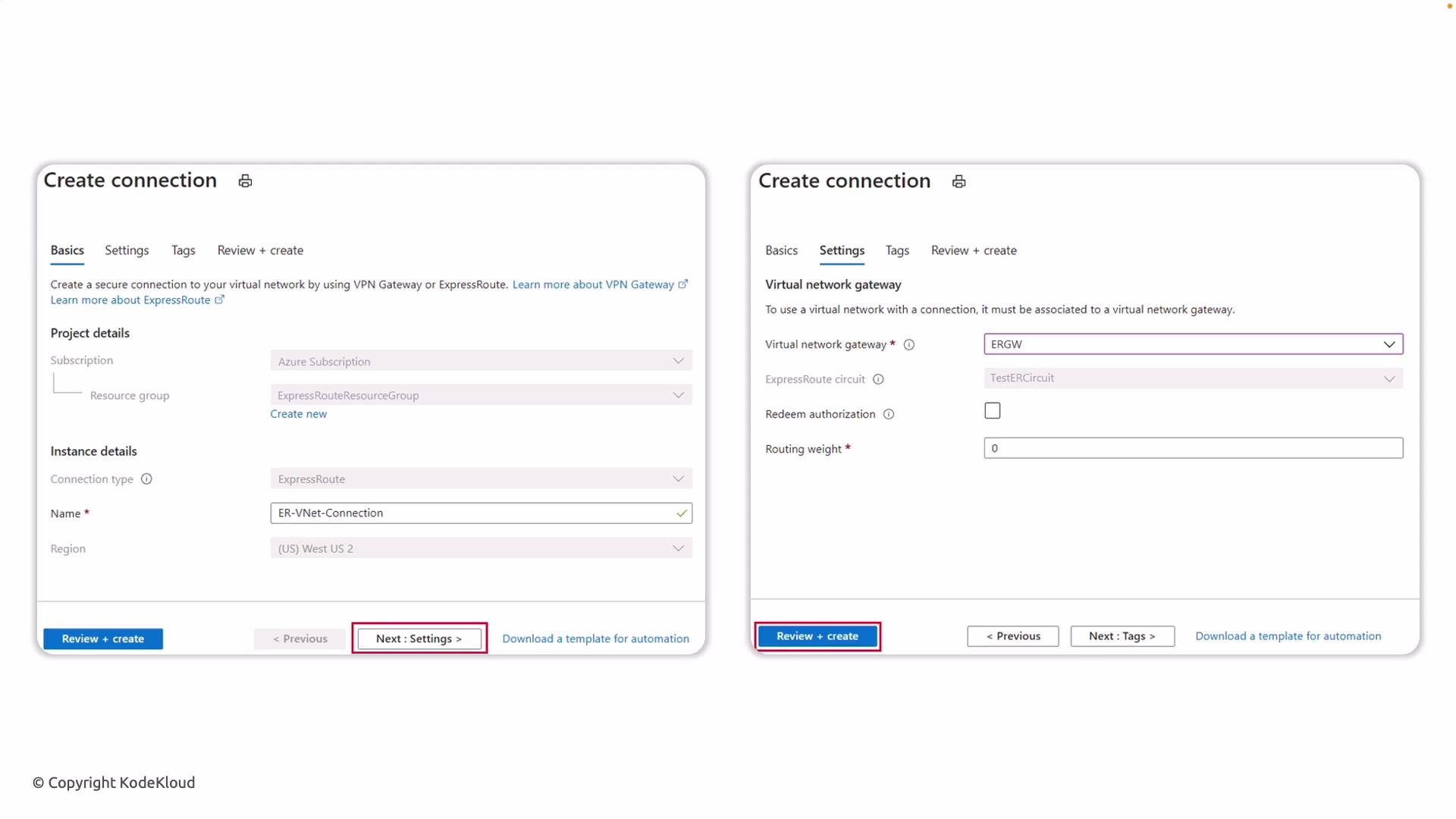
Settings blade — what to configure
On the Settings blade, pick the virtual network gateway that corresponds to the VNet you want to attach. Important details:- Gateway type must be configured for ExpressRoute (you cannot select a VPN gateway).
- Selecting the correct gateway binds the ExpressRoute circuit to that VNet.
After configuring these values, click Review + create to validate, then Create to provision the connection.
Provisioning and validation
Azure will provision the connection. After deployment completes, return to the Connections page for the ExpressRoute circuit. The new connection should appear in the list. You should see:- Status:
Succeeded - Type:
ExpressRoute - Peers: the name of the virtual network gateway linked to the circuit
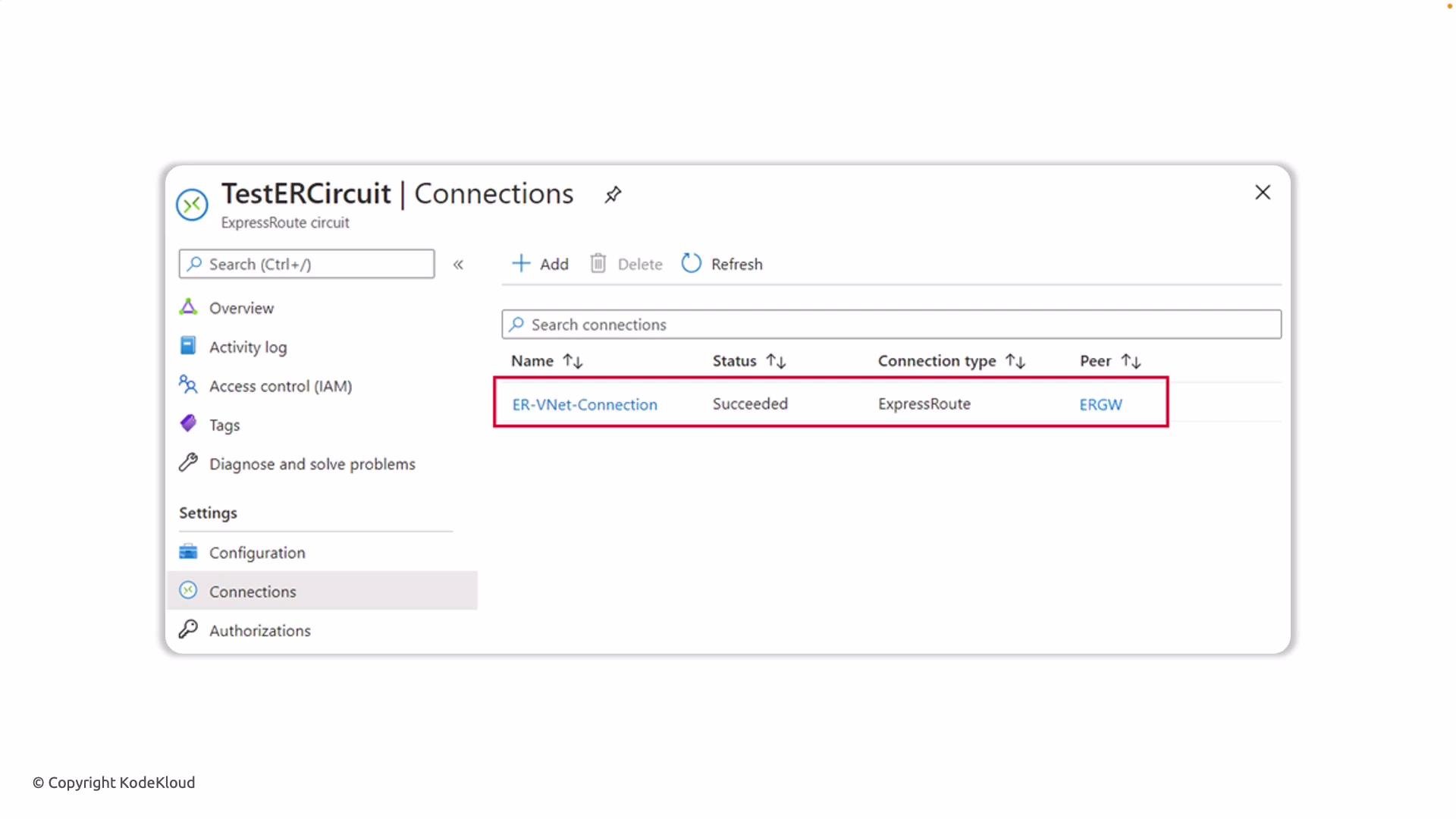
Post-connection verification
- Validate BGP peering and route propagation between your on-premises routers and Azure.
- Confirm that the on-premises network can reach intended Azure subnets.
- Verify effective routes on the VNet and on the virtual machines’ NICs if needed.
Common issues and troubleshooting
- Connection stuck in provisioning: check gateway SKU and gateway status.
- Cross-subscription connections fail: ensure authorization key has been redeemed by the connecting subscription.
- Routes not learned: verify BGP is established and routing weight / filters are configured correctly.
Ensure the virtual network gateway SKU supports ExpressRoute connectivity. You cannot connect a VNet using a VPN-only gateway — the gateway must be configured for ExpressRoute. If the circuit is in another subscription, make sure the authorization key is redeemed before creating the connection.
After the connection is created, validate routing and peering (BGP) to ensure traffic flows as expected. For details on gateway SKUs and ExpressRoute requirements, see the Azure ExpressRoute documentation.