

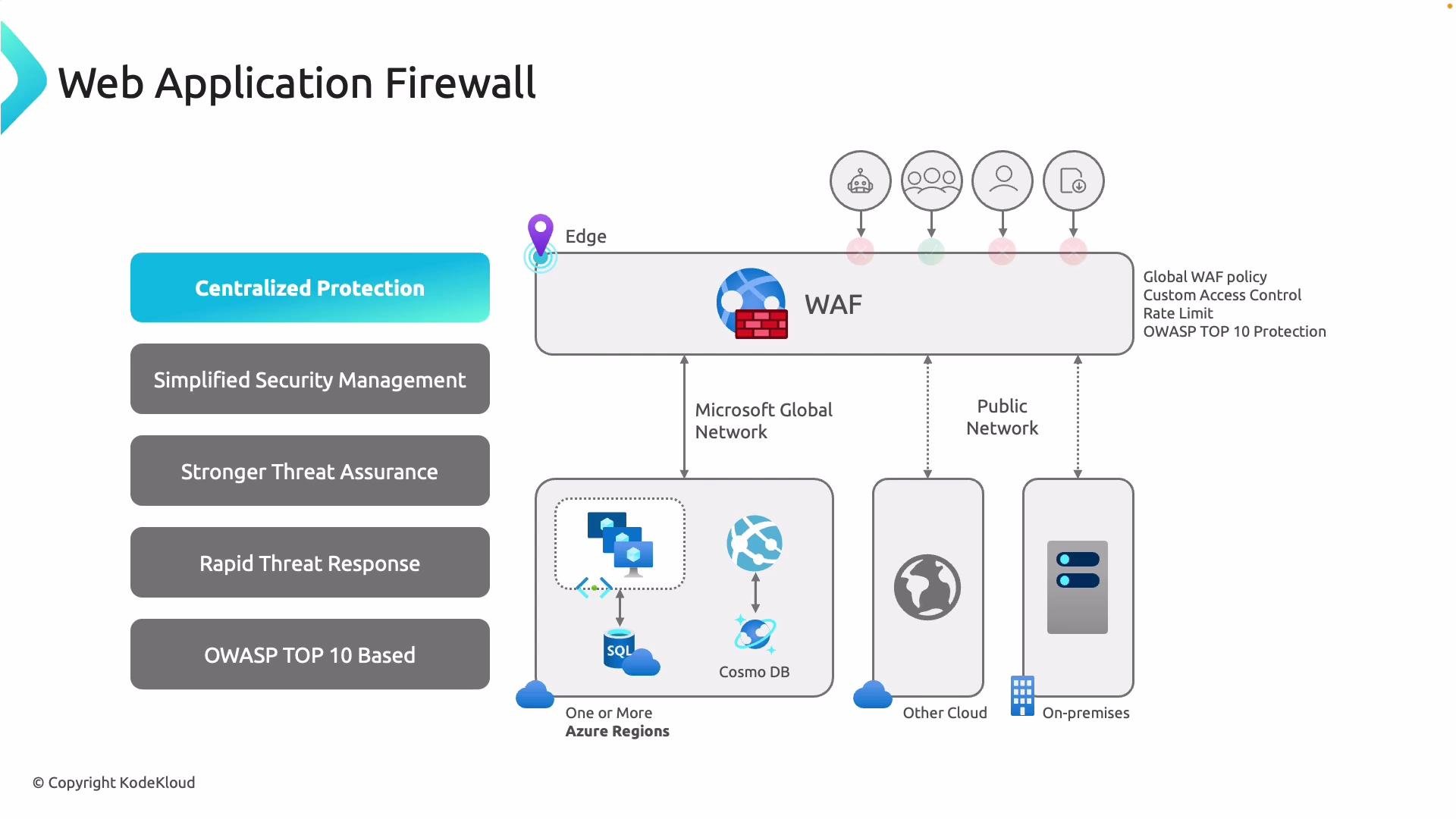
- WAF on Application Gateway: Use when your apps are hosted within VNets and you need granular, per-application policy associations (listeners, URL path-based routing, or back-end scopes). Logs are tied to the gateway for detailed per-application analysis.
- WAF on Azure Front Door: Use when you want inspection at Microsoft’s global edge to stop malicious requests close to users and origins. A single WAF policy can span multiple Front Door endpoints and origins—ideal for global consistency.
- Detection mode (default): The WAF evaluates traffic against rules but does not block requests; it only logs matches. This lets you observe which rules would trigger and fine-tune exclusions or mitigations before enforcing blocks.
- Prevention mode: The WAF blocks requests that match configured malicious signatures or rules while still logging those events. In prevention mode, an attempted SQL injection or XSS payload is dropped at the edge and never reaches the origin.
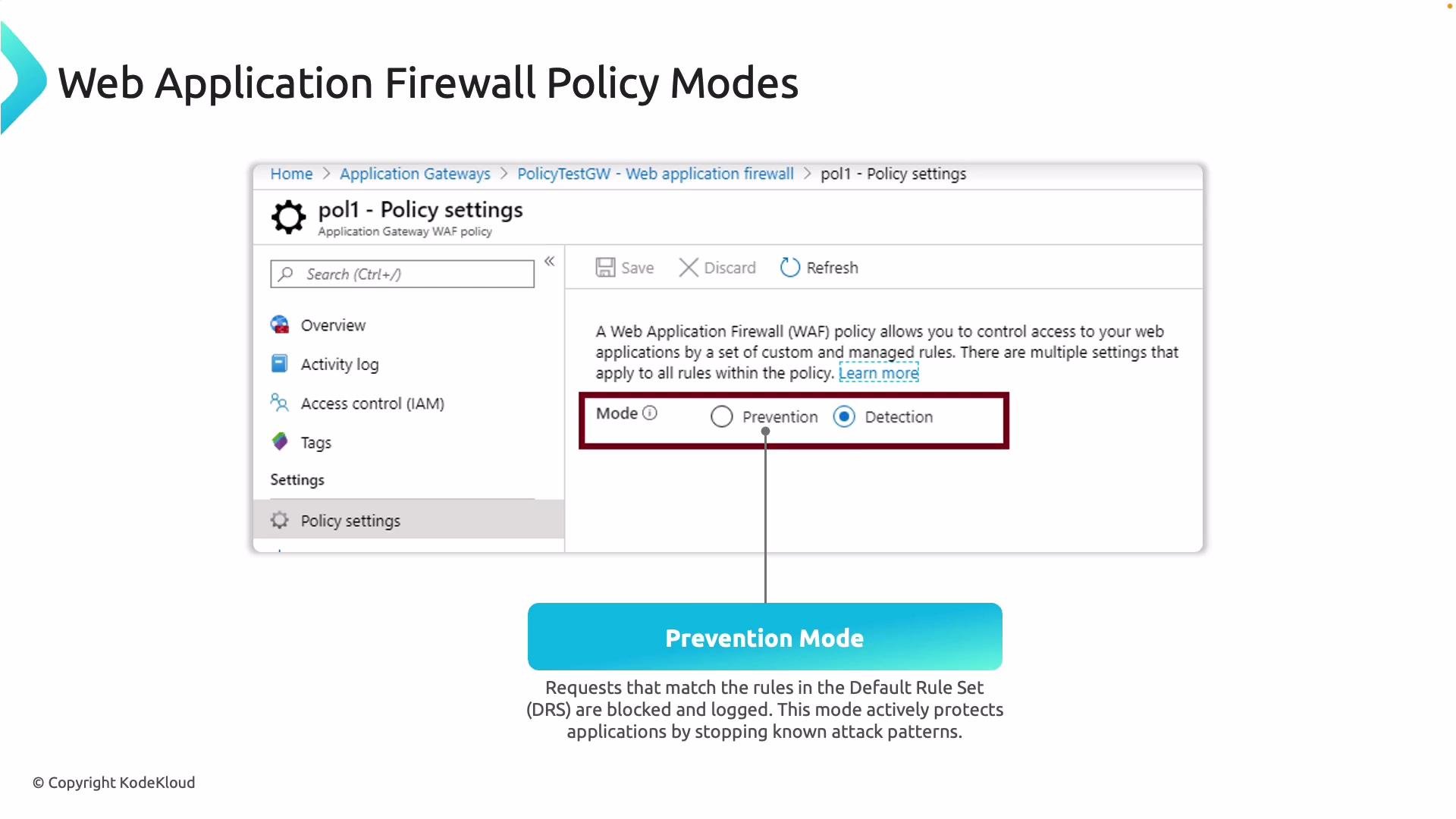
Start new WAF deployments in Detection mode to review logs and tune rules. Move to Prevention mode only after validating that the policy does not block legitimate traffic.
- Managed Rule Sets: Azure WAF uses Microsoft-managed rule sets (MRS) built on widely adopted rules such as the OWASP Core Rule Set (CRS). Managed rules provide baseline coverage for common attack categories and are versioned and updated by Microsoft.
- Rule IDs and granular control: Every managed rule has an identifier. You can enable or disable individual rules, add exclusions for specific request parts (headers, query strings, cookies, URL path, etc.), or change rule actions at the policy level to suit your application behavior.
- Custom rules: In addition to managed rules, you can create custom WAF rules for IP or geo-blocking, header- or path-based matching, or other request conditions. Note that capabilities such as rate-limiting and certain advanced controls depend on the Azure WAF SKU and whether you are using Front Door or Application Gateway.
- Logging and diagnostics: Diagnostic logs provide detailed records of matched rules and actions taken. Send logs to Log Analytics, Storage accounts, or Event Hubs for analysis, alerting, and long-term archiving. Use these logs to tune policies and investigate incidents.
Together, managed and custom rules let you balance wide automated coverage with precise, application-level controls.
Links and references
- Azure Application Gateway WAF documentation
- Azure Front Door WAF documentation
- Azure Virtual Network overview
- OWASP Top 10
- OWASP Core Rule Set (CRS)
- Azure Monitor logs / Log Analytics