Public DNS — an overview. This section describes how Azure DNS hosts and responds for public domain names so your services are discoverable across the internet. It focuses on how DNS resolution occurs when you use Azure DNS as the authoritative DNS provider and the common record types you’ll manage. Azure DNS is an authoritative DNS hosting service built on Microsoft’s global DNS infrastructure. When you publish a public DNS zone in Azure, Azure provides the authoritative name servers for that zone and answers queries for the domain’s records from a distributed network of servers.

How DNS resolution works (high level)

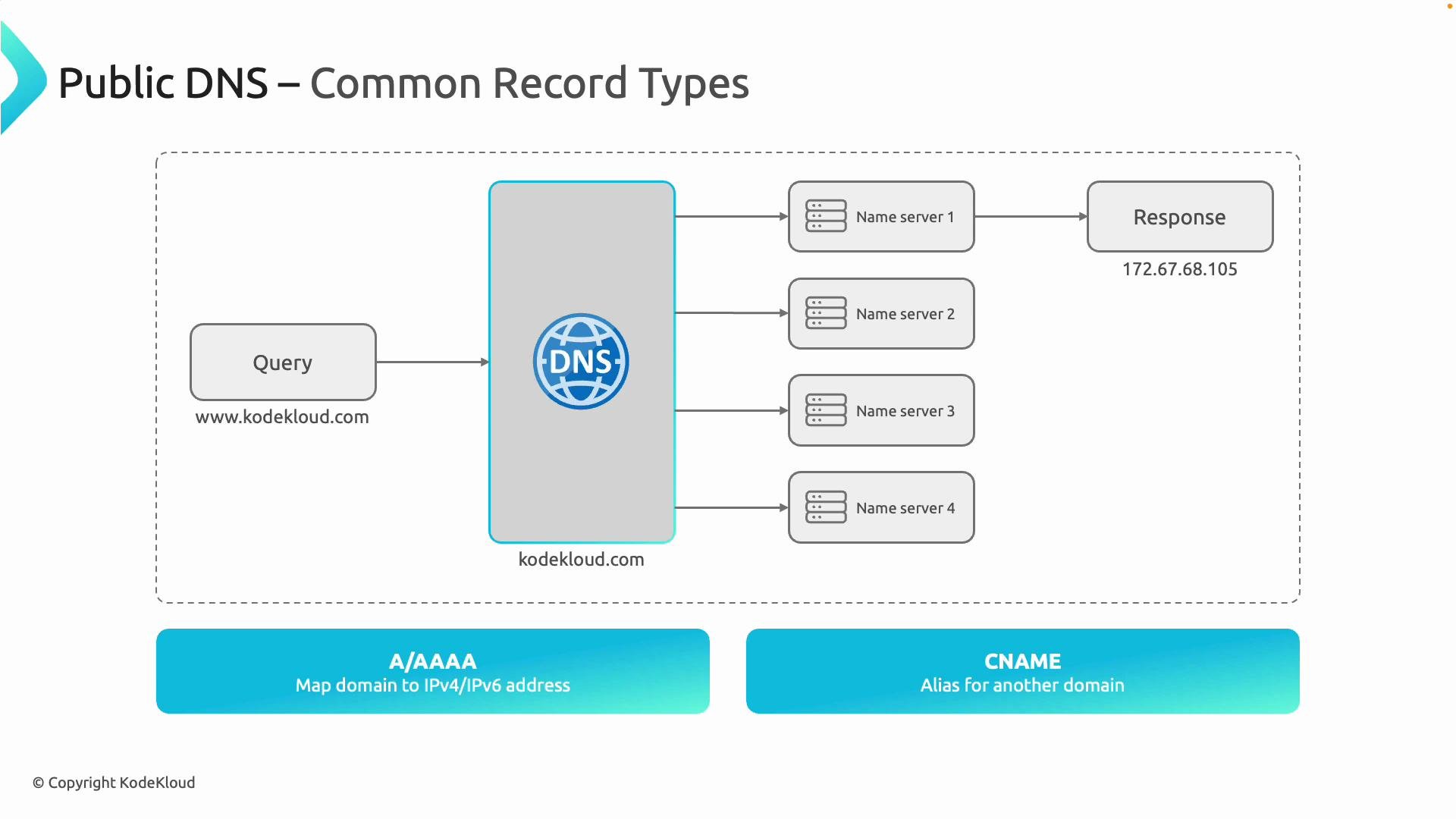
  1. A user enters a domain name (for example, www.kodekloud.com) in their browser.
  2. The browser asks a recursive resolver (for example, the ISP resolver or a public resolver like 8.8.8.8) to resolve the domain name.
  3. If the resolver has no cached answer, it queries authoritative name servers for the zone. When the zone is hosted in Azure DNS, the Azure-provided authoritative servers are queried.
  4. Azure’s globally distributed (Anycast) authoritative name servers respond with the requested record (for example, an A record mapping www.kodekloud.com to 172.67.68.105).
  5. The resolver returns the IP address to the client, and the browser connects to the service.
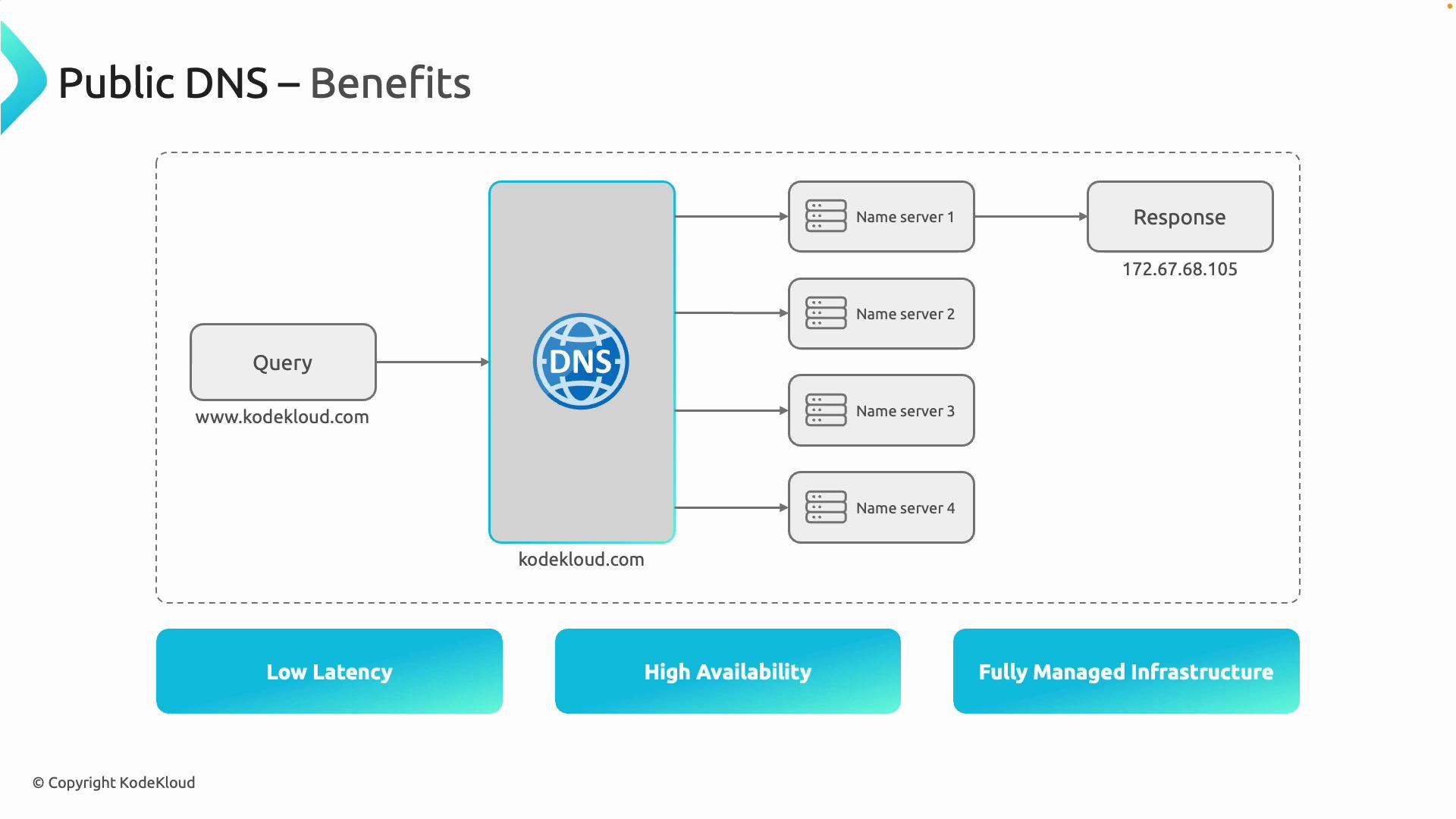
Azure’s authoritative name servers are replicated across regions to provide low-latency, highly available DNS resolution for your domain. Common public DNS record types used in these responses are summarized below.
A diagram illustrating a public DNS query for www.kodekloud.com routed to multiple name servers which returns an IP response (172.67.68.105). It also notes common record types: A/AAAA map domains to IPv4/IPv6 addresses and CNAME is an alias for another domain.

Why use Azure DNS?

  • Global, low-latency resolution: Azure DNS uses Anycast routing so queries are answered from nearby authoritative servers, reducing lookup latency.
  • High availability and redundancy: Multiple authoritative servers distributed worldwide provide resilience if some endpoints are unreachable.
  • Fully managed service: Microsoft operates, patches, and maintains the DNS infrastructure so you don’t need to run DNS servers.
  • Rich DNS features and records: Support for standard record types (A, AAAA, CNAME, MX, TXT, SRV, NS, SOA) and Azure-specific alias records to integrate with services like Azure Traffic Manager, Application Gateway, and Azure Front Door.
  • Integrated management: Manage zones and records through the Azure portal, CLI, PowerShell, or ARM templates for automation and scale.

Common record types (quick recap)

Record typePurposeExampleNotes
AMaps a domain to an IPv4 addresswww.kodekloud.com → 172.67.68.105Used for IPv4 endpoints
AAAAMaps a domain to an IPv6 addressipv6.example.com → 2001:db8::1Used for IPv6 endpoints
CNAMEAlias from one name to anotherapp.kodekloud.com → www.kodekloud.comCannot coexist with other records at the same name and not allowed at the zone apex
MXMail exchange records for email routingmail.kodekloud.comSpecifies mail servers for the domain
TXTArbitrary text for verification and policiesv=spf1 include:mail.example.com -allUsed for SPF, DKIM, and other verification
SRVService location for protocols_sip._tcp.example.comUsed by services to locate hosts and ports
NSDelegates a zone to authoritative name serversns1.azure-dns.comSet for delegating a domain to Azure DNS
SOAStart of Authority (zone metadata)contains zone serial, refresh, retry valuesManaged automatically by Azure DNS
Azure DNS is an authoritative DNS hosting service; it does not register domain names. To use Azure DNS for a domain you own, update your domain registrar’s name server (NS) records to delegate the domain to the Azure-provided name servers for your DNS zone.
Using Azure DNS gives you precise control over how your domain resolves globally while relying on Microsoft’s distributed DNS network for performance, availability, and operational management. Following this overview, you can follow a step-by-step walkthrough in the Azure portal to create a public DNS zone and add records, or automate zone management with the Azure CLI, PowerShell, or Infrastructure-as-Code tools.