

Key Front Door concepts (at a glance)
Origins (Backends)
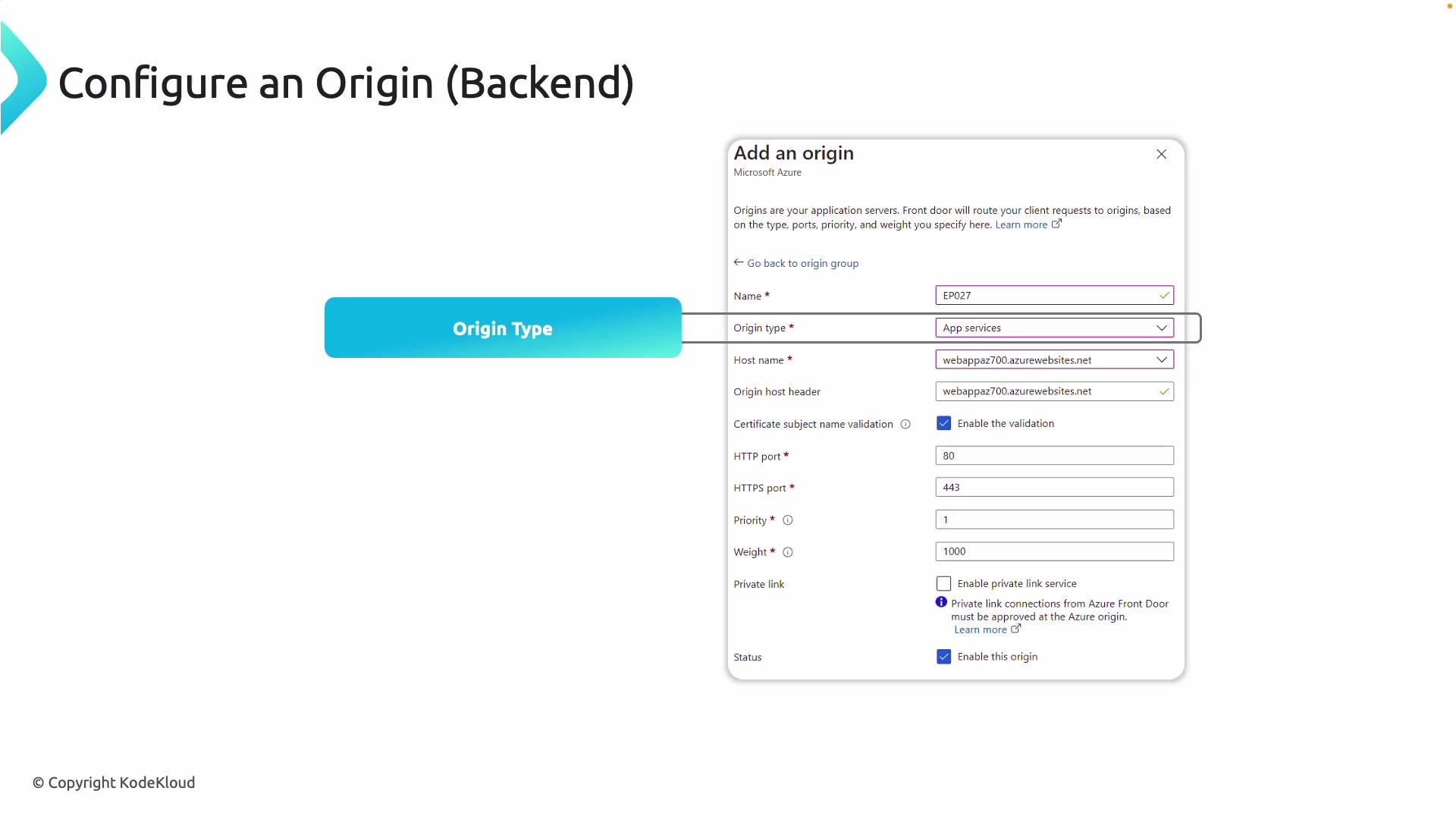
In Azure Front Door terminology, a backend is called an “origin.” When you add an origin, configure the properties below so Front Door can reach and correctly route requests to it.- Origin type: Select the resource type (e.g., App Service, Storage account, Application Gateway, API Management, or Custom).
- Origin hostname: For Azure resources this is often auto-populated; for external endpoints supply the fully qualified hostname.
- Host header: The hostname Front Door sends to the origin. This must match what your backend expects (for example an App Service may require the app’s default host header).
- Ports and protocol: Specify origin ports (80/443) and whether to use HTTP or HTTPS.
- Priority and weight: Use
Priorityfor failover order, andWeightto distribute traffic among origins sharing the same priority. - TLS settings: Enable end-to-end TLS if you want HTTPS between Front Door and the origin.
Health Probes
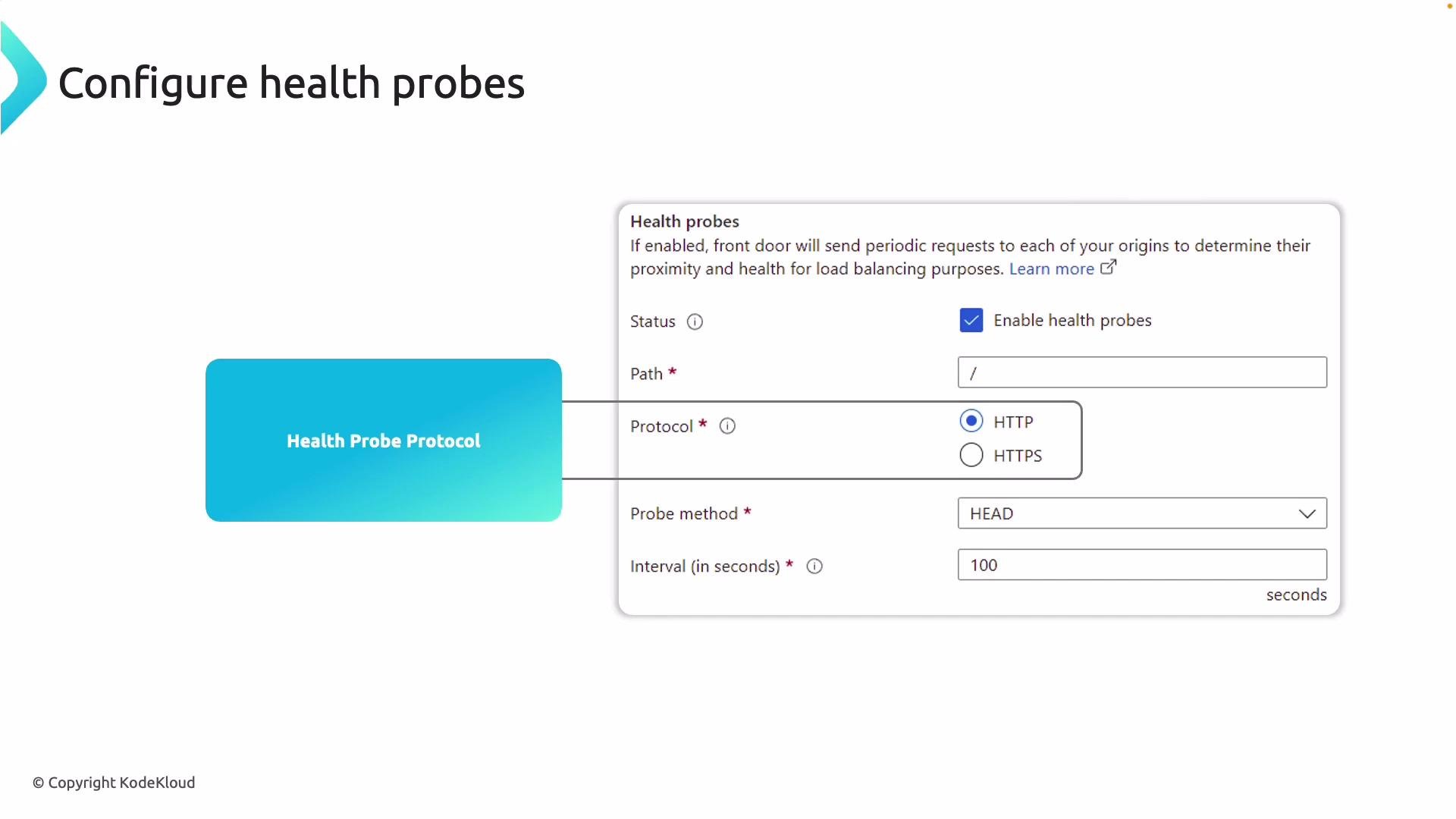
Health probes determine origin availability. Configure probes to match an endpoint that reliably returns success (2xx) when the application is healthy. Important probe settings:- Protocol:
HTTPorHTTPS. - Probe path: e.g.,
/health.html,/status, or/. - Probe interval: How often Front Door probes the origin.
- Unhealthy threshold: Number of failed probes before marking an origin unhealthy.
Request Flow Through Azure Front Door
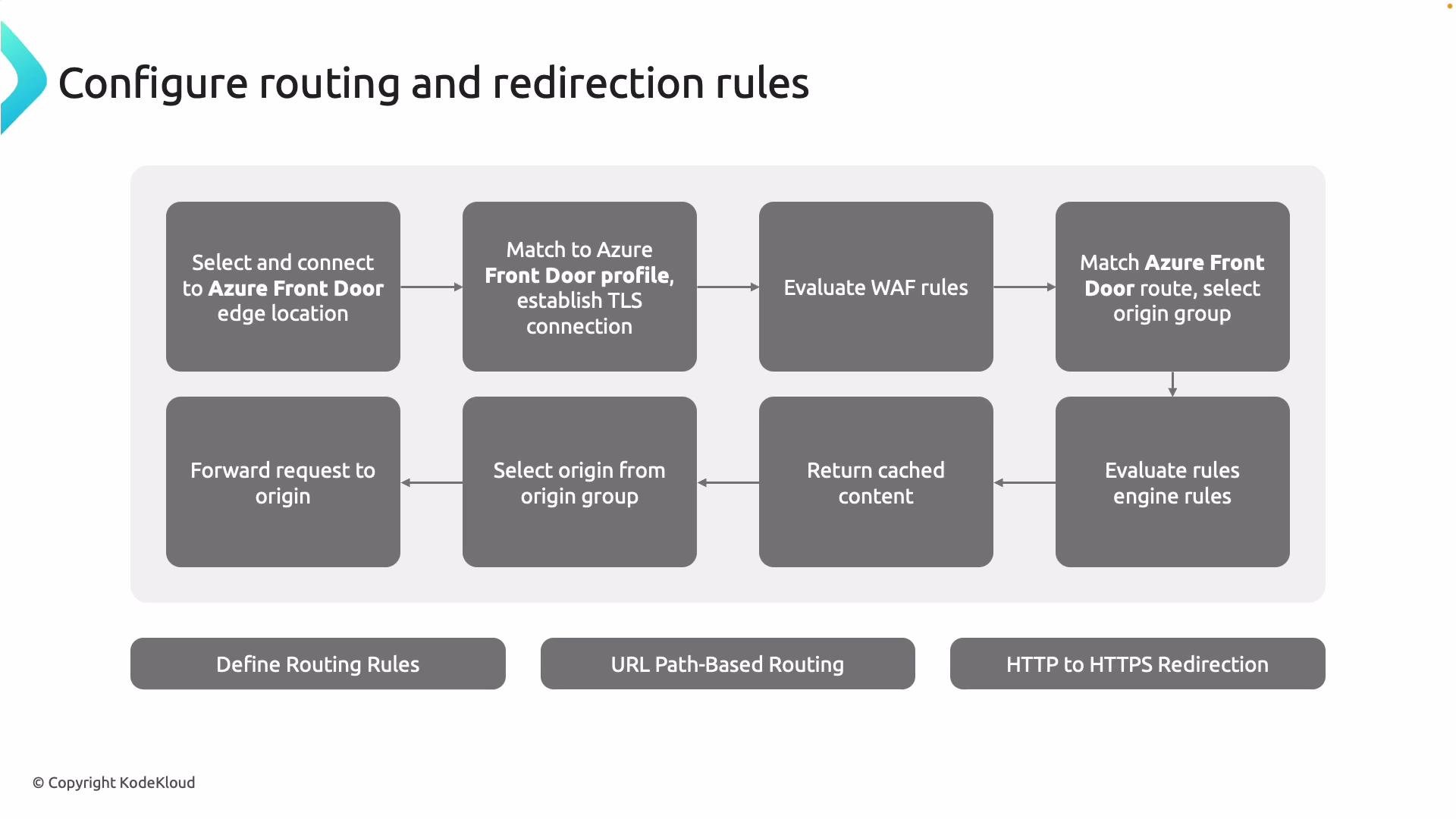
The typical end-to-end request flow:- Client request lands at the nearest Azure Front Door edge location to minimize latency.
- Front Door matches the request to your Front Door profile and negotiates TLS if required.
- If a Web Application Firewall (WAF) is configured, the request is evaluated against security policies.
- The request is matched to a specific route, which identifies the origin group.
- Rules Engine conditions (rewrites, redirects, header modifications) are evaluated.
- If content is cached at the edge, Front Door can return it immediately.
- If not cached, Front Door selects the best origin from the origin group (considering health, priority, and weight) and forwards the request.
Routing, Redirects, and Rewrites
- Routes distribute requests to origin pools by URL patterns, HTTP methods, or other match conditions (e.g., route
/images/*to image servers). - Rules Engine supports redirects (for example, redirect HTTP → HTTPS) and URL/path rewrites.
- Rules Engine can also rewrite headers, set or remove cookies, and change HTTP methods.
SSL / TLS and Certificate Management
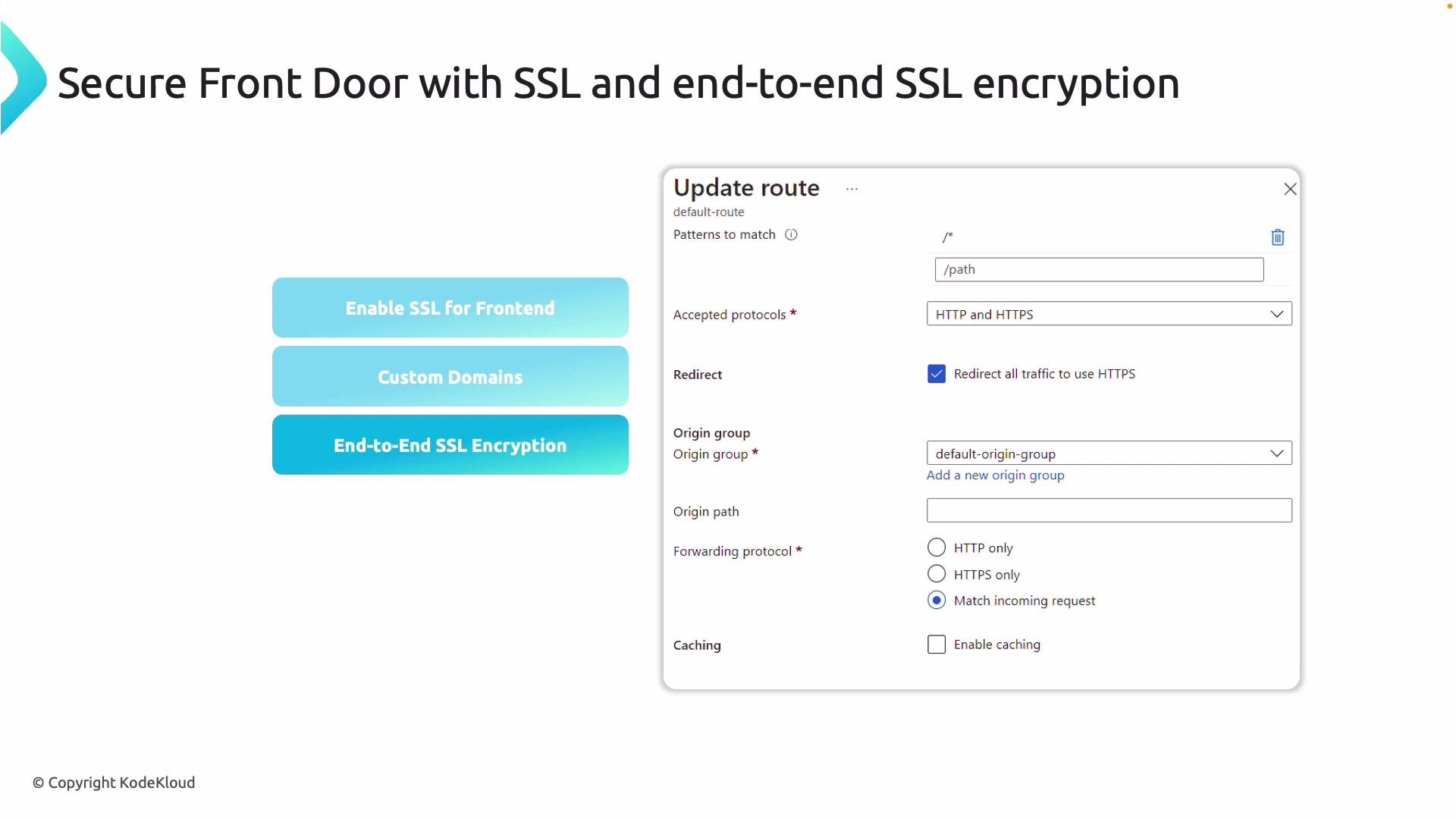
Front Door supports TLS termination at the edge and optional end-to-end TLS to origins.- Custom domains: Bind custom domains to Front Door and enable TLS using Azure-managed certificates or bring your own certificate.
- End-to-end TLS: Configure Front Door to use HTTPS to the origin for encrypted transport from client to origin.
- Certificate rotation: Use Azure-managed certs for automated issuance and renewal; BYOC requires you to manage renewal and keys.
The following section walks through configuring Front Door in the Azure portal using globally distributed App Services as origins.
Portal Walkthrough: Create Front Door and Add Origins
The demo uses multiple App Service instances hosting identical content across regions (Southeast Asia, East US, Australia East, West Europe, etc.). Begin by confirming your App Services are running and reachable.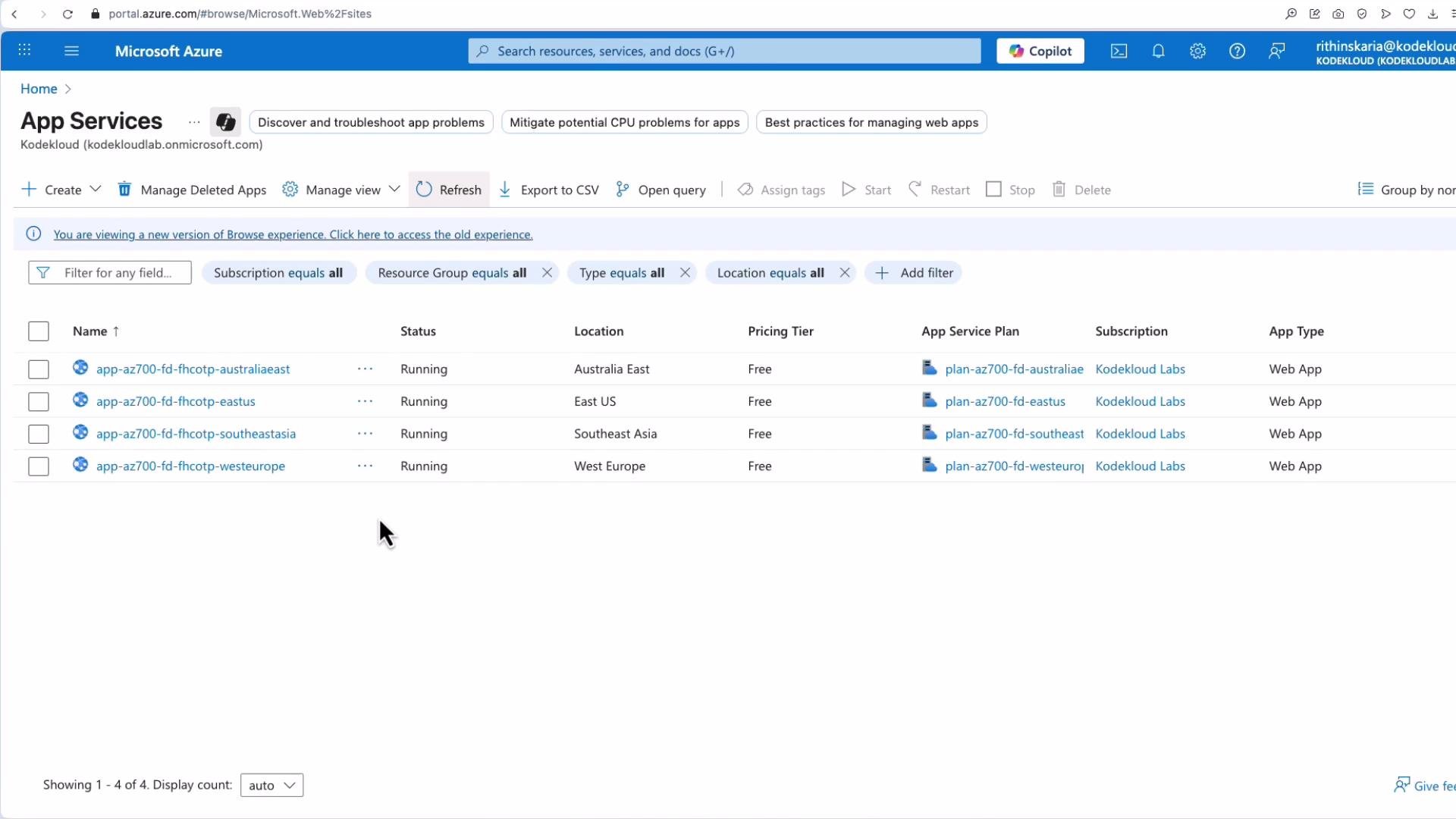
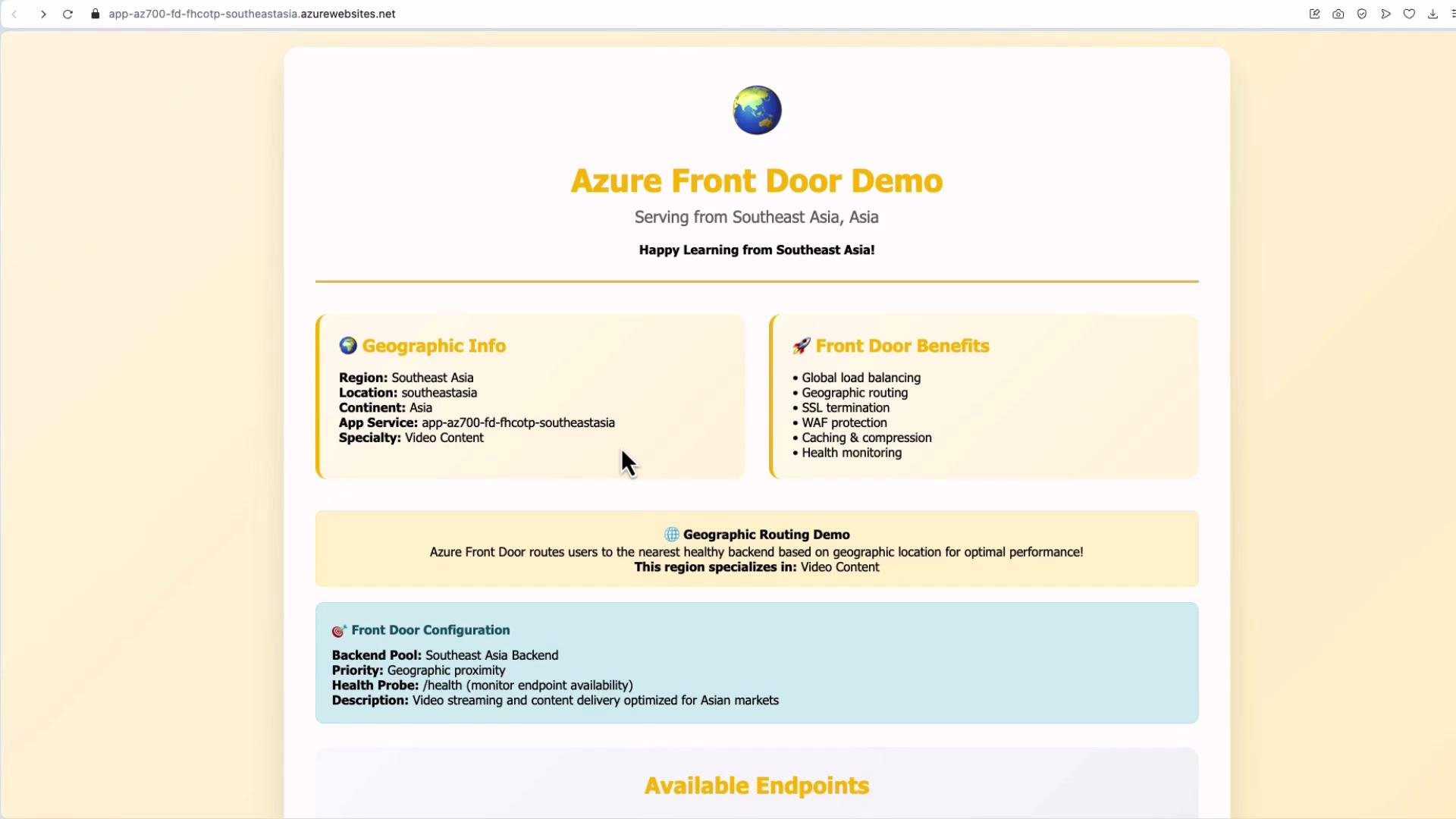
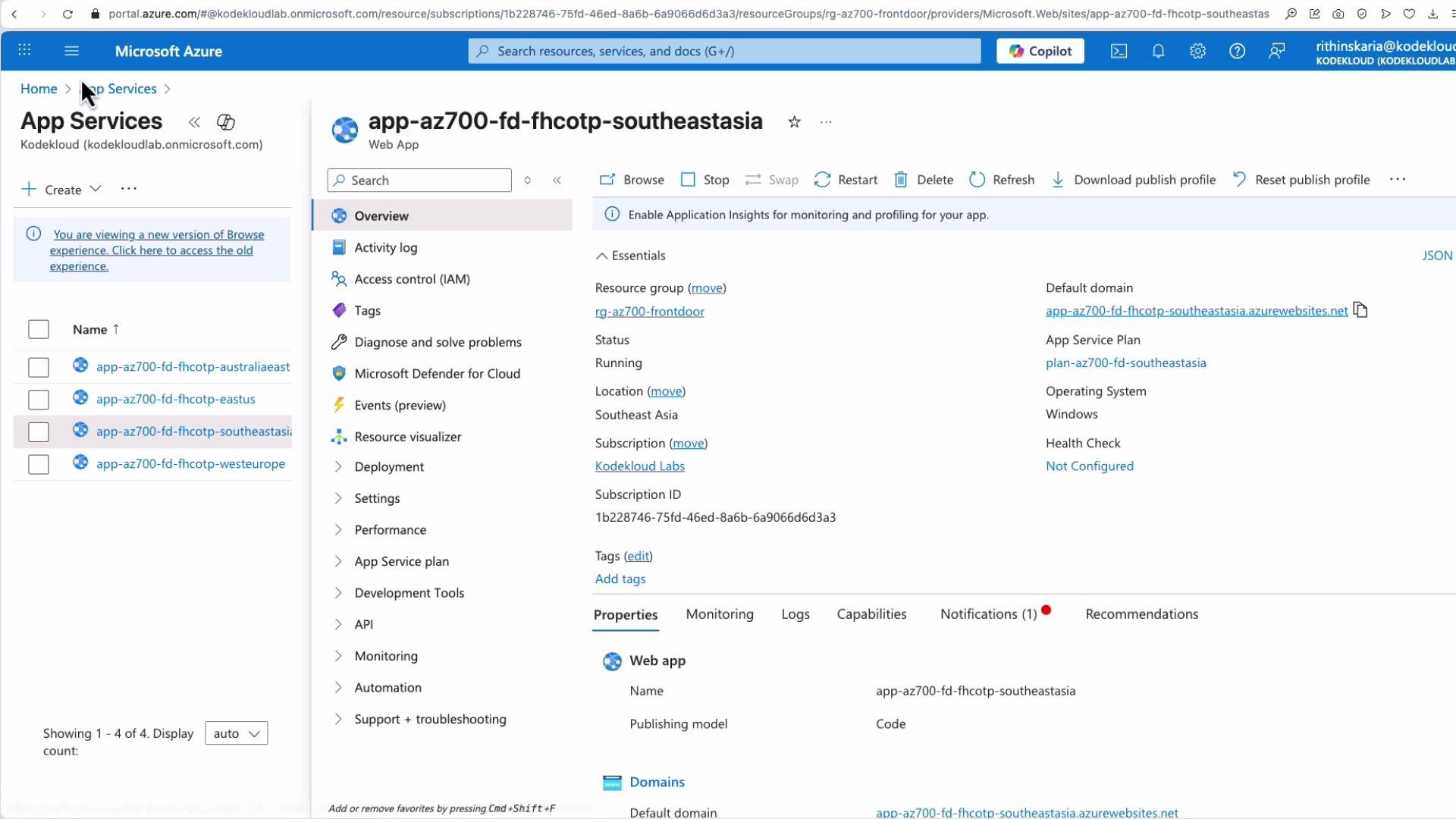
- Search for “Front Door” and click Create.
- Choose Quick Create for minimal setup or Custom Create to control all options. For learning and exam practice, use Custom Create.
- Provide a resource group and a name (example:
AFD-AZ700). - Select the SKU: Standard or Premium.
Choose Standard unless you need Premium-only features like advanced WAF, geofiltering, or Private Link integration.
- Add an endpoint (frontend listener) — e.g.,
AFD-EP-webwhich becomes part of the*.azurefd.netdomain.
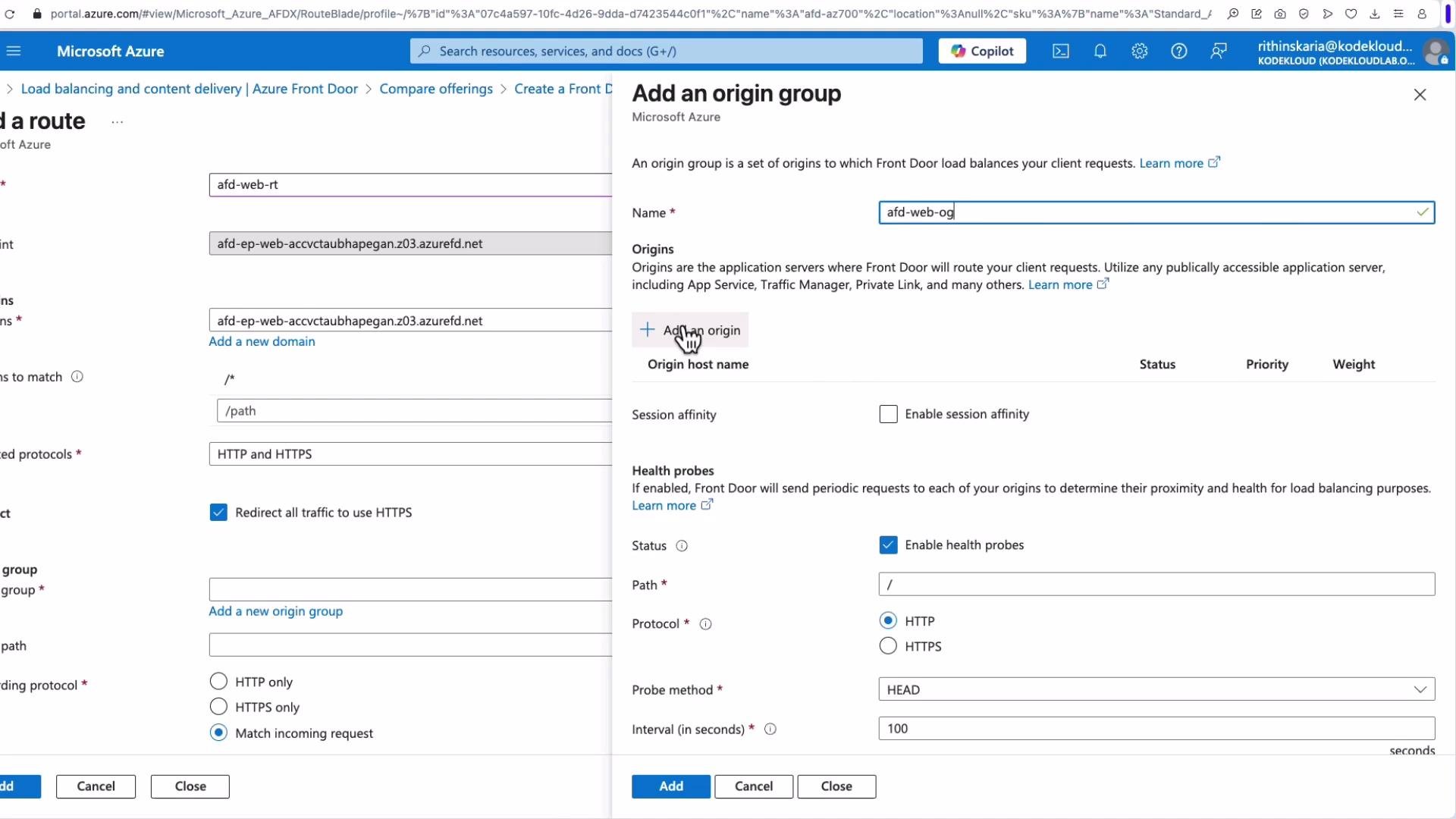
- Create a route (equivalent to a rule in some other load balancers). Provide a route name (for example
fdwebroute) and attach it to the endpoint. - Specify patterns to match — the default
/*is commonly used for root routing; add more specific patterns as needed. - Choose accepted protocols (HTTP, HTTPS, or both). Optionally enable an HTTP-to-HTTPS redirect.
- Create an origin group (for example
AFD Web Origin Group) and add the App Service instances as origins. - For each origin, select type
App Service, choose the instance (East US, Southeast Asia, Australia East, West Europe), set priority and weight, and optionally enable TLS settings. - Configure health probe settings and session affinity (sticky sessions) at the origin group level.
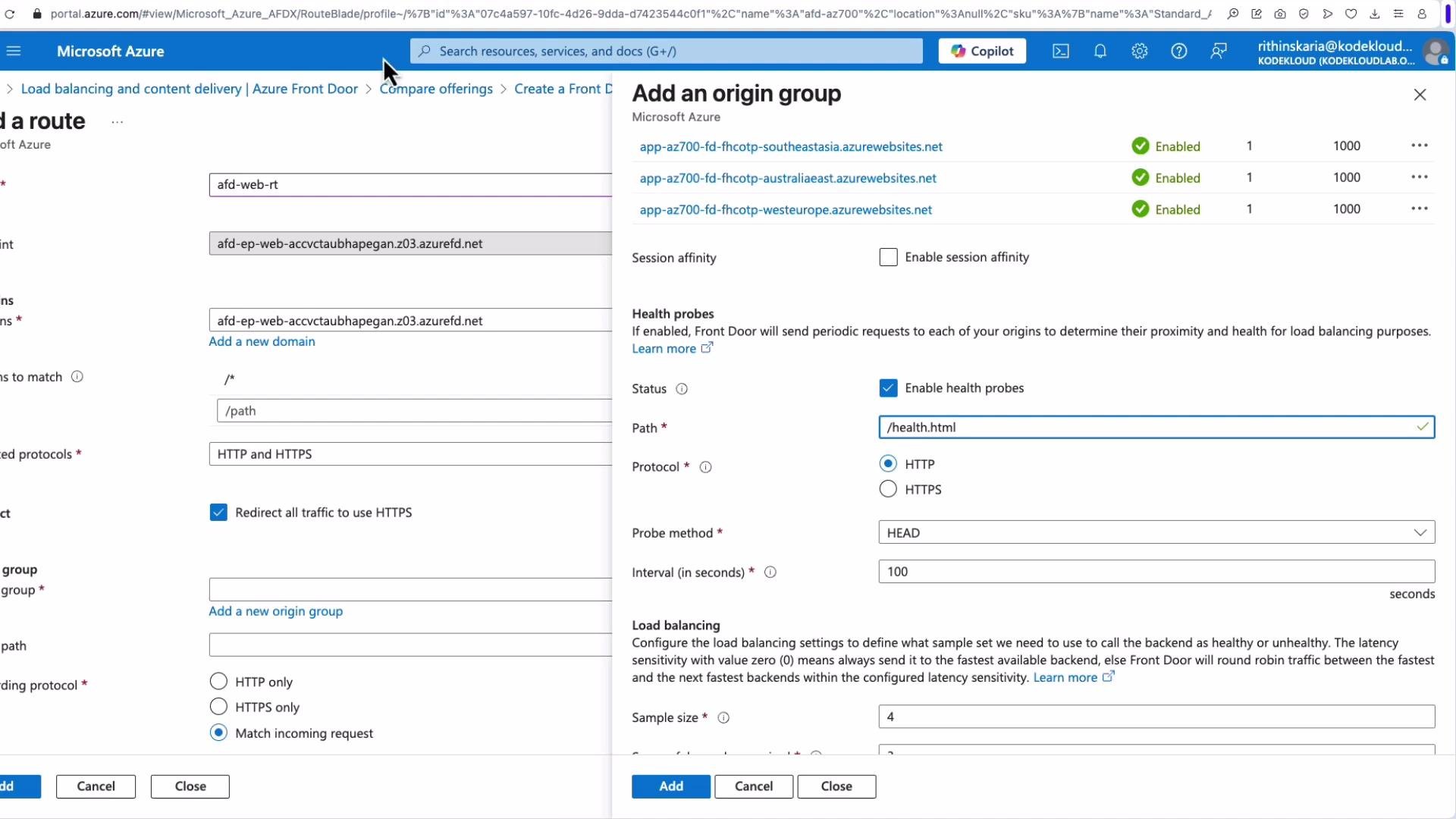
health.html), protocol (HTTP/HTTPS), method (GET), interval, sample size, and required successful samples. These options vary by SKU and portal version.
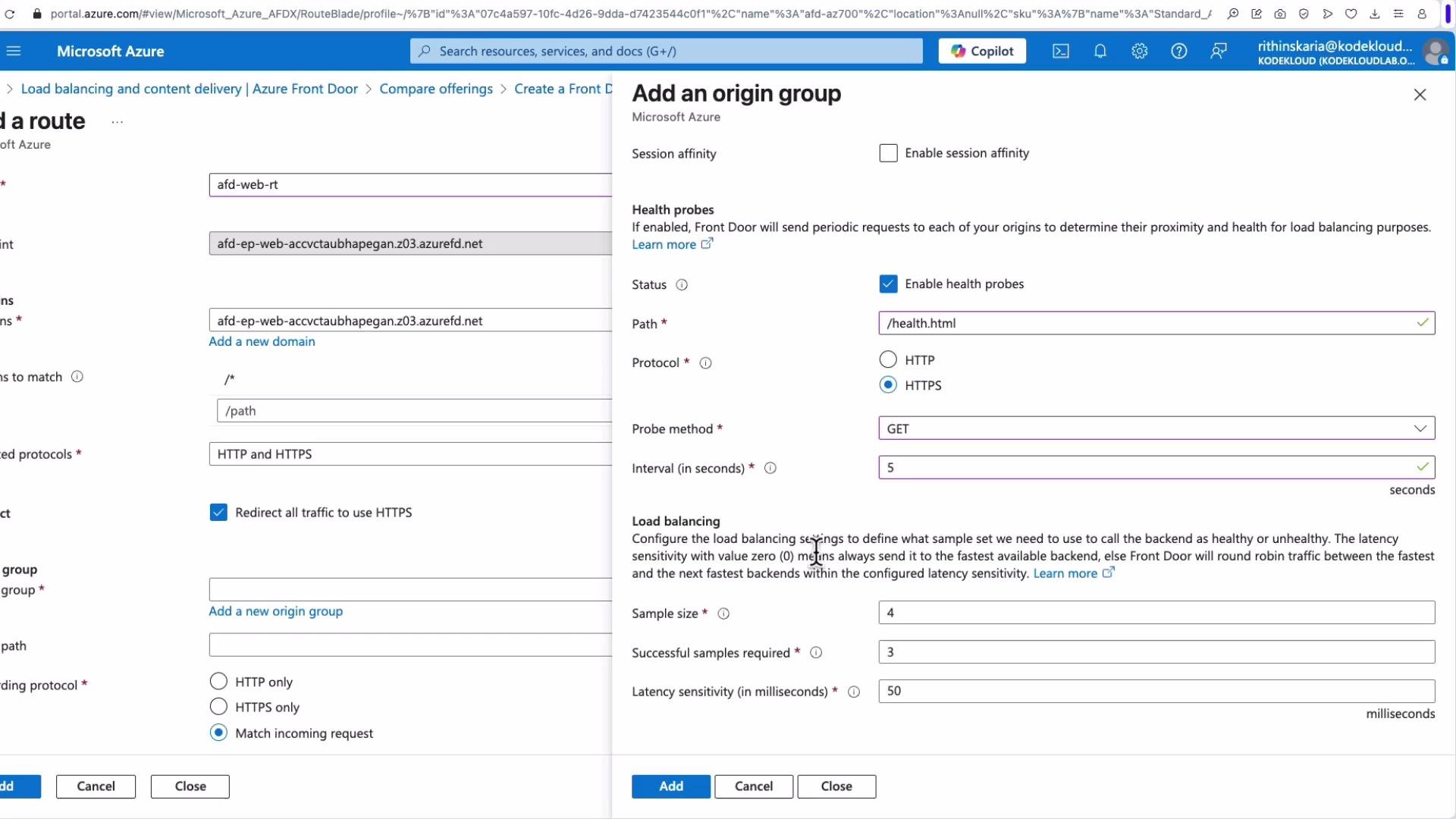
Match incoming request— Forward the same protocol the client used.HTTPS only— Force HTTPS to the origin.HTTP only— Force HTTP to the origin (not recommended for production).
For production workloads, prefer
HTTPS only or Match incoming request with end-to-end TLS enabled to maintain encryption between the edge and your origin.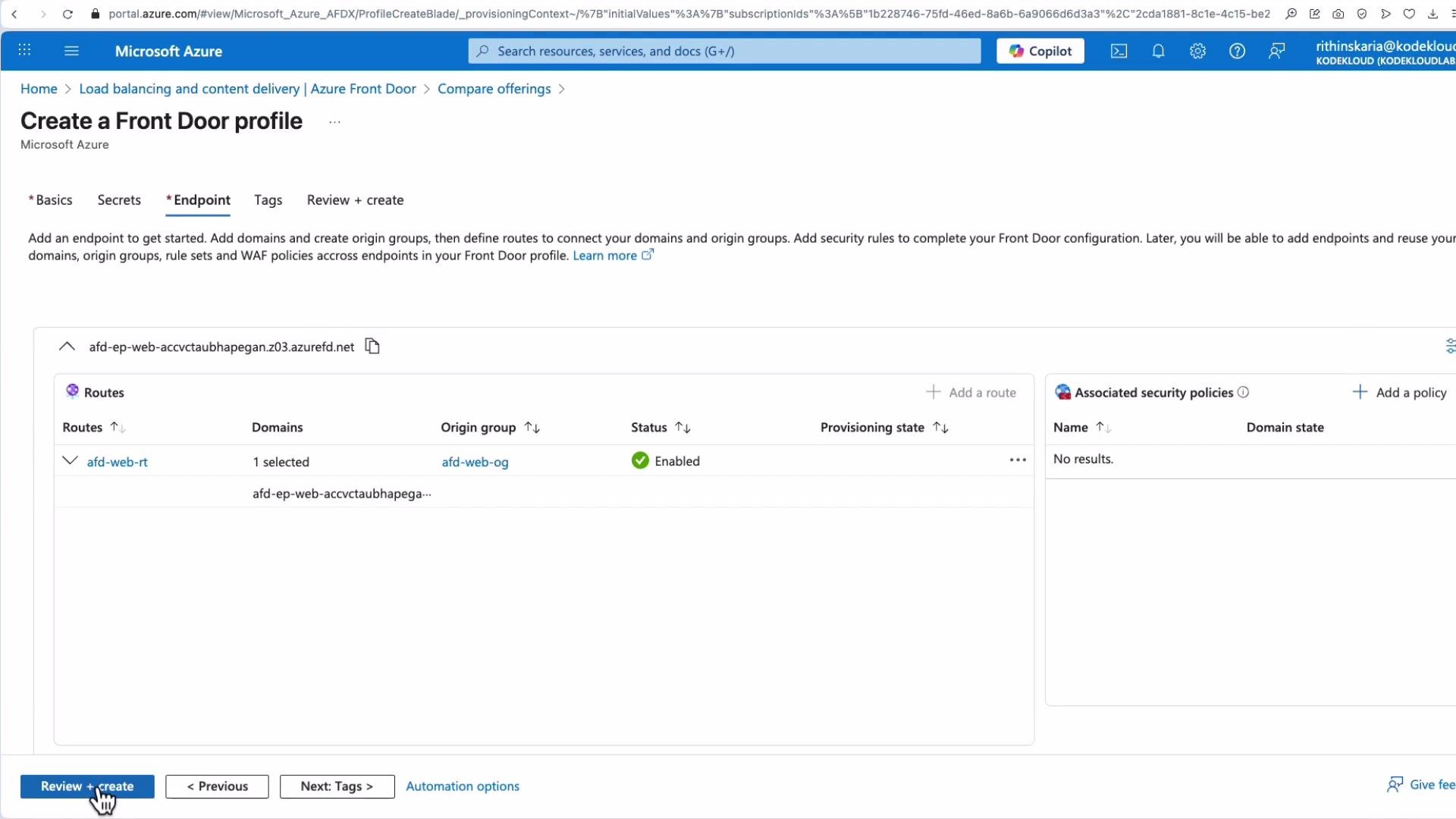
Testing the Deployed Front Door
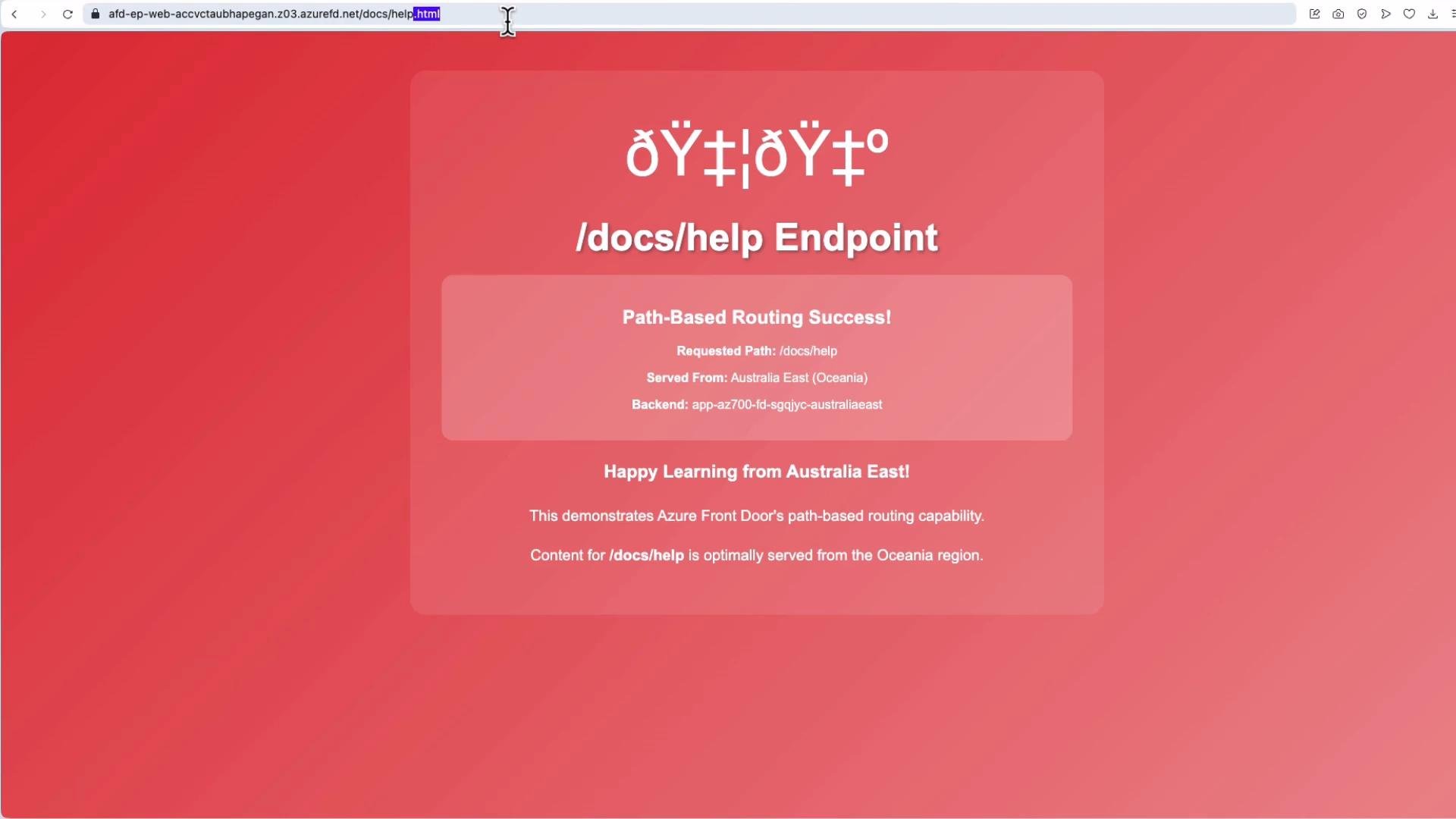
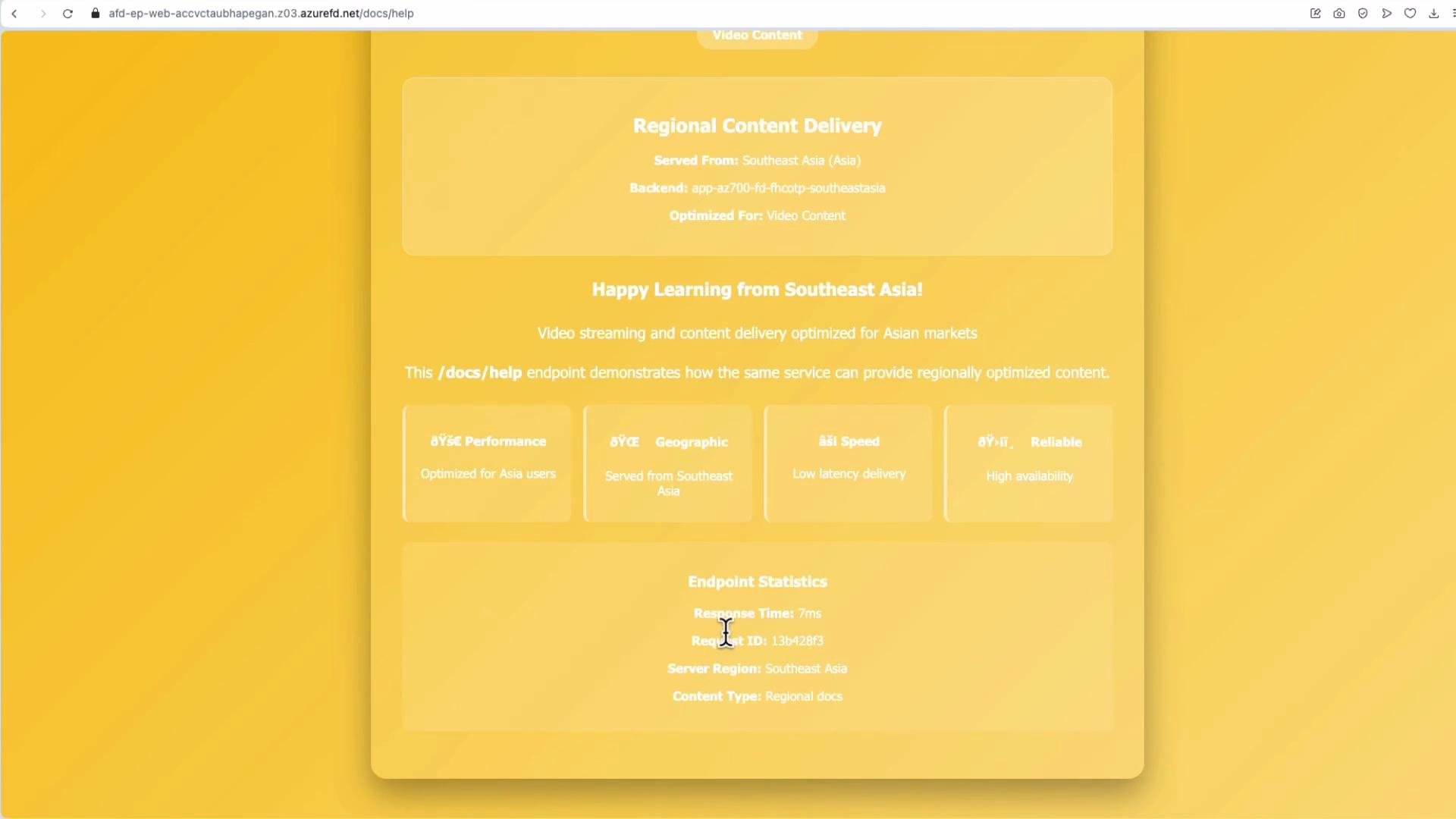
After deployment, open the Front Door endpoint URL (the*.azurefd.net domain). The edge will route you to the nearest healthy origin — e.g., Australia East in the demo.
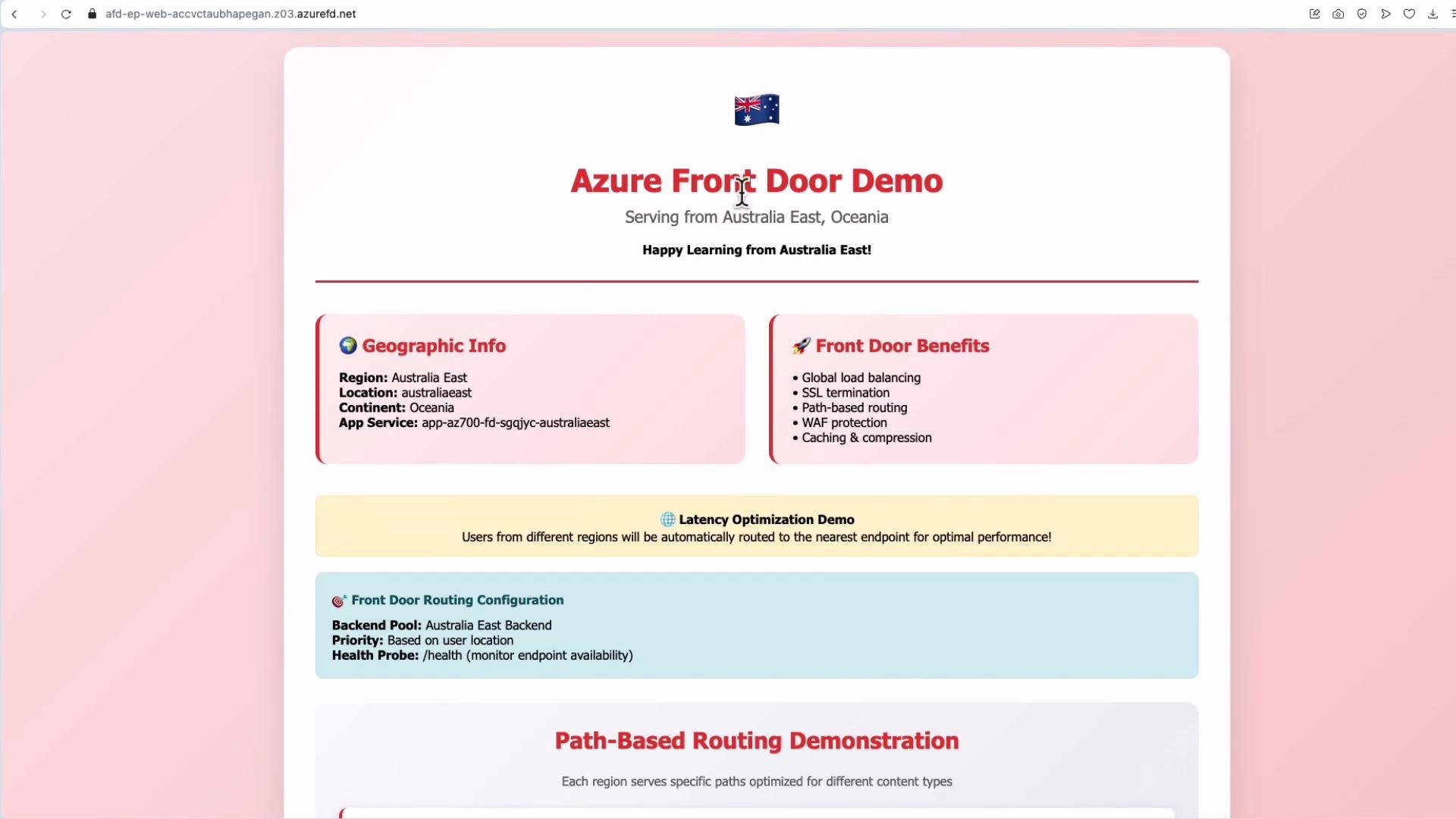
.html suffix (e.g., docs/help.html) but users request /docs/help, use the Rules Engine to rewrite the path before forwarding to the origin.
Rules Engine: URL Rewrite Example
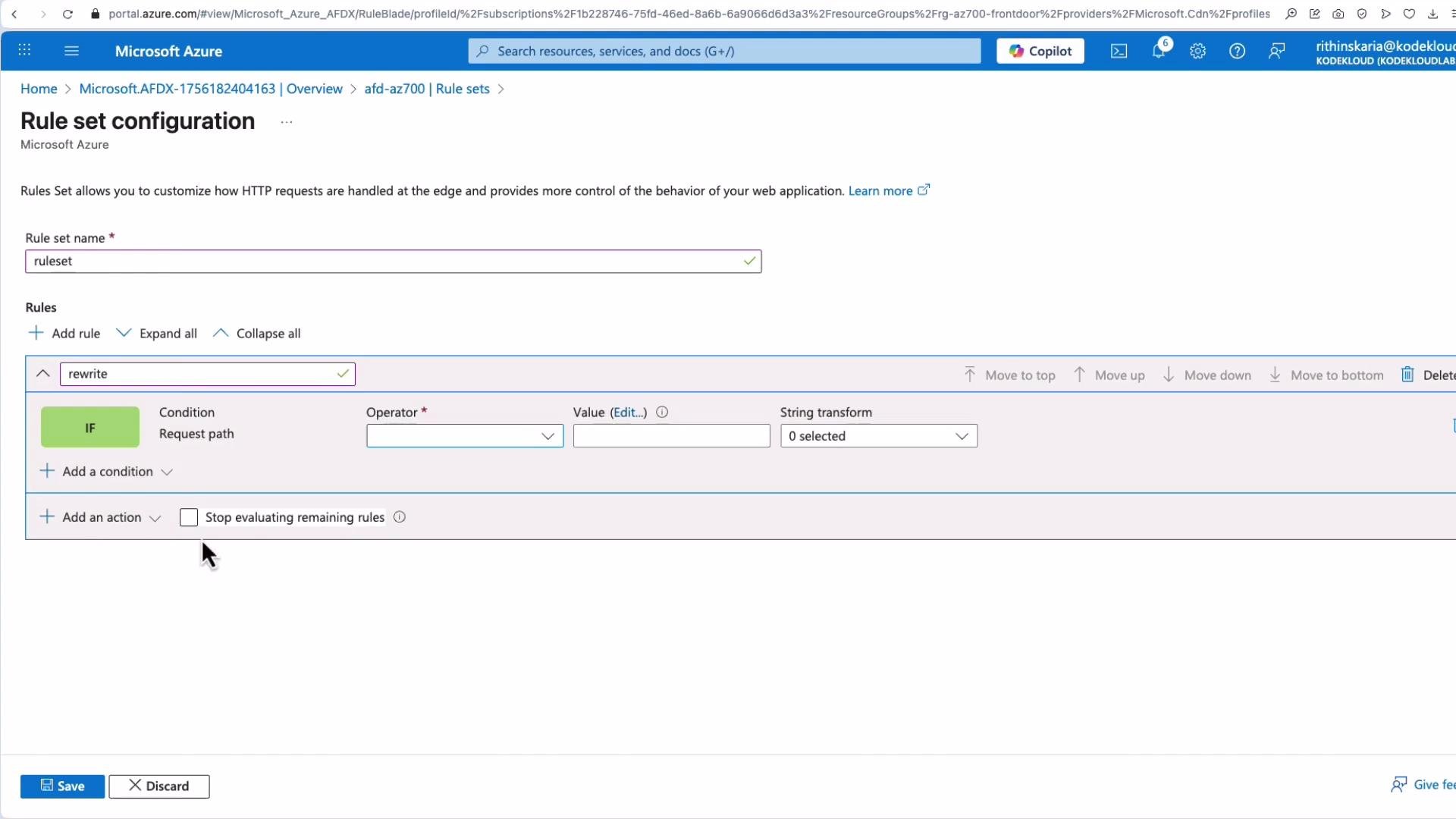
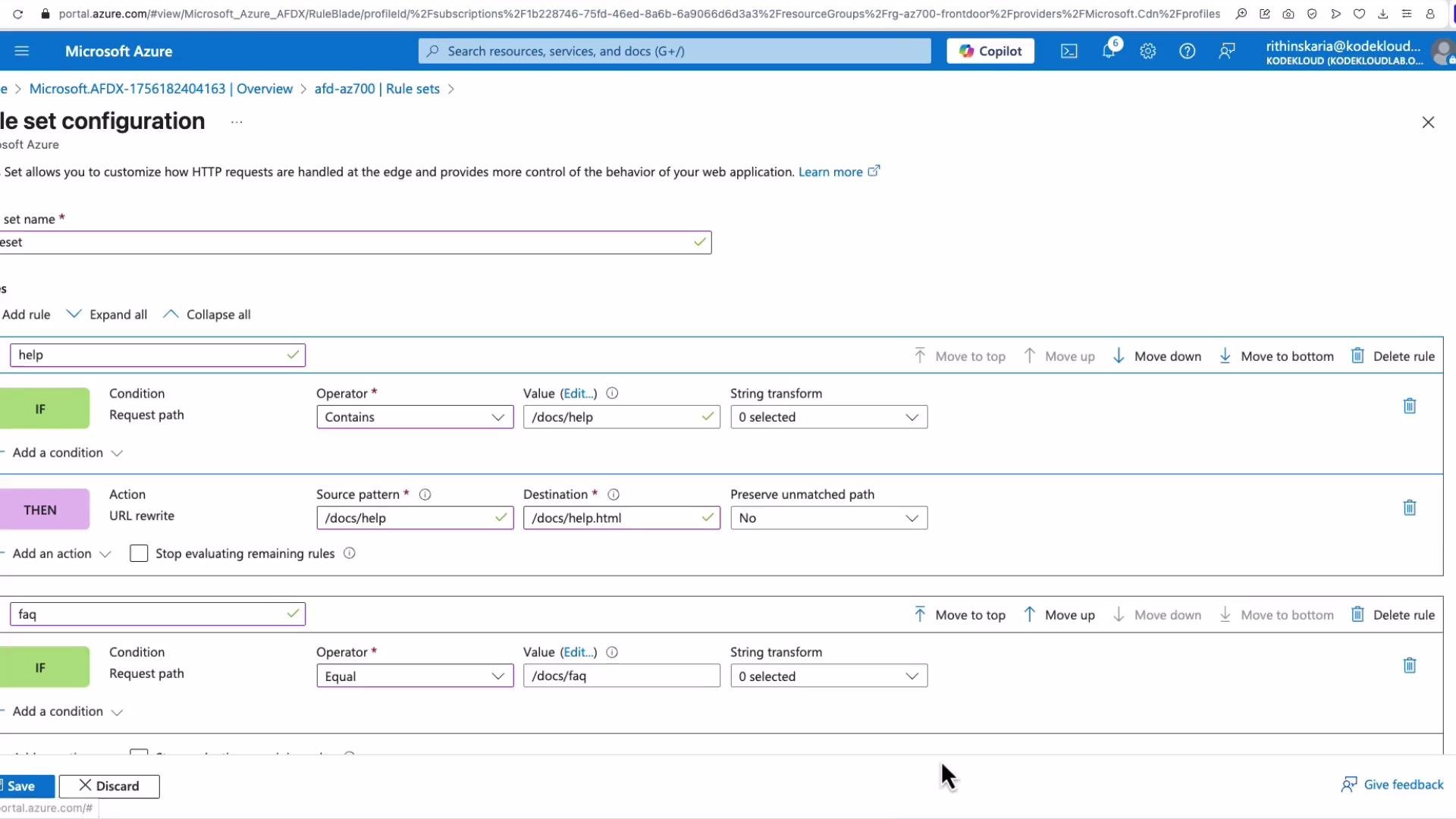
To create a URL rewrite rule:- Navigate to Front Door > Rule sets.
- Create a rule set (example name:
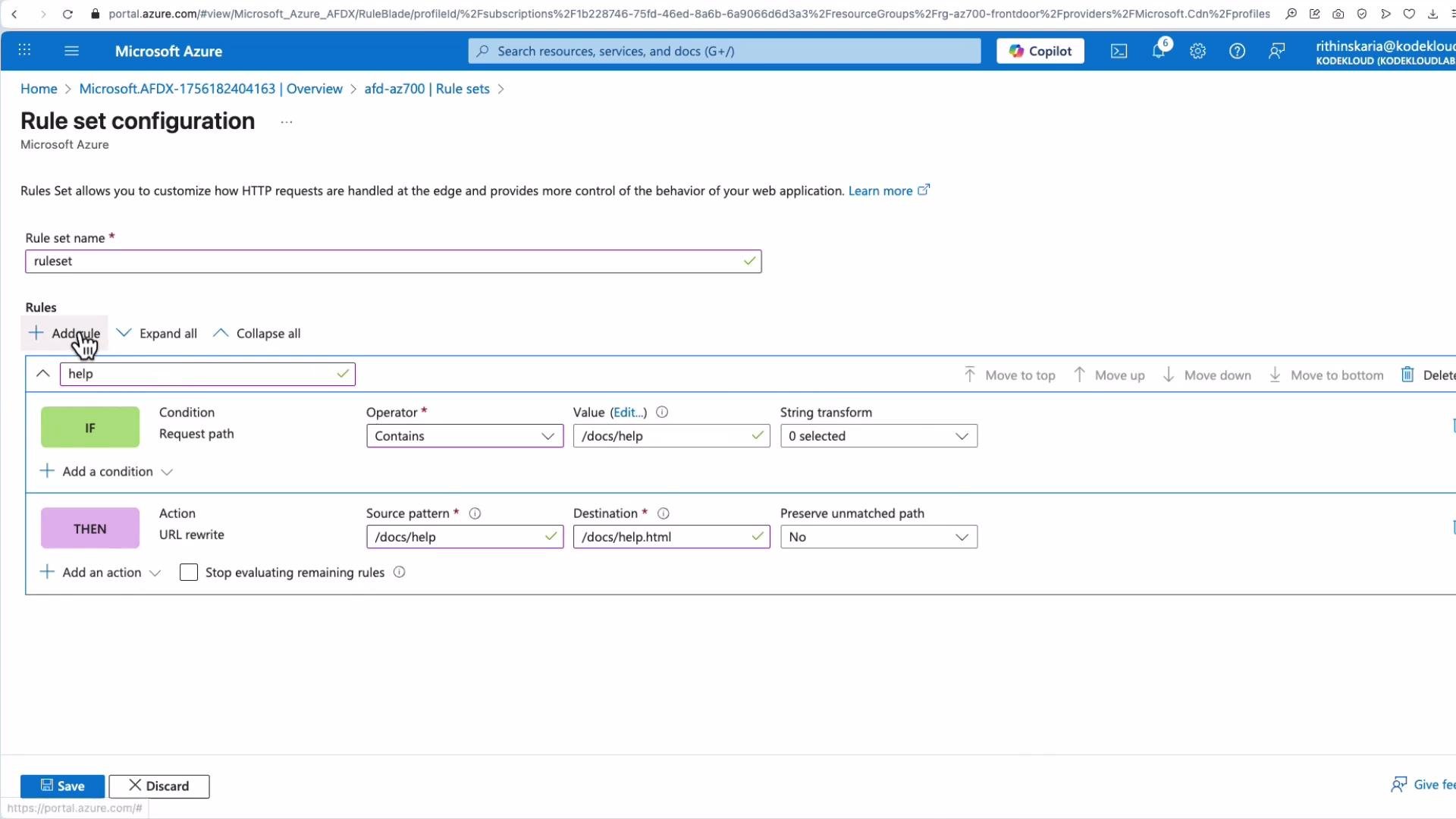
rewrite) and add a rule. - Add a condition — for example match when the request path
EqualsorBegins withdocs/help. - Add an action:
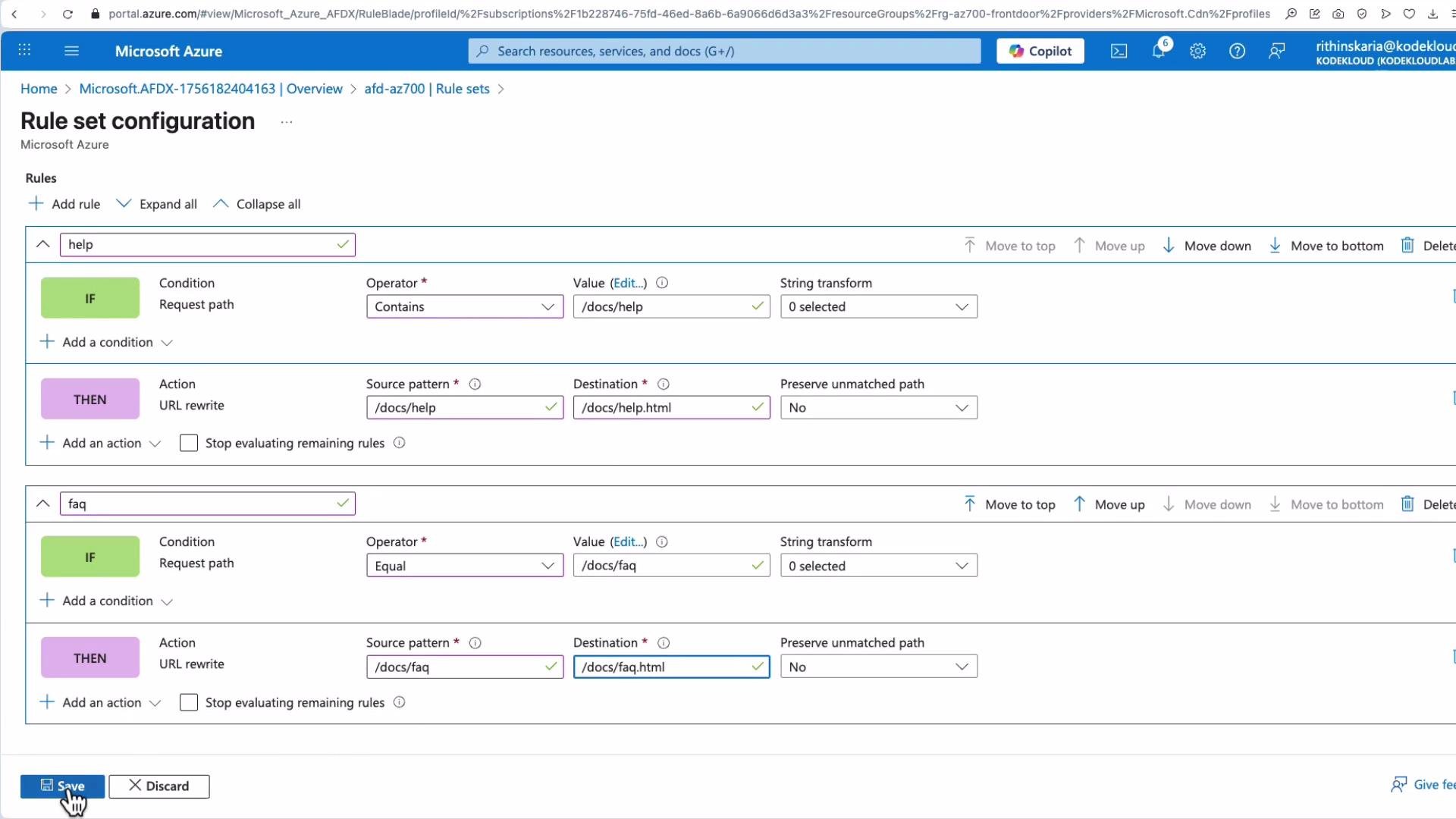
URL rewrite. Set the source pattern and destination pattern.
/docs/FAQ → /docs/FAQ.html). Test after saving.
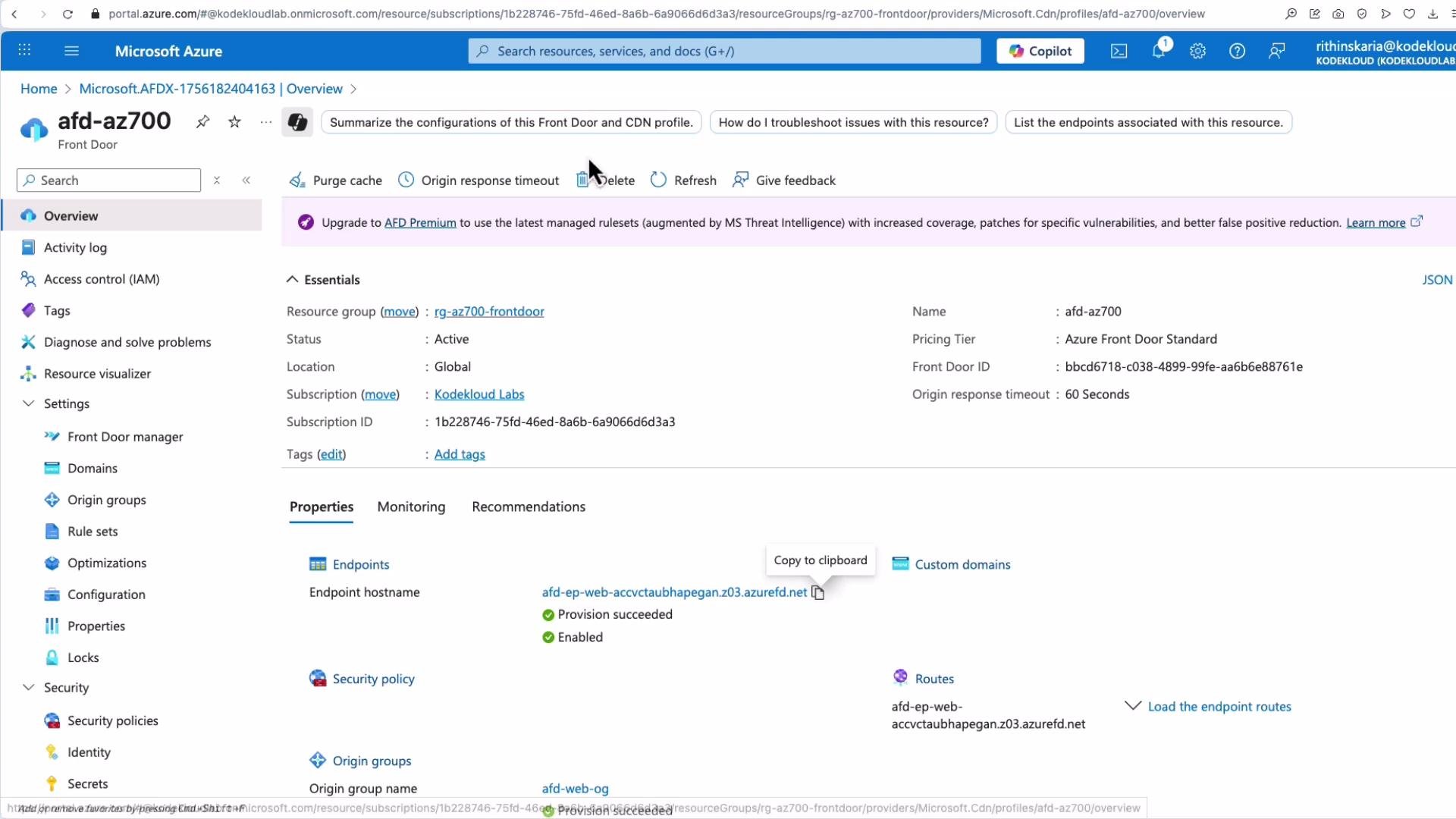
- Open the rule set, click the ellipsis (three dots) and choose Associate a route.
- Select the endpoint and route, set priority if multiple rule sets exist, and associate.
/docs/help (without .html). The rewrite should return docs/help.html from the nearest healthy origin. Inspect response headers and timing to verify origin region and latency.
This completes the Front Door configuration walkthrough. For further topics and advanced configurations (WAF tuning, diagnostics, premium features), refer to the links below.
Links and references
- Azure Front Door documentation
- Front Door rules engine overview
- Azure App Service documentation
- Azure TLS/SSL documentation