

What is Azure Firewall Manager?
Azure Firewall Manager is a centralized management service that sits above individual Azure Firewall instances and virtual hubs. It enables administrators to create, distribute, and manage Firewall Policies across many firewalls and environments, ensuring consistent security controls and simplified operations at scale. Key capabilities:- Centralized policy authoring and distribution
- Support for cross-subscription and cross-region assignments
- Layered/global + local policy model for baseline controls with environment-specific overrides
- Multiple management interfaces for automation and integration
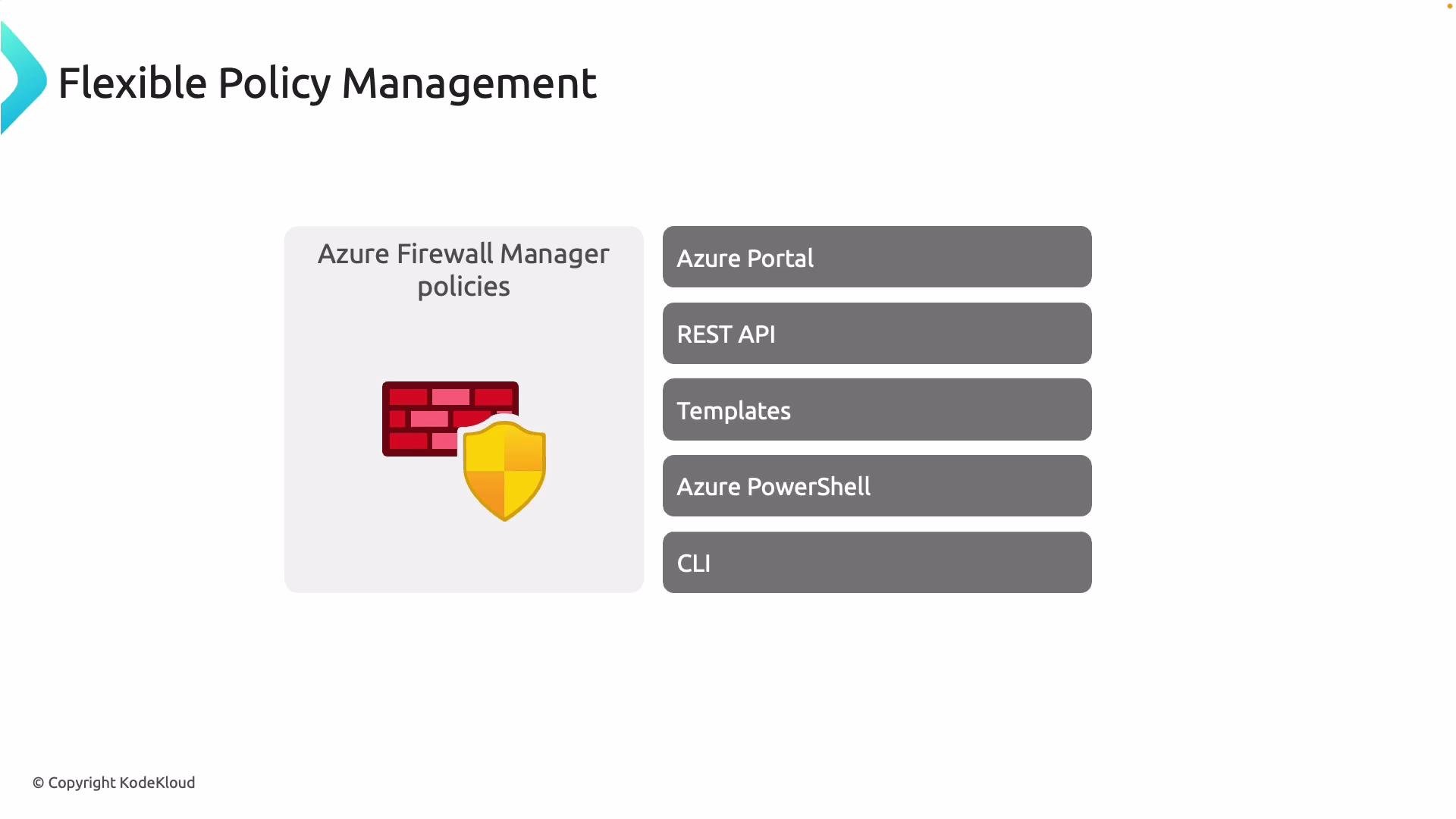
Flexible policy management
Firewall Policies can be created and managed through several Microsoft tooling options, allowing you to pick the approach that fits your automation and operational model:- Azure Portal — visual authoring and quick edits.
- REST API — integrate with automation pipelines.
- ARM / Bicep templates — infrastructure-as-code deployments.
- Azure PowerShell — scriptable automation for PowerShell users.
- Azure CLI — scriptable automation for Bash and CI systems.
Example: Create a Firewall Policy with Azure CLI
Association with multiple hubs or VNets
A single Firewall Policy can be associated with multiple Azure Firewall instances or virtual hubs (vHubs). When attached, the policy governs the firewall’s behavior for the deployment (for example, traffic filtering, NAT, application rules, TLS inspection settings, and logging). This helps avoid duplicated rules across environments and reduces configuration drift. Common association patterns:- One policy applied to multiple production hubs for uniform controls.
- One global policy + per-hub local policies for exceptions and additional rules.
- Dedicated policies per environment when isolation is required.
Cross-subscription and cross-regional support
Firewall Policies can be applied to firewall resources across subscriptions and regions. Azure Firewall Manager supports centralized policy assignment, but this requires proper RBAC and management scope configuration so the management account has rights over target resources.Ensure your management/service account has the necessary RBAC permissions and management group or subscription scopes when assigning policies across subscriptions. Lack of appropriate access will prevent policy assignment and lifecycle management.
Layered (global) vs local policy model
A recommended deployment pattern is layered policies:- Global (baseline) policy: defined by central security teams to ensure organization-wide controls (allow/deny lists, logging, threat intelligence).
- Local policy: defined by regional or application teams to add environment-specific rules or exceptions.
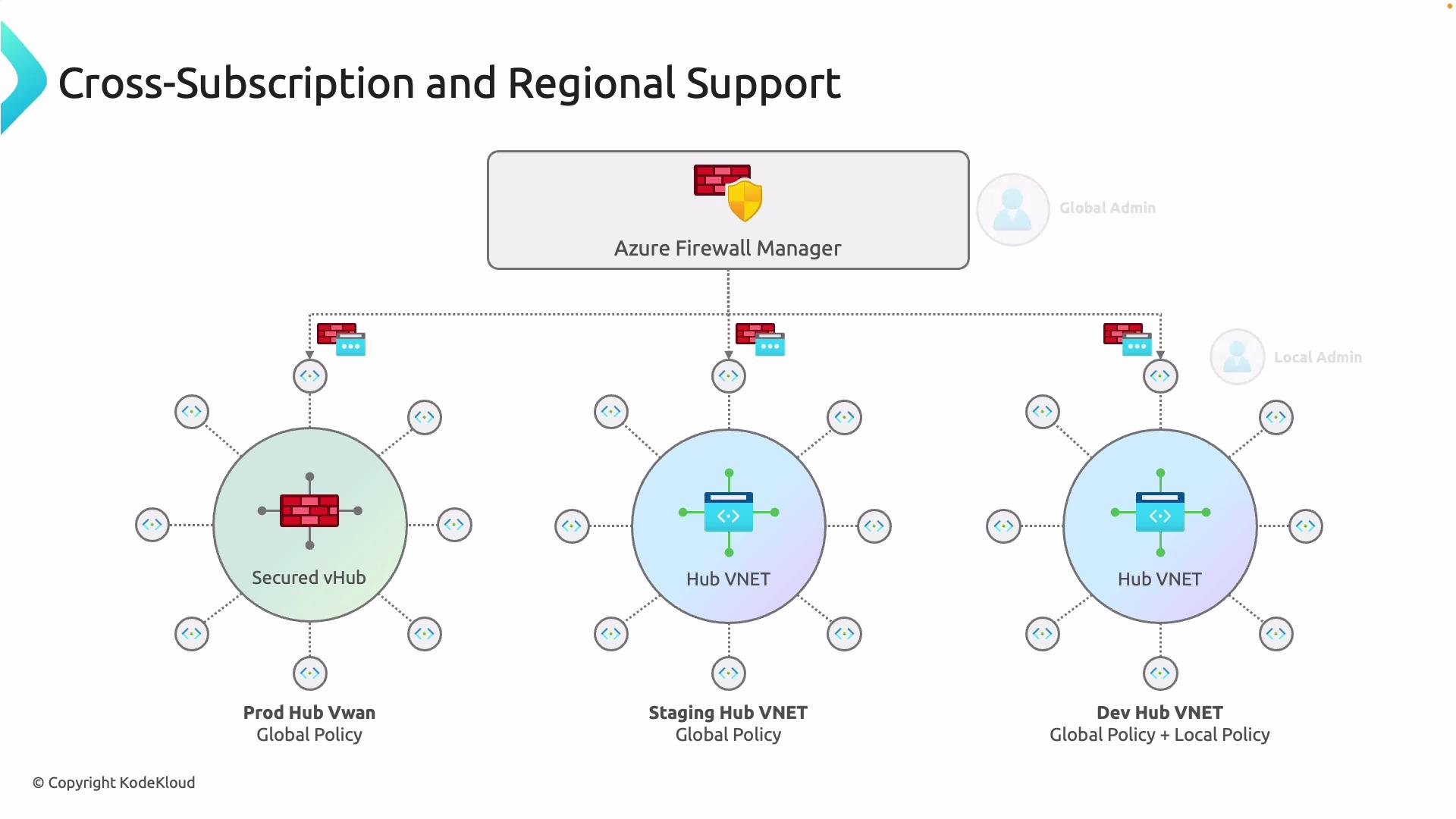
Use a global policy to enforce organization-wide controls (for example, deny lists, allow lists, and logging). Apply local policies for environment-specific exceptions or additional rules.
How to create, attach, and verify Firewall Policies
Below are practical examples to help you create a policy and attach it to an Azure Firewall or vHub.- Create a Firewall Policy (Azure CLI)
- Attach a Firewall Policy to an Azure Firewall (Azure CLI)
- Bicep example: create a firewall and attach a policy
- Verify the association (Azure CLI)
Policy design checklist
- Define global baseline rules for all hubs (logging, threat intel, deny lists).
- Use local policies sparingly for necessary exceptions.
- Automate policy creation and assignment using Bicep/ARM or CLI in CI/CD pipelines.
- Validate RBAC and management scopes before assigning cross-subscription policies.
- Test policy impact in staging before applying to production.