Explains Azure Virtual Network service endpoints that route VNet traffic over the Microsoft backbone to secure and authorize access to Azure services and contrasts them with private endpoints
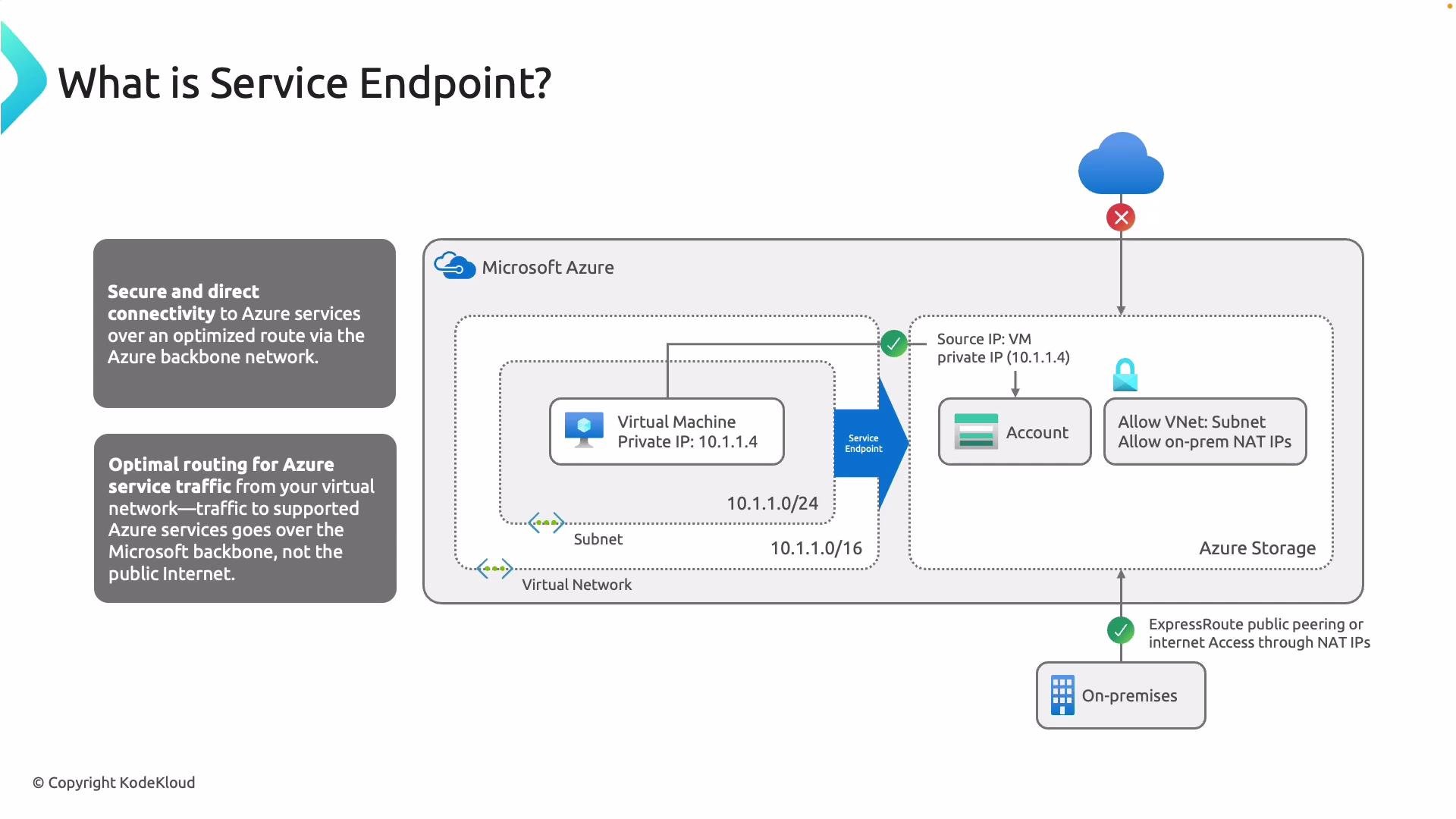
Service endpoints provide secure, direct connectivity between your Virtual Network (VNet) and supported Azure services. Instead of routing traffic over the public internet, requests flow across the Microsoft backbone network — which is faster and more secure. Service endpoints give you optimal routing and allow Azure services to recognize and authorize requests as originating from your VNet/subnet (the original private IP is preserved within Azure’s network).For example, if a VM in your subnet talks to an Azure Storage account:
The packets never leave Microsoft’s network. The storage service can authorize requests as coming from your VNet/subnet (the original private source IP is preserved), which lets you lock the storage account down to that subnet or VNet while blocking general internet access.How it works (high level)
You enable a service endpoint on a subnet.
Azure injects a platform route so traffic destined for that service is routed over the Microsoft backbone.
The Azure service can then allow/deny requests based on the originating VNet/subnet identity.
DNS for the service may still resolve to public IPs, but Azure’s platform routing and service authorization ensure traffic stays on Microsoft’s network.
Adding service endpoints to a subnetService endpoints are supported for many first-party Azure services (Storage, SQL, Cosmos DB, Key Vault, Event Hubs, Service Bus, and more). Enabling an endpoint on a subnet is straightforward from the Azure portal.
From the subnet configuration in the portal, select the Azure service(s) to enable. When added, Azure injects a system route so that traffic to that service follows the endpoint. Enabling a service endpoint can take a few minutes to propagate.
Enabling a service endpoint injects a system route and can take up to ~15 minutes to fully propagate. During propagation, access behavior may be intermittent.
Supported services (examples)
Resource type
Use case
Azure Storage
Blobs, files, queues, tables
Azure SQL Database
Managed relational databases
Azure Cosmos DB
Globally distributed NoSQL database
Azure Key Vault
Secrets and keys storage
Event Hubs / Service Bus
Messaging and event ingestion
Demo: configuring and testing Service EndpointsThis demo walks through a practical scenario that demonstrates how service endpoints affect access:
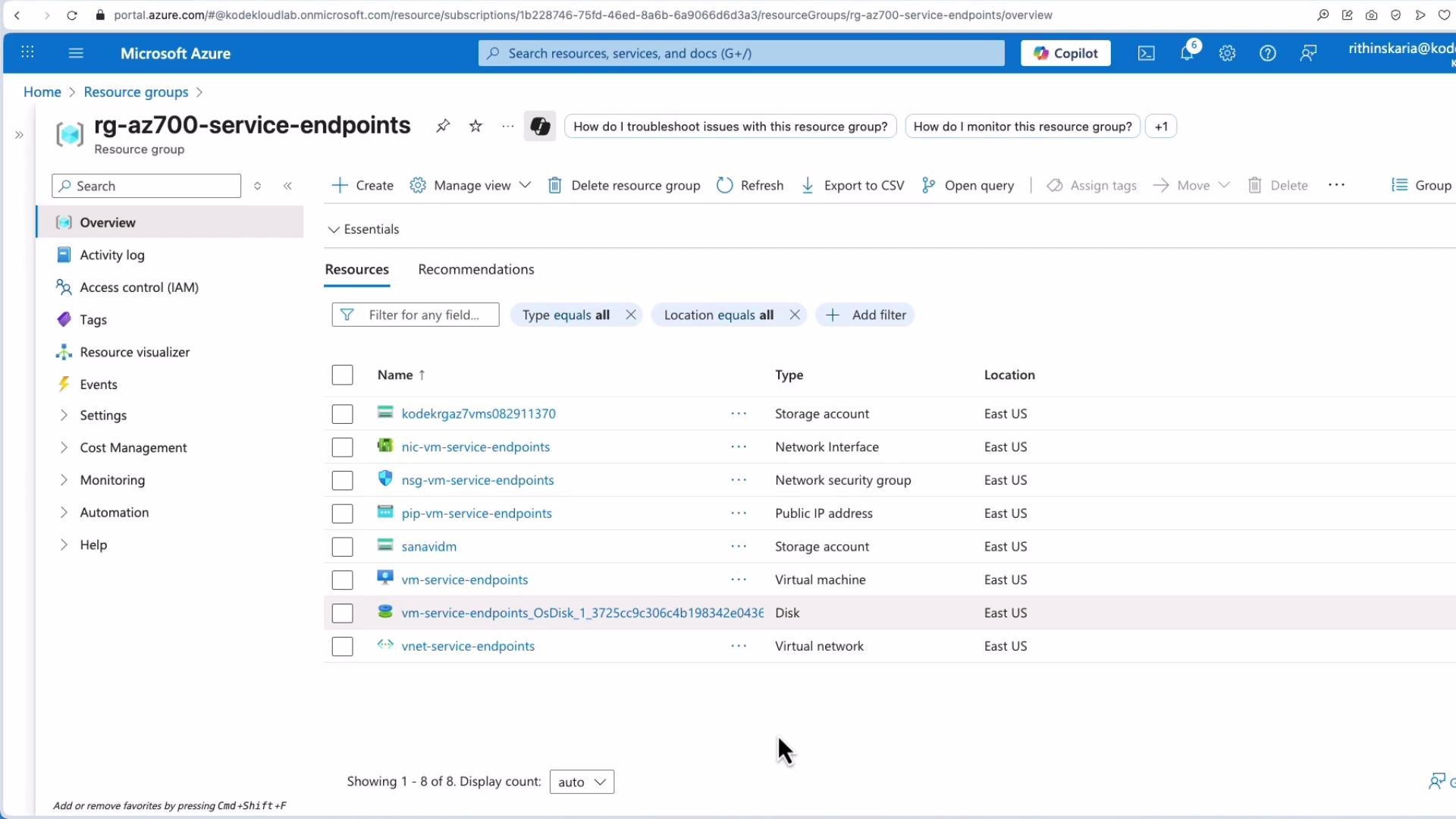
A VM and a storage account are deployed.
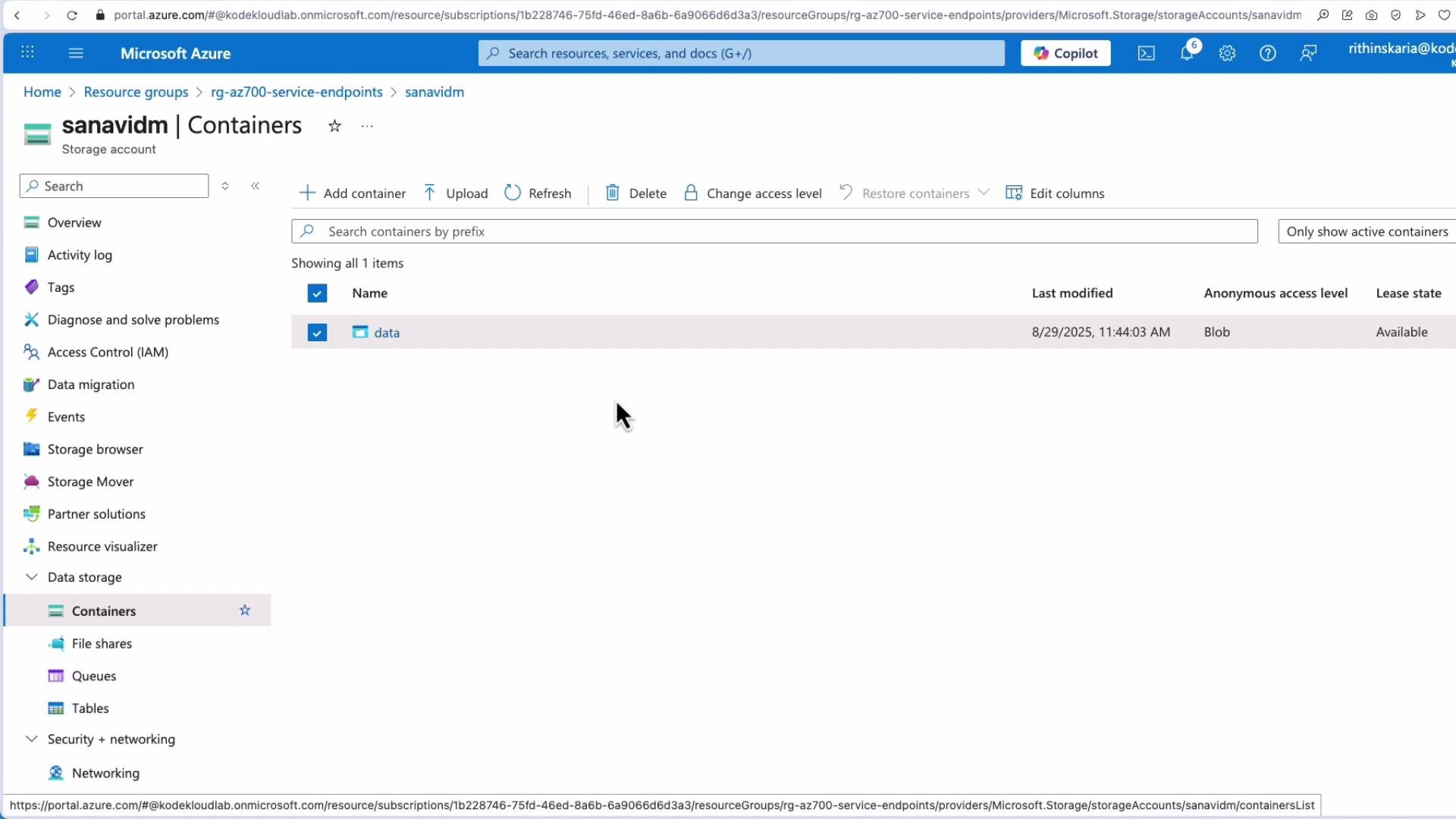
The storage account contains a container named data with some images.
Initially, the storage container is publicly accessible.
We then restrict the storage account to selected virtual networks using a service endpoint and test access from both a browser (internet) and the VM inside the VNet.
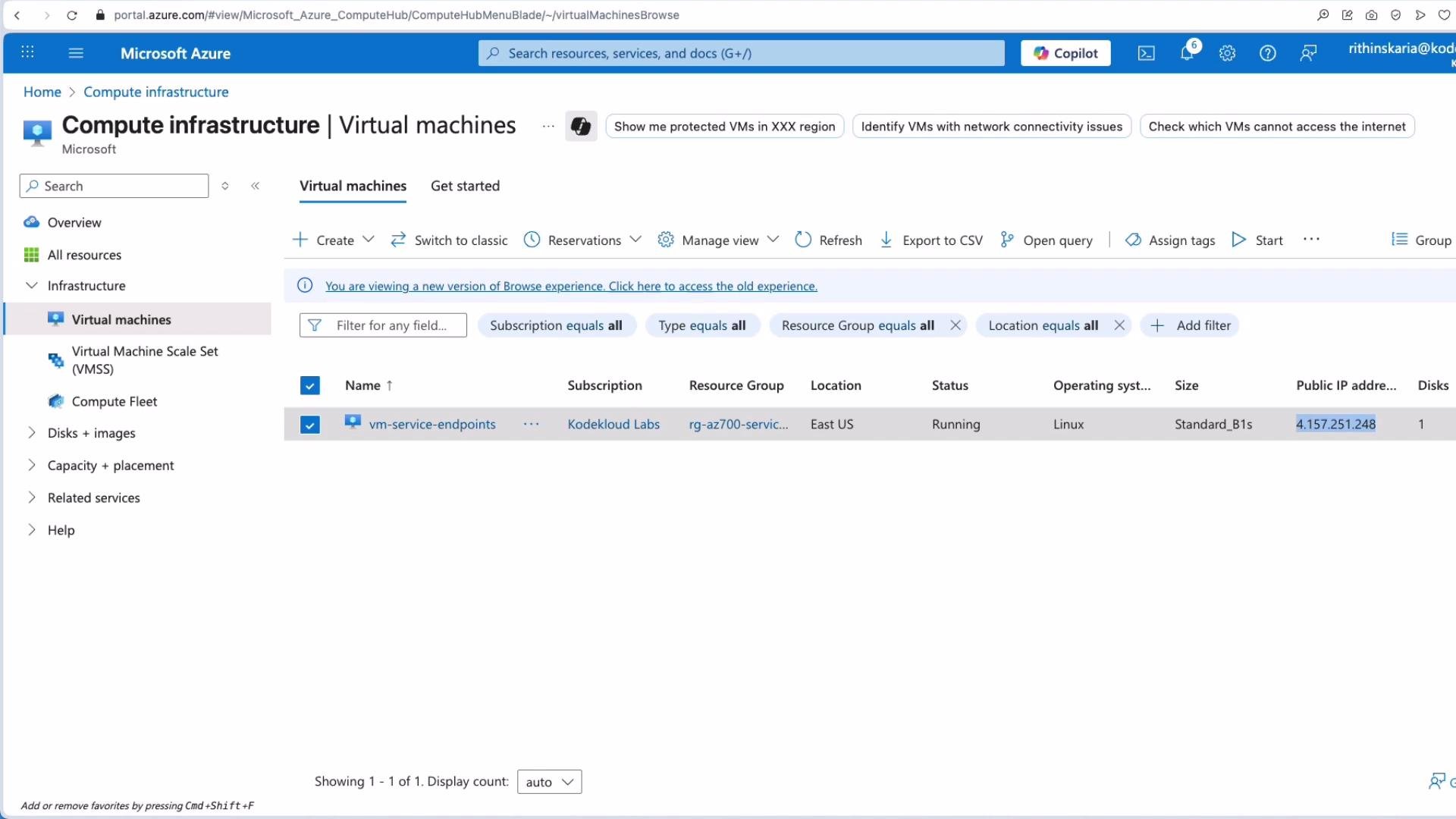
Step 1 — Connecting to the VMSSH into the VM to test access from inside the VNet:
Copy
ssh kodekloud@4.157.251.248# On first connection you may see:# The authenticity of '4.157.251.248' can't be established.# Are you sure you want to continue connecting (yes/no/[fingerprint])? yes# kodekloud@4.157.251.248's password:
After logging in you’ll see the shell prompt:
Copy
kodekloud@vm-service-endpoints:~$
Step 2 — Accessing the blob from the VM (while storage is public)With the storage account public, fetch a blob from the VM:
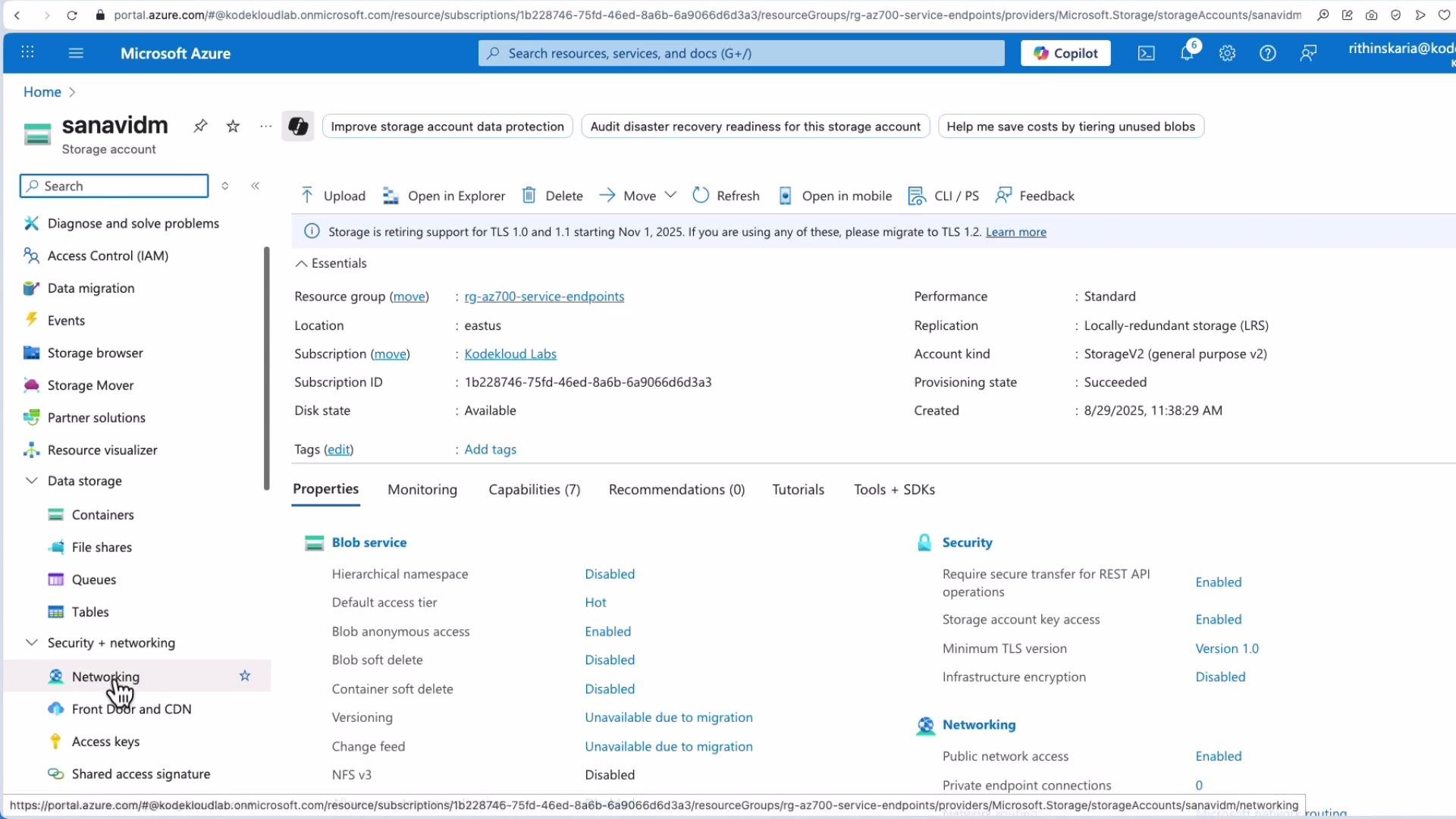
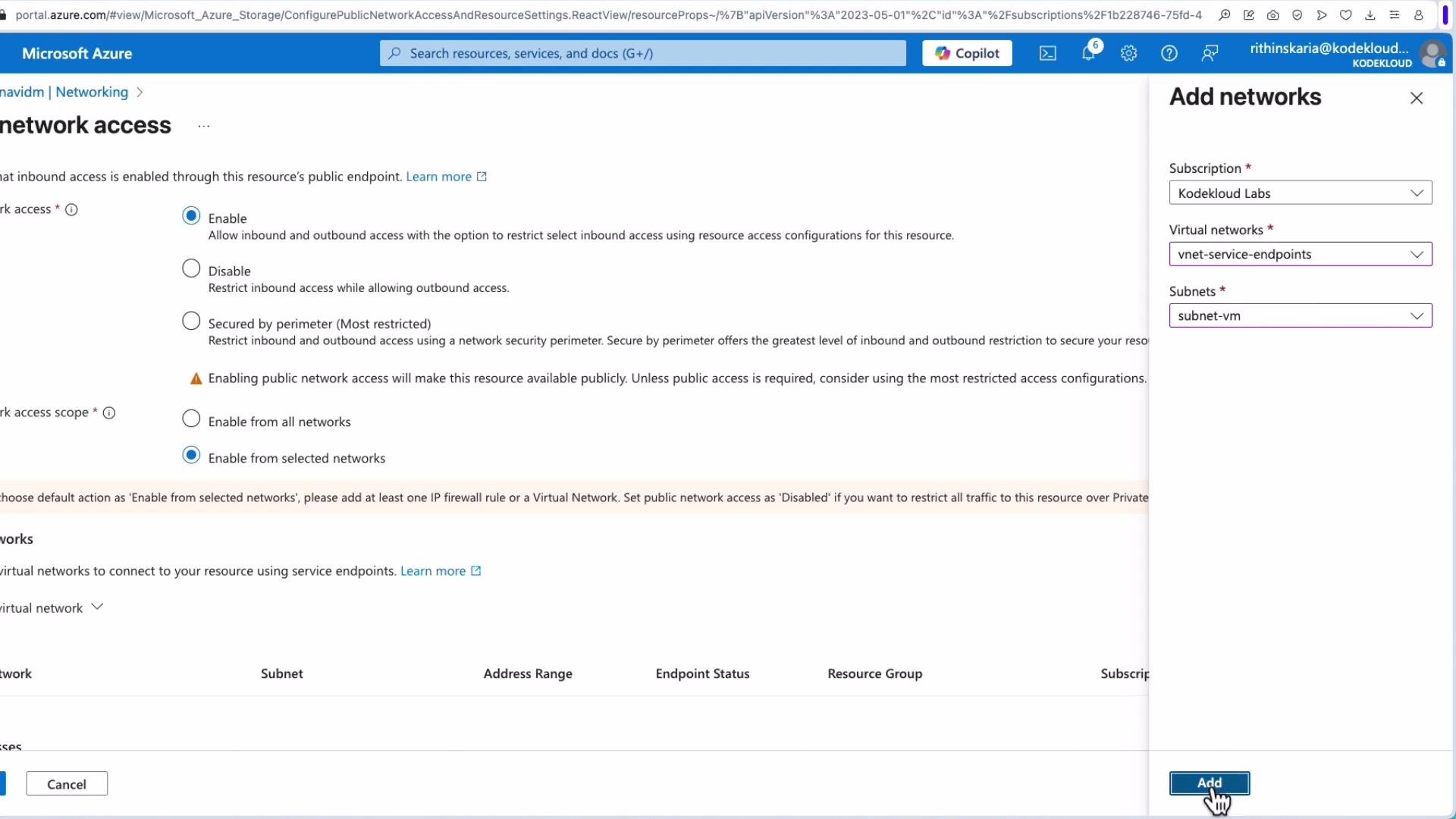
Note: include —output when retrieving binary content to avoid corrupting your terminal.Step 3 — Restricting the storage account to selected networks (Portal)In the Azure portal, open the storage account → Networking. Change Public network access to “Selected networks”, then add the VNet and subnet containing your VM. Save the changes.
Because propagation can take a few minutes, browser access may still work briefly after saving.Step 4 — Testing from the internet (browser)After propagation completes, fetching the blob URL from the internet should be blocked and return an authorization error similar to:
Copy
<?xml version="1.0" encoding="utf-8"?><Error> <Code>AuthorizationFailure</Code> <Message>This request is not authorized to perform this operation. RequestId:3039c561-701e-005c-4ac2-18773d000000 Time:2025-08-29T08:51:11.3442496Z</Message></Error>
The portal’s Networking pane will show that public access is restricted to selected networks.
Step 5 — Testing from the VM (inside the allowed VNet)From the VM inside the allowed subnet, curl still succeeds because the storage account allows that VNet/subnet:
Service endpoints rely on platform routing and service authorization. Even though DNS resolves to a public front-end IP, Azure routes traffic from allowed VNets/subnets to those front-end IPs over the Microsoft backbone and preserves the original private source IP for authorization checks.
Even when the service resolves to a public IP, enabling a service endpoint ensures traffic from your VNet to that service traverses Microsoft’s network — not the public internet.
When to consider Private Endpoints insteadService endpoints enable private-to-public communication via Microsoft’s backbone (private IP → service public front-end IP). If your security posture requires:
that the Azure service have no public IP at all, or
strictly private-to-private communication (the service receives traffic on a private IP),
then use Private Endpoints. Private Endpoints assign a private IP from your VNet to the Azure service, enabling true private connectivity and removing dependence on public front-end IPs.Service Endpoints vs Private Endpoints (summary)
Feature
Service Endpoint
Private Endpoint
Traffic path
VNet → Microsoft backbone → service public front-end
VNet → private IP assigned in your VNet
DNS behavior
Service resolves to public IPs
DNS resolves to private IP in VNet (via private DNS)
Use when
You need simple VNet-restricted access, preserve source IP
You need the service to have no public presence and private-only access
Security posture
Good for many scenarios; uses service authorization rules
Stronger isolation; preferred when compliance requires no public IP
This completes the overview and demo for Service Endpoints — how they work, how to enable them, and when to choose Private Endpoints for stricter private connectivity.