

ExpressRoute is private (isolated from the public internet) but not encrypted by default. To meet encryption‑in‑transit requirements, enable an additional mechanism such as MACsec (link‑level) or a customer‑managed IPsec tunnel (end‑to‑end).
Options for encrypting ExpressRoute traffic
Two common approaches provide stronger guarantees for traffic traversing the ExpressRoute circuit:- MACsec — encrypts the physical link (Layer 2) between your edge device and Microsoft Edge.
- Customer‑managed IPsec — runs an IPsec VPN tunnel on top of the private ExpressRoute circuit, providing end‑to‑end payload protection.
MACsec (Media Access Control Security)
MACsec (IEEE 802.1AE) provides Layer 2 encryption on the physical link between your on‑premises edge device and Microsoft Edge when supported by your connectivity provider and customer edge device. With MACsec enabled, Layer 2 frames are encrypted on the link so a physical tap yields encrypted data only.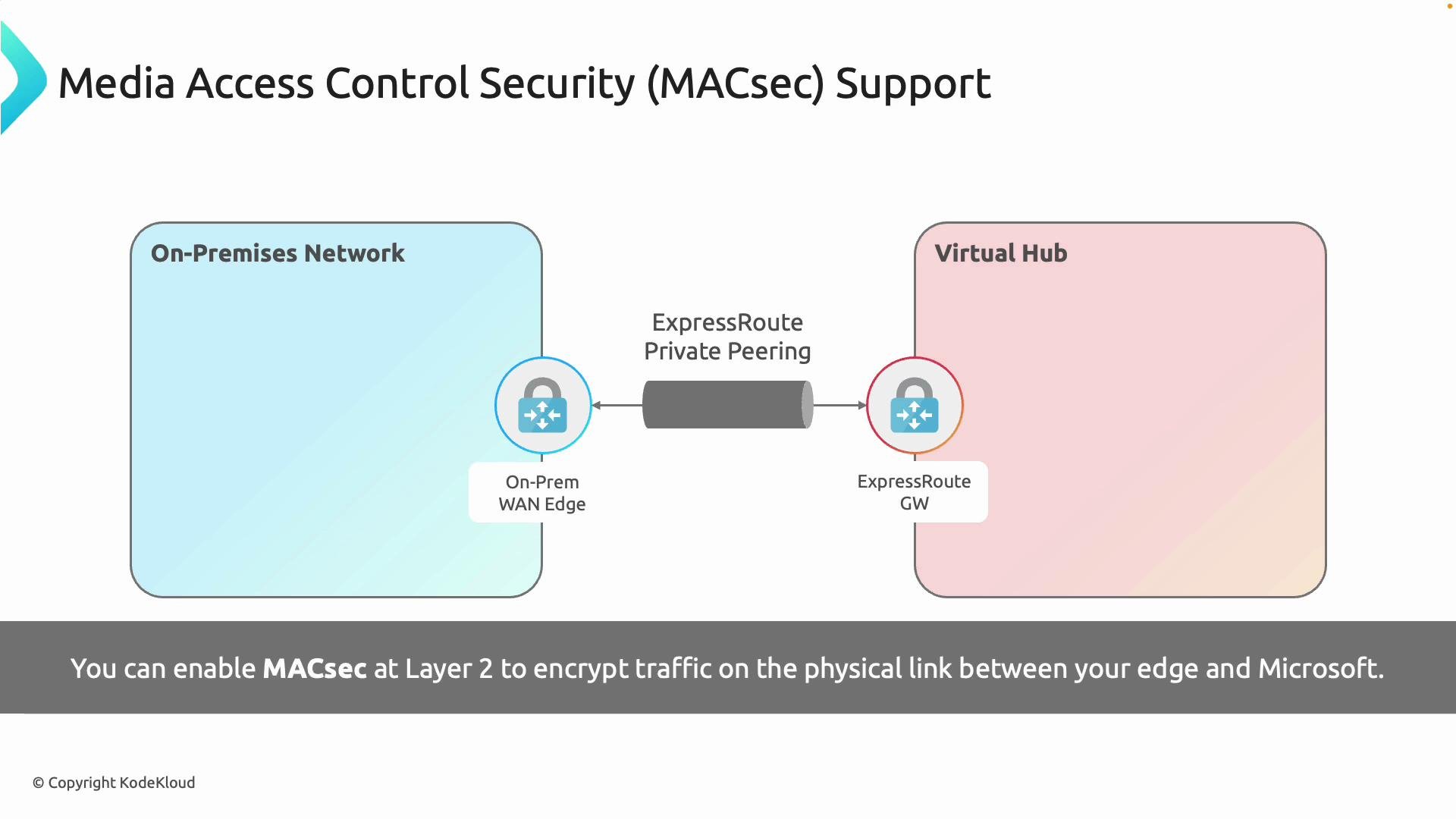
- Operates at Layer 2; encrypts Ethernet frames on the physical circuit.
- Requires support from both the service provider (carrier) and the customer edge switch/router.
- Adds minimal latency and is transparent to IP networking above Layer 2.
- Ideal for meeting link‑level encryption requirements in regulated environments.
- You have strict compliance requirements mandating link encryption.
- Your carrier and customer edge equipment support MACsec.
- You need minimal impact on network architecture and latency.
Customer‑managed IPsec (end-to-end encryption)
If you require end‑to‑end encryption from an on‑premises endpoint to an Azure endpoint (for example, to a VM, application, or virtual appliance), you can terminate an IPsec tunnel on your routers or security appliances before sending traffic across ExpressRoute. This effectively creates a VPN on top of the private circuit, ensuring payload confidentiality and integrity independent of the underlying transport.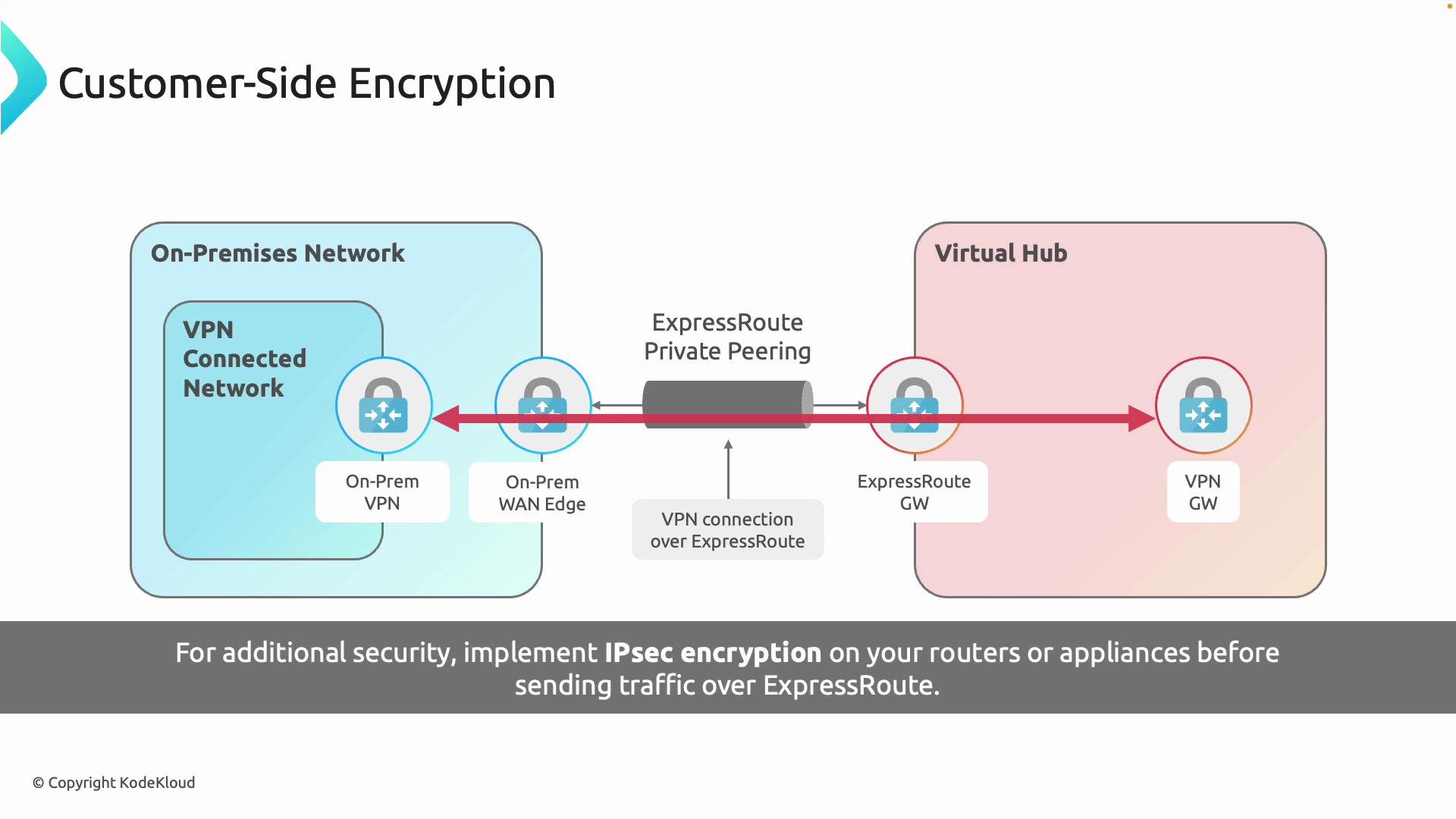
- Provides true end‑to‑end encryption between endpoints you control.
- Can be selective—apply to specific application flows or destinations in Azure.
- Introduces additional processing overhead and potential latency depending on device throughput and encryption algorithms.
- Requires management of keys, tunnels, and potentially HA/topology for scale.
Comparison: MACsec vs IPsec vs ExpressRoute default
Choosing the right option
-
Use MACsec when:
- You must encrypt the physical link itself.
- Your carrier and customer edge devices support MACsec.
- You want minimal additional latency and transparent operation above Layer 2.
-
Use customer‑managed IPsec when:
- You require end‑to‑end payload protection, independent of the transport.
- You need selective encryption for specific services or Azure endpoints.
- You can accept additional management and potential performance overhead.
-
Consider both when:
- You need defense‑in‑depth: MACsec for link protection plus IPsec for payload protection.
- Regulatory requirements demand both link encryption and end‑to‑end confidentiality.
Implementation checklist
- Confirm requirements:
- Determine whether your compliance needs mandate link‑level encryption, end‑to‑end encryption, or both.
- Verify vendor and carrier support:
- For MACsec, confirm support on both the customer edge device and the connectivity provider.
- Plan topology and termination:
- For IPsec, decide where to terminate tunnels (on-prem appliance to an Azure VM, virtual appliance, or Azure virtual hub).
- Capacity and performance:
- Validate device throughput and expected latency impact for encryption workloads.
- Key management and operations:
- Establish key rotation, monitoring, and incident response procedures for encrypted tunnels.
Summary
- ExpressRoute provides a private circuit but does not encrypt traffic by default.
- MACsec encrypts the physical link (Layer 2) and is suitable when carriers and edge devices support it.
- Customer‑managed IPsec provides end‑to‑end encryption on top of ExpressRoute and is appropriate when payload confidentiality must be ensured regardless of the underlying transport.
- You can combine both for layered security to balance compliance, performance, and operational complexity.
Links and references
- Azure ExpressRoute overview
- MACsec (IEEE 802.1AE) — overview
- IPsec overview (Microsoft)
- Designing for ExpressRoute and VPN coexistence