

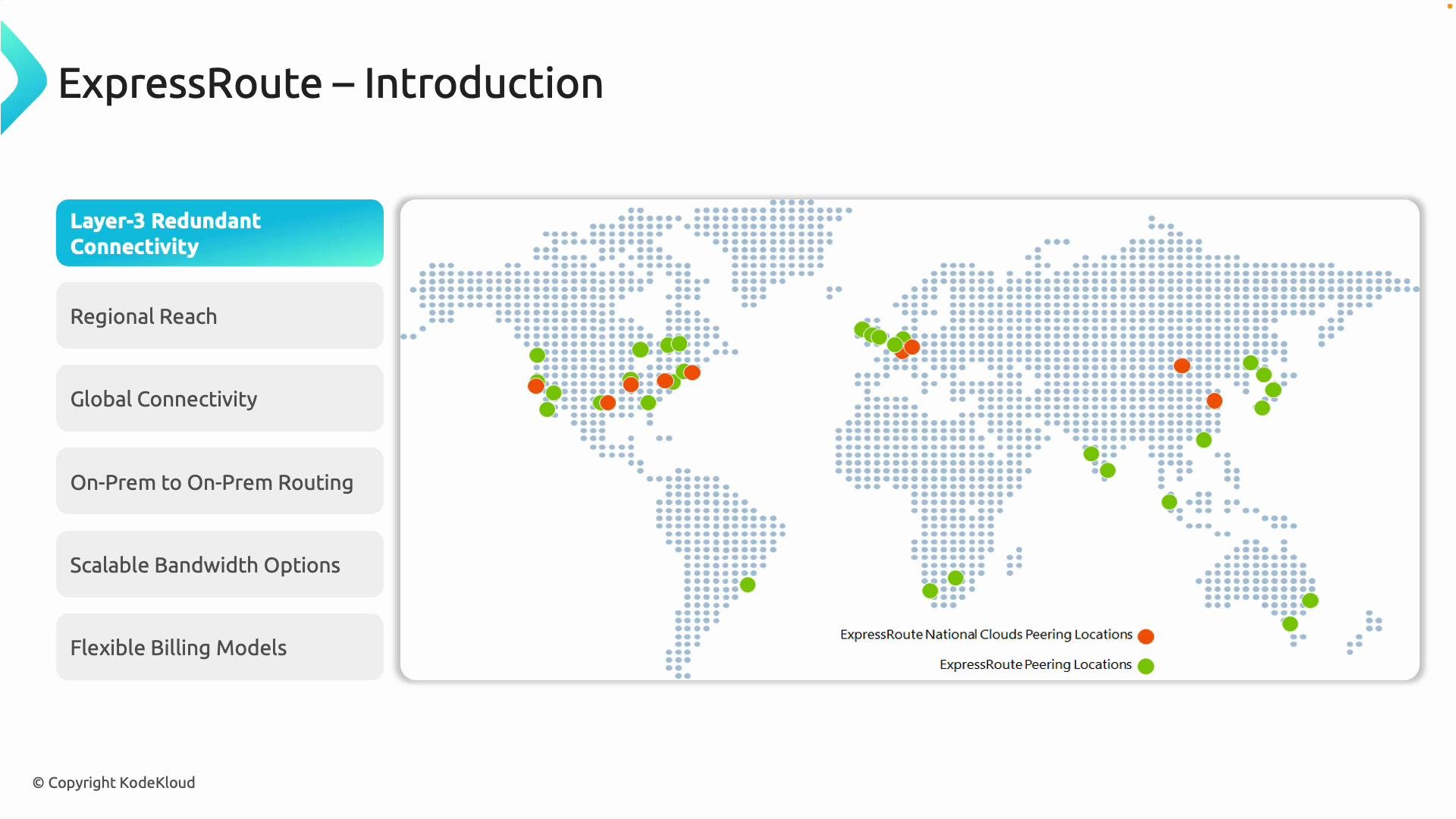
- Layer‑3 redundant connectivity using industry-standard BGP (Border Gateway Protocol) for dynamic route failover and high availability. Learn more about BGP: https://learn.microsoft.com/en-us/azure/virtual-network/bgp-overview
- Avoiding the public internet hop improves performance consistency and security posture.
- Integration options with your existing WAN (for example, MPLS).
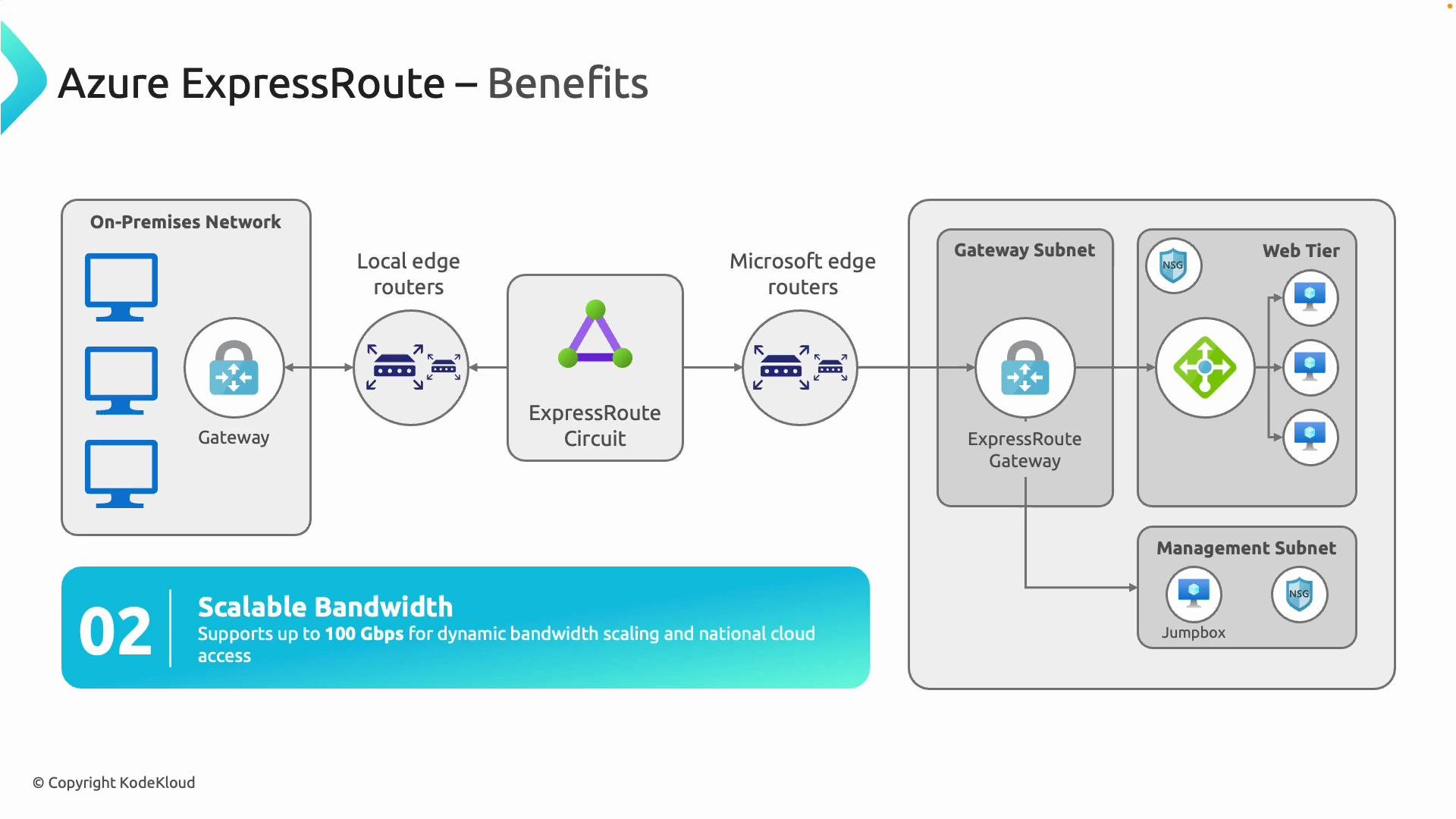
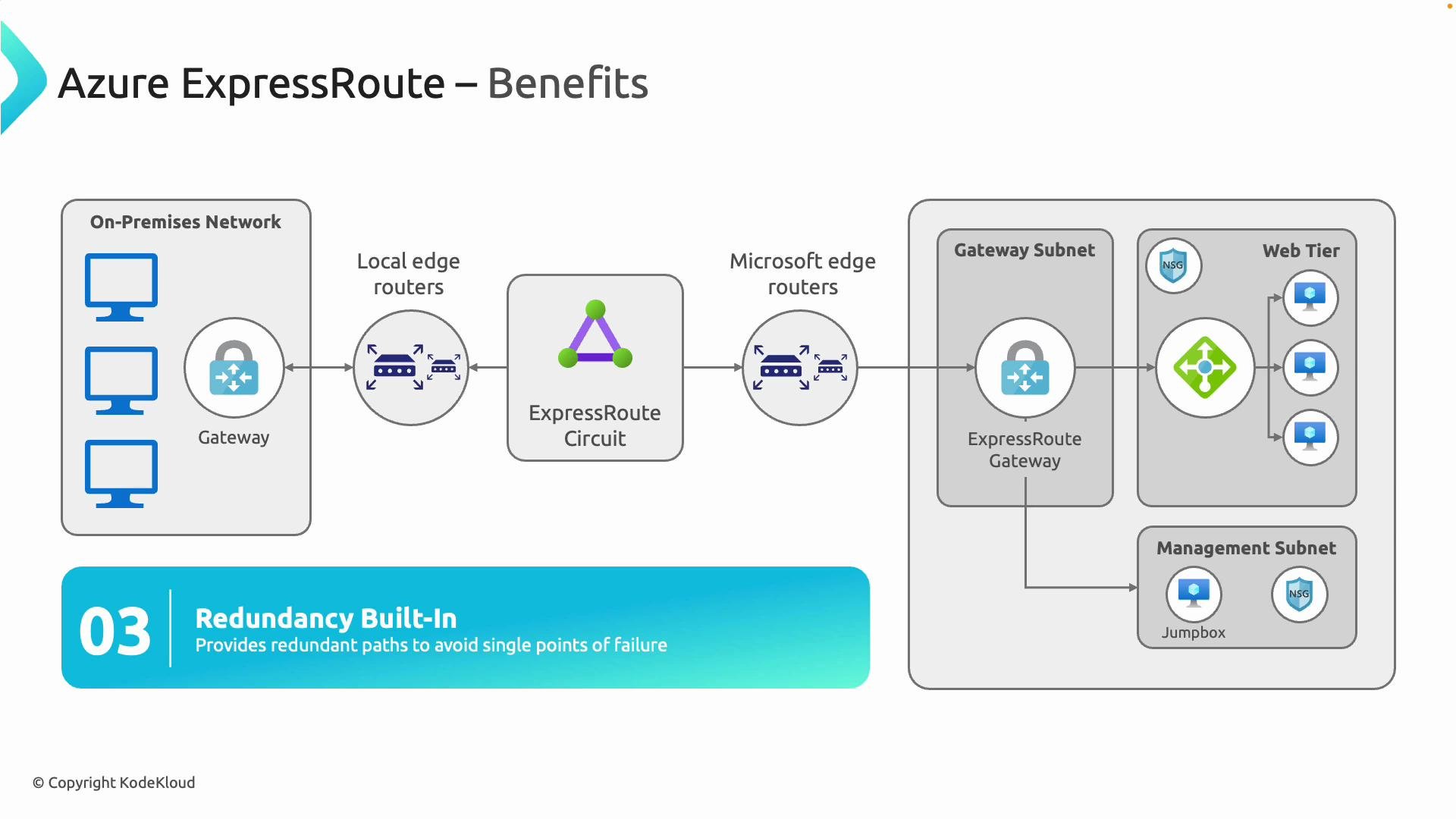
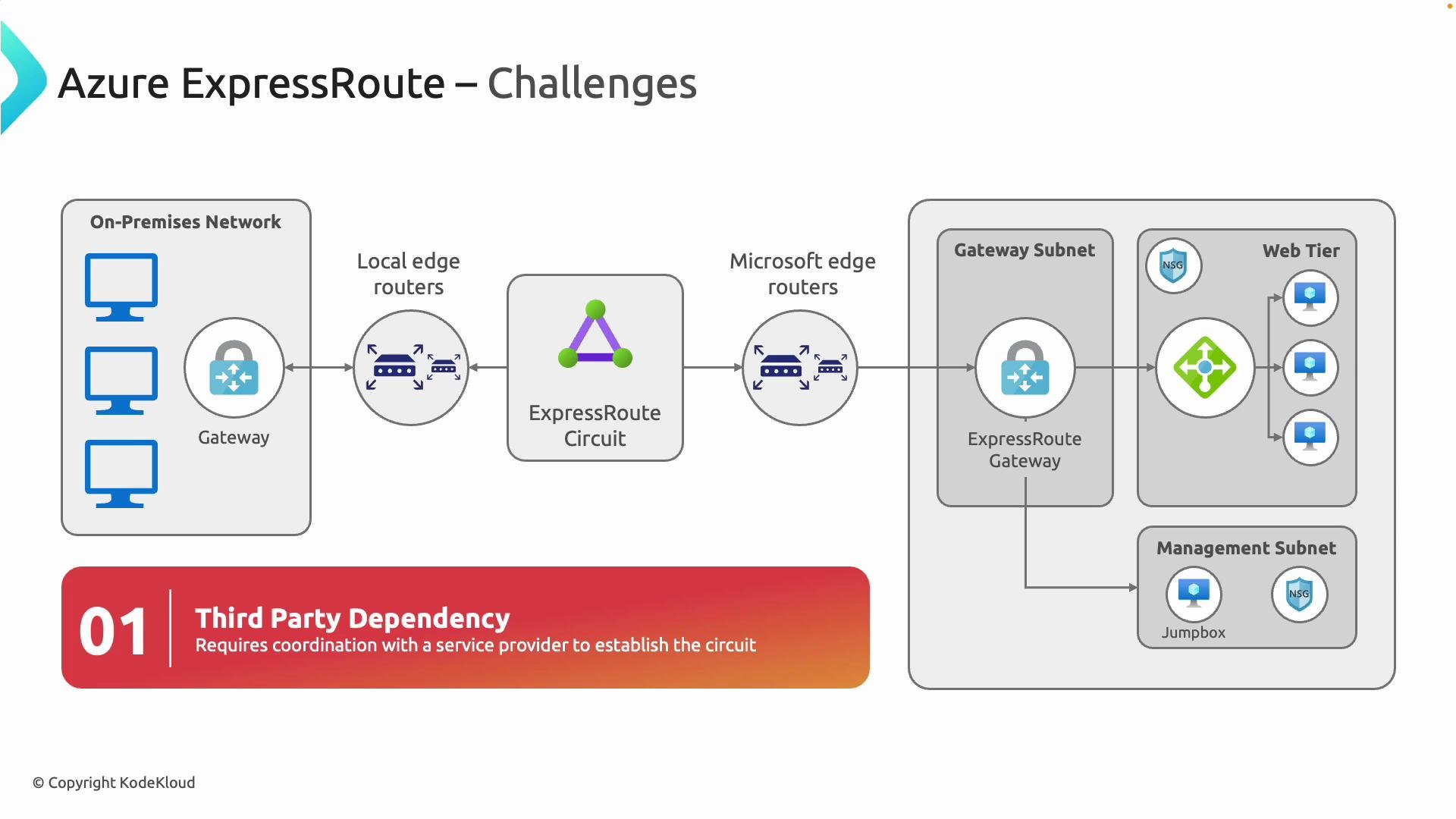
- Your on-premises edge routers (customer edge devices) peer with a connectivity provider or Microsoft edge routers over an ExpressRoute circuit.
- The circuit terminates at Microsoft’s edge and connects into Azure through an ExpressRoute gateway (an Azure gateway configured specifically for ExpressRoute).
- BGP advertises routes between your network and Azure, enabling automated failover and route control. When creating the Azure gateway, set the gateway type to ExpressRoute via the Azure portal or CLI.
- With a single ExpressRoute circuit you can connect to any Azure region within a chosen geography (for example, North America).
- For multinational reach across geographies, the ExpressRoute Premium add-on extends connectivity to Azure regions in other geographies.
- ExpressRoute Global Reach lets you interconnect on-premises sites (multiple datacenters or branch offices) across Microsoft’s backbone, enabling Azure to act as the hub in your WAN design.
- ExpressRoute circuits are provisioned with redundant physical links and use BGP path selection for failover, reducing single points of failure.
- Microsoft publishes availability SLAs for ExpressRoute configurations (for example, up to 99.95% for some setups). See the official SLA documentation for details: https://learn.microsoft.com/en-us/azure/expressroute/expressroute-sla
- These characteristics make ExpressRoute suitable for SAP, ERP, real-time analytics, large-scale backups/migrations, and other latency-sensitive or high-throughput workloads.
- Ensure on-premises edge routers support BGP and the throughput for your chosen bandwidth.
- Plan ASN assignments, BGP peering parameters, route filters, and route advertisement policies.
- Decide between metered vs. unlimited billing and whether you need the Premium add-on for global reach.
- Coordinate lead times and provisioning windows with your connectivity partner and carrier.
- Incorporate ExpressRoute into your disaster recovery and high‑availability strategies.
ExpressRoute requires BGP and proper routing design. Work with your connectivity partner and network team to plan ASN assignments, BGP peering, route filters, and access controls before provisioning.
- Private, dedicated connectivity with predictable latency and higher throughput than internet-based VPNs.
- Redundant, BGP-driven routing with SLA-backed availability for critical services.
- Scalable bandwidth up to 100 Gbps and the ability to interconnect on-premises sites through Azure (ExpressRoute Global Reach).
- Integration with enterprise WANs such as MPLS while maintaining a secure, private path to Azure.
Further reading and resources
- ExpressRoute overview and features: https://learn.microsoft.com/en-us/azure/expressroute/expressroute-introduction
- BGP overview for Azure: https://learn.microsoft.com/en-us/azure/virtual-network/bgp-overview
- ExpressRoute SLA: https://learn.microsoft.com/en-us/azure/expressroute/expressroute-sla
- MPLS overview: https://en.wikipedia.org/wiki/Multi_protocol_label_switching