

What is an ExpressRoute circuit?
An ExpressRoute circuit is a dedicated private network connection between your on‑premises environment and Microsoft Azure. It bypasses the public Internet to provide improved security, predictable latency, and higher reliability. When you provision a circuit, you establish private connectivity between your edge routers and Microsoft’s edge infrastructure.Port types and connection models
When creating an ExpressRoute circuit you first choose a port type and a connection model:- Provider model — The most common approach. You connect through a Microsoft‑approved service provider (an ExpressRoute partner) that provisions and manages the physical connectivity between your location and Microsoft’s network.
- ExpressRoute Direct — You connect directly to Microsoft’s edge locations (often via a colocation facility). This model is used when you need very high bandwidth and direct control over the physical handoff.
Circuit SKU overview
Circuit SKUs control geographic reach and routing limits for the physical connection. Choose the SKU that matches your reach and scale requirements.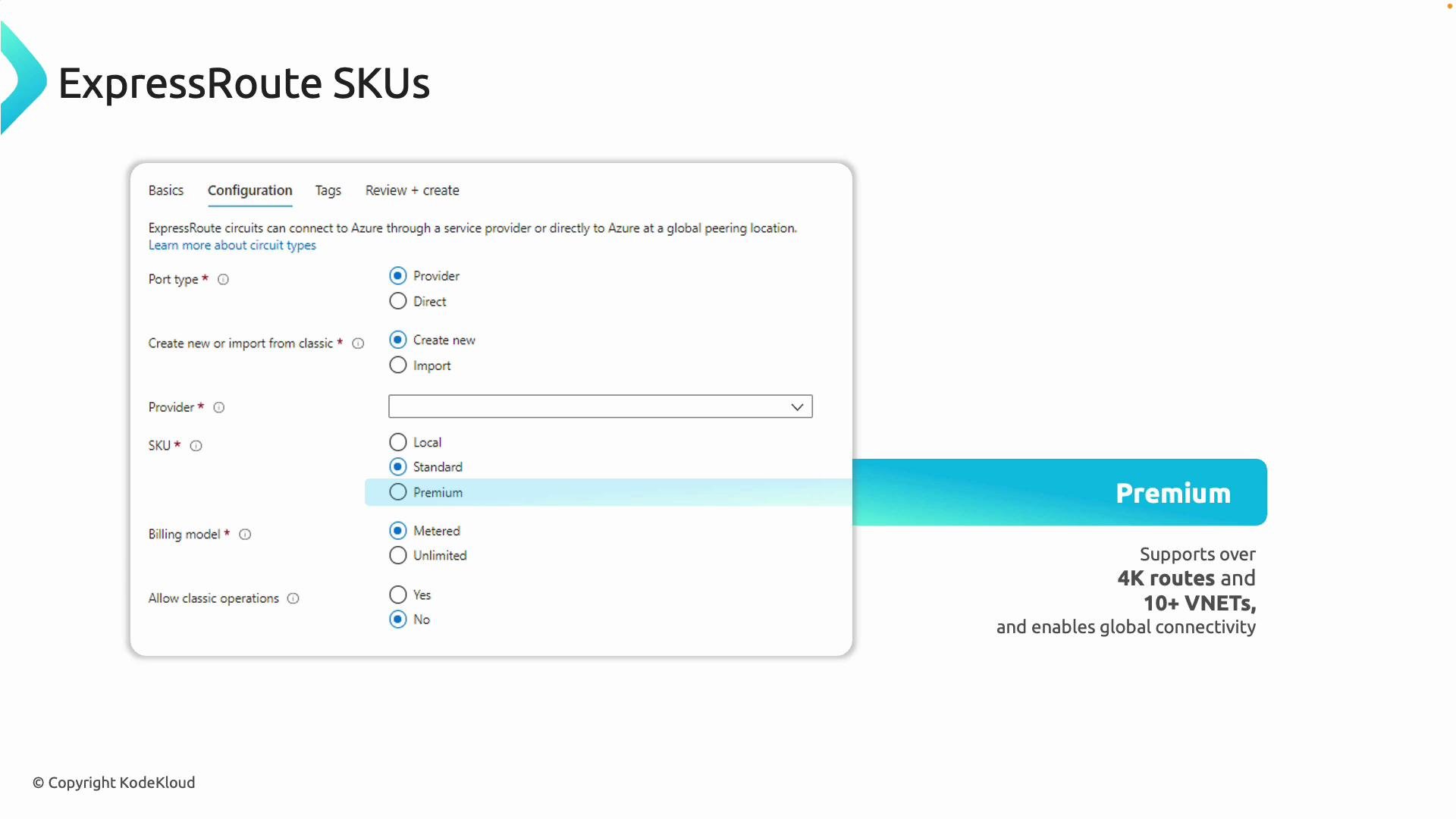
Billing model
When provisioning a circuit you’ll also choose a billing model:- Metered — You are billed for data that traverses the ExpressRoute circuit. Often lower base cost; suitable when traffic is variable and egress patterns are predictable.
- Unlimited — Fixed monthly price covering an agreed data volume; useful when you expect consistent high-volume traffic.
Circuit SKU vs Gateway SKU
It’s important to distinguish between the circuit SKU and the gateway SKU:Remember: an ExpressRoute “circuit” is the physical/private connection to Microsoft, and the “gateway” is an Azure resource that connects your VNets to that circuit. Circuit SKUs control reach and route limits; gateway SKUs control gateway throughput and features.
Choosing the right SKU — practical guidance
- Start with your geographic reach:
- Local if all workloads are within a single metro.
- Standard if you need access across a single geopolitical market.
- Premium if you need global Azure region reach.
- Consider scale (route count and number of VNets):
- Larger hybrid networks and many VNets typically require Premium.
- Factor in throughput and features:
- Circuit SKUs don’t change gateway throughput — size your gateway SKU separately.
- Review cost model:
- If traffic volume is predictable and high, consider Unlimited billing.
- If traffic is sporadic, Metered may be more cost-effective.
Quick checklist
- Decide port/connection model: Provider vs ExpressRoute Direct.
- Select the circuit SKU (Local, Standard, Premium) based on reach and route/VNet needs.
- Choose the billing model (metered vs unlimited) aligned to traffic patterns.
- Deploy and size the appropriate gateway SKU for VNet connectivity and throughput.
Links and references
- Azure ExpressRoute documentation
- ExpressRoute Direct overview
- Azure VPN and ExpressRoute gateway SKUs