

Default: Active‑Standby
By default, Azure Virtual Network Gateways use an active‑standby arrangement:- Two gateway instances are provisioned for redundancy.
- One instance is active and handles traffic.
- The other instance remains in standby, ready to take over if the active instance fails.
Keep in mind: “default” does not mean a single instance — Azure maintains two gateway instances even in active‑standby mode to enable fast failover.
Active‑Active for higher throughput and resiliency
Active‑active configuration runs both gateway instances actively handling connections and forwarding traffic at the same time. This increases aggregate throughput and improves resiliency by allowing traffic to be balanced across both instances.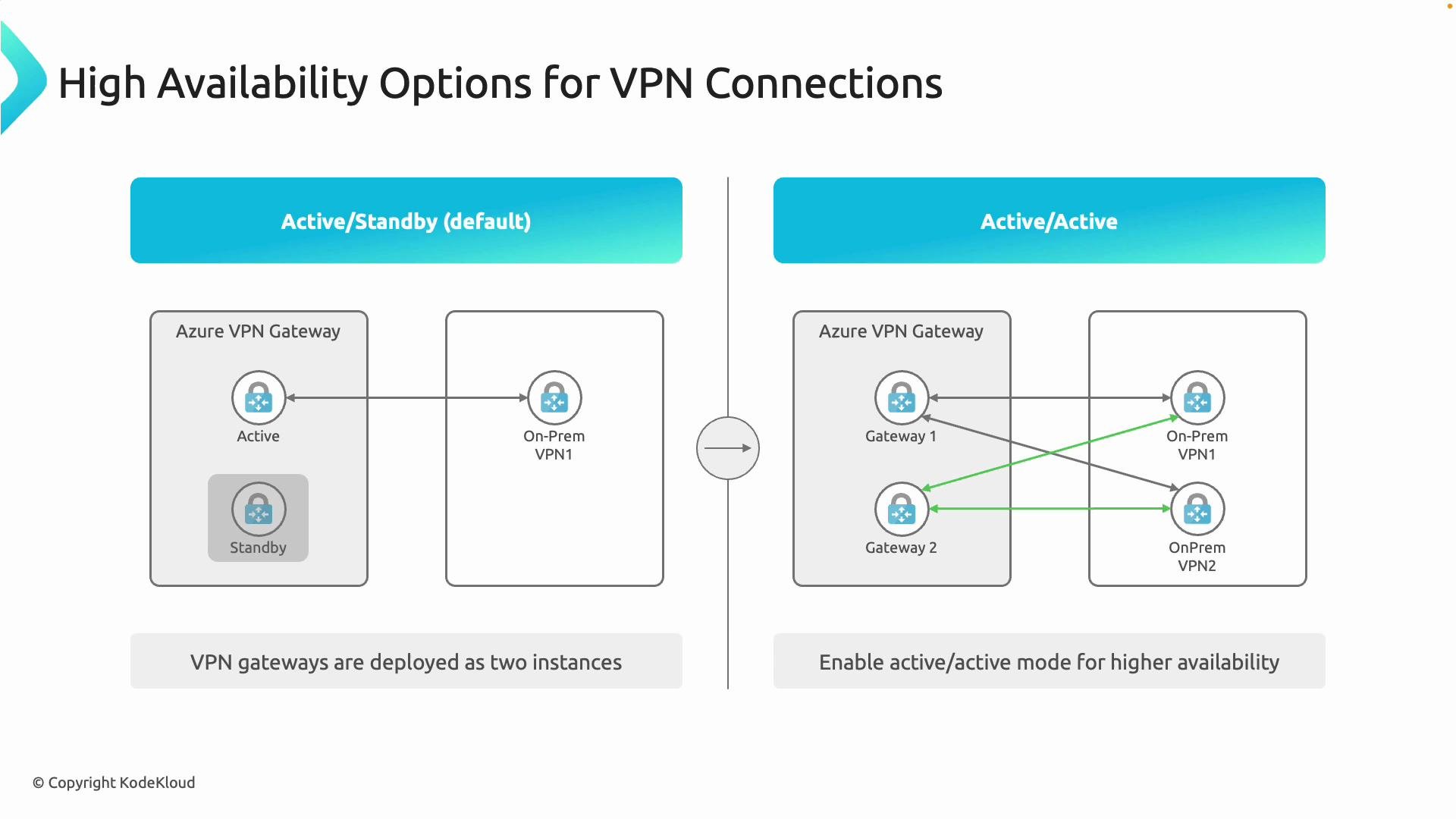
Quick comparison
Deployment considerations for active‑active
- Use a gateway SKU and configuration that support active‑active. See the Azure VPN Gateway documentation for supported SKUs and features: https://learn.microsoft.com/en-us/azure/vpn-gateway/vpn-gateway-about-vpngateways.
- Active‑active requires multiple public IP addresses so each gateway instance is reachable independently.
- Your on‑premises topology must be resilient to take full advantage of Azure-side redundancy:
- Ideally have two on‑prem VPN devices (or virtual appliances) so each on‑prem device can establish tunnels to both Azure gateway instances.
- Typical topology: Gateway1 ↔ OnPrem1, Gateway1 ↔ OnPrem2, Gateway2 ↔ OnPrem1, Gateway2 ↔ OnPrem2.
- Running active‑active in Azure while keeping a single on‑premises VPN device introduces a single point of failure on premises and negates much of the cloud-side redundancy.
Important: Active‑active increases resiliency only when both sides of the connection are designed for redundancy. Verify gateway SKU support and provision multiple public IP addresses and on‑prem devices before relying on active‑active for production SLAs.
Design tips
- Align redundancy goals between cloud and on‑premises: match the number of independent VPN devices and networks you have on‑premises to the redundancy you implement in Azure.
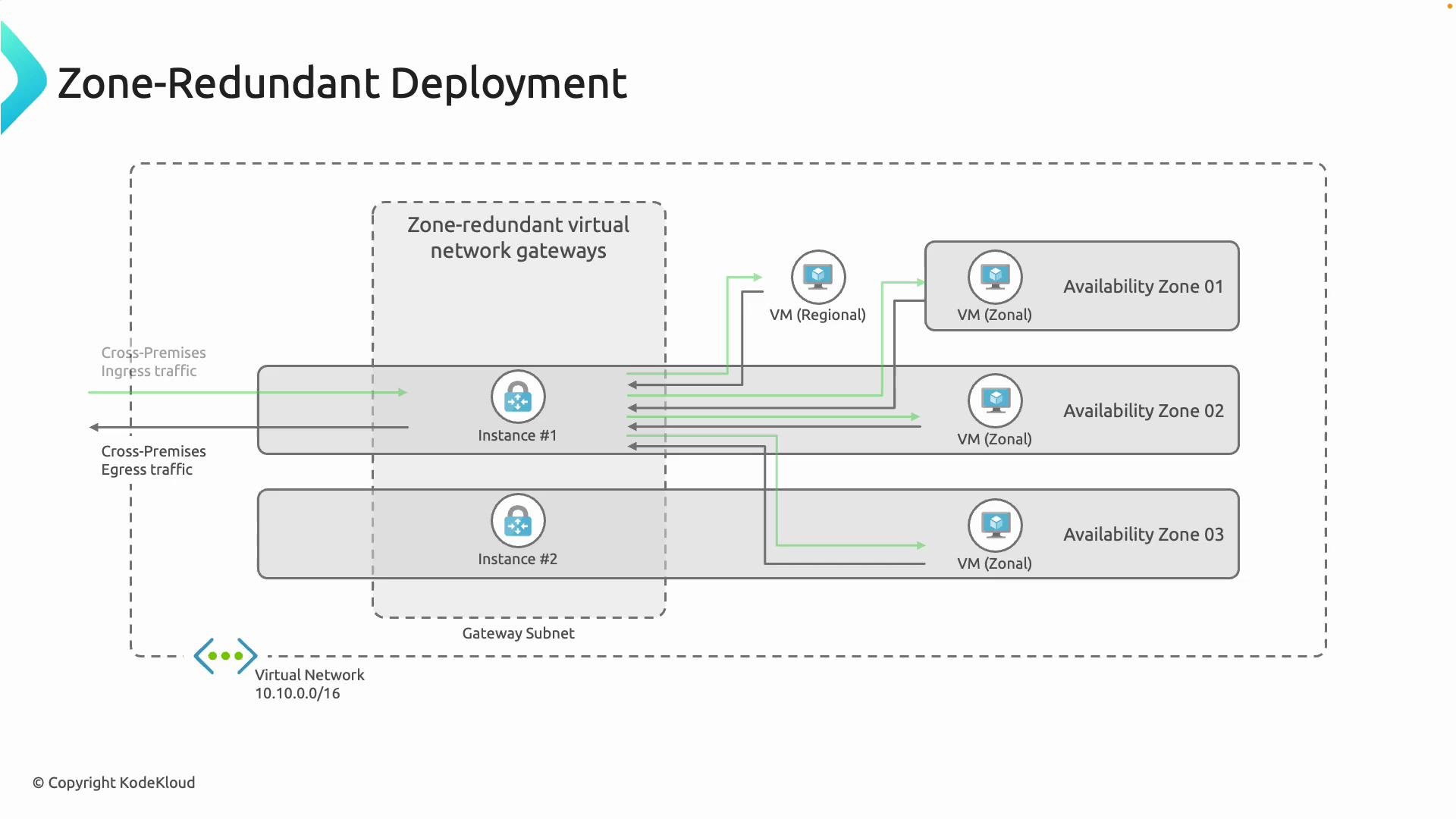
- If you need zonal protection, prefer zone‑redundant gateways in regions that support Availability Zones.
- For throughput-sensitive workloads, evaluate active‑active SKUs and ensure your on‑prem devices support multiple tunnels and load distribution.
- Test failover behavior and routing asymmetry — verify that routes and BGP (if used) are correctly configured to avoid traffic blackholing during failover.
References
- Azure VPN Gateway overview and SKUs: https://learn.microsoft.com/en-us/azure/vpn-gateway/vpn-gateway-about-vpngateways