

Azure Traffic Manager performs DNS-based routing and uses health probes to exclude unhealthy endpoints from answers. Because routing happens at DNS, clients connect directly to the selected endpoint — Traffic Manager only influences DNS responses.
Priority (Failover)
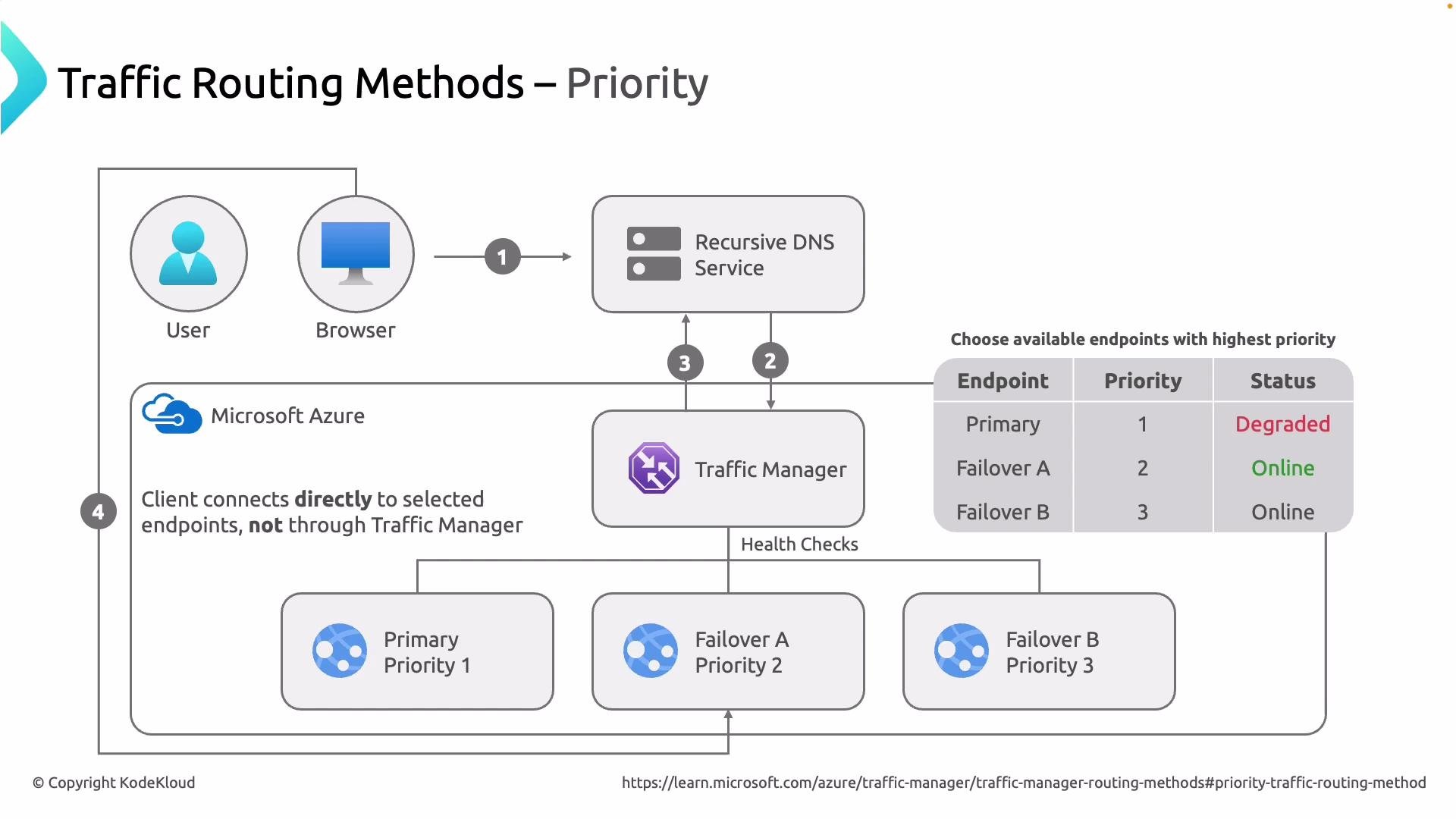
Use case: Active-passive failover and disaster recovery. Flow summary:- A client requests a URL (browser or service).
- The client’s resolver (ISP or public DNS) queries Azure Traffic Manager for the domain.
- Traffic Manager evaluates endpoints by configured priority (lowest number = highest priority).
- Health probes continuously check endpoint health.
- Traffic Manager returns the highest-priority endpoint that is healthy.
- The resolver returns that endpoint IP to the client, and the client connects directly.
- Primary — Priority 1
- Failover A — Priority 2
- Failover B — Priority 3
Weighted
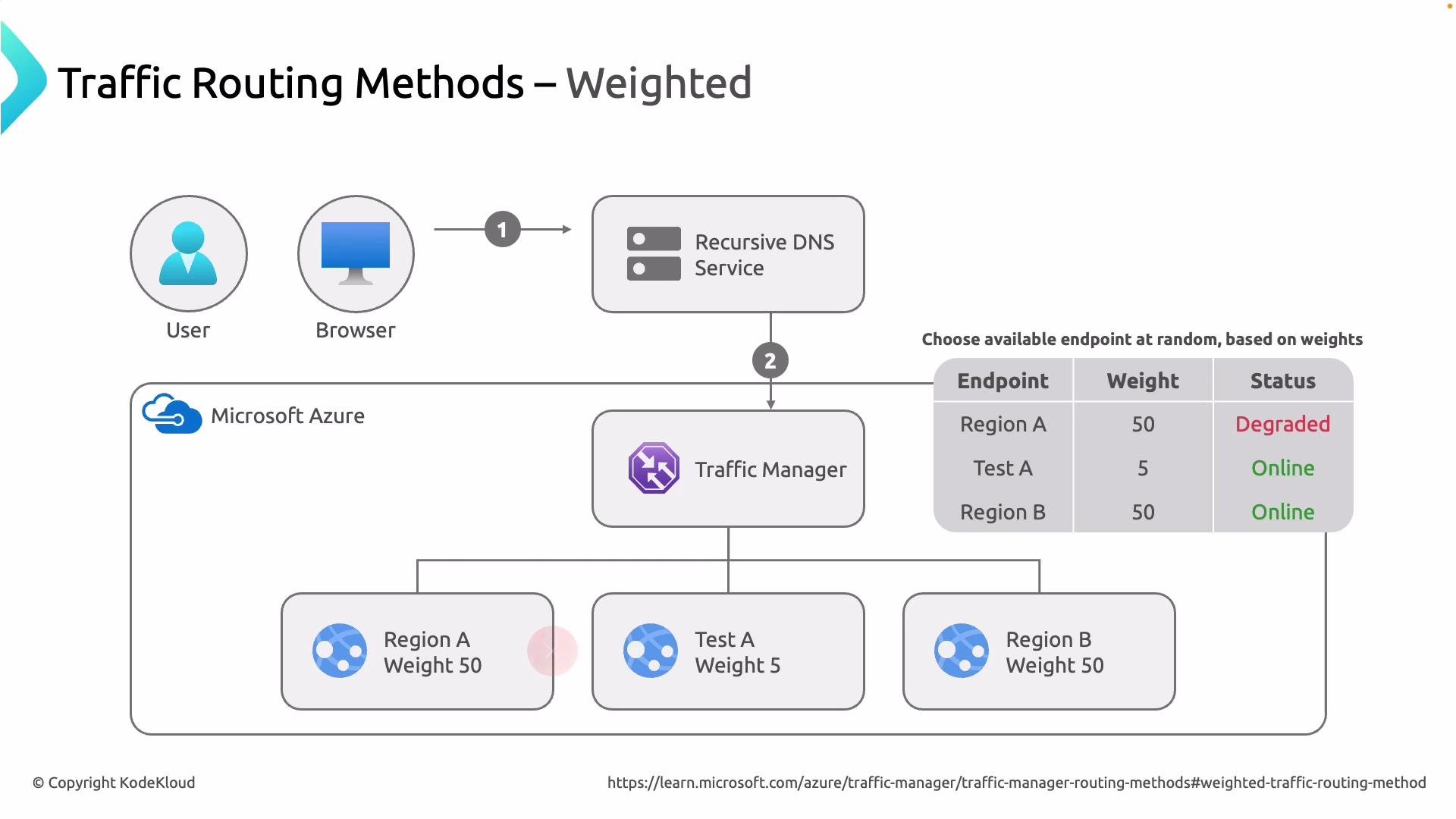
Use case: Gradual rollouts, A/B tests, canary releases, and controlled traffic distribution. Flow summary:- The client’s resolver queries Traffic Manager.
- Traffic Manager considers only healthy endpoints that have configured weights.
- Each endpoint is selected probabilistically based on its weight value.
- The selected endpoint’s IP is returned to the resolver; the client connects directly.
- West A — weight 5
- Region B — weight 50
Performance
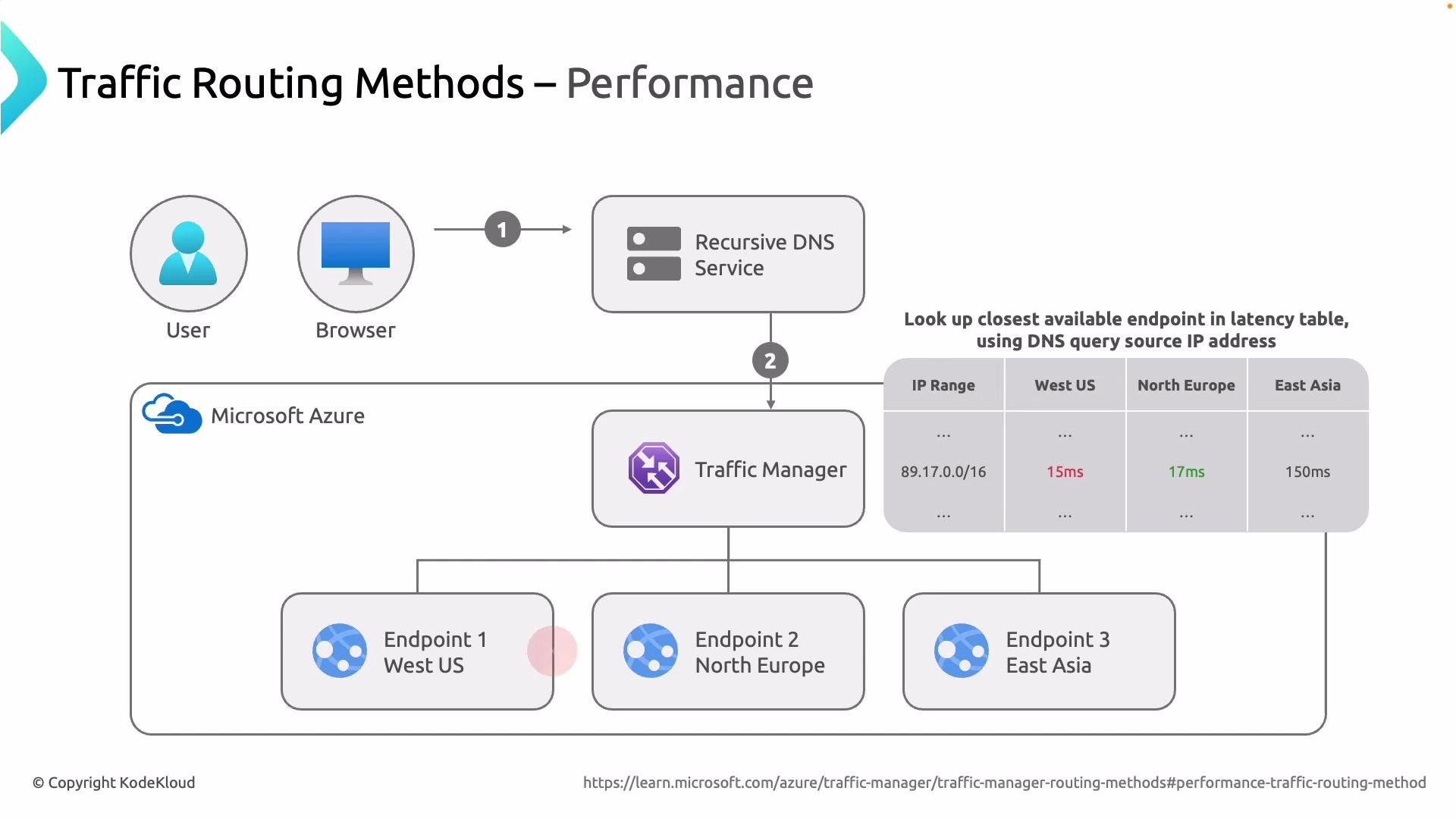
Use case: Route clients to the lowest-latency endpoint for improved responsiveness. Flow summary:- The resolver forwards the DNS query to Traffic Manager.
- Traffic Manager uses the source IP of the DNS query and an internal latency table to map the query to the closest endpoint.
- Unhealthy endpoints are filtered by health probes.
- The lowest-latency healthy endpoint is returned to the resolver; the client connects directly.
- Source IP
89.17.0.16maps to West US (15 ms). If West US is healthy, that endpoint is returned. If it is unhealthy, Traffic Manager selects the next lowest-latency healthy endpoint (e.g., North Europe at 17 ms).
Geographic
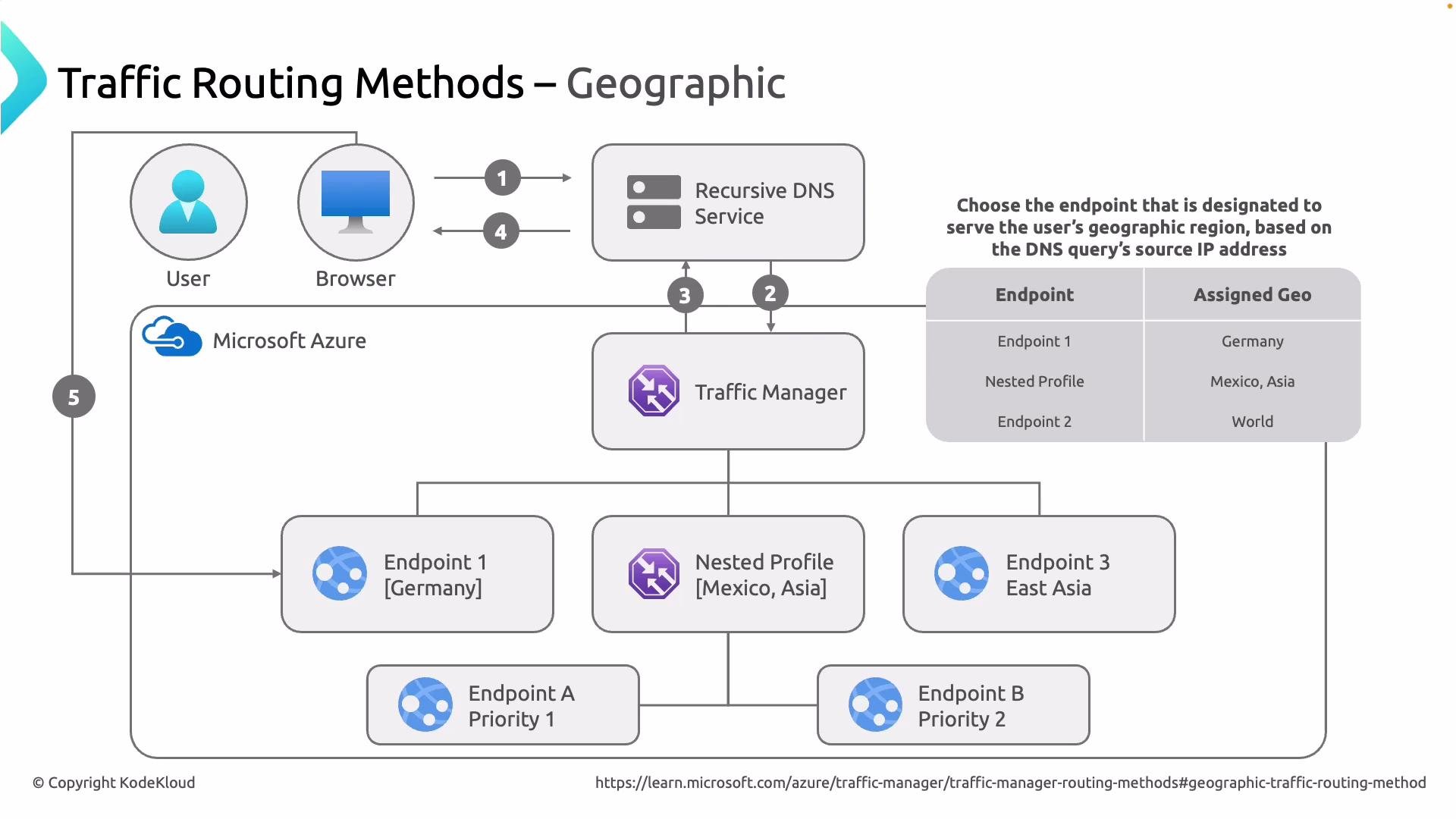
Use case: Enforce data residency, comply with regional regulations, serve localized content or language. Flow summary:- The resolver sends the DNS query to Traffic Manager.
- Traffic Manager determines the geographic region of the resolver’s source IP.
- It maps that geography to a configured endpoint or a nested Traffic Manager profile.
- The assigned endpoint or nested profile is returned to the resolver.
- The client is directed to the region-specific endpoint.
- Endpoint 1 — Germany
- Nested profile — Mexico and Asia
- Endpoint 2 — Rest of world
Quick Comparison
Best practices and considerations
- Health probes: Configure appropriate probe endpoints and frequency to quickly detect failures without causing false positives.
- DNS TTL: DNS caching affects how quickly clients switch endpoints after a change. Use shorter
TTLfor rapid failover, but consider increased DNS query volume. - Monitoring: Combine Traffic Manager metrics with application telemetry to validate endpoint health and routing behavior.
- Nested profiles: Use nested profiles in Geographic routing to simplify mappings for large regions.
Remember: DNS caching and resolver behavior can delay failover. Even after Traffic Manager changes DNS answers, clients may keep using cached records until the TTL expires. Plan probe intervals and TTL values to balance failover speed and DNS query load.
Summary
- Azure Traffic Manager makes DNS-level routing decisions using routing methods: Priority, Weighted, Performance, and Geographic.
- Health probes exclude unhealthy endpoints from DNS responses to improve reliability.
- Clients always connect directly to the chosen endpoint — Traffic Manager does not proxy user traffic.
- Choose the routing method that matches your goals:
- Priority for active-passive failover,
- Weighted for staged rollouts or experiments,
- Performance for latency optimization,
- Geographic for regulatory or localization needs.
Links and references
- Azure Traffic Manager documentation: https://learn.microsoft.com/azure/traffic-manager/
- Routing policy concepts and examples: https://learn.microsoft.com/azure/traffic-manager/traffic-manager-routing-methods
- DNS TTL and caching: https://tools.ietf.org/html/rfc1035