

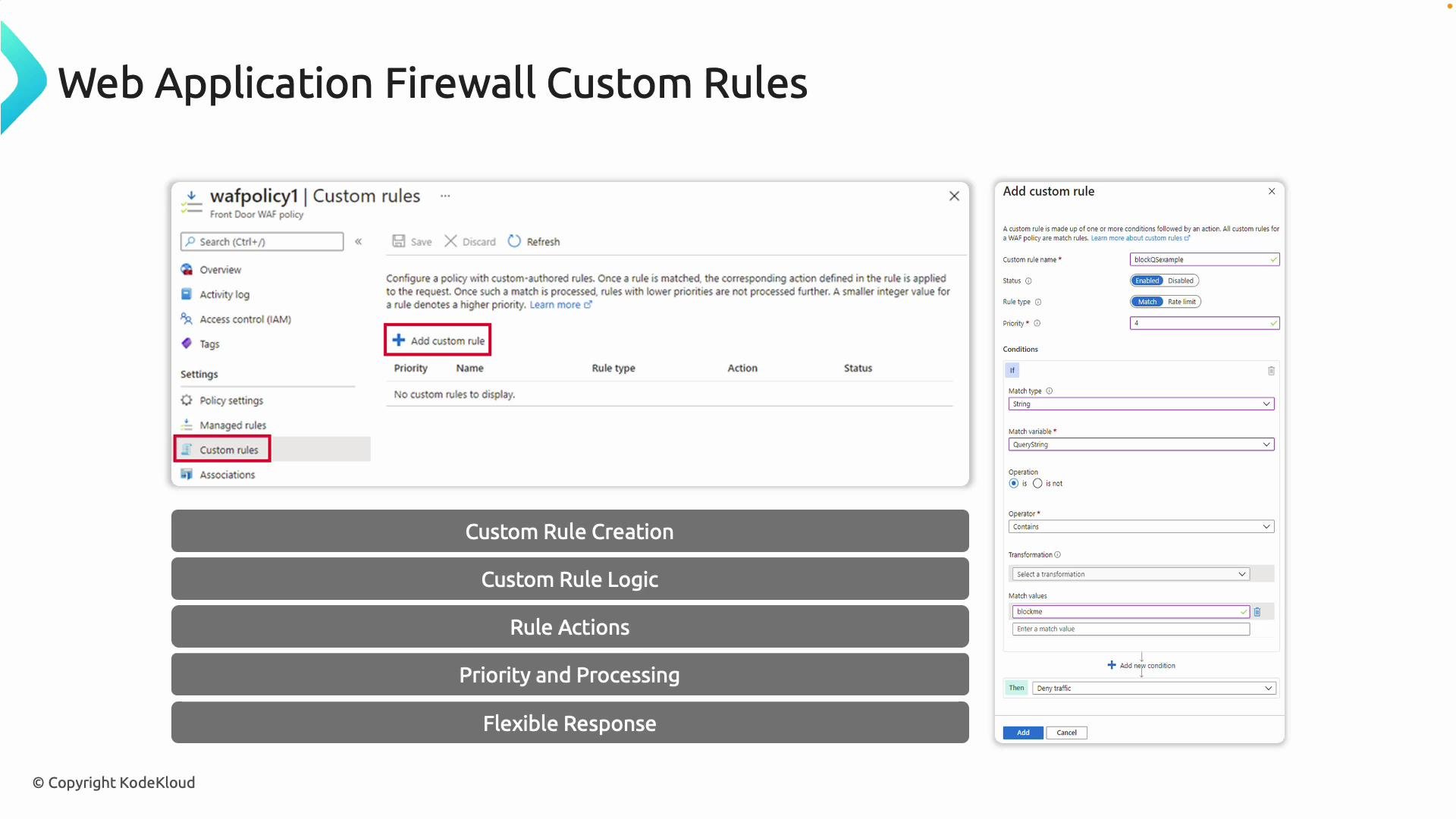
Actions available:
Rule evaluation order and priorities
- Custom rules run before the Default Rule Set.
- Lower numeric priority values are evaluated before higher ones (e.g., priority
1executes before10). - Proper ordering is critical when multiple rules could match the same request—use priority to enforce the intended precedence.
- Match: Evaluate conditions and apply the chosen action.
- Rate limit: Track request rates and block when a threshold is exceeded.
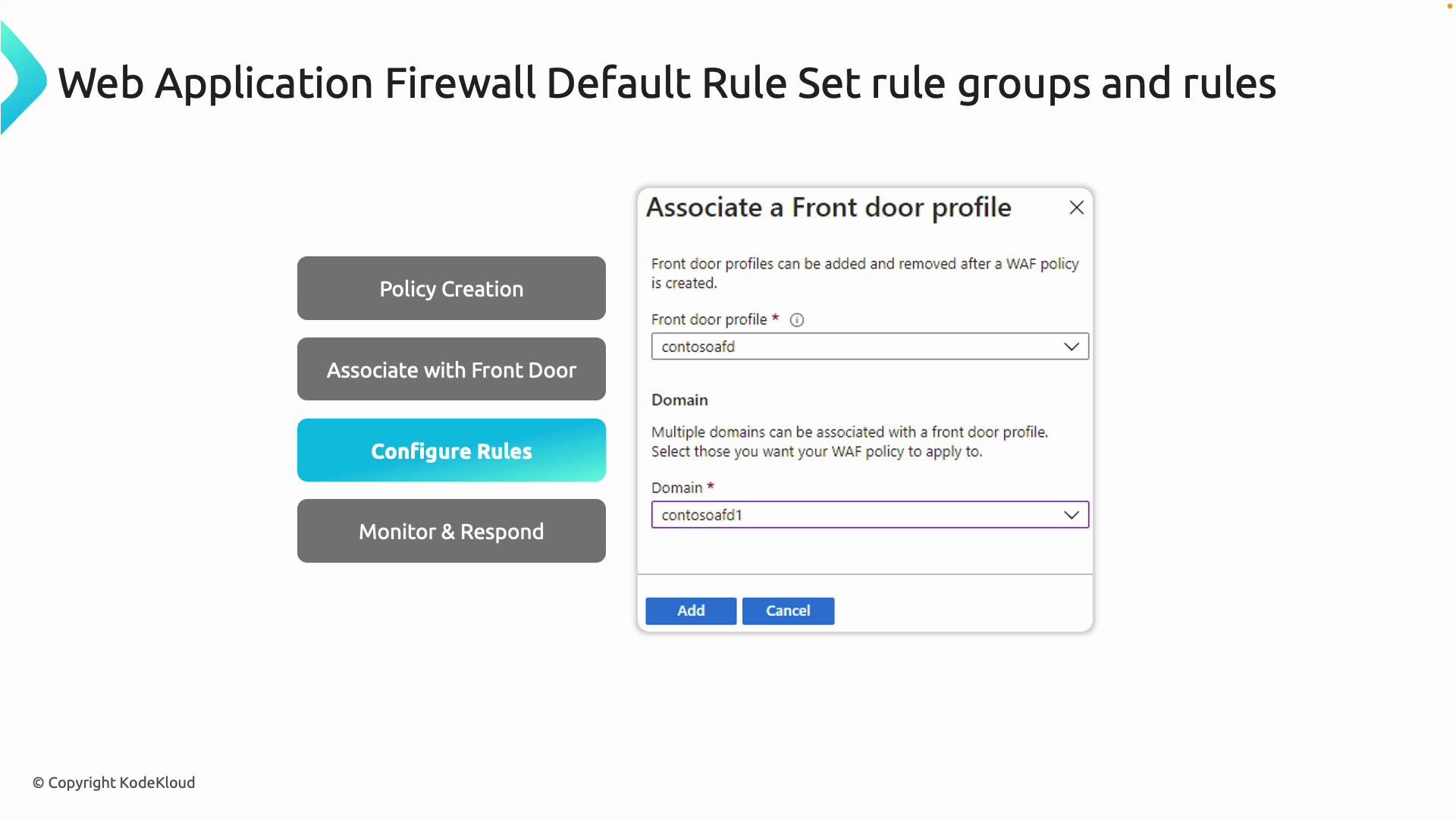
- Log Analytics
- Event Hubs
- Storage Accounts
When testing geo-based rules, remember that geo-location is inferred from the source IP. Using a VPN or a test client located in the target region is the most reliable way to validate country-based blocking.
- Open your Front Door WAF policy in the Azure portal.
- Select “Custom rules” and click “Add custom rule.”
- Provide a name (for example,
DenyUS) and set the status to Enabled. Choose the rule type: Match or Rate limit. - Assign a priority (lower numbers run first — e.g.,
1). - Add one or more match conditions (for geo-blocking, select the Geo Location match variable that maps source IP to country).
- Select the action: Allow, Block, or Log.
- Save the policy — the rule is now enforced at the edge.
DenyUS, enabled, with action Block and priority 1. The policy immediately starts rejecting requests that match the geo-location condition.
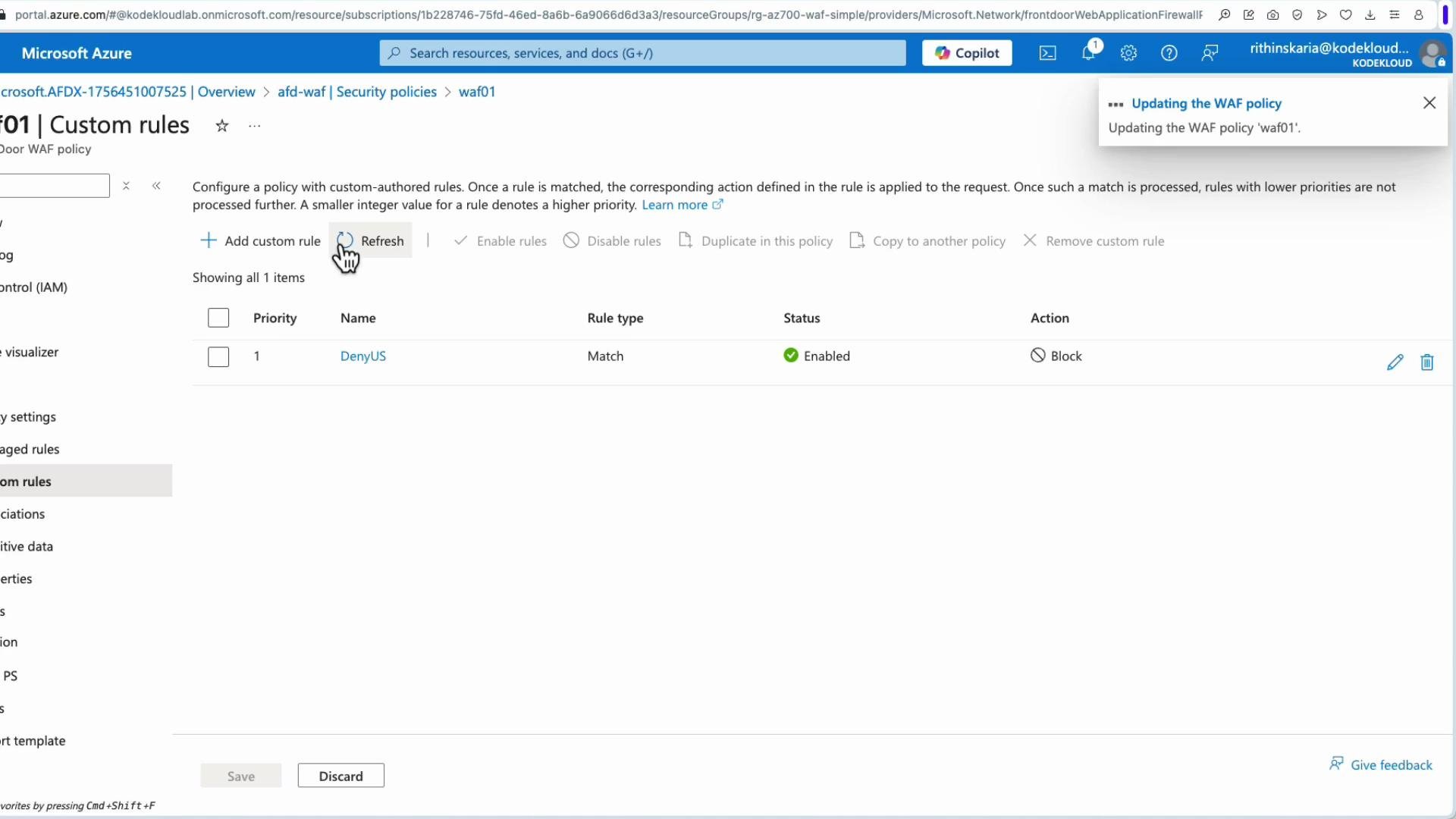
- For geo-based denies, originate requests from the target geography (for example via a VPN endpoint in the United States) to verify they are blocked.
- To test specific attack mitigations (e.g., XSS), send benign test payloads and confirm requests are either blocked or logged. Example payloads:
WAF applied at Front Door protects traffic that flows through Front Door. It does not protect direct access to a web app’s platform URL (for example
yourapp.azurewebsites.net). If an attacker discovers the direct app endpoint, they can bypass Front Door/WAF unless additional access controls are in place.- Restrict the backend with Private Endpoints or network controls so it is not publicly addressable.
- Use Service Endpoints, Private Endpoints, or access restrictions on App Service to remove the public surface.
- Combine Front Door (edge protection) with private connectivity to the backend so the WAF is the single entry point for internet traffic.
- Start by logging (Log action) new rules for a period to monitor impact before switching to Block.
- Keep rule priorities explicit and document the intended precedence.
- Use Log Analytics queries to detect false positives and tune rules iteratively.
- For high-risk, time-sensitive threats, create temporary high-priority rules and review them regularly.
- Regularly review the Default Rule Set updates and reconcile them with your custom rules to avoid unintended conflicts.
- Azure Monitor documentation
- Log Analytics overview
- Event Hubs documentation
- Azure Storage documentation