

-
Hub Virtual Network (hub VNet)
- A standard Azure Virtual Network you create and manage.
- Uses manual hub-and-spoke peering and user-defined routes (UDRs).
- You control the firewall IP addressing and configuration.
- Suitable for fine-grained control and smaller-scale topologies.
-
Secured Virtual Hub
- Built on Azure Virtual WAN and intended for large-scale/global networking.
- Automates hub creation, spoke connectivity, and routing distribution.
- Can auto-generate hub IP addresses and integrates with SD-WAN partners.
- Ideal for enterprise-scale deployments requiring automation and high throughput.
-
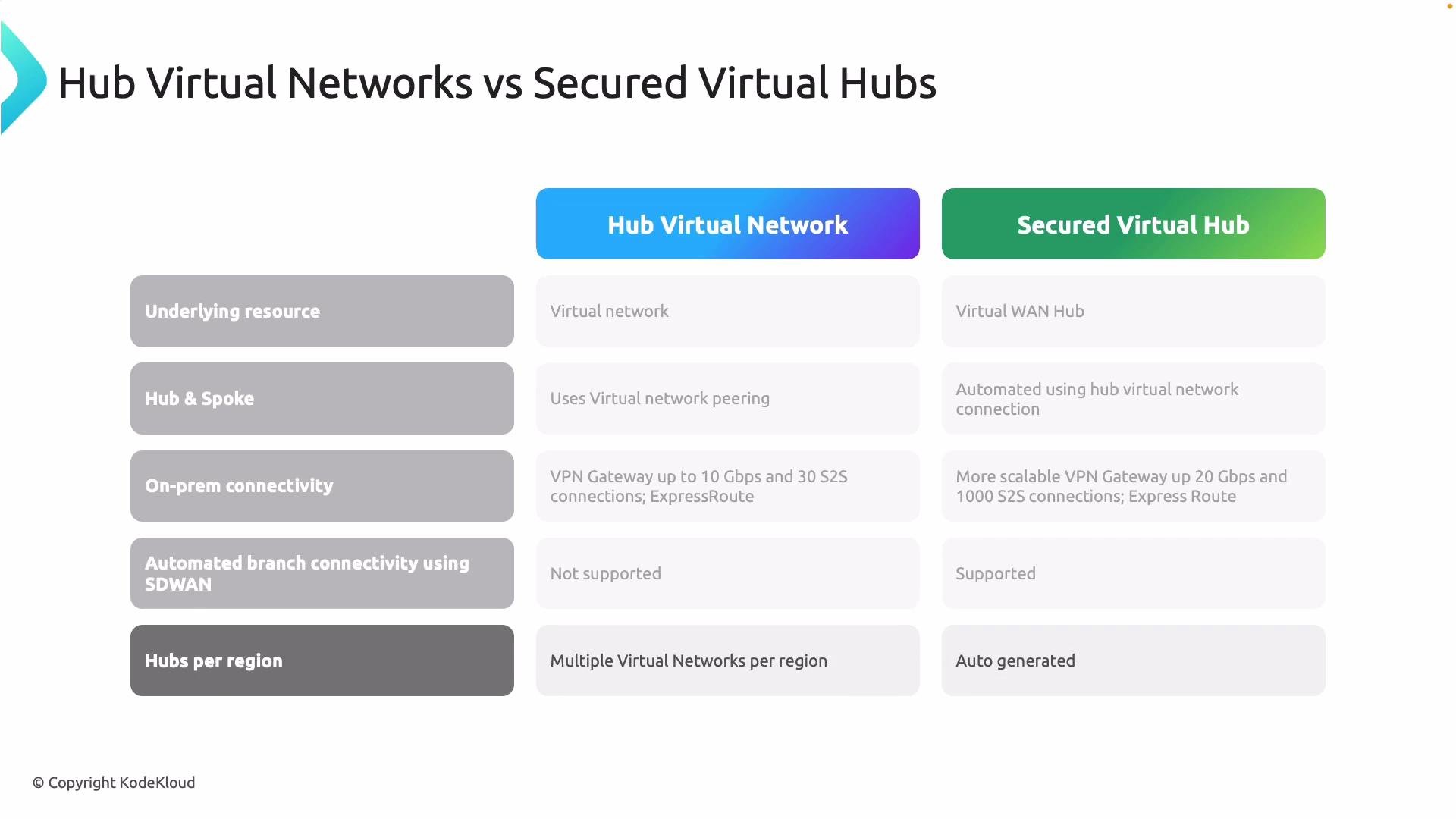
IP addressing and availability
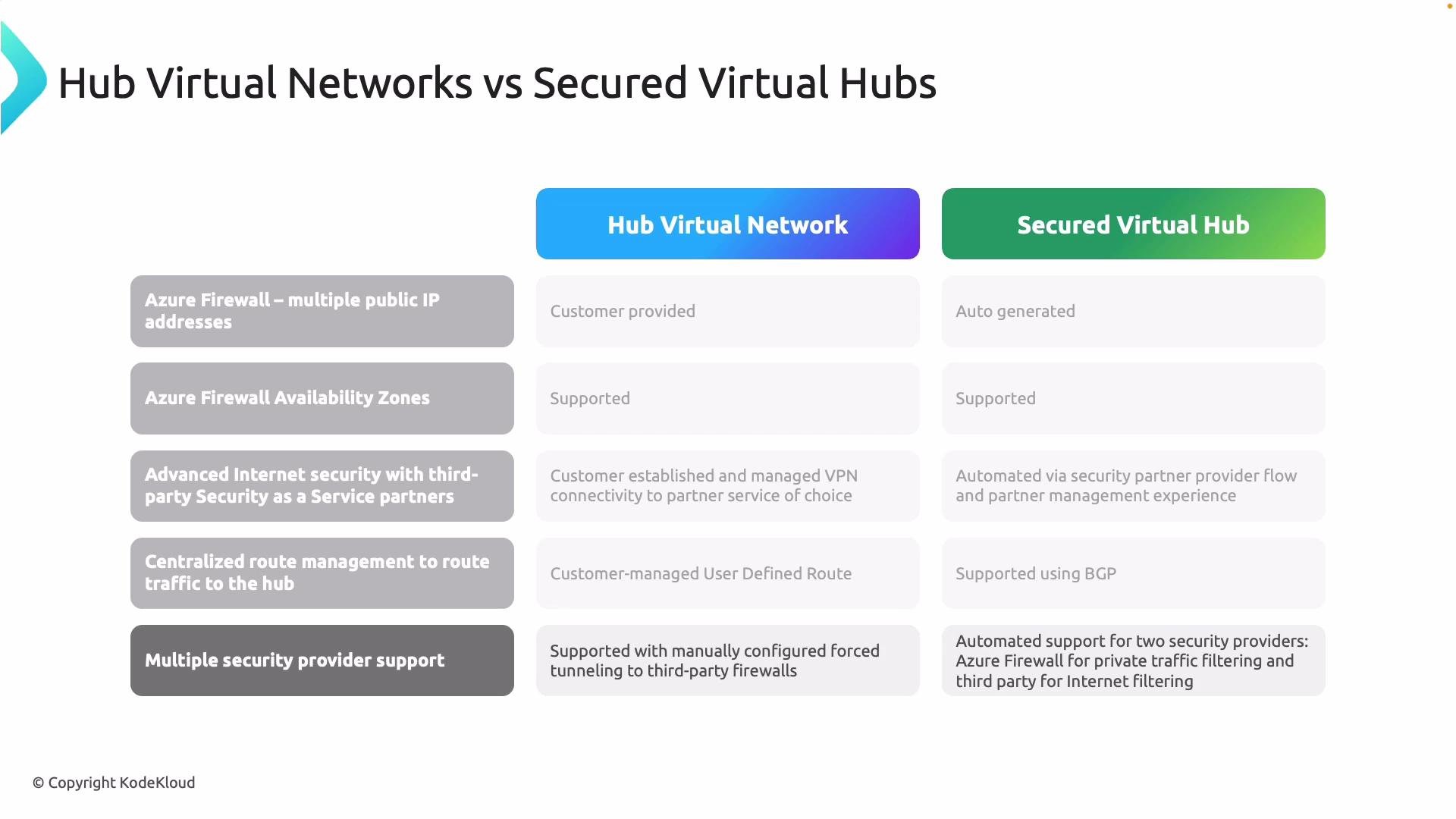
- Hub VNets: you assign and manage firewall IPs; Availability Zones supported for resiliency.
- Secured virtual hubs: Virtual WAN can auto-generate IPs; also supports zones where applicable.
-
On-premises connectivity and scale
- Hub VNets: VPN gateway scale depends on the chosen SKU (tens of tunnels, limited aggregate throughput).
- Secured virtual hubs: Virtual WAN is designed for much higher scale (many more tunnels and larger aggregate throughput), with built-in BGP and route distribution.
-
Automation and partner integrations
- Hub VNets: manual configuration for third-party appliances (NVAs) and forced tunneling.
- Secured virtual hubs: native SD-WAN integration and automated partner onboarding (e.g., Zscaler, Check Point), allowing mixed Azure Firewall + partner models.
-
Routing
- Hub VNets: rely on UDRs per subnet or per route table.
- Secured virtual hubs: central route management via Virtual WAN route tables and BGP, reducing per-subnet routing overhead.
-
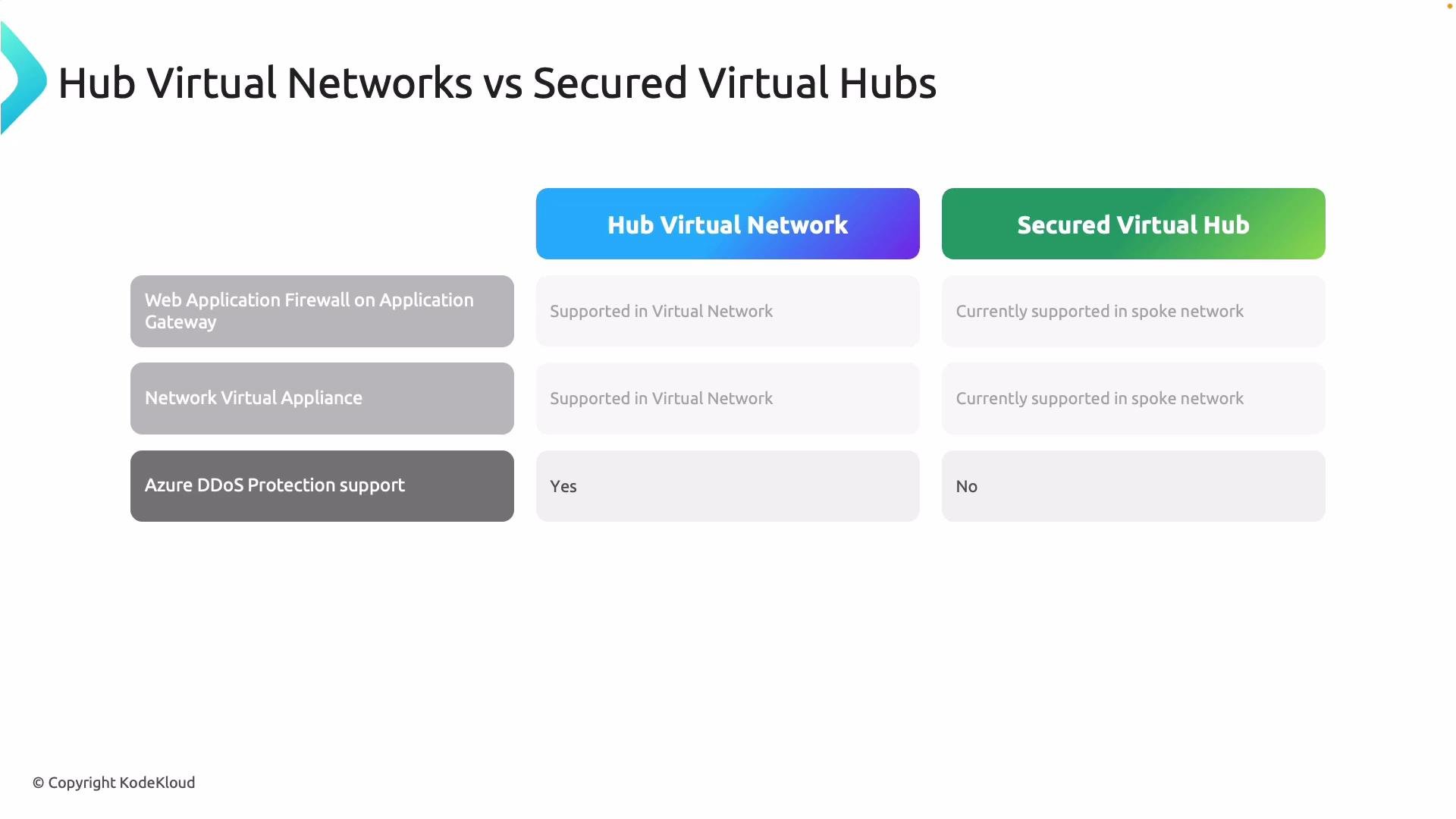
Web Application Firewall (WAF)
- Supported in both models. In secured virtual hub designs, WAF is often deployed in the spoke rather than inside the hub to keep application-layer protection closer to the workloads.
-
Network Virtual Appliances (NVAs)
- Supported in both approaches; NVAs are frequently deployed in spokes for secured virtual hub designs.
-
DDoS Protection
- Hub VNets can integrate directly with Azure DDoS Protection plans applied at the VNet level.
- Virtual WAN and secured virtual hubs require additional planning for DDoS protection and may involve different integration patterns.
-
Choose Hub VNets when:
- You need fine-grained control over networking configuration and firewall placement.
- You manage a smaller number of hubs/regions and prefer manual peering and route control.
-
Choose Secured Virtual Hubs when:
- You require global scale, automation, and simplified route distribution.
- You need built-in SD-WAN or partner integration and higher on-premises VPN scale.
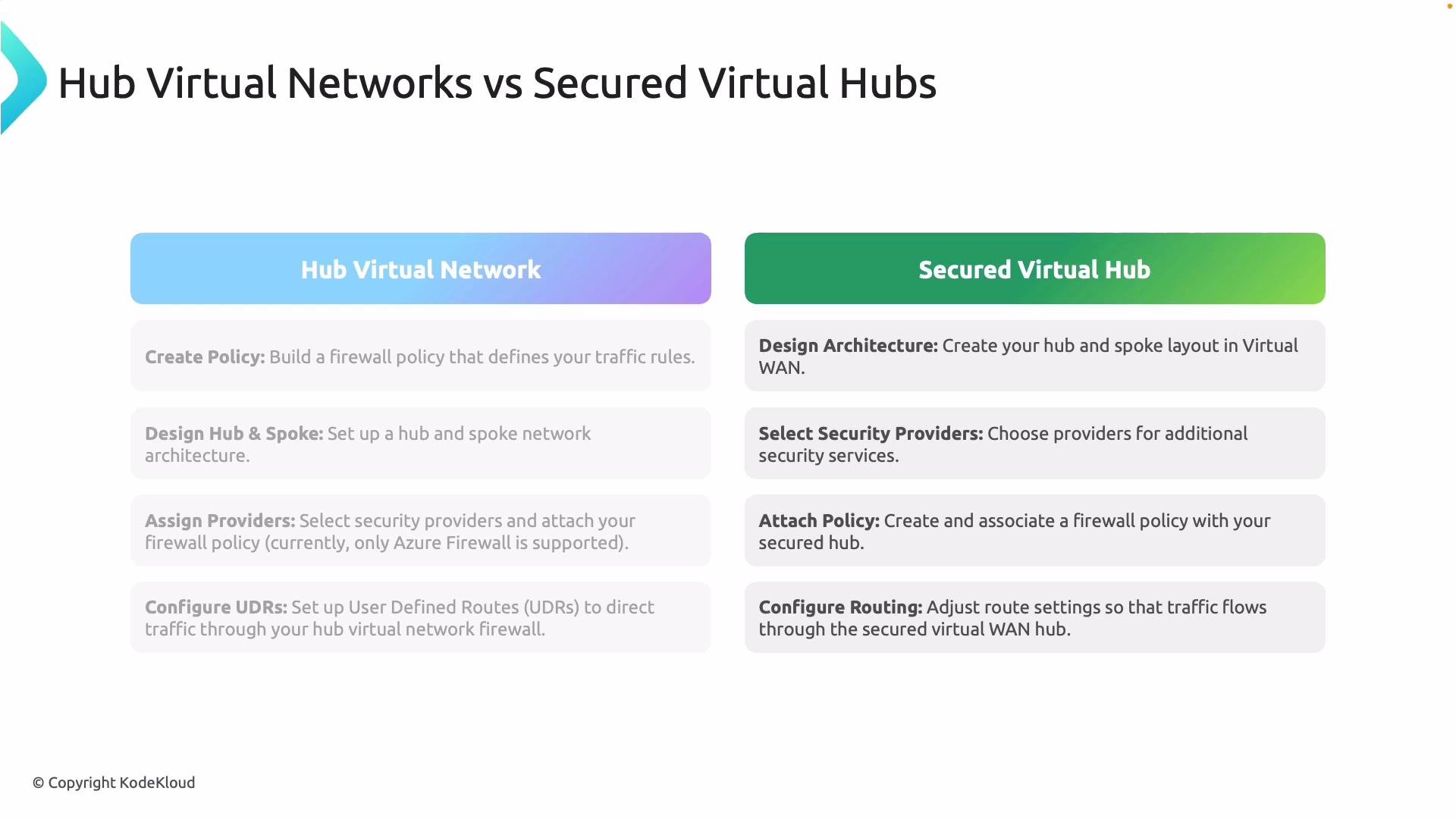
- Create an Azure Firewall Policy to define network/application rules, NAT, and threat intelligence.
- Design the hub-and-spoke topology and create peering links between hubs and spokes.
- Deploy Azure Firewall instances in the hub VNet and configure public/private IPs.
- Implement User-Defined Routes (UDRs) so outbound and cross-spoke traffic traverses the hub firewall.
- For third-party integration, deploy NVAs and configure forced tunneling manually as required.
- Design the topology in Azure Virtual WAN; Virtual WAN automates hub provisioning and spoke attachments.
- Attach Azure Firewall (and optional third-party security providers) directly to the secured virtual hub.
- Apply centralized Firewall Policies to the secured virtual hub for consistent enforcement across spokes.
- Let the secured virtual hub manage routing and route distribution (BGP and Virtual WAN route tables), reducing UDR maintenance.
- Use automated SD-WAN and partner connectivity features for large-scale branch deployments.
- Azure Firewall instances (deployed in hubs or secured virtual hubs)
- Azure Firewall Policies (parent/child hierarchies and attachments)
- Secured virtual hubs and hub VNets
- Integrations with third-party security providers and DDoS plans
Azure Firewall Manager is a control-plane orchestration service. Look for Azure Firewall, Firewall Policies, and hub/network resources in the portal — there’s no separate “Firewall Manager” appliance to deploy.
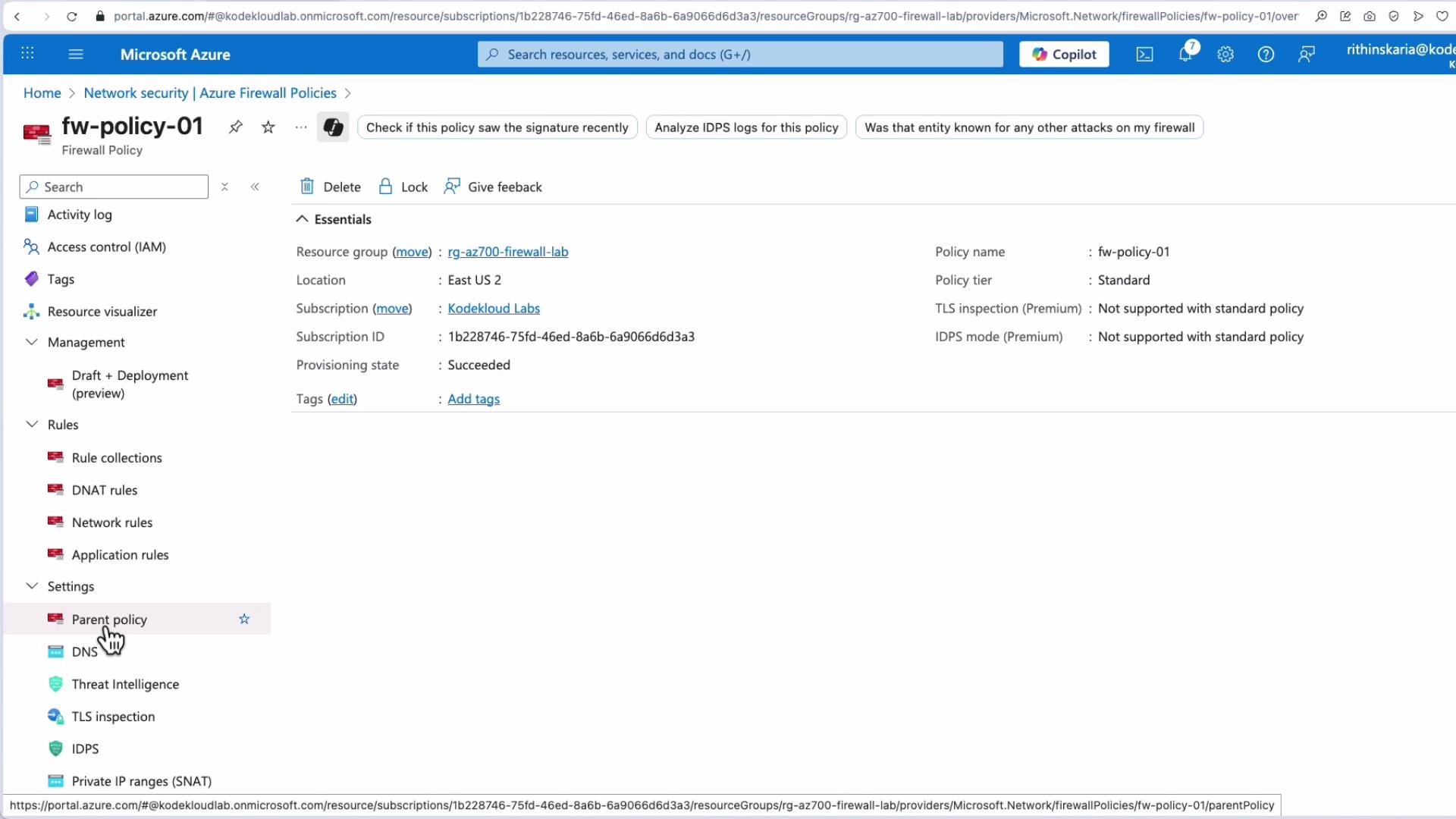
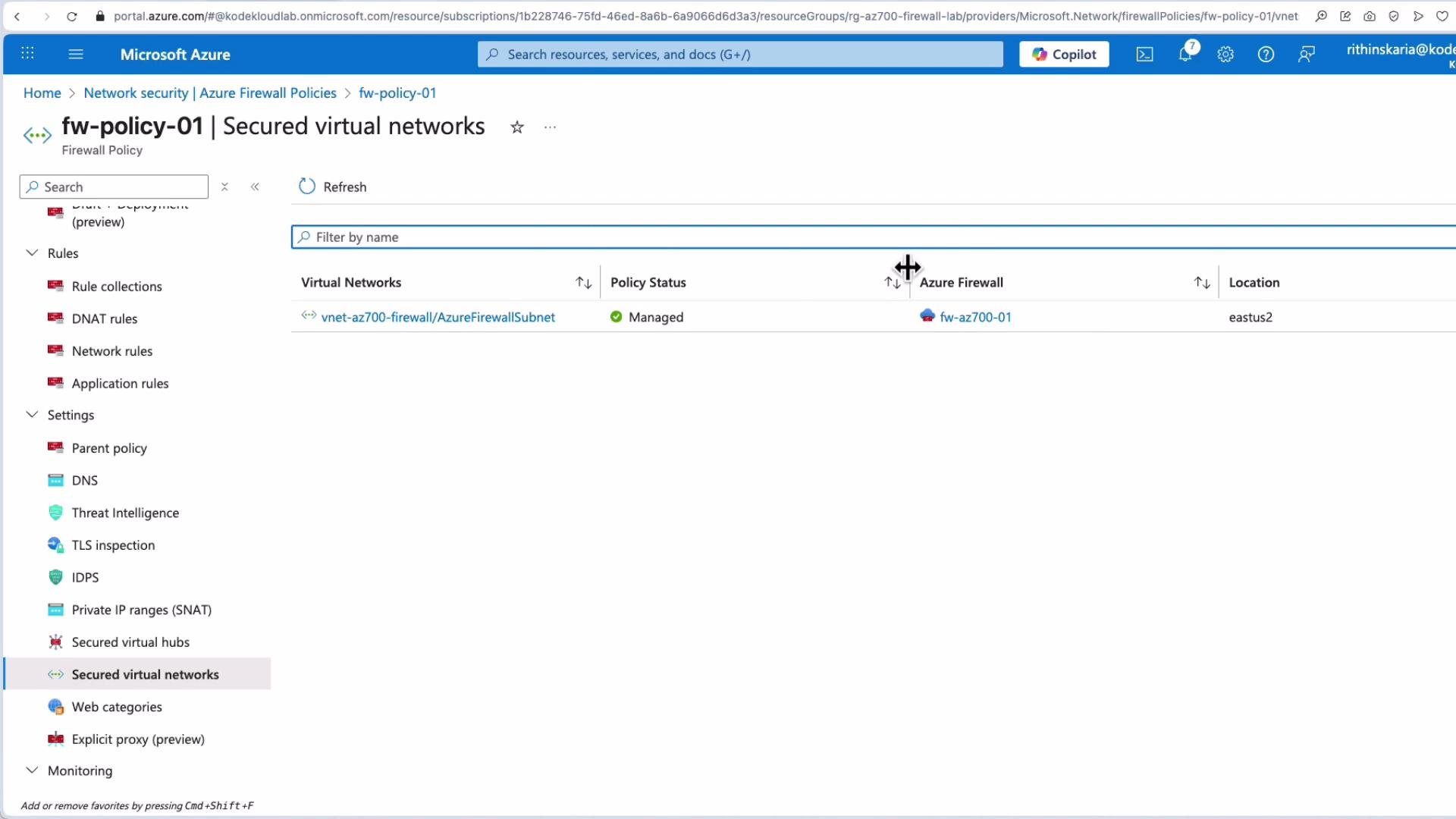
- In the Azure portal, go to Network Security > Firewall Manager to view a consolidated control-plane view of your managed firewalls and policy attachments.
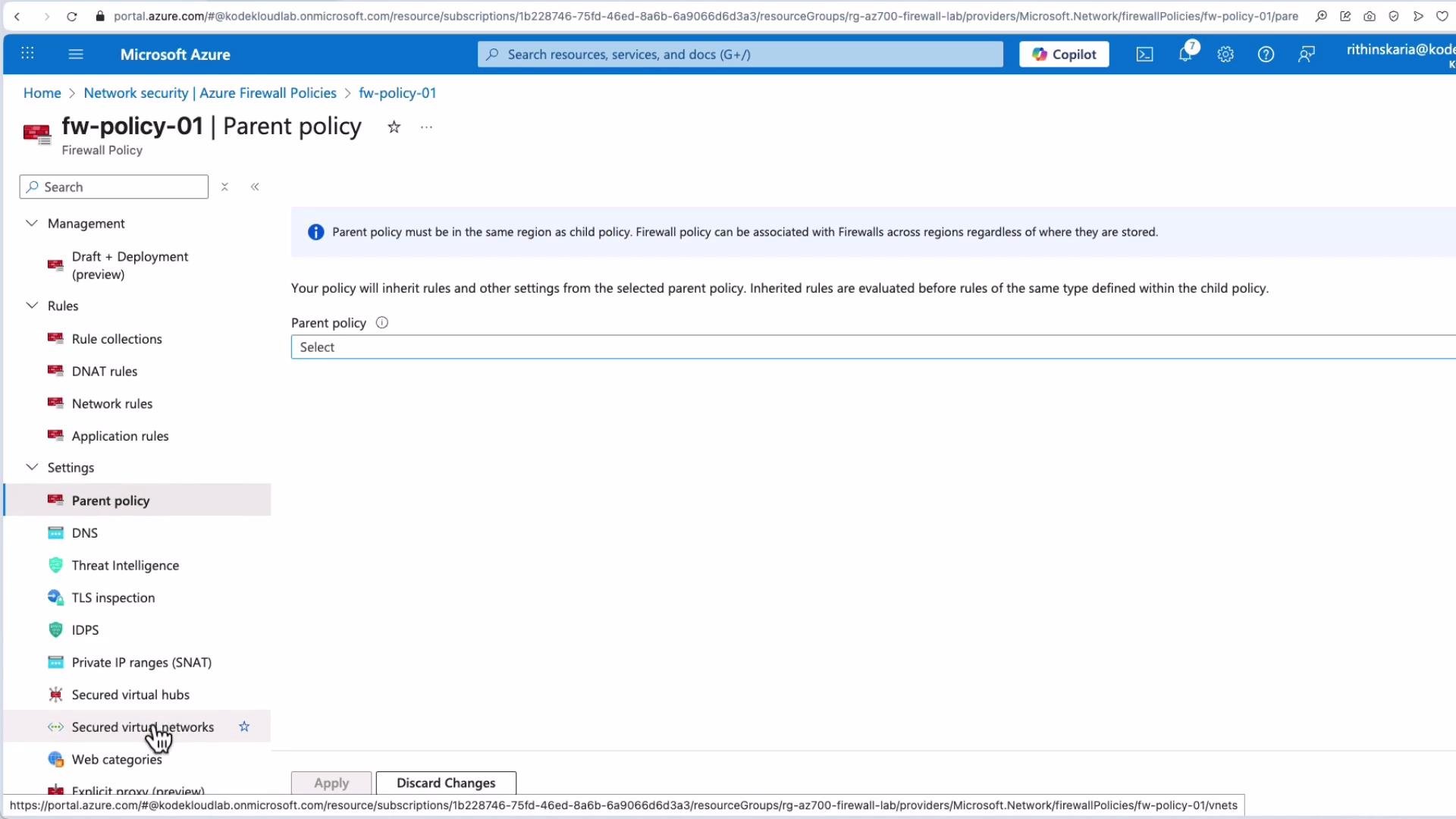
- Firewall Policies support features such as Threat Intelligence, TLS inspection configurations, rule collection order, and parent/child policy hierarchies.
- You can attach a local (child) policy to a specific firewall or hub while maintaining a parent (global) policy for organization-wide defaults.
Further reading and references
- Azure Firewall Manager documentation: https://learn.microsoft.com/azure/firewall-manager/
- Azure Virtual WAN overview: https://learn.microsoft.com/azure/virtual-wan/overview
- Azure Firewall policy documentation: https://learn.microsoft.com/azure/firewall/policy-overview