

- Restrict advertised public prefixes to only the Microsoft services your organization consumes.
- Reduce the number of BGP routes learned on-premises, simplifying routing tables.
- Improve operational security and traffic predictability by excluding unnecessary service prefixes.
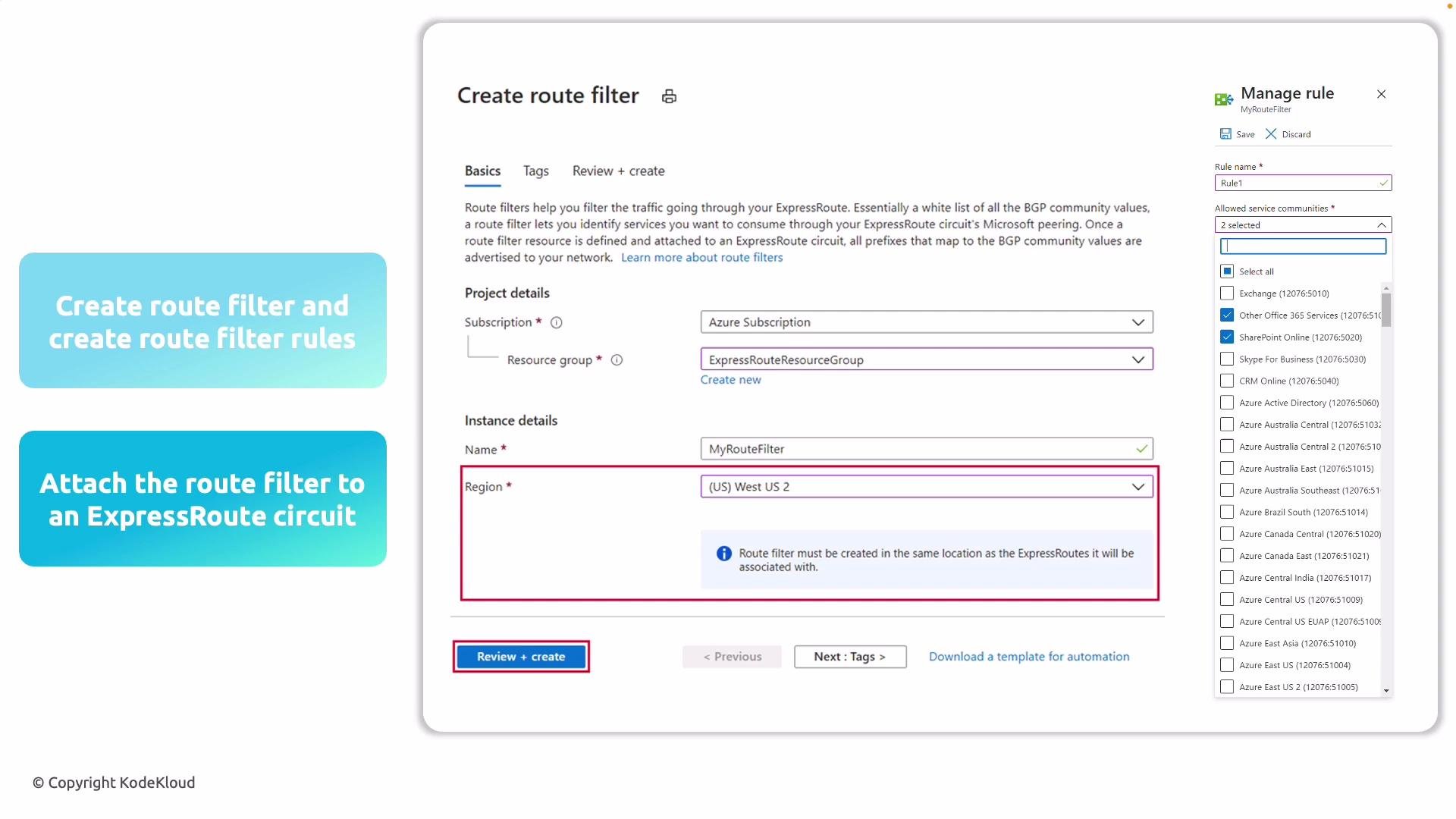
- Create a route filter resource in your Azure subscription. Choose a resource group and an Azure region — the route filter’s region must match the region of the ExpressRoute circuit you will attach.
- Add route filter rules. Each rule references a Microsoft service community (for example, SharePoint Online, Exchange Online) or a specific Azure region. Each selection corresponds to a set of public IP prefixes that Microsoft manages and advertises.
- Attach the route filter to your ExpressRoute circuit. Once attached, Microsoft will advertise only the BGP routes you’ve whitelisted.
- Update the route filter over time as your service usage changes to keep your routing table clean and relevant.
Examples and use cases
- If your organization uses only SharePoint Online and Exchange Online, include only those service communities in your route filter to avoid receiving routes for Dynamics 365 or other services you don’t use.
- If you need service prefixes for a specific Azure region only, add the region-specific community rather than global service communities.
- Ensure the route filter’s Azure region matches the ExpressRoute circuit’s region before attaching.
- Start with the smallest required set of service communities and expand only when necessary.
- Document each rule with rationale and owner for easier audits and troubleshooting.
- Periodically verify BGP advertisements after attaching a filter to confirm only expected prefixes are learned.
When creating a route filter, ensure its Azure region matches the region of the ExpressRoute circuit you will attach it to. Also remember route filters only influence Microsoft peering (public/SaaS services), not private peering.
- ExpressRoute overview - Microsoft Docs
- Route filters for Azure ExpressRoute - Microsoft Docs
- BGP routing concepts - Microsoft Docs