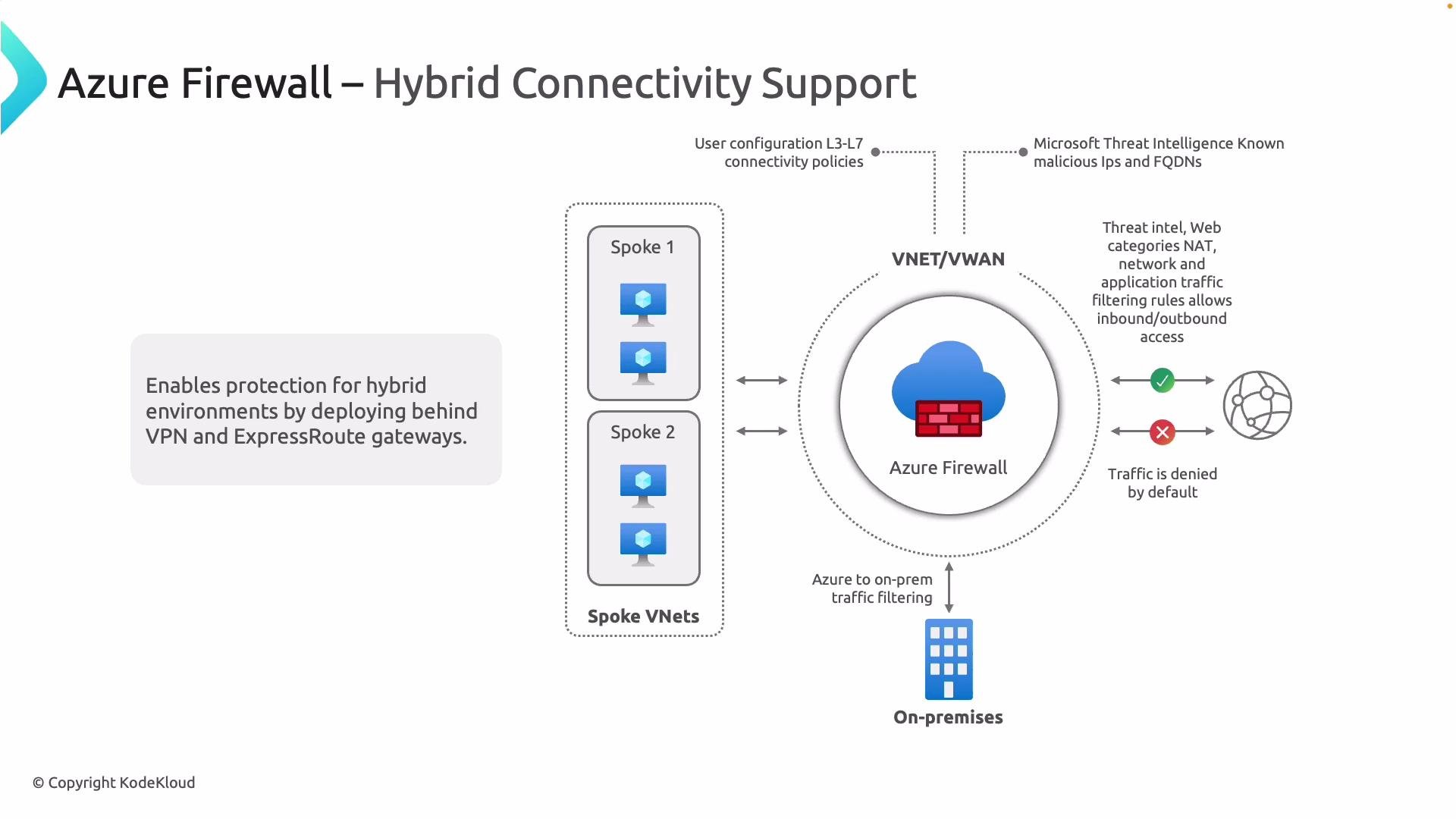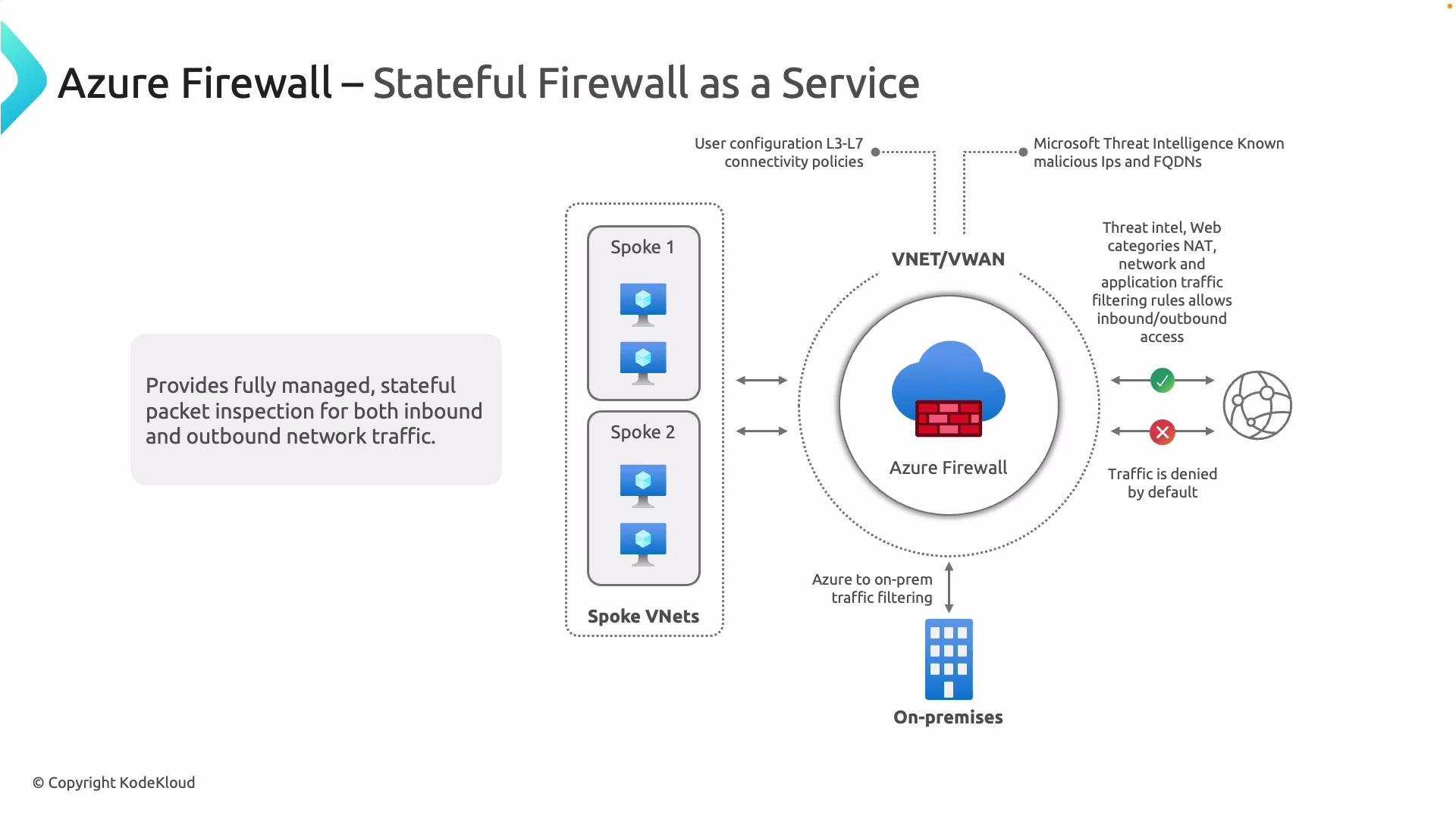
Azure Firewall is a fully managed, cloud-native stateful firewall service from Microsoft. In hub-and-spoke network topologies, deploy Azure Firewall in the hub (or a dedicated firewall virtual network) to inspect and control traffic between spokes, to/from the internet, and between on-premises and Azure. Replacing third‑party NVAs with Azure Firewall provides a Microsoft-managed, highly available, and scalable security boundary.
A slide diagram titled "Azure Firewall – Stateful Firewall as a Service" showing Azure Firewall inside a VNET/VWAN between spoke VNets, on‑premises, and the internet. It highlights managed stateful packet inspection, threat intelligence, NAT and application/network filtering rules that allow or deny traffic (traffic denied by default).

Key capabilities and behaviors

By default, Azure Firewall denies traffic unless an explicit allow rule matches. Plan rules for management, monitoring, jump hosts, and the application flows your workloads require.

Azure Firewall rule types — summary

Rule typeOSI layerUse caseExample
Application rulesLayer 7Allow/deny outbound HTTP/S and TLS based on FQDNs, URL categories, or explicit URLsAllow outbound *.contoso.com and block *.malicious.com
Network rulesLayers 3/4Filter non-HTTP protocols and traffic by IP address, port range, and protocol (5-tuple)Allow TCP 1433 from subnet A to SQL server IP
NAT rules (DNAT/SNAT)Layer 3/4Translate public IP:port to private IP:port for inbound; translate outbound source to public IPDNAT publicIP:443 -> 10.0.1.10:443
Threat intelligence rulesLayers 3–7Block or alert on traffic to/from IPs/domains flagged by Microsoft threat feedsDeny traffic from known malicious IP ranges
FQDN tags & service tagsn/aSimplify rules by using Azure service or FQDN tag names instead of individual IPsUse Sql service tag to allow Azure SQL access

More about each rule type

  • Application rules
    Operate at layer 7 and control outbound HTTP/S and TLS flows using FQDNs, built-in URL categories (Premium features), or explicit URLs (Premium/TLS inspection dependencies). They are ideal to restrict web access by hostname rather than IP.
  • Network rules
    Operate at layer 3/4 and match on source, source port, destination, destination port, and protocol (5-tuple). Use network rules for non-HTTP traffics such as RDP, SSH, database ports, or to control traffic using IP ranges and port ranges.
  • NAT rules (DNAT and SNAT)
    DNAT transforms a public IP and port into a private IP and port to publish services in Azure. SNAT is used for outbound connections when Azure Firewall translates private source IPs to one of the firewall’s public IPs.
  • Threat intelligence-based filtering
    Configure Azure Firewall to alert or deny traffic to/from IPs or domains detected by Microsoft’s threat intelligence feeds. This adds an extra defensive layer across multiple protocol layers.
  • FQDN tags and service tags
    Use Azure service tags (for Azure services) or FQDN tags (for collections of hostnames) to simplify rule maintenance and reduce the need to manage evolving IP lists.

Rule collection and priority evaluation

Azure Firewall evaluates rules using rule collections. Understanding collection types and priority order is essential to predict firewall behavior:
  • Rule collections group rules of the same type (Application, Network, NAT) and are evaluated in priority order — lower numeric priority executes first.
  • Within a collection, rules are evaluated in the order they appear; the first match applies.
  • Network and Application rule collections are separate; collection priorities determine cross-type evaluation when both apply.
Design tip: keep management and monitoring rules at a higher priority (lower number) so essential telemetry and admin access is allowed before general deny/allow collections.

Logging, metrics, and operational visibility

Collect logs and metrics to enable auditing, alerting, and troubleshooting:
  • Diagnostic settings → send to Log Analytics, Storage Account, or Event Hub: https://learn.microsoft.com/azure/azure-monitor/essentials/diagnostic-settings
  • Typical log types:
    • Firewall application logs (application rule matches)
    • Firewall network logs (network rule matches)
    • Firewall NAT logs (DNAT/SNAT translation events)
    • Threat intelligence alerts
  • Use Log Analytics queries and Workbooks to build dashboards and alerts. Integrate with SIEMs via Event Hub for long-term retention and cross-environment analysis.

SKUs, advanced features, and considerations

  • Azure Firewall is available in multiple SKUs (Standard and Premium). Some advanced capabilities — such as TLS inspection, IDPS, and URL filtering by categories — are available only in the Premium SKU. Check the latest feature and SKU matrix: https://learn.microsoft.com/azure/firewall/
  • Consider capacity planning for throughput and connection counts; Azure Firewall autoscaling handles many scenarios but design for expected peak load.
  • For hybrid architectures, ensure traffic is steered correctly (UDRs, firewall routes, and gateway configuration) so that inter-subnet and on-premises flows traverse the firewall as intended.
For more details, configuration examples, and best practices, see: This article explained Azure Firewall’s role in hub-and-spoke designs, its key capabilities, the common rule types and their evaluation order, and how to configure logging and monitoring for operational visibility.