

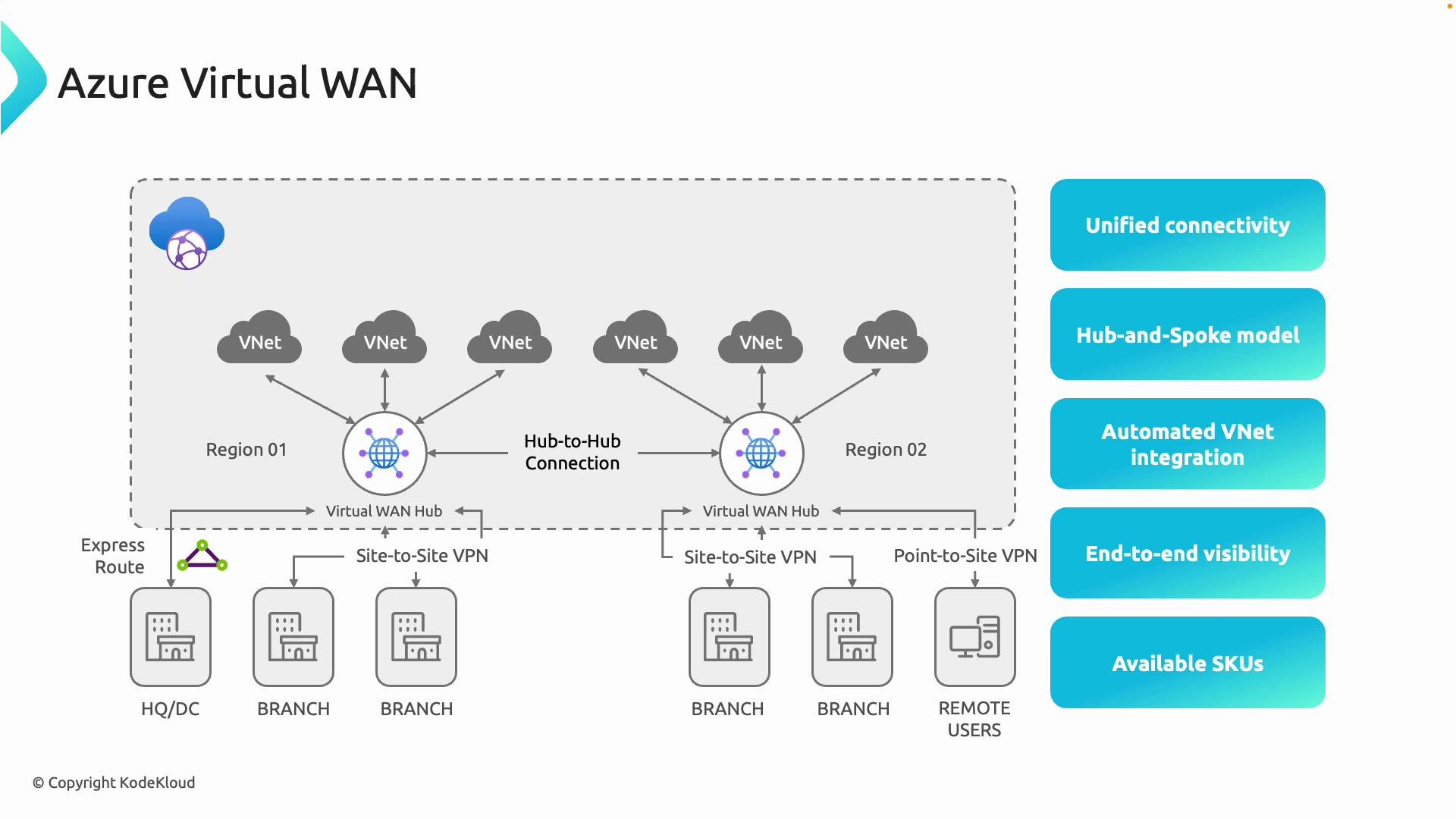
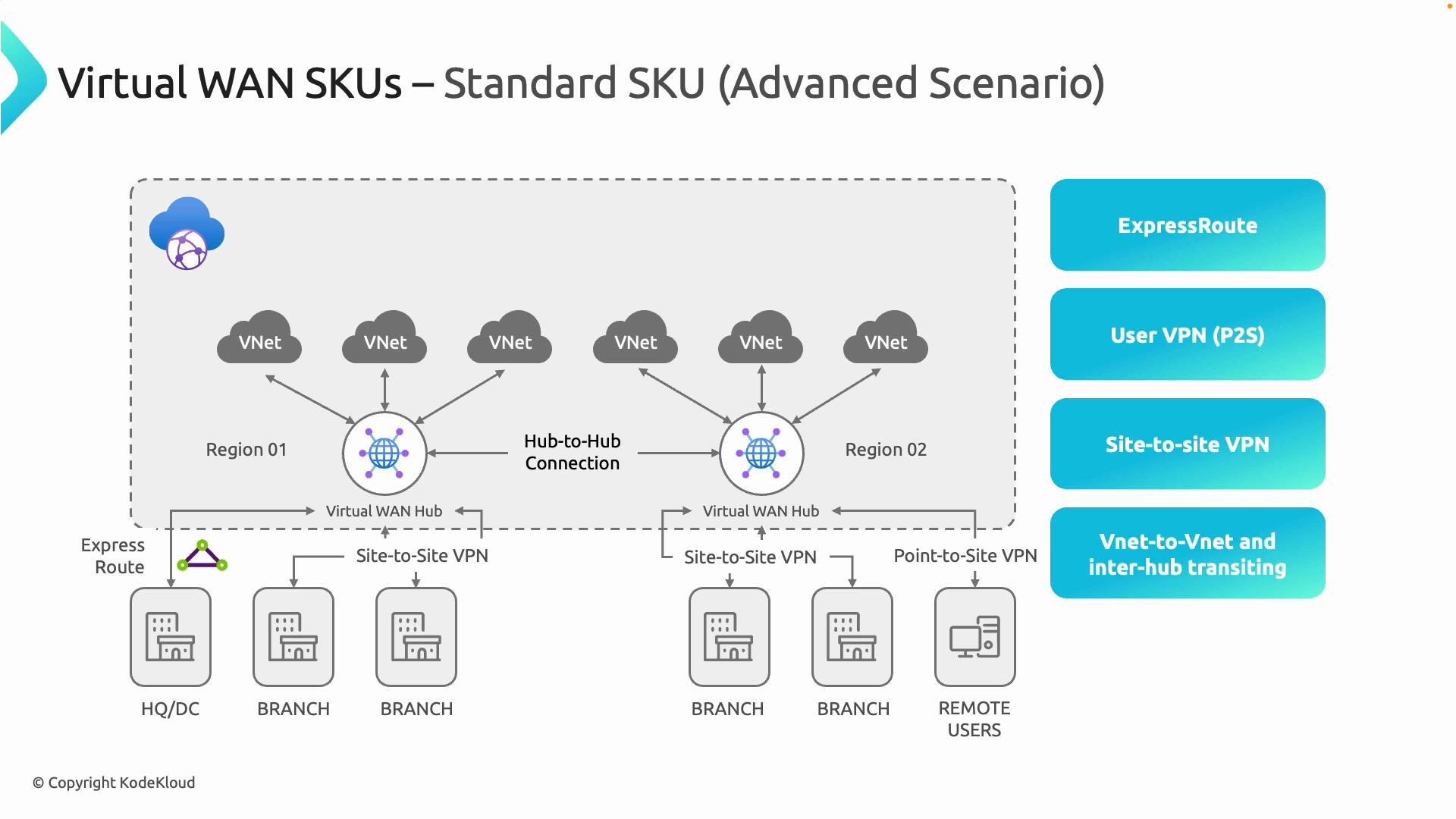
- Site-to-site VPNs from branch offices or datacenters to the Virtual WAN hub.
- Point-to-site (remote user) VPNs for individual client connections.
- ExpressRoute integration for private, high-throughput links.
- VNet integration so cloud workloads connect to the managed hub without manual peering.
- Inter-hub transit (hub-to-hub) enabling region-to-region transit across the managed fabric.
- Centralized routing and security controls with operational visibility.
- Reduced chance of misconfiguration compared to many manual peering relationships.
- Simplified scaling for multi-region and hybrid connectivity scenarios.
- Hub-spoke model using Virtual WAN hubs as managed network termination points.
- Automated VNet integration that removes the need to manually peer VNets or configure route tables for hub attachment.
- End-to-end visibility and troubleshooting across on-premises, branches, remote users, and VNets via a single pane of glass.
Use Standard when you need global transit, a mix of connection types, or integration with ExpressRoute. Use Basic for smaller deployments that only require site-to-site VPNs.
- The smallest supported prefix for a hub is /24 (256 IPv4 addresses).
- Azure reserves several IPs internally (gateway, infrastructure), so plan your address range accordingly.
- Azure automatically creates and manages the internal subnets used by the hub (for gateways, firewalls, etc.), so you do not need to create those subnets manually—only provide the hub address range.
- Ensure the hub address space does not overlap with on-premises or other cloud network ranges to avoid routing conflicts. Azure uses the hub address space internally for routing and infrastructure services.
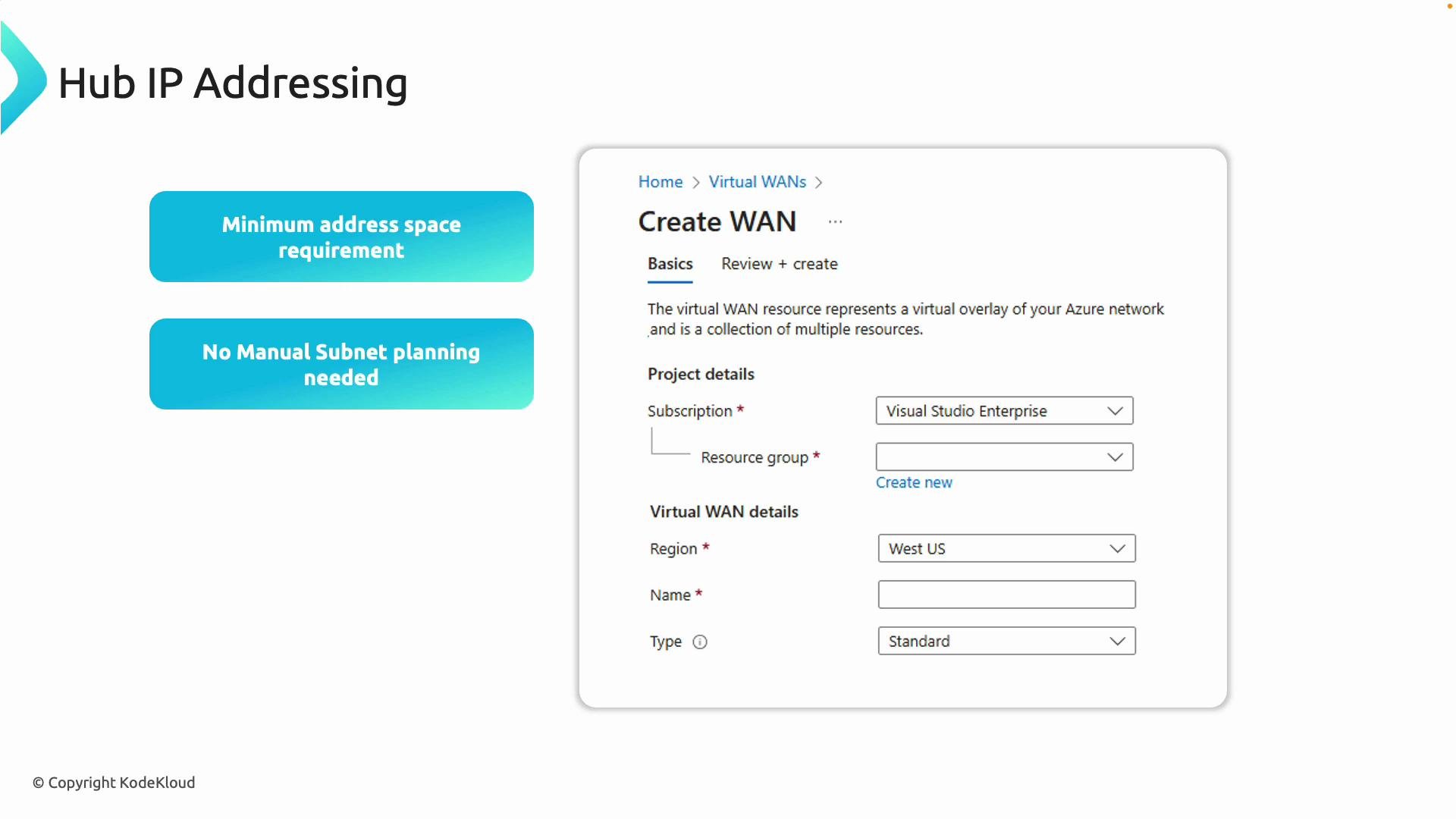
When planning your Virtual WAN, choose a hub address range that doesn’t overlap with on-premises or existing VNet ranges. Azure handles subnet creation and allocates infrastructure IPs automatically inside the address space you provide.
- Azure Virtual WAN documentation: https://learn.microsoft.com/azure/virtual-wan
- Azure ExpressRoute overview: https://learn.microsoft.com/azure/expressroute
- Azure VPN Gateway: https://learn.microsoft.com/azure/vpn-gateway