Virtual Network address space and subnets. Before you build resources in an Azure Virtual Network (VNet), you must design its IP addressing model — think of it as creating a network blueprint before construction. This lesson covers VNet address spaces, Azure platform reservations, subnets, service-specific subnets, and private IP allocation. Getting this right up front makes hybrid connectivity, peering, and security policies much easier to manage.

What is an address space?

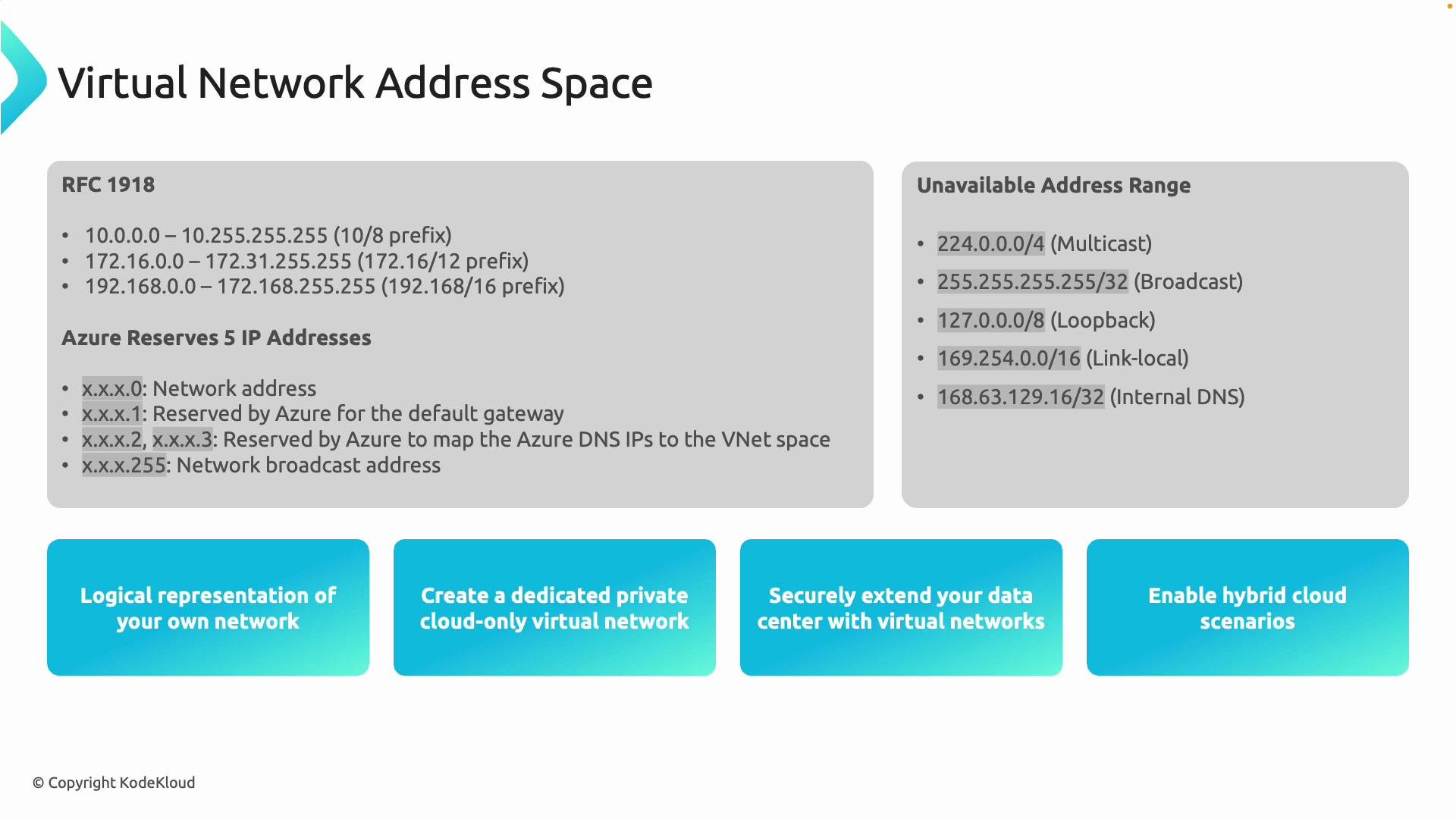
When you create an Azure VNet, the first step is defining its address space — the boundaries of your virtual network. Azure VNets use private IP ranges from RFC 1918. Choose a range that fits your scale and future growth.
RFC 1918 RangeTypical Use Case
10.0.0.0/8Very large networks, extensive multi-subnet designs
172.16.0.0/12Medium-sized networks with multiple segments
192.168.0.0/16Smaller networks, labs, or simple deployments
Example: choosing 10.1.0.0/16 as your VNet address space gives you 65,536 addresses, which you can subdivide into many subnets. Azure also exposes a special platform-managed IP address used by services like DNS and DHCP relays: 168.63.129.16. Do not assign this address to your resources.
Azure reserves the first four and the last IP address of each subnet for platform operations. That means you effectively lose five IPs per subnet — plan subnet sizes accordingly.
Azure reserves a small set of addresses and blocks some special-purpose ranges. Avoid using multicast, loopback, link-local, and other non-routable ranges inside your VNet.
A presentation slide titled "Virtual Network Address Space" listing RFC1918 private IP ranges, Azure-reserved IP addresses, and unavailable address ranges (multicast, broadcast, loopback, link-local, internal DNS). The bottom shows four blue panels highlighting use cases like creating private virtual networks, extending data centers, and enabling hybrid cloud scenarios.

Azure platform reservations and unusable addresses

Azure reserves five IP addresses in every subnet for platform use (the first four and the last address). For example, a /24 subnet contains 256 addresses but only 251 are usable for your VMs and resources. Commonly blocked or special-purpose ranges you should not use in VNets include:
  • Multicast ranges
  • Loopback ranges
  • Link-local ranges
  • Broadcast addresses
  • The Azure-managed address 168.63.129.16 (platform services)
Warning: misconfiguring subnets to include special or reserved addresses can break Azure platform services and routing.
Do not assign 168.63.129.16 or any special-purpose ranges to your resources. Azure requires these for platform services (DNS, DHCP relays, health probes). Plan your address ranges to avoid conflicts.

What are subnets?

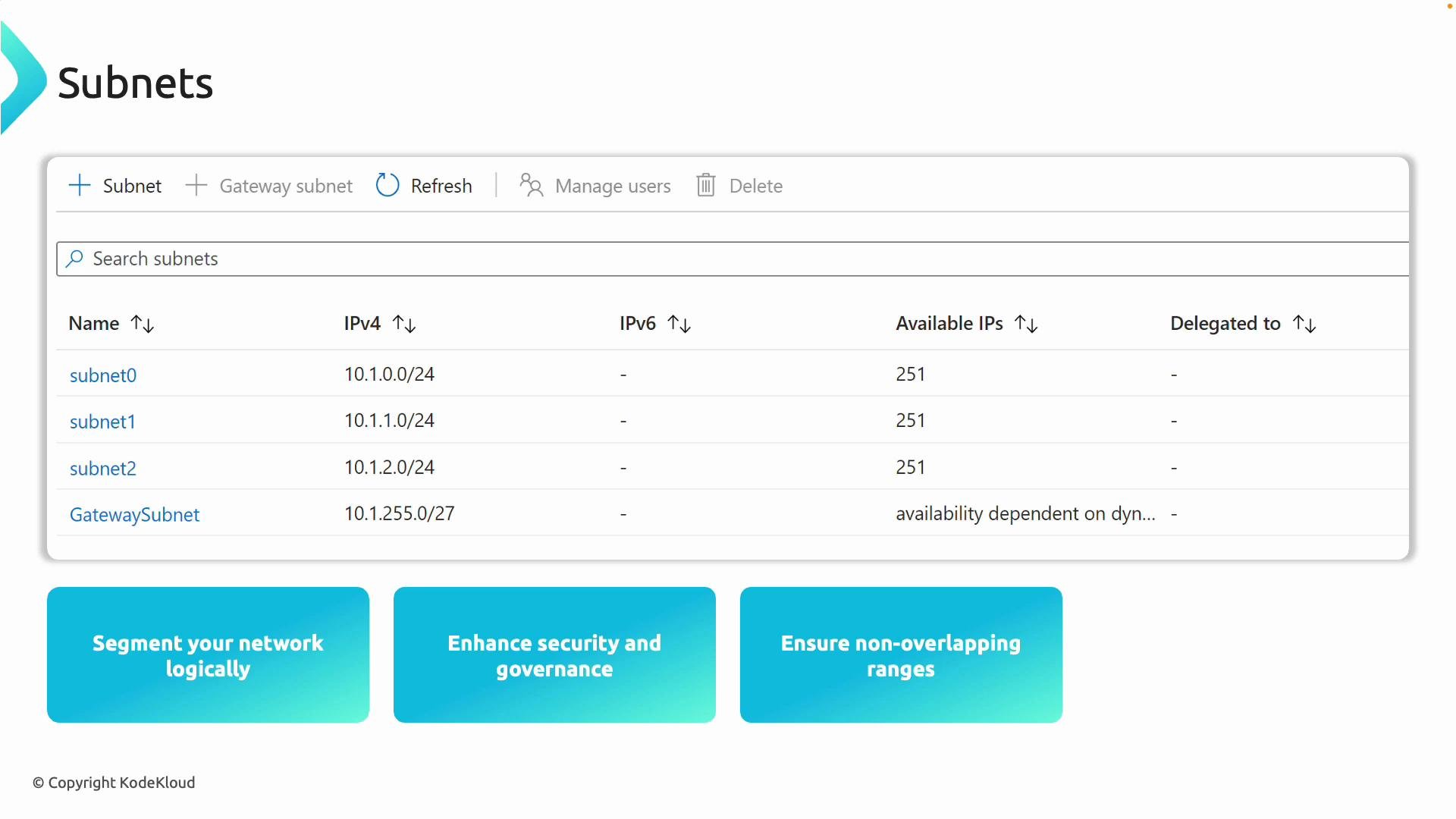
A subnet is a subdivision of your VNet address space. Subnets let you organize, isolate, and secure resources — similar to dividing a city into neighborhoods. Example (VNet 10.1.0.0/16 split into subnets):
  • 10.1.10.0/24 — web servers (subnet0)
  • 10.1.20.0/24 — databases (subnet1)
  • 10.1.30.0/24 — management tools (subnet2)
  • GatewaySubnet — required for VPN Gateway
  • AzureBastionSubnet or AzureFirewallSubnet — service-specific placement
Each subnet can have its own Network Security Group (NSG), route table, and policies. Always design non-overlapping address spaces when connecting VNets or integrating with on-premises networks to avoid routing conflicts.
A screenshot of a "Subnets" dashboard listing four subnets (subnet0, subnet1, subnet2, GatewaySubnet) with their IPv4 CIDRs and available IP counts.

Service-specific subnets

Some Azure services require dedicated subnets and naming conventions:
  • GatewaySubnet — required for VPN Gateway and ExpressRoute gateway
  • AzureFirewallSubnet — used by Azure Firewall
  • AzureBastionSubnet — used by Azure Bastion
  • Other services may also require dedicated subnets (check each service’s docs)
Best practice: keep service subnets separate from application subnets to avoid conflicts, apply tailored NSGs/routes, and reduce blast radius.

Private IP allocation: dynamic vs static

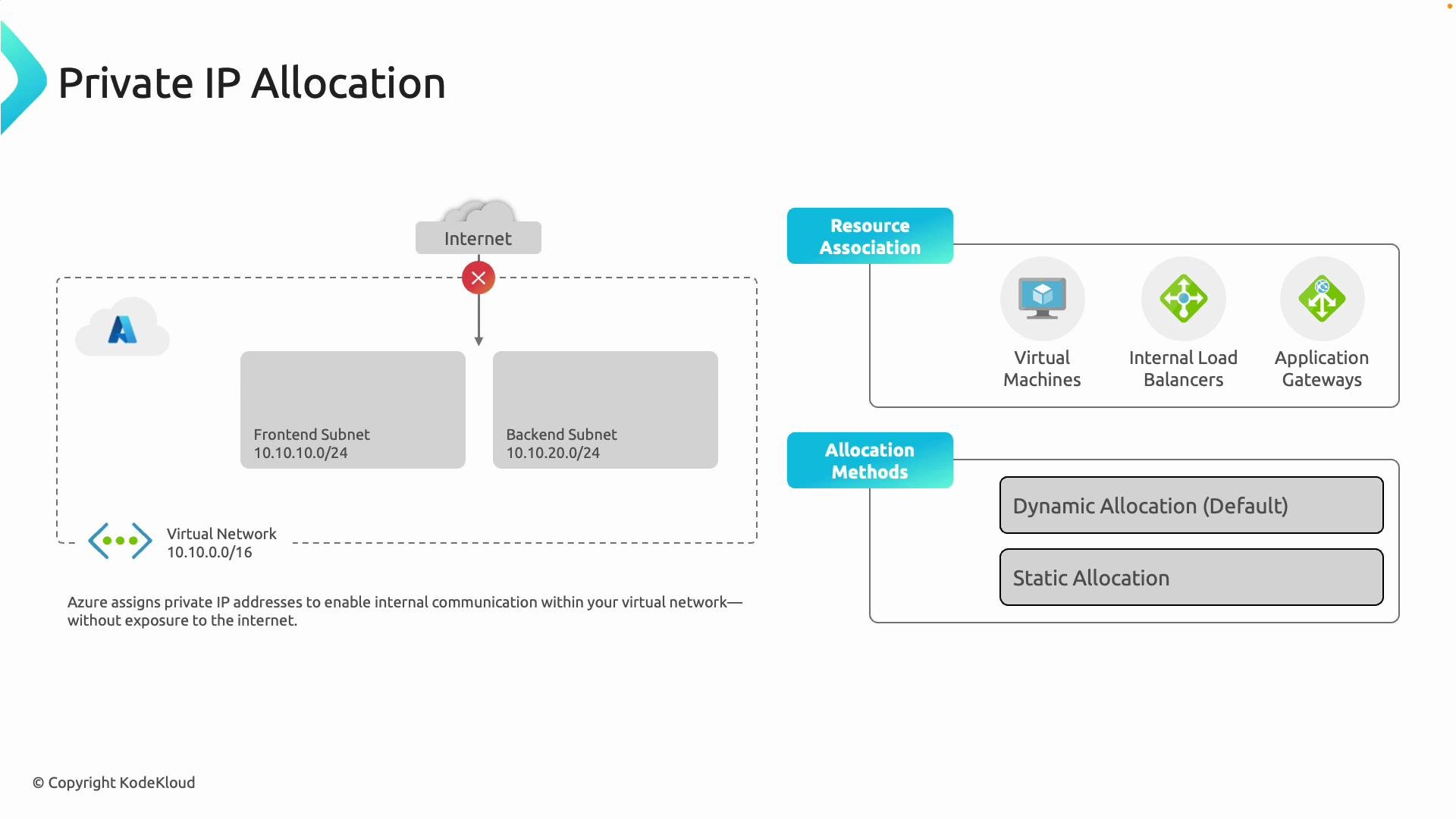
Resources in a VNet (VMs, internal Load Balancers, Application Gateways, etc.) receive private IPs from the subnet. Allocation methods:
  • Dynamic (default): Azure assigns the next available IP from the subnet’s DHCP pool when the resource is created. Good for most workloads.
  • Static: You assign a fixed private IP (within the subnet CIDR). Use this when other components require a known IP (e.g., database endpoints or static backend pools).
Private IPs keep traffic internal to the VNet unless you expose resources via Public IPs, NAT, or a Load Balancer.
A diagram titled "Private IP Allocation" showing an Azure virtual network (10.10.0.0/16) with frontend (10.10.10.0/24) and backend (10.10.20.0/24) subnets and no direct internet exposure. To the right it lists resource associations (virtual machines, internal load balancers, application gateways) and allocation methods (dynamic/default and static).

Planning checklist

Use this checklist when designing VNet addressing and subnets:
TaskRecommendation
Choose RFC rangePick 10.0.0.0/8, 172.16.0.0/12, or 192.168.0.0/16 based on scale
Subnet sizingAccount for Azure reserving 5 IPs per subnet; pick CIDRs that provide sufficient usable IPs
Service subnetsReserve dedicated subnets for Gateway, Firewall, Bastion, etc.
Avoid conflictsEnsure non-overlapping ranges for VNet peering and on-prem connectivity
IP allocationUse dynamic IPs by default; assign static IPs where a fixed address is required
Reserved addressesNever assign 168.63.129.16 or special-purpose ranges to resources

Summary

  • Define the VNet address space first using RFC 1918 ranges.
  • Subdivide into subnets for organization, security, and service placement.
  • Azure reserves five IP addresses per subnet; design sizes accordingly.
  • Avoid special-purpose ranges and the Azure-managed address 168.63.129.16.
  • Use dynamic allocation for most resources and static allocation when necessary.
To practice: create a VNet in the Azure portal, add subnets (including required service subnets), and observe how private IPs are allocated. Hands-on exercises reinforce how subnet size and placements affect connectivity and service behavior. Further reading: