

www.kodekloud.com resolves to a single public IP. All users are routed to one backend server. If that server fails or becomes overloaded, users experience downtime or degraded performance because there is no backup or traffic management.
Now we introduce a load balancer.
www.kodekloud.com still resolves to a public IP address, but that IP is attached to a load balancer. The load balancer sits in front of a pool of backend servers and distributes incoming requests among them. If one server goes down, the load balancer redirects traffic to the remaining healthy servers. To do this reliably, the load balancer continuously monitors the health of each backend using health probes.
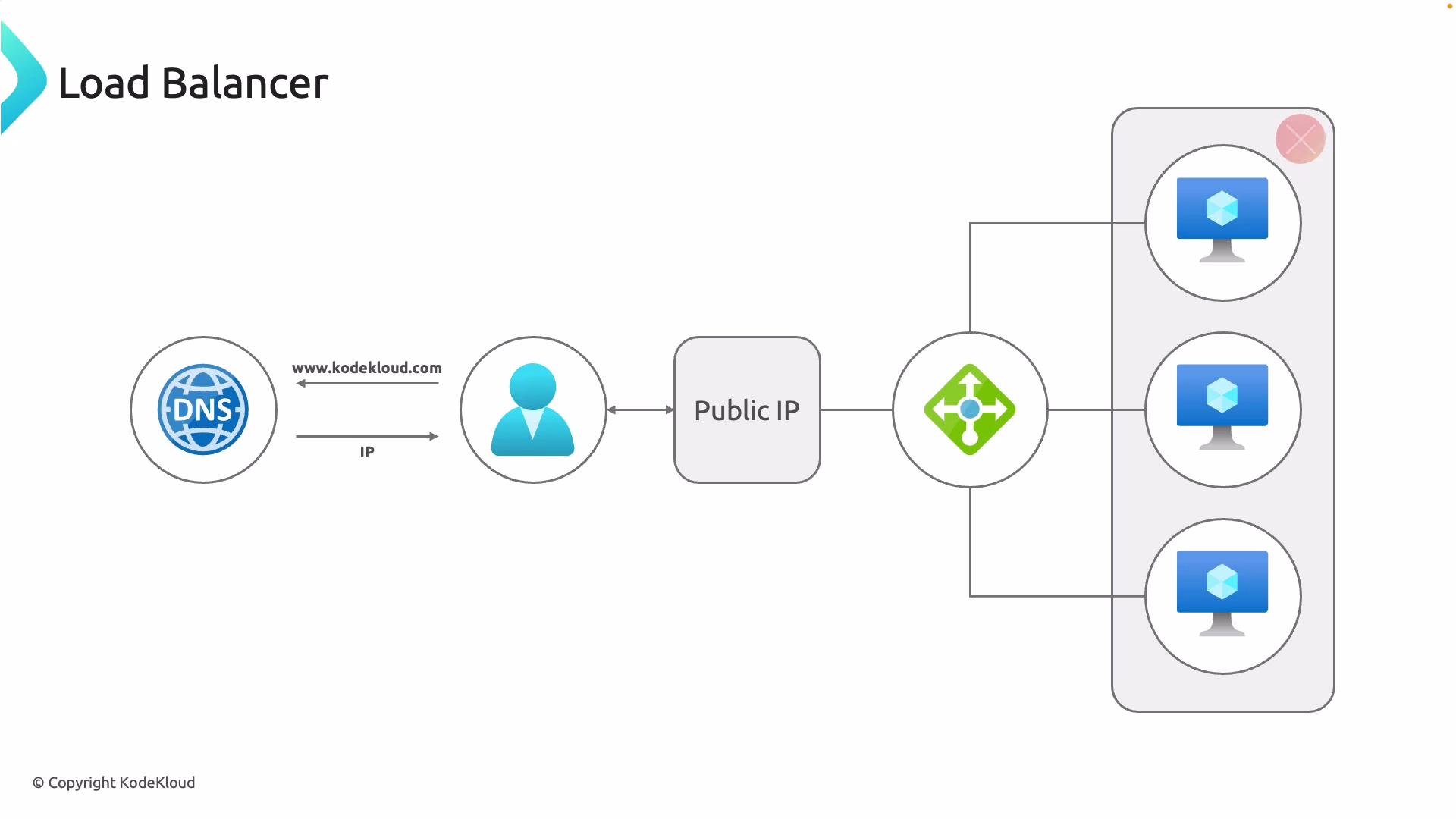
- DNS lookup:
www.kodekloud.comresolves to a public IP. - Client sends requests to that public IP, which belongs to the load balancer.
- Load balancer receives requests and forwards them to a backend pool of servers.
- Health probes run at intervals to evaluate backend instance health.
- If an instance is unhealthy, the load balancer excludes it until it recovers.
Health probes are critical: they ensure traffic is only routed to healthy backends. Configure probe frequency, timeout, and health criteria to match your application’s responsiveness and availability requirements.
In summary, a load balancer is a smart traffic manager for your application. It reliably routes requests across multiple backends, prevents single points of failure, and enables scalable, highly available architectures—whether in Microsoft Azure or other cloud environments.
Next steps: explore different types of load balancers (layer 4 vs. layer 7), managed cloud offerings (e.g., Azure Load Balancer, Azure Application Gateway), and configuration patterns for session persistence, SSL termination, and autoscaling.
Links and references