In this lesson we demonstrate how to use Jenkins agents (nodes) with both Freestyle and Declarative Pipeline jobs. You will learn how to:
  • Run Freestyle jobs on an external agent using labels.
  • Pin specific pipeline stages to a particular agent.
  • Inspect workspace locations to verify where each stage or job executed.
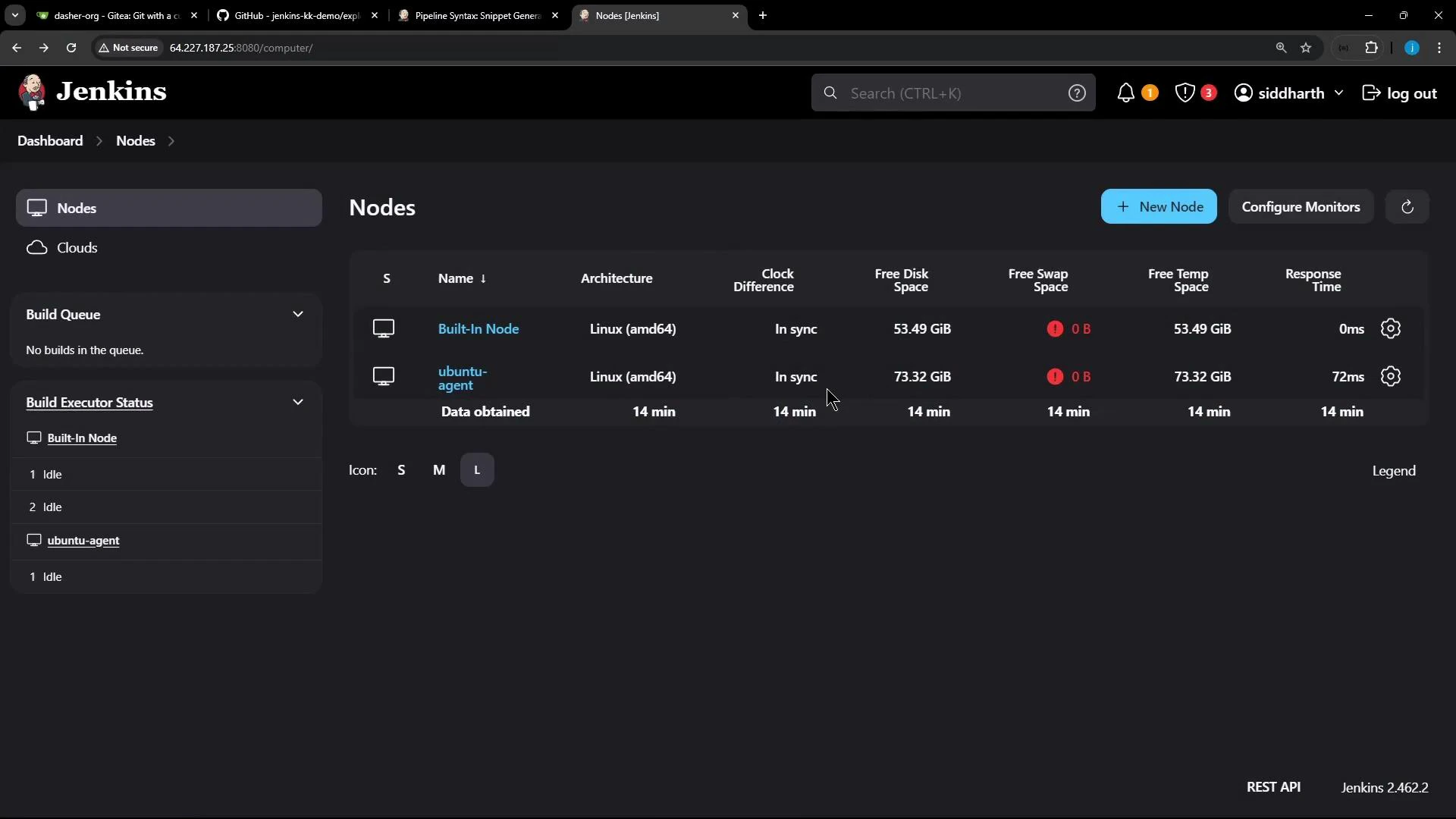
Prerequisites: a running external agent registered with your Jenkins controller.
A screenshot of the Jenkins "Nodes" page showing two nodes (Built-In Node and ubuntu-agent) with architecture, free disk/swap/temp space, clock sync and response times. The left sidebar shows Build Queue and Build Executor Status and the top bar has the Jenkins header and user menu.

1) Freestyle Job on an External Agent

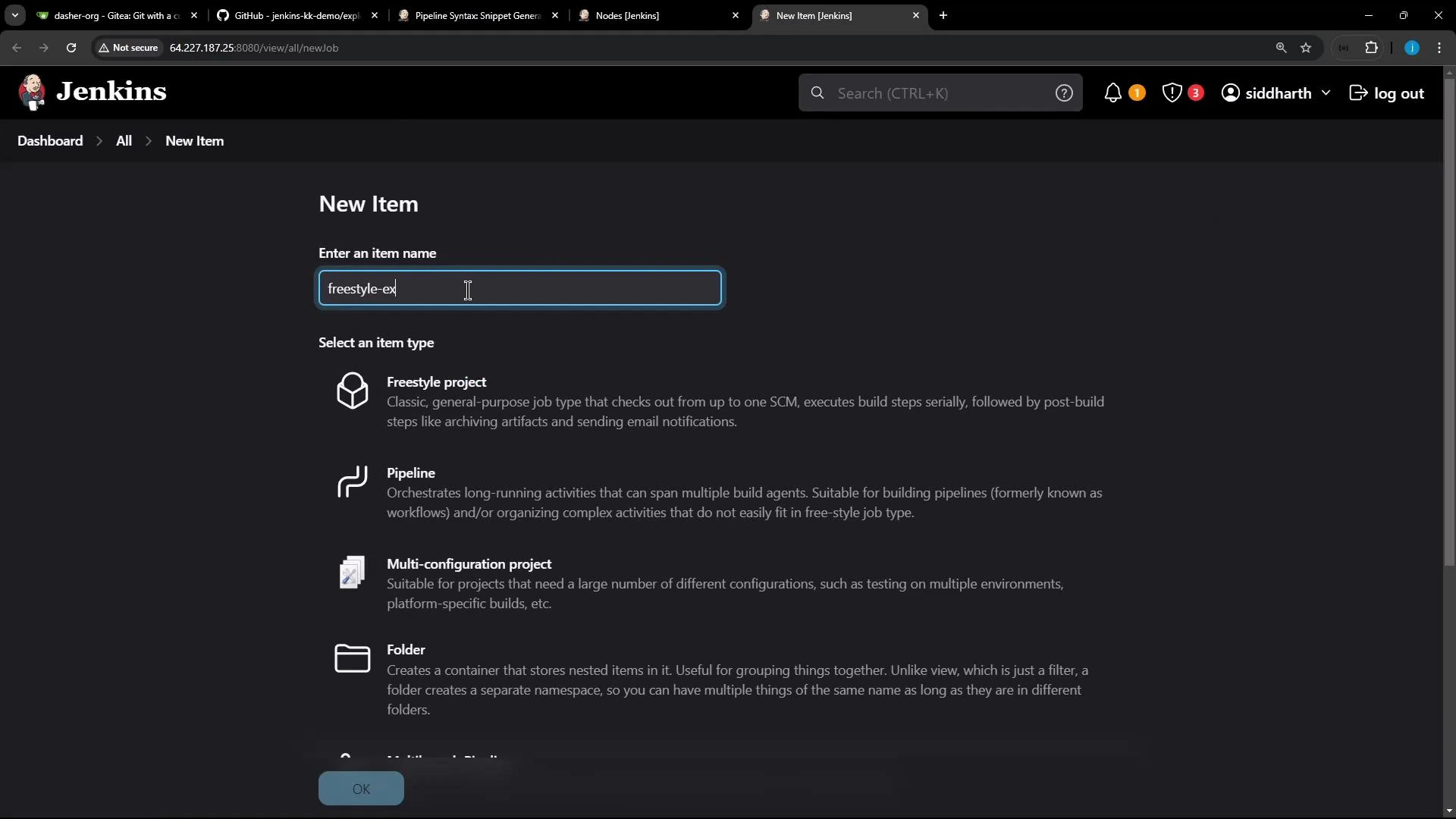
Create a new Freestyle job — for example, name it freestyle-external-agent.
Screenshot of Jenkins' "New Item" page in dark mode. The item name field is filled with "freestyle-ex" and job-type options (Freestyle project, Pipeline, Multi-configuration project, Folder) are listed.
In the job configuration:
  • Add a build step “Execute shell” and include commands to print OS and Node/NPM versions:
cat /etc/os-release
node -v
npm -v
  • Under “Restrict where this project can be run”, paste the external agent’s label (for example ubuntu-docker-jdk17-node20) so the job executes on that agent.
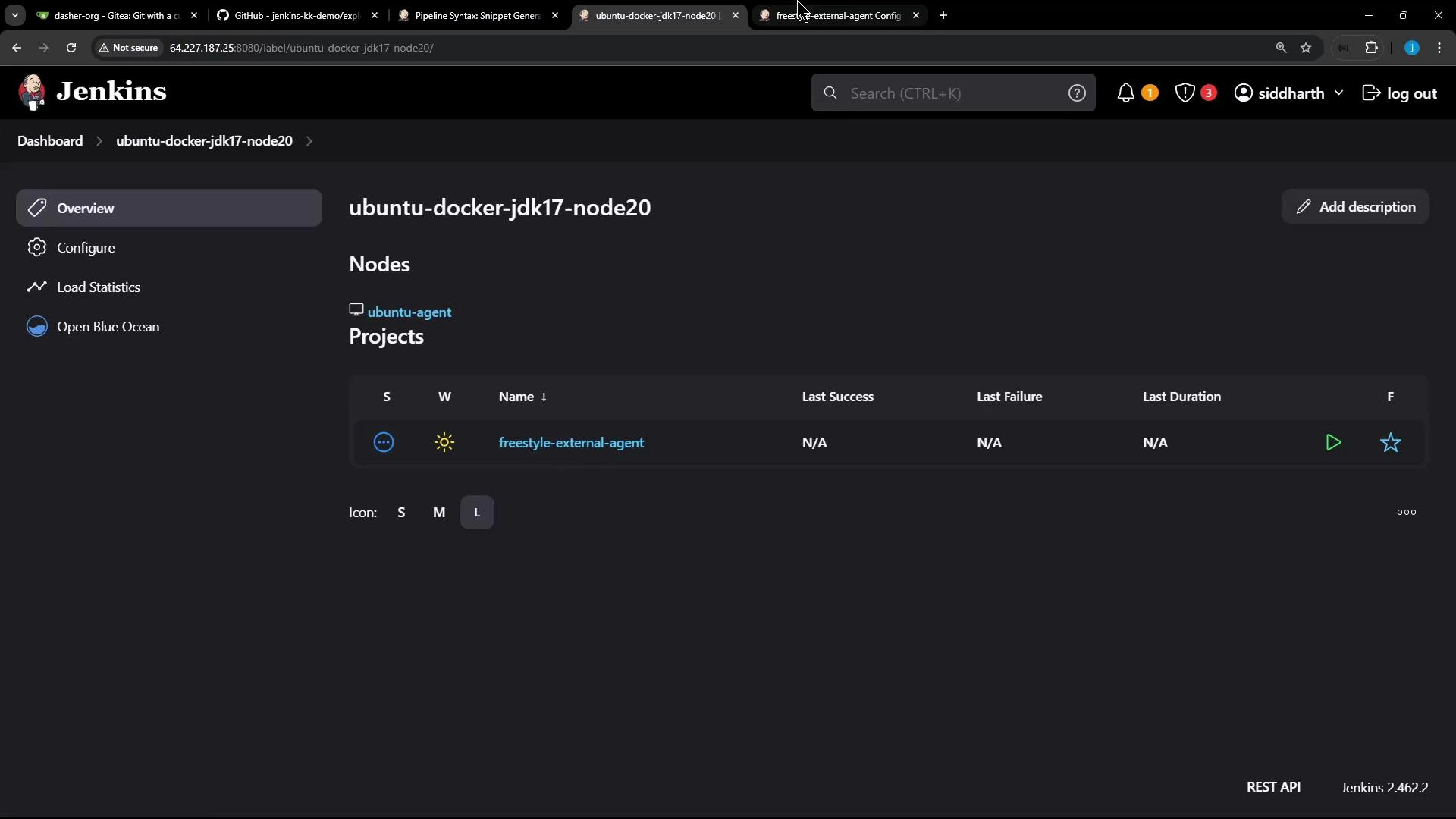
After saving, the node should list the job as a project assigned to it.
A Jenkins web UI screenshot showing the node "ubuntu-docker-jdk17-node20" with one project listed ("freestyle-external-agent") and columns for last success, failure, and duration. The left sidebar shows options like Overview, Configure, Load Statistics, and Open Blue Ocean.
Example console output from a successful Freestyle build on the Ubuntu agent (note the “Building remotely” message and the workspace path on the agent):
Started by user siddharth
Running as SYSTEM
Building remotely on ubuntu-agent (ubuntu-docker-jdk17-node20) in workspace /home/jenkins-agent/workspace/freestyle-external-agent
[freestyle-external-agent] $ /bin/sh -xe /tmp/jenkins17351491148126919661.sh
+ cat /etc/os-release
PRETTY_NAME="Ubuntu 24.04 LTS"
...
+ node -v
v22.11.0
+ npm -v
10.9.0
[Gitea] do not publish assets due to source being no GiteaSCMSource
Finished: SUCCESS
Running Freestyle jobs on labeled agents is an easy way to direct platform-specific or dependency-heavy builds to machines prepared with the required environment.

2) Pipeline Job with Stage-Level Agent Selection

Next, demonstrate the same checks using a Declarative Pipeline and show how to override the pipeline-level agent for a specific stage. Import or create a repository in your Git hosting (Gitea in this example) and include a Jenkinsfile in the repo. In the UI, create a Pipeline job (for example pipeline-external-agent) and point its Pipeline script to the Jenkinsfile stored in the repository.
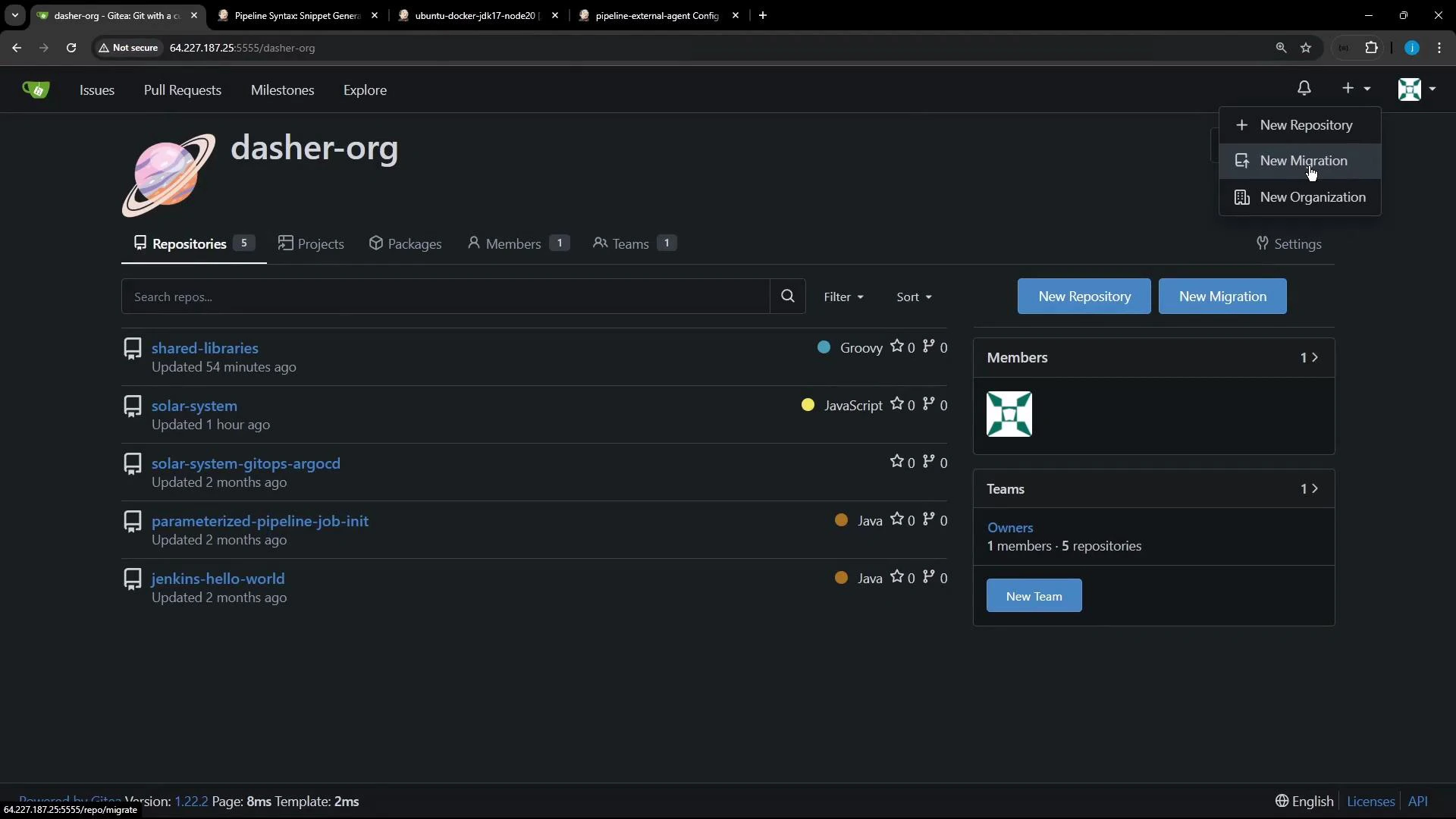
A dark-themed screenshot of a Gitea organization page for "dasher-org" showing a list of repositories (like shared-libraries and solar-system), with buttons for "New Repository" and "New Migration" and panels for Members and Teams. The top-right menu is open showing options to create a new repository, migration, or organization.
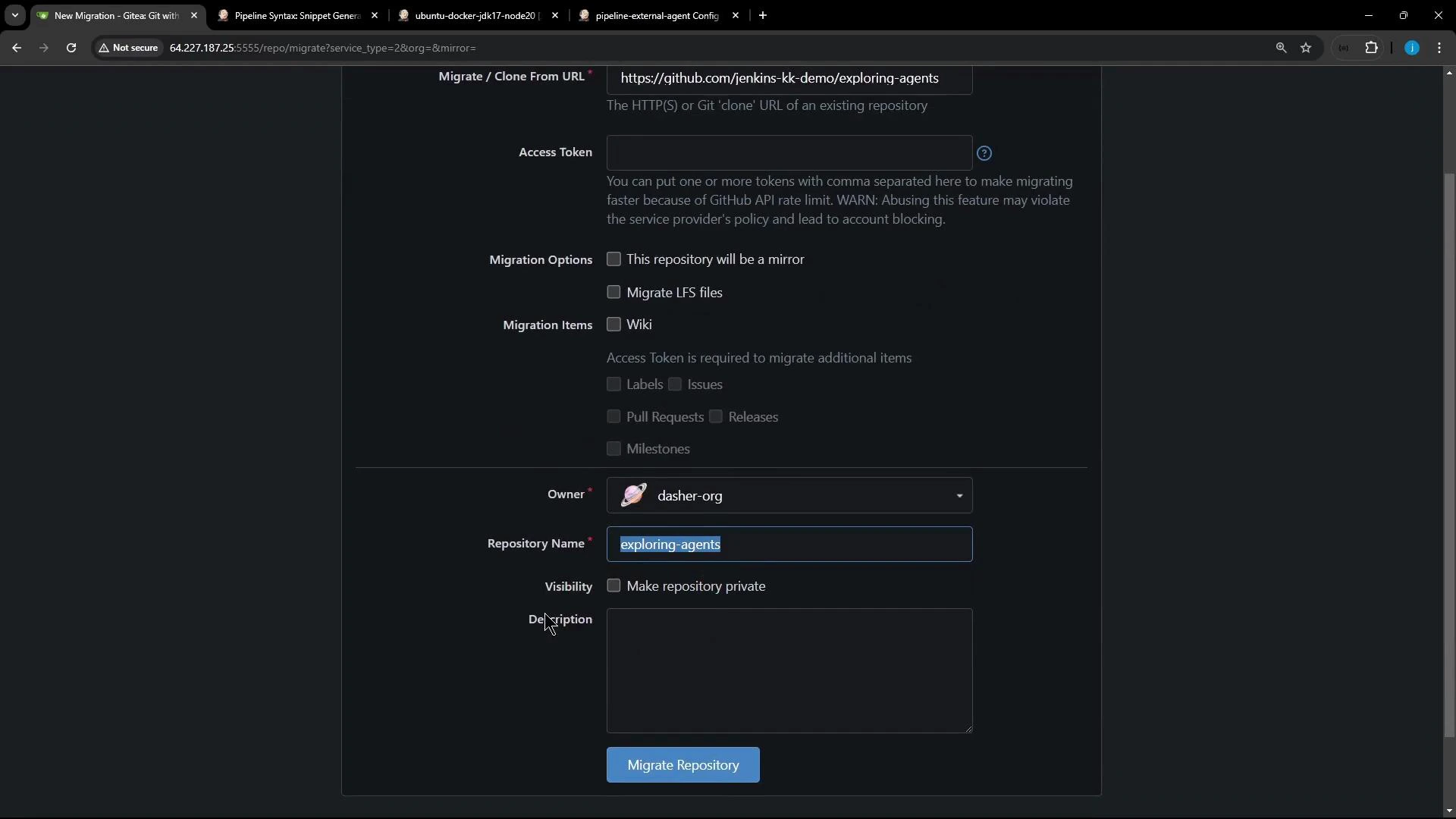
If you need to import/migrate a repository, use your Git UI to clone or migrate into the desired organization (example below).
A screenshot of a web UI for migrating or cloning a Git repository. It shows fields for the source URL and access token, migration options, owner set to "dasher-org", repository name "exploring-agents", visibility and description inputs, and a "Migrate Repository" button.
A compact Declarative Jenkinsfile that demonstrates a global agent with a stage-level agent override:
pipeline {
    agent any

    stages {
        stage('S1-Any Agent') {
            steps {
                sh 'cat /etc/os-release'
                sh 'node -v'
                sh 'npm -v'
            }
        }

        stage('S2-Ubuntu Agent') {
            agent {
                label 'ubuntu-docker-jdk17-node20'
            }
            steps {
                sh 'cat /etc/os-release'
                sh 'node -v'
                sh 'npm -v'
            }
        }
    }
}
Defining an agent inside a stage overrides the pipeline-level agent for that stage — useful for running platform-specific builds or tests on dedicated machines.
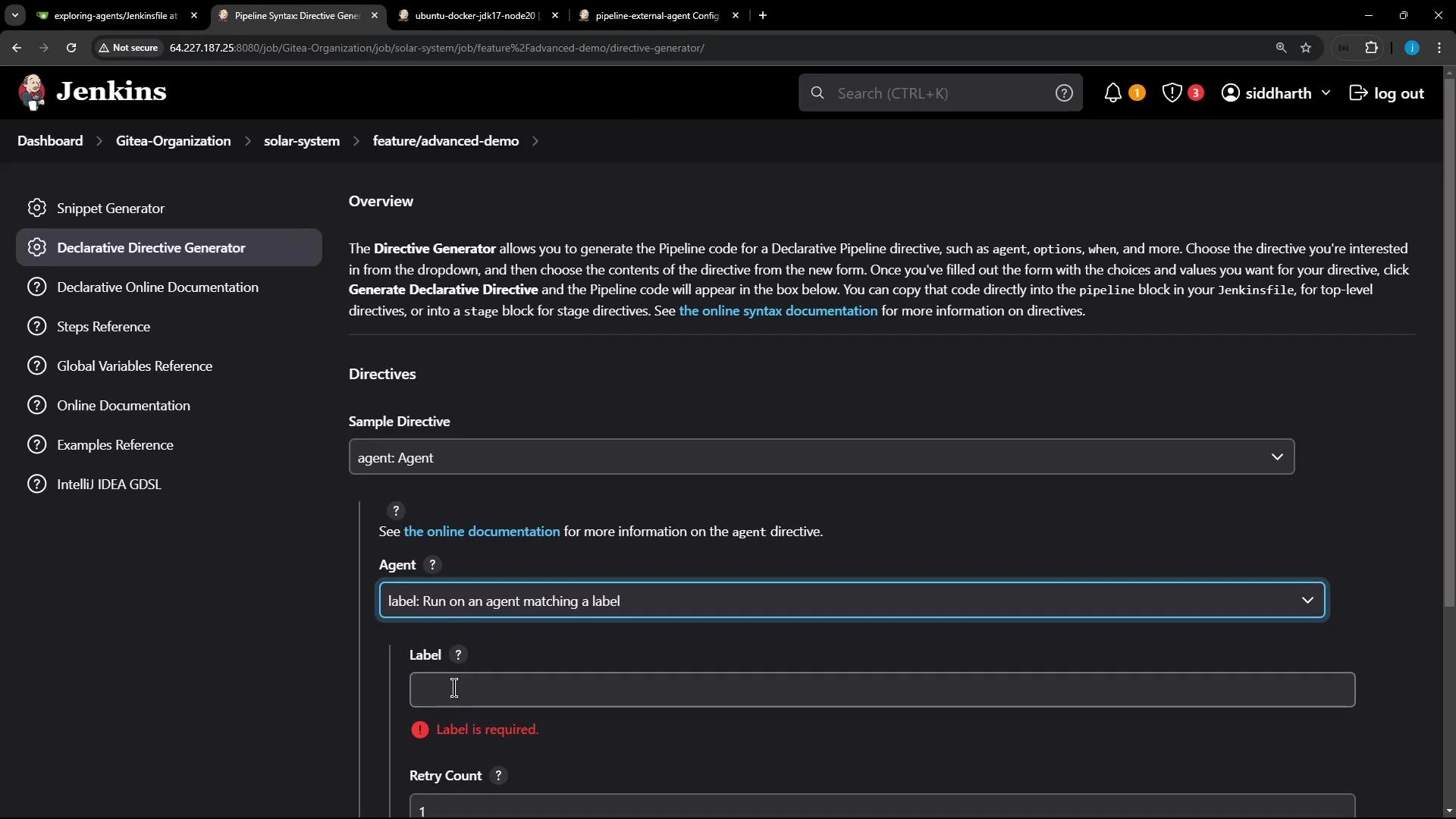
Tip: Jenkins includes a Declarative Directive Generator (choose “agent” → “label”) which can produce the correct agent snippet for you.
A screenshot of the Jenkins web UI showing the Declarative Directive Generator, with a form for configuring an agent (including a required label field) and a sidebar of documentation links. The top bar shows search, notifications and a user menu along with several browser tabs.
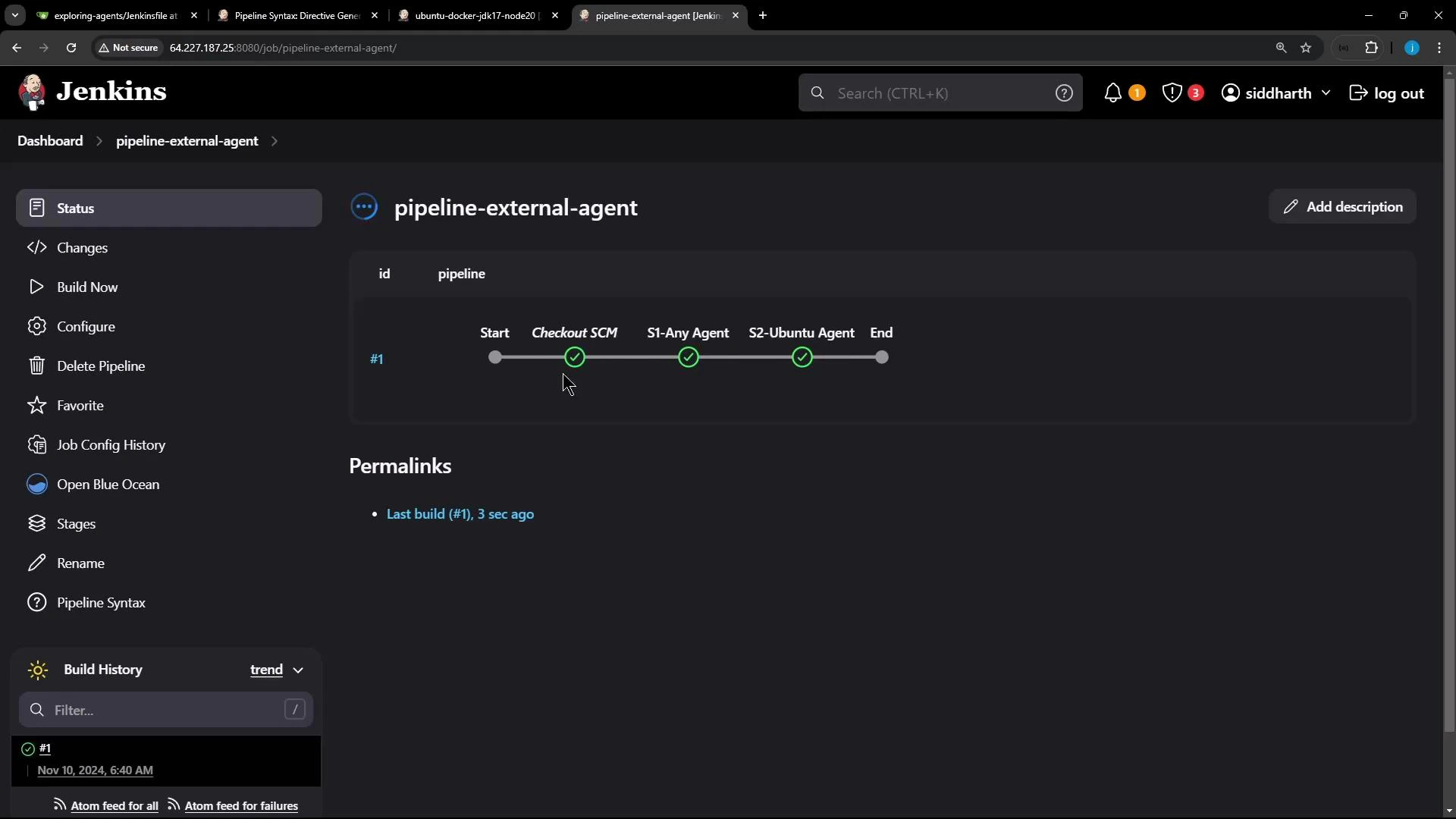
After configuring the Pipeline job to use the repository Jenkinsfile and running a build, Jenkins performs a checkout and then runs stage steps. The pipeline UI highlights each stage and shows where each executed.
Screenshot of a Jenkins pipeline page for "pipeline-external-agent" showing a horizontal stage progress bar with completed stages (Checkout SCM, S1-Any Agent, S2-Ubuntu Agent) and the Jenkins left navigation menu.
Example console output snippets to illustrate agent selection and workspace locations:
  • Checkout and stage S1 run on the pipeline-level (global) agent — often the controller when agent any is satisfied there. Workspace example: /var/lib/jenkins/workspace/pipeline-external-agent.
Started by user siddharth
Obtained Jenkinsfile from git http://64.227.187.25:5555/dasher-org/exploring-agents
[Pipeline] Start of Pipeline
[Pipeline] node
Running on Jenkins in /var/lib/jenkins/workspace/pipeline-external-agent
...
+ node -v
v20.16.0
+ npm -v
10.8.1
  • Stage S2 uses the stage-level agent and runs on the specified Ubuntu agent. Workspace example on the agent: /home/jenkins-agent/workspace/pipeline-external-agent.
[Pipeline] stage
[Pipeline] { (S2-Ubuntu Agent)
[Pipeline] node
Running on ubuntu-agent in /home/jenkins-agent/workspace/pipeline-external-agent
...
+ cat /etc/os-release
PRETTY_NAME="Ubuntu 24.04 LTS"
...
+ node -v
v22.11.0
+ npm -v
10.9.0

Workspace and Agent Comparison

Agent scopeWhere it runsExample workspace pathUse case
Pipeline-level (agent any)Controller or any available agent/var/lib/jenkins/workspace/pipeline-external-agentGeneral pipeline steps and SCM checkout
Stage-level (stage { agent { label '...' } })Specified external agent/home/jenkins-agent/workspace/pipeline-external-agentPlatform-specific build/test or dependency-heavy tasks
Freestyle job with labelSpecified agent/home/jenkins-agent/workspace/freestyle-external-agentJobs targeted to agents with required tools
Avoid running long-running or resource-intensive builds on the controller (master). Use labels to route those builds to dedicated agents to keep the controller responsive.

Summary

  • Use “Restrict where this project can be run” to pin Freestyle jobs to an agent by label.
  • Use a stage-level agent in Declarative Pipeline to run a single stage on a specific node without affecting other stages.
  • Verify where stages executed by inspecting console logs and the workspace paths shown for each node.
Further reading and references: That’s all for now.

Watch Video