

Table of Contents
- Job Workflow
- Step 1: Verify Build Job Generates Artifact
- Step 2: Configure Test Job to Copy Artifacts
- Step 3: Trigger Builds and Observe Workflow
- Step 4: Confirm Plugin Installation
- Step 5: Locate Plugin on Filesystem
- Step 6: Uninstall Copy Artifact Plugin
- Step 7: Re-run Jobs After Uninstallation
- Step 8: Inspect Job Configuration
- Conclusion
Job Workflow
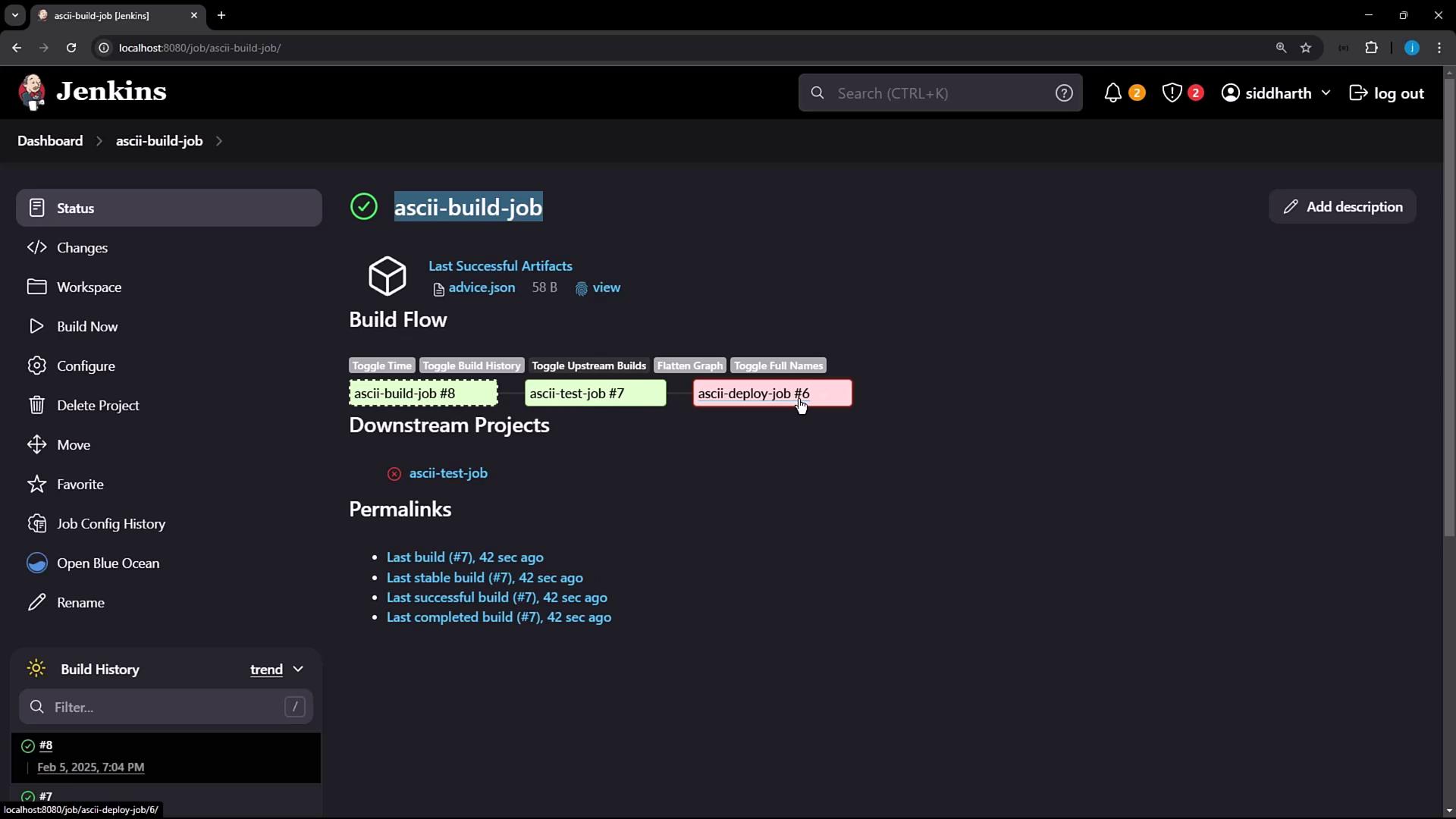
Step 1: Verify Build Job Generates Artifact
On the ascii-build-job dashboard, confirm the build archivesadvice.json successfully.
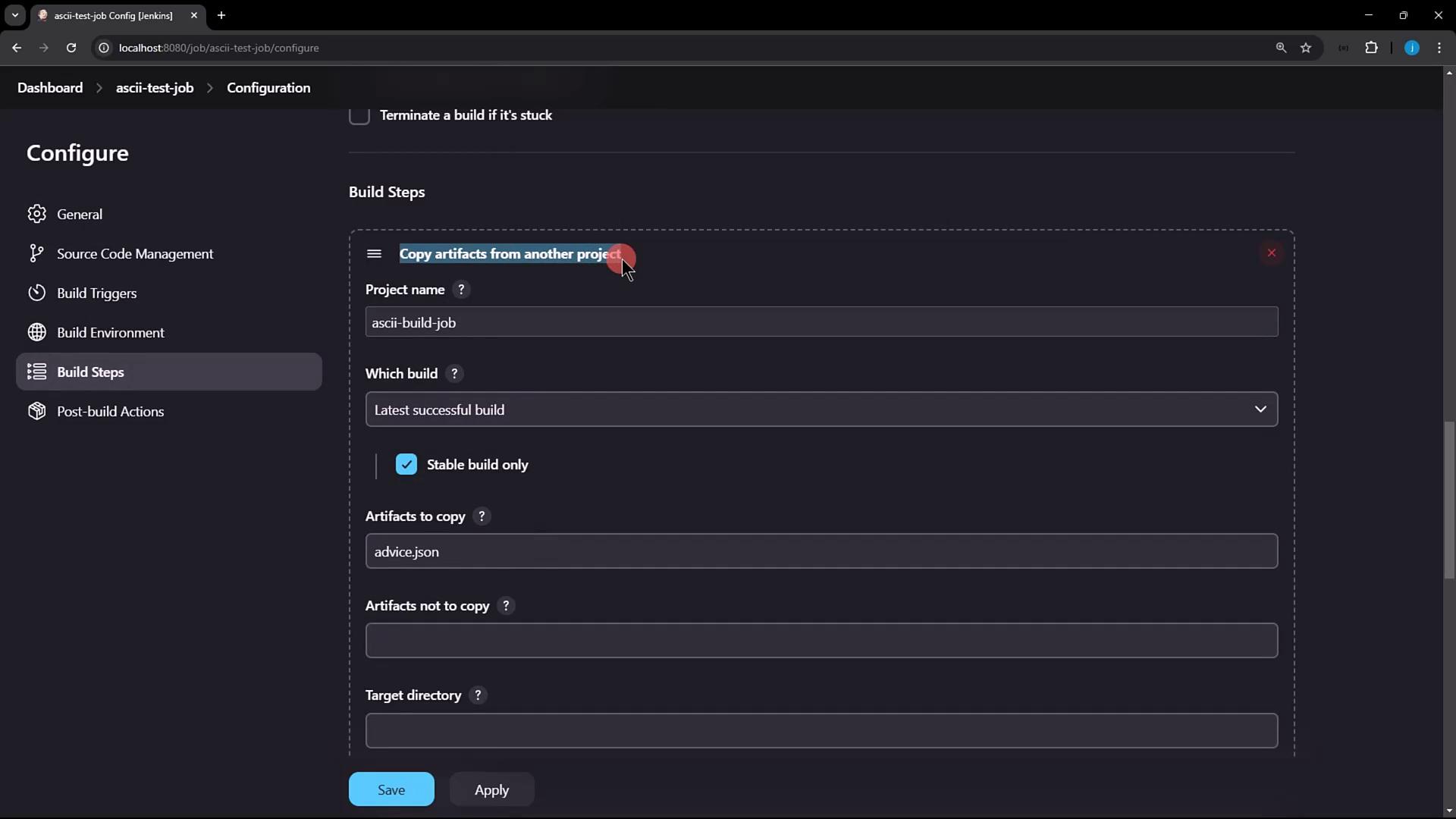
Step 2: Configure Test Job to Copy Artifacts
In ascii-test-job, add a Build Step → Copy artifacts from another project. Select:- Project name:
ascii-build-job - Which build: Latest successful build
- Artifacts to copy:
advice.json
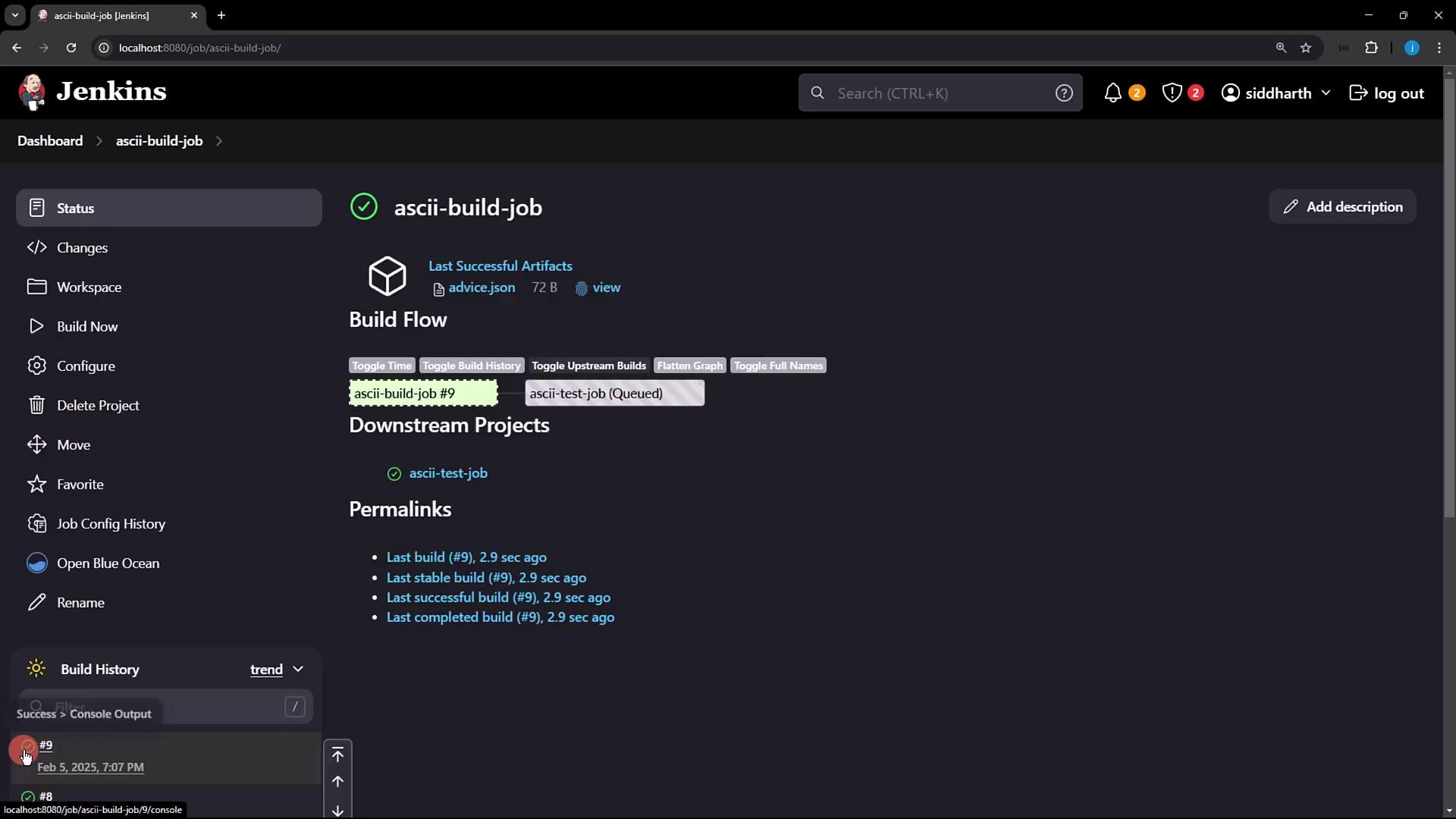
Step 3: Trigger Builds and Observe Workflow
- Click Build Now on ascii-build-job.
- Review console output to ensure
advice.jsonwas archived:
- Both ascii-build-job and ascii-test-job should pass:
Step 4: Confirm Plugin Installation
Navigate to Manage Jenkins → Manage Plugins → Installed. Verify Copy Artifact is listed: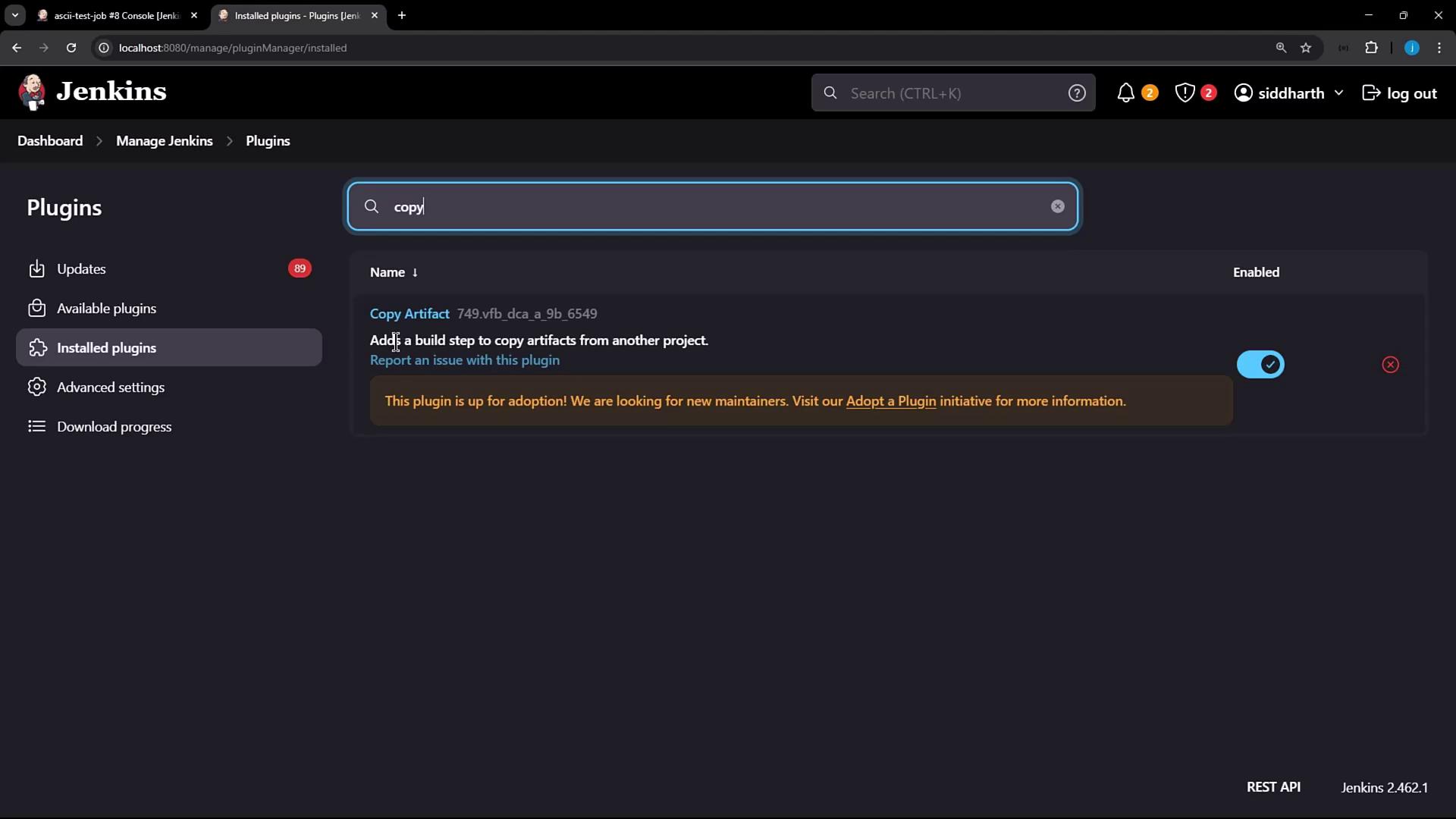
Step 5: Locate Plugin on Filesystem
From a terminal (or IDE), inspect the plugin file: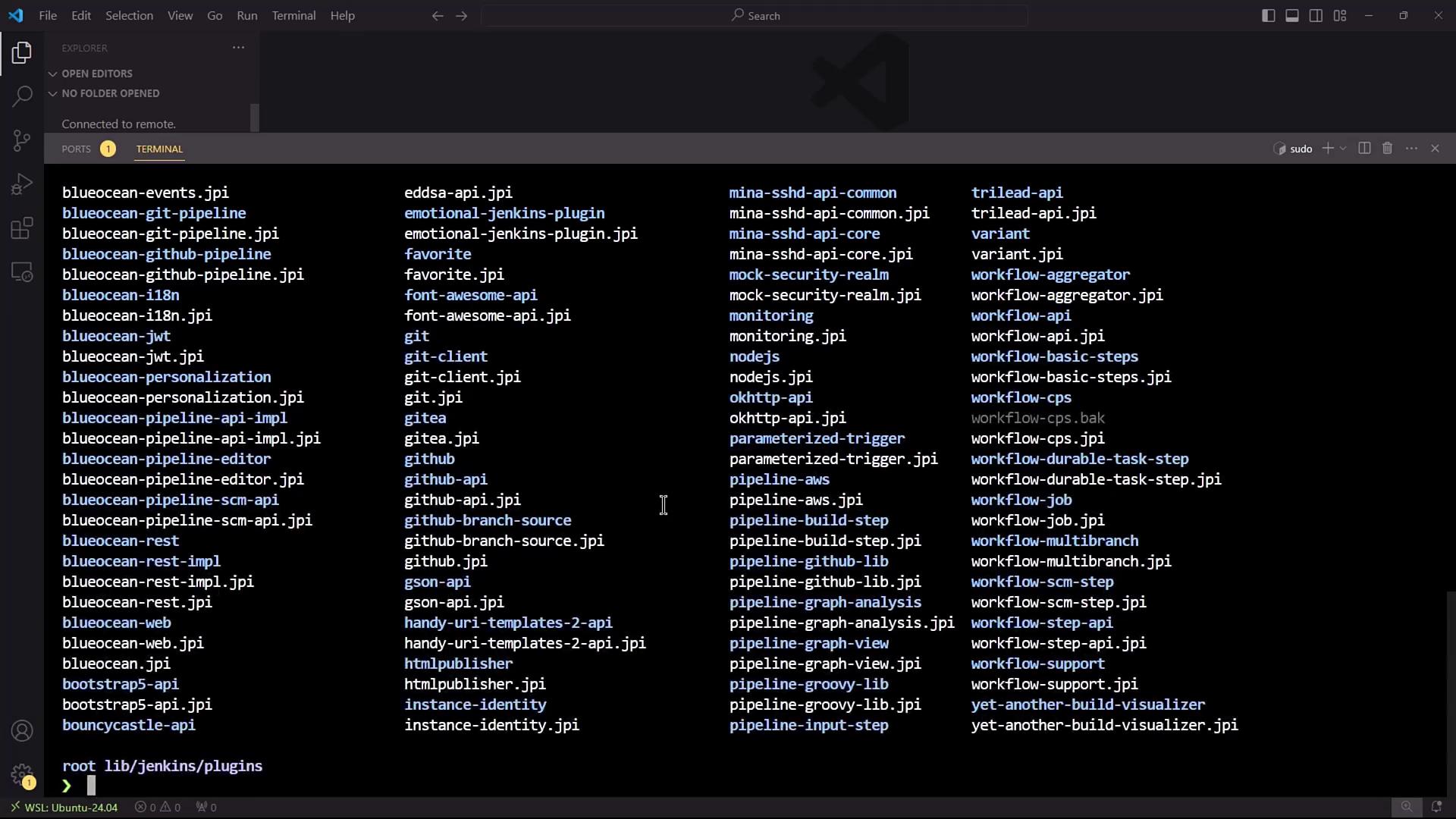
Step 6: Uninstall Copy Artifact Plugin
- Go to Manage Plugins → Installed.
- Click Uninstall next to Copy Artifact.
- Confirm the dialog to remove the plugin binary.

Uninstalling removes
copyartifact.jpi from $JENKINS_HOME/plugins, but job XMLs still reference the plugin until Jenkins is restarted.Step 7: Re-run Jobs After Uninstallation
Trigger ascii-build-job again, then ascii-test-job. You’ll see the copy step succeed (artifact already on disk), but Jenkins still internally uses the missing plugin reference: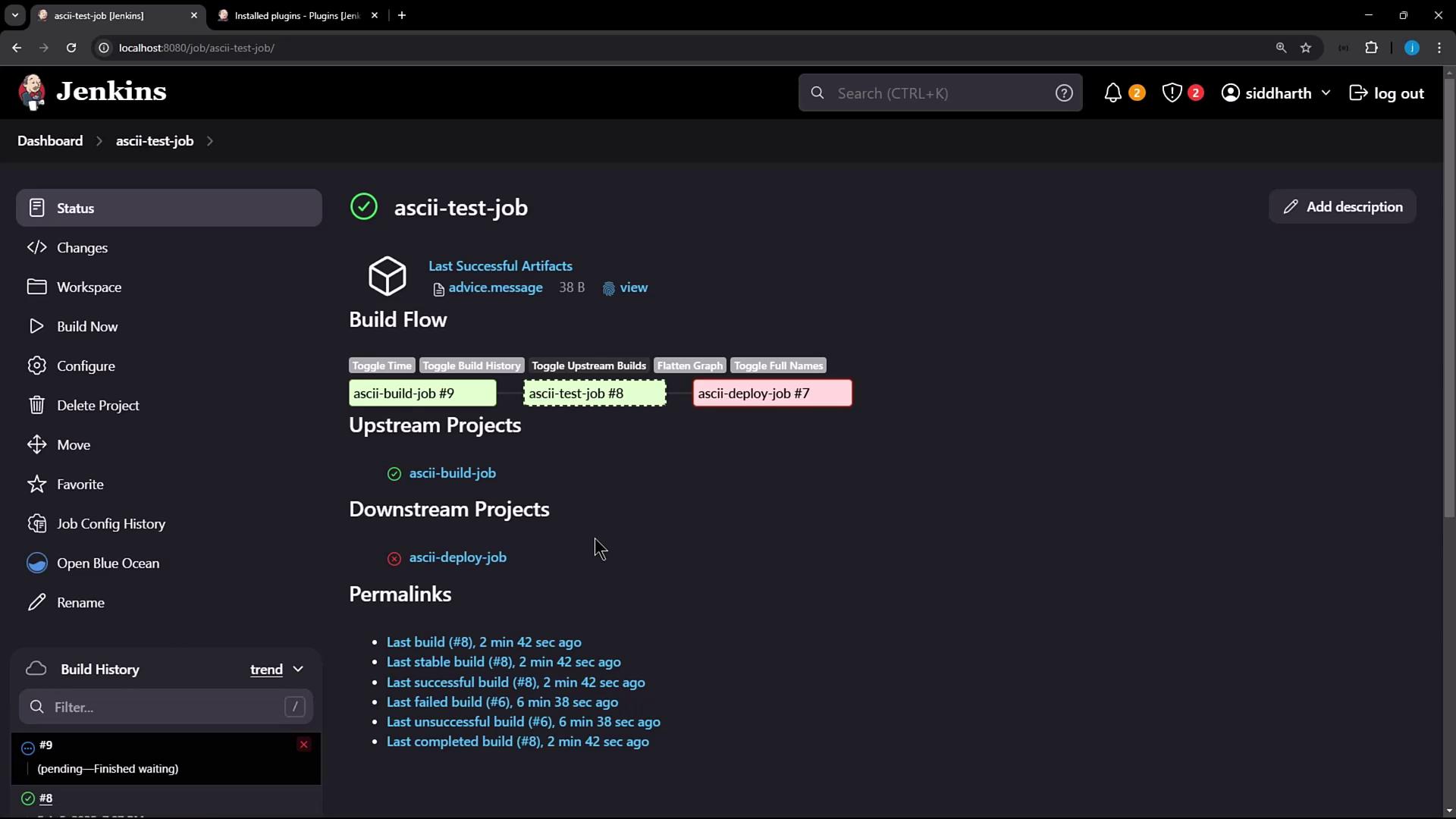
Step 8: Inspect Job Configuration
Openascii-test-job/config.xml and locate the plugin reference:
After uninstalling a plugin, always restart Jenkins to remove its XML elements from job configurations.
Conclusion
To fully remove a plugin and its configuration:- Uninstall the plugin via Manage Plugins.
- Restart Jenkins to clean up any residual
<plugin>elements in jobconfig.xmlfiles.