

You’ll need Jenkins 2.x with Pipeline plugin 2.5 or later to use nested
stages in a declarative pipeline.Original Jenkinsfile
Below is a simplified excerpt showing the original declarative pipeline that defined only one stage per branch. This setup runs Node.js commands and tests all at once.Adding Sequential Stages
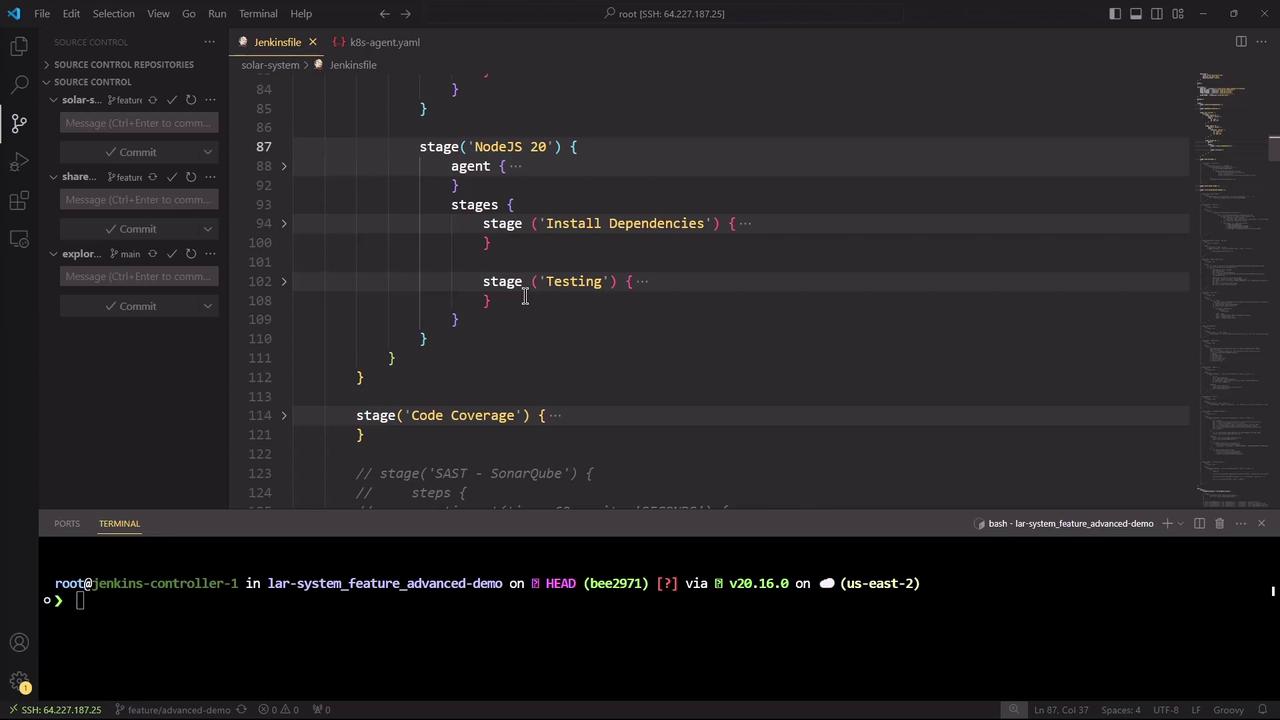
To split theNodeJS 20 branch into two sequential steps—installing dependencies first, then testing—nest a stages block inside the existing stage:
Install Dependencies completes before Testing begins, all within the same parallel branch.
Committing and Triggering the Pipeline
Save your changes, then commit and push to trigger a new build: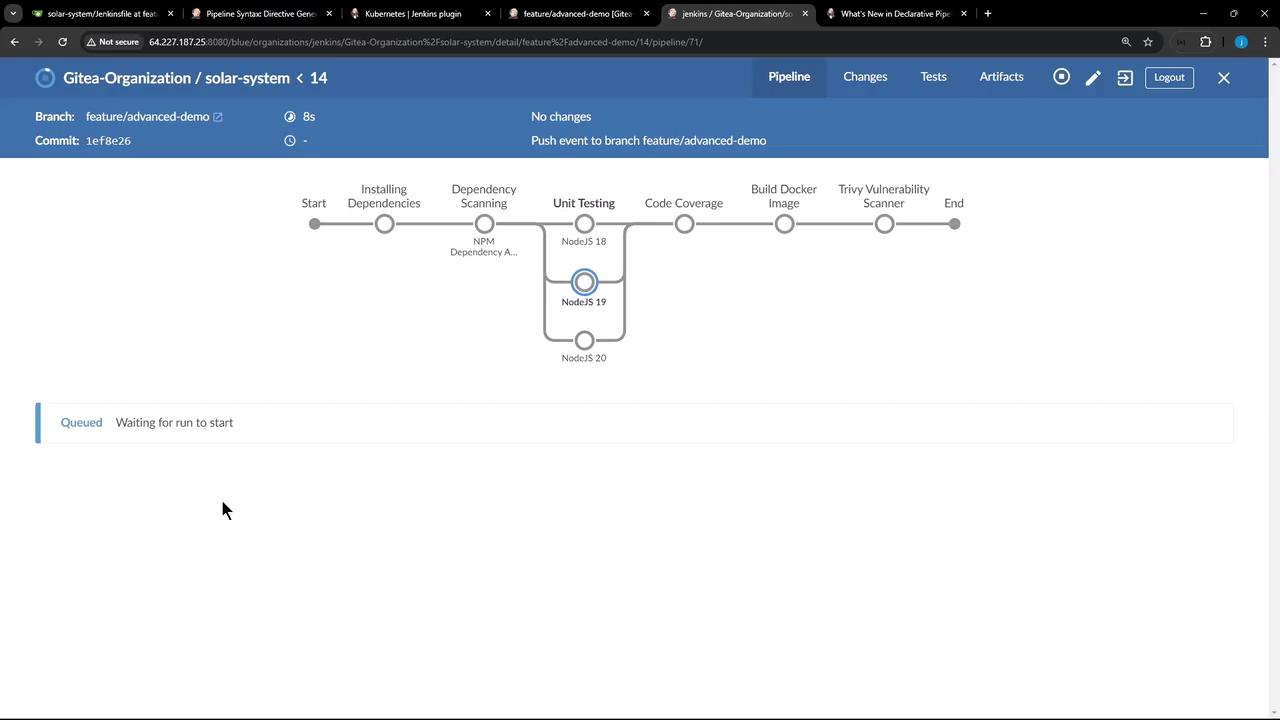
Viewing the Jenkinsfile in VS Code
Open the Jenkinsfile in your IDE to review the nestedstages syntax. In this example, Visual Studio Code displays both the pipeline structure and an SSH session to the Jenkins controller.
Handling a Node.js Cache Error
In one run, theInstall Dependencies stage failed due to a Node.js cache error:
This error originates from Node.js/npm and is not caused by Jenkins. Because
Install Dependencies failed, the Testing stage was skipped—demonstrating how nested stages enforce correct execution order.Summary
- Sequential stages improve clarity when you need ordered steps inside a parallel branch.
- Nested
stagesblocks are fully compatible with Docker agents,options, andpostactions. - You can share workspaces (e.g., installed
node_modules) between sequential stages automatically.