In this lesson, you’ll learn how to run your build steps inside Docker containers by using the Docker Pipeline Plugin in Jenkins. We’ll explore how to configure a Docker agent via the Pipeline Syntax editor, write a Jenkinsfile that uses multiple agent types, and inspect the console output when pulling and running containers.

Prerequisites

Make sure the Docker Pipeline Plugin is installed and enabled. You can verify this under Manage Jenkins → Manage Plugins.

Configuring a Docker Agent via Pipeline Syntax

  1. Open Pipeline Syntax in your Jenkins instance.
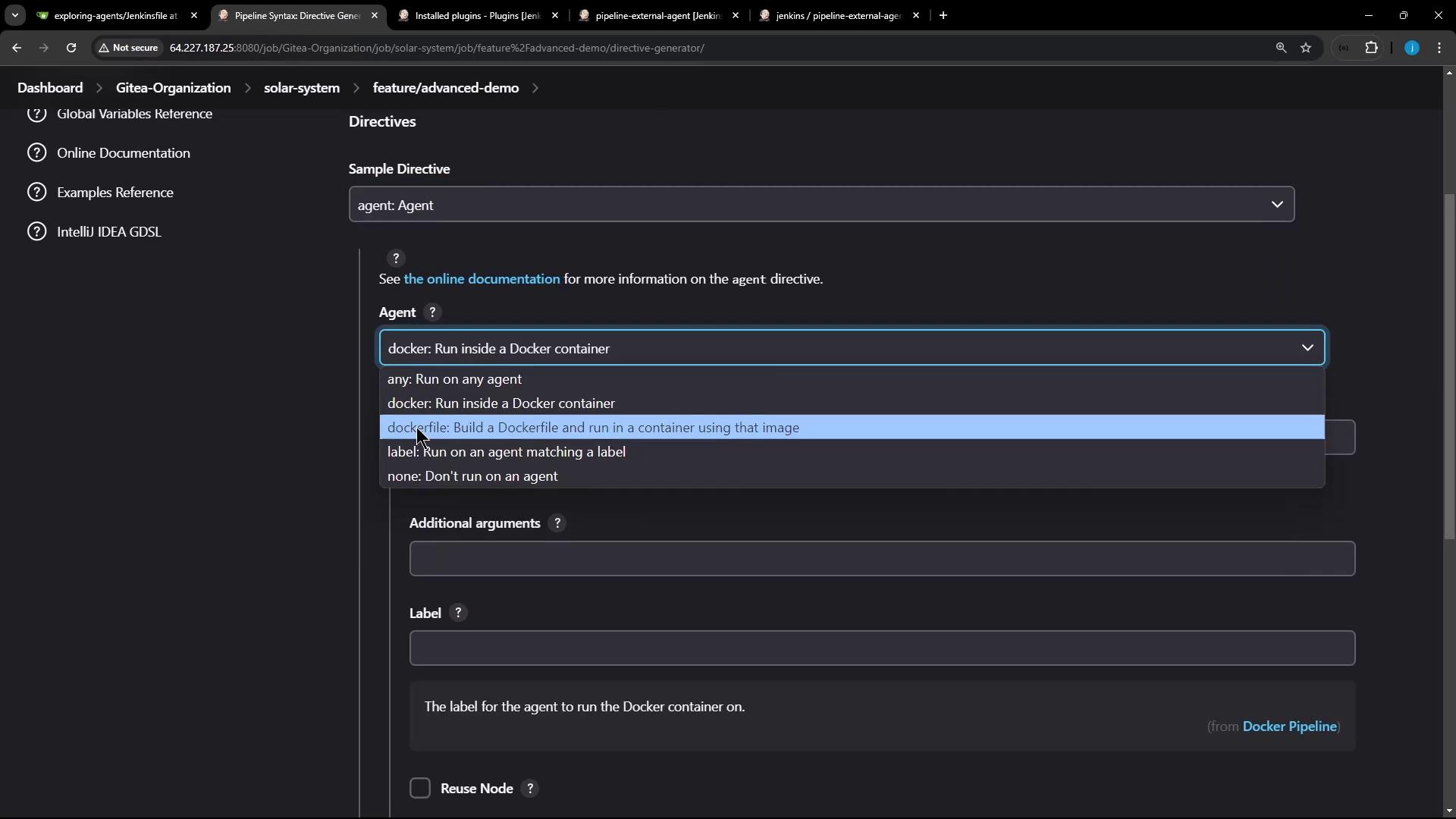
  2. Select agent from the Snippet Generator dropdown.
  3. Choose docker (or dockerfile) as the agent directive.
The image shows a software interface with a dropdown menu for selecting an agent directive, including options like running inside a Docker container or building a Dockerfile.
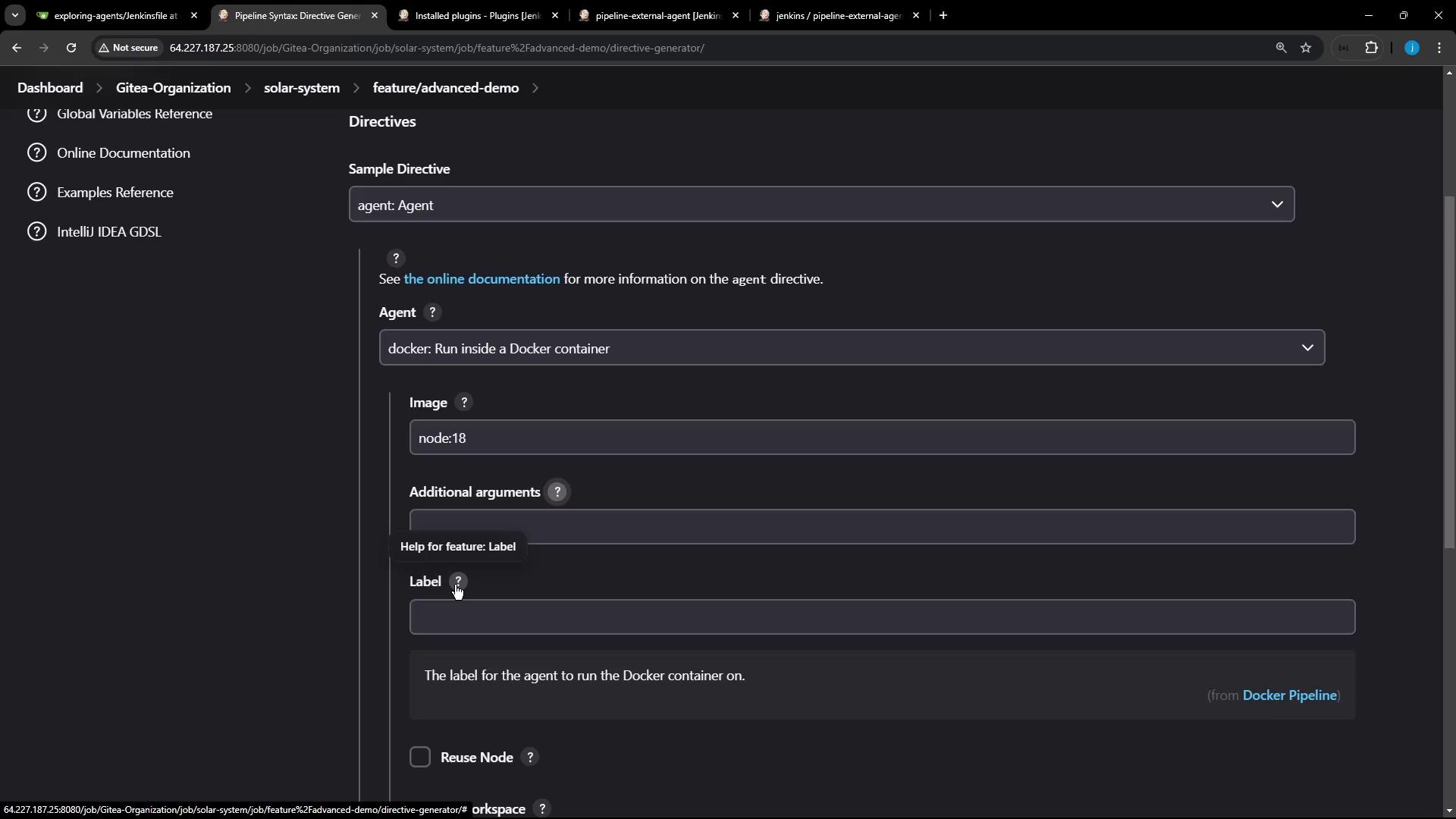
When you select docker, you can configure the following fields:
The image shows a Jenkins interface for configuring a Docker agent, with fields for specifying the Docker image, additional arguments, and a label.
A minimal Jenkinsfile using a Docker agent looks like this:
For more details, see the Jenkins Pipeline Syntax Reference.

Example: Multi-Stage Pipeline with Docker and Labels

The following Jenkinsfile demonstrates:
  1. Running on any available agent
  2. Running on a specific labeled node
  3. Running inside a Docker container agent
Ensure your agent labeled ubuntu-docker-jdk17-node20 has Docker installed and is connected to the Jenkins controller.
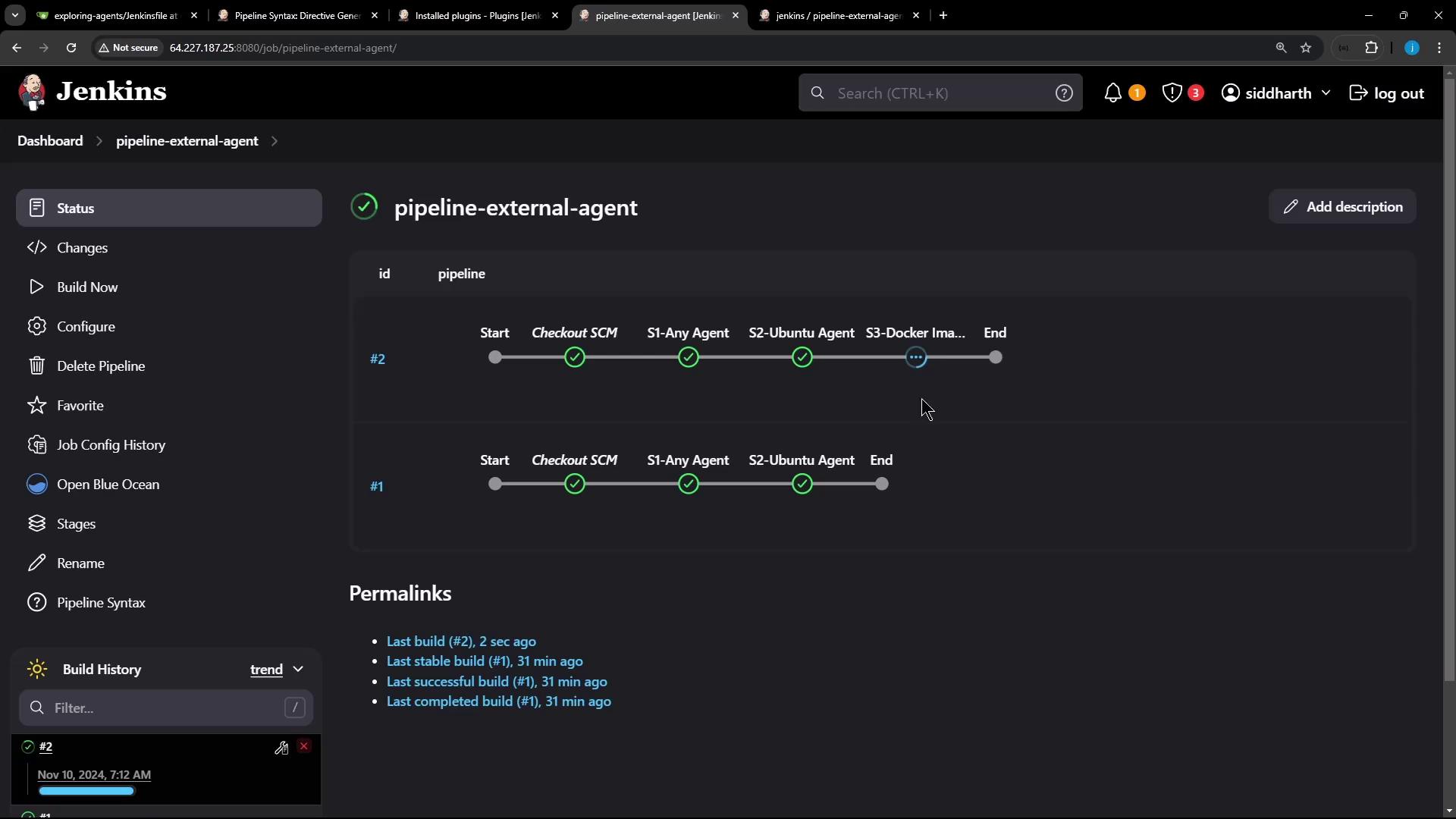
Commit the Jenkinsfile to your repository and trigger a build. You’ll see all three stages execute in sequence.
The image shows a Jenkins dashboard displaying the status of a pipeline named "pipeline-external-agent," with stages like "Checkout SCM" and "S1-Any Agent" marked as completed.

Console Output: Pulling & Running the Docker Image

When the S3 – Docker Image Agent stage runs, Jenkins pulls the image if needed:
Then Jenkins starts a container, mounts the workspace, and runs the commands:
After the steps complete, Jenkins automatically stops and removes the build container.
Jenkins removes only the container; the pulled Docker image remains in the local cache.

Verifying on the Jenkins Host

On your Jenkins controller or agent node, confirm there are no leftover build containers:
You can see the pulled image still exists:
You’ve now seen how to configure and use Docker containers as build agents in Jenkins pipelines. This approach ensures consistent build environments, easy cleanup, and the flexibility to use any Docker image.

Watch Video