This tutorial shows how to offload build execution from your Jenkins controller to a dedicated agent (node), improving scalability and performance. We’ll provision an Ubuntu VM (ubuntu-docker-jdk17-node20) and connect it as a Jenkins agent using JNLP.

Prerequisites

  • A running Jenkins controller (installation guide)
  • A VM with a matching JDK installed
  • Network connectivity between controller and agent

1. Add a New Node in Jenkins

  1. On the Jenkins controller, go to Manage JenkinsManage Nodes and Clouds.
  2. Click New Node, enter a name (e.g., Ubuntu-Agent), select Permanent Agent, and OK.
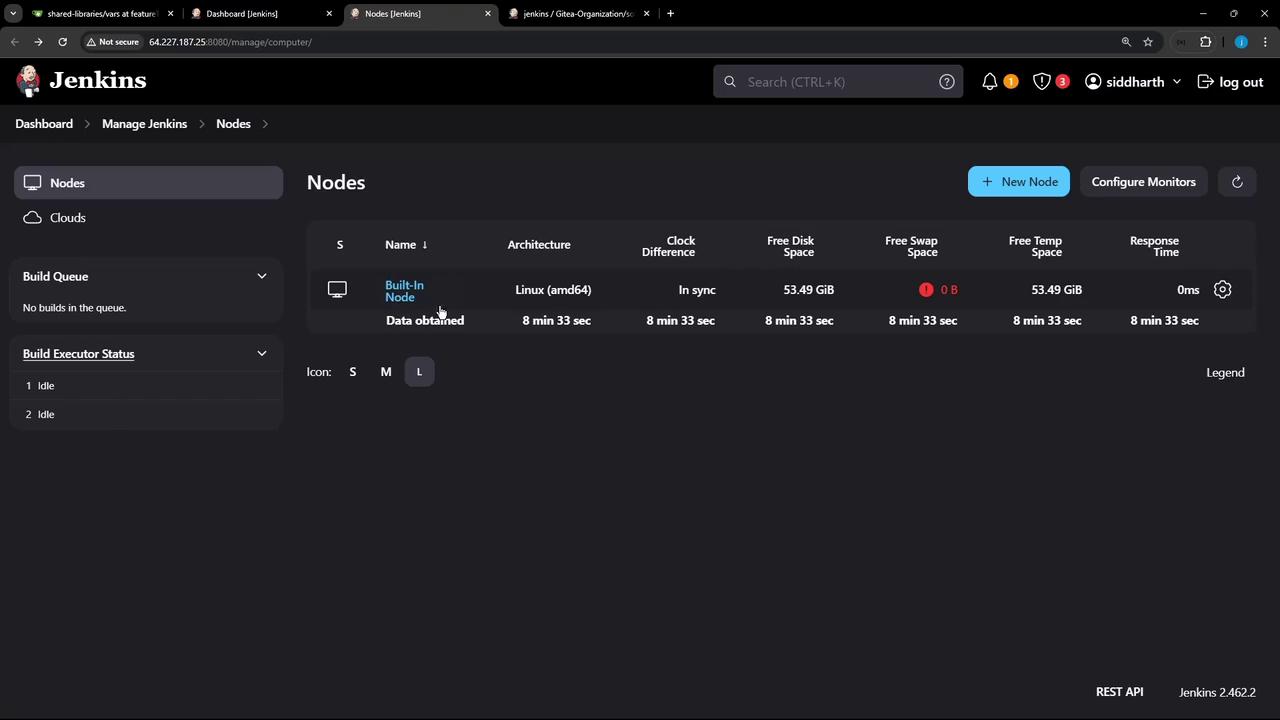
The image shows a Jenkins dashboard displaying node information, including architecture, clock difference, and disk space details. The interface is dark-themed with options to manage nodes and configure monitors.
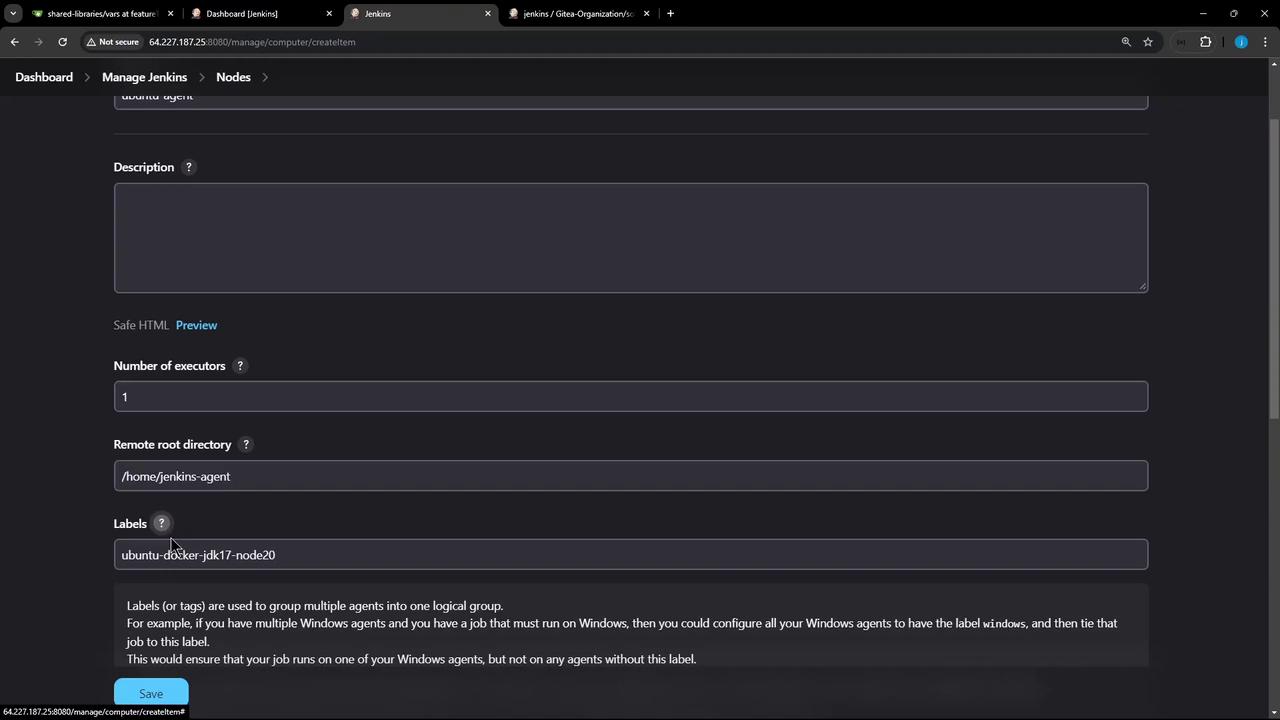
  1. Fill in the node configuration:
The image shows a Jenkins configuration page for creating a new node, with fields for description, number of executors, remote root directory, and labels.
Under Node Properties, you can add environment variables or enable disk space monitoring to maintain agent health.
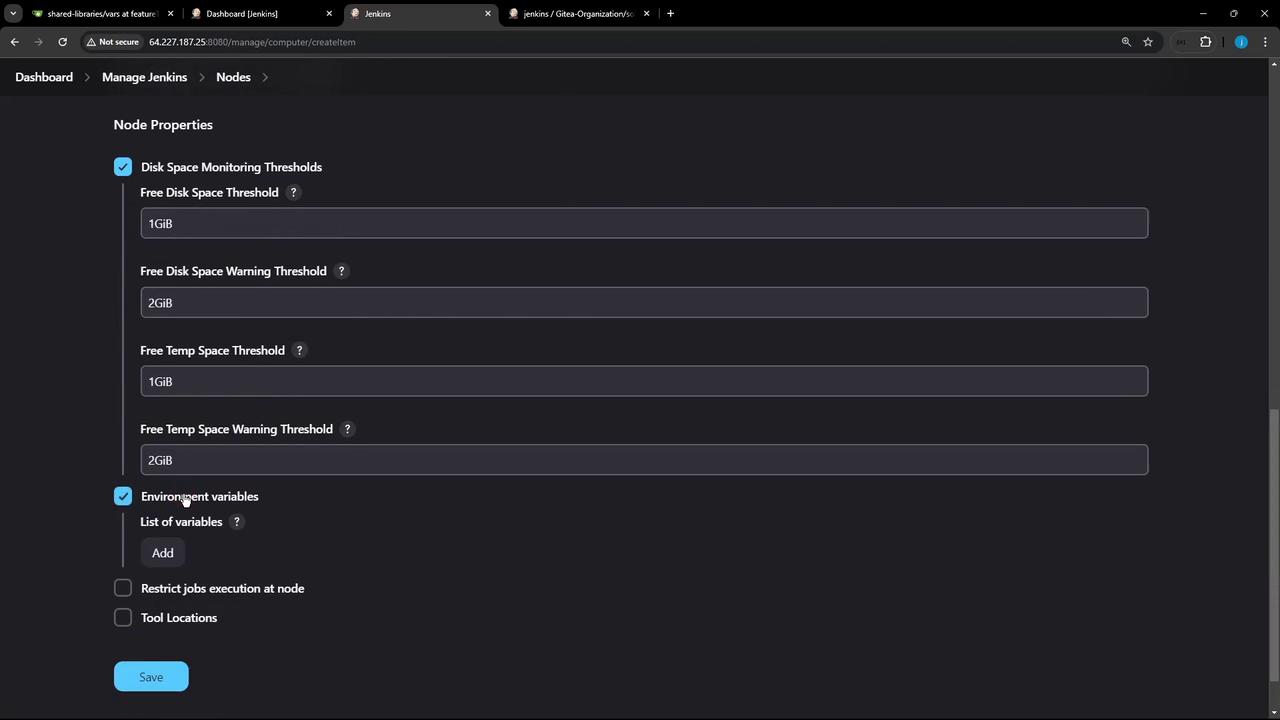
The image shows a Jenkins dashboard interface with node properties settings, including disk space monitoring thresholds and environment variables. There are options to add variables and save changes.
  1. Click Save. The agent remains offline until it connects to the controller.

2. Enable TCP Inbound Agent Port

  1. Navigate to Manage JenkinsConfigure Global Security.
  2. Under AgentsTCP port for inbound agents, select Fixed or Random.
  3. Click Save.

3. Connect the Agent from the Command Line

On the agent VM (ubuntu-docker-jdk17-node20):
Keep the secret-file secure. Exposing the JNLP secret allows unauthorized agents to connect.
A successful connection shows:

4. Verify the Agent in Jenkins

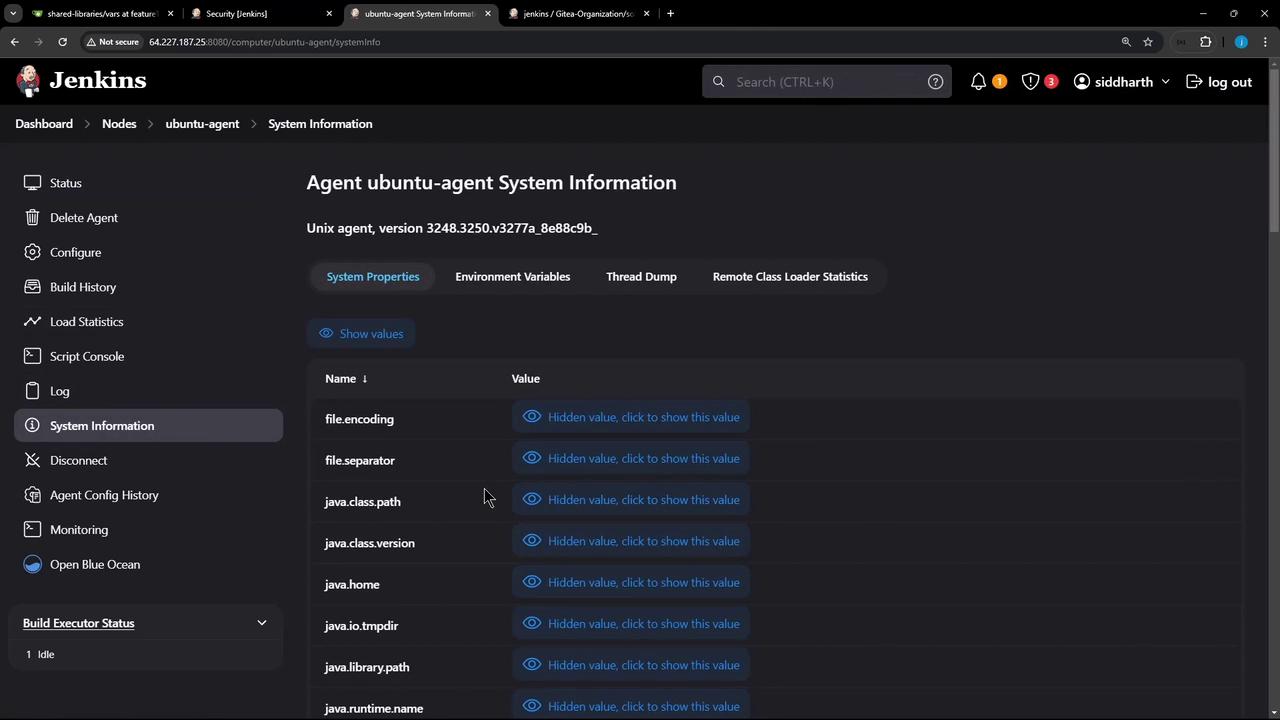
Return to Manage Nodes and Clouds and confirm Ubuntu-Agent is online:
The image shows a Jenkins interface displaying system information for an "ubuntu-agent," with options to view system properties, environment variables, and other details. The sidebar includes various menu options like status, configure, and log.
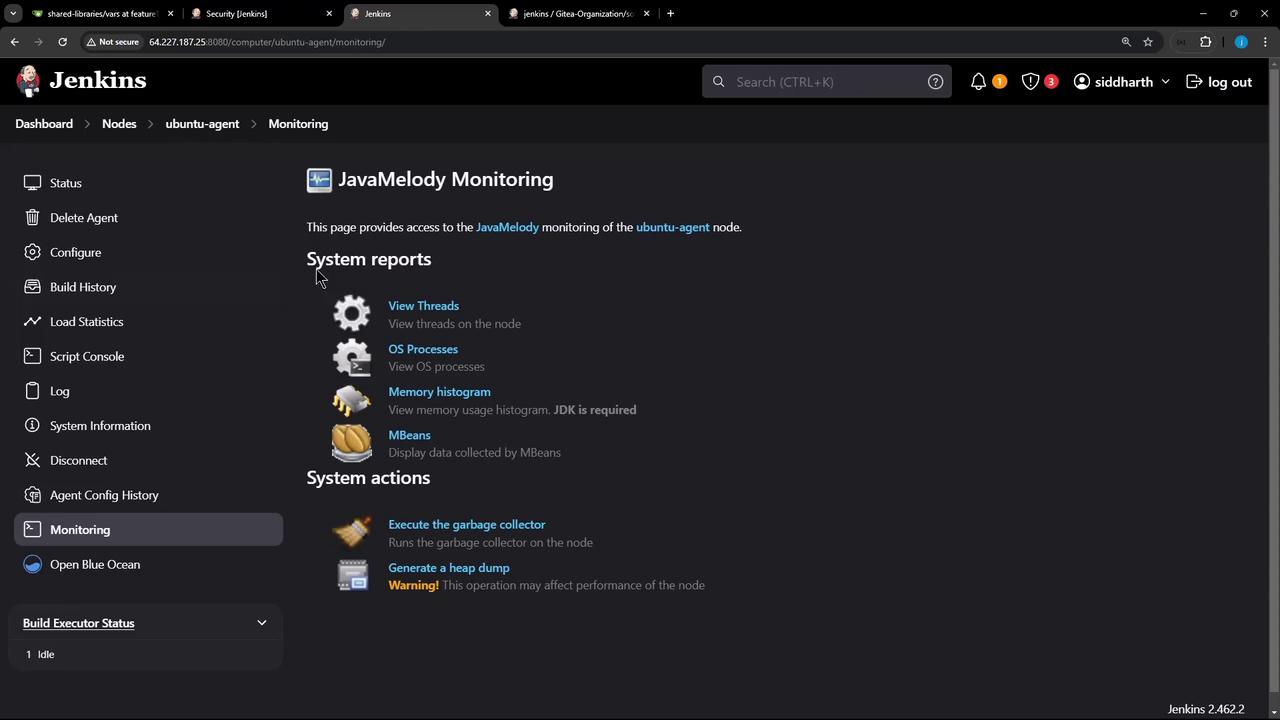
Use JavaMelody Monitoring for system reports:
The image shows a Jenkins dashboard with JavaMelody Monitoring options for system reports and actions on an "ubuntu-agent" node. It includes options like viewing threads, OS processes, memory histograms, and executing system actions.

5. Inspect the Agent Workspace

On the agent VM:
As builds run, Jenkins creates workspaces, logs, and artifacts directories under /home/jenkins-agent. Next, we’ll run a sample job on this agent to demonstrate distributed execution.

Watch Video