

Common Plugin Categories
How Plugins Are Packaged
Jenkins plugins are distributed as JAR archives with.hpi (legacy) or .jpi (modern) extensions. Each package contains:
- Plugin code (Java/Groovy classes)
- Static resources (JavaScript, CSS)
- Metadata (
pom.xml,plugin.xml)
.jpi and .hpi versions are present.
Installing Plugins
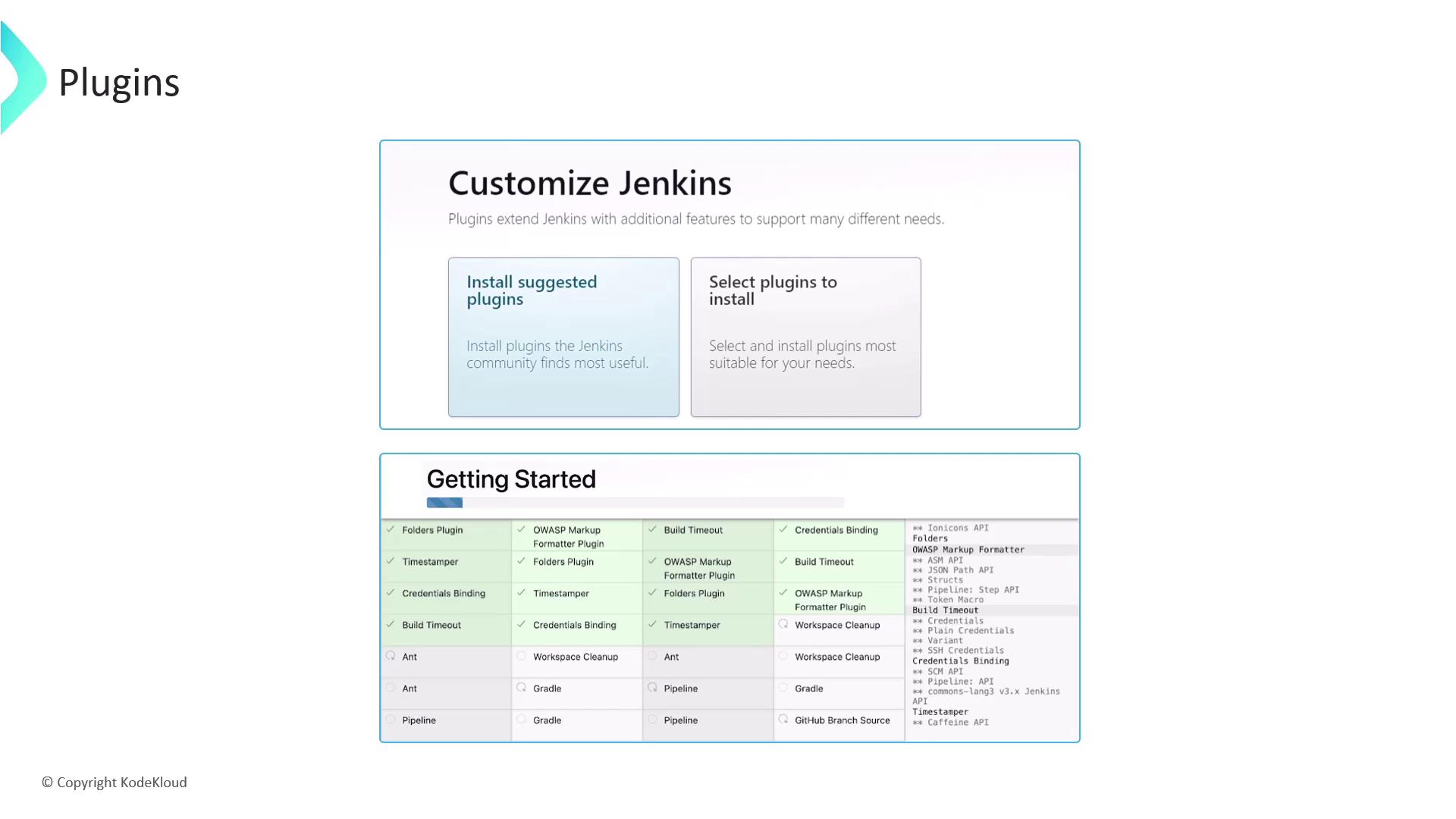
When you set up Jenkins for the first time, choose one of the following:- Install Suggested Plugins
- Select Plugins Manually
Choosing Install Suggested Plugins provides a curated set of essential plugins, making it ideal for newcomers.
Recommended Starter Plugins
- Git Integration
- Pipeline (Workflow)
- Maven Integration
- Gradle Plugin
- Docker Pipeline
Managing Installed Plugins
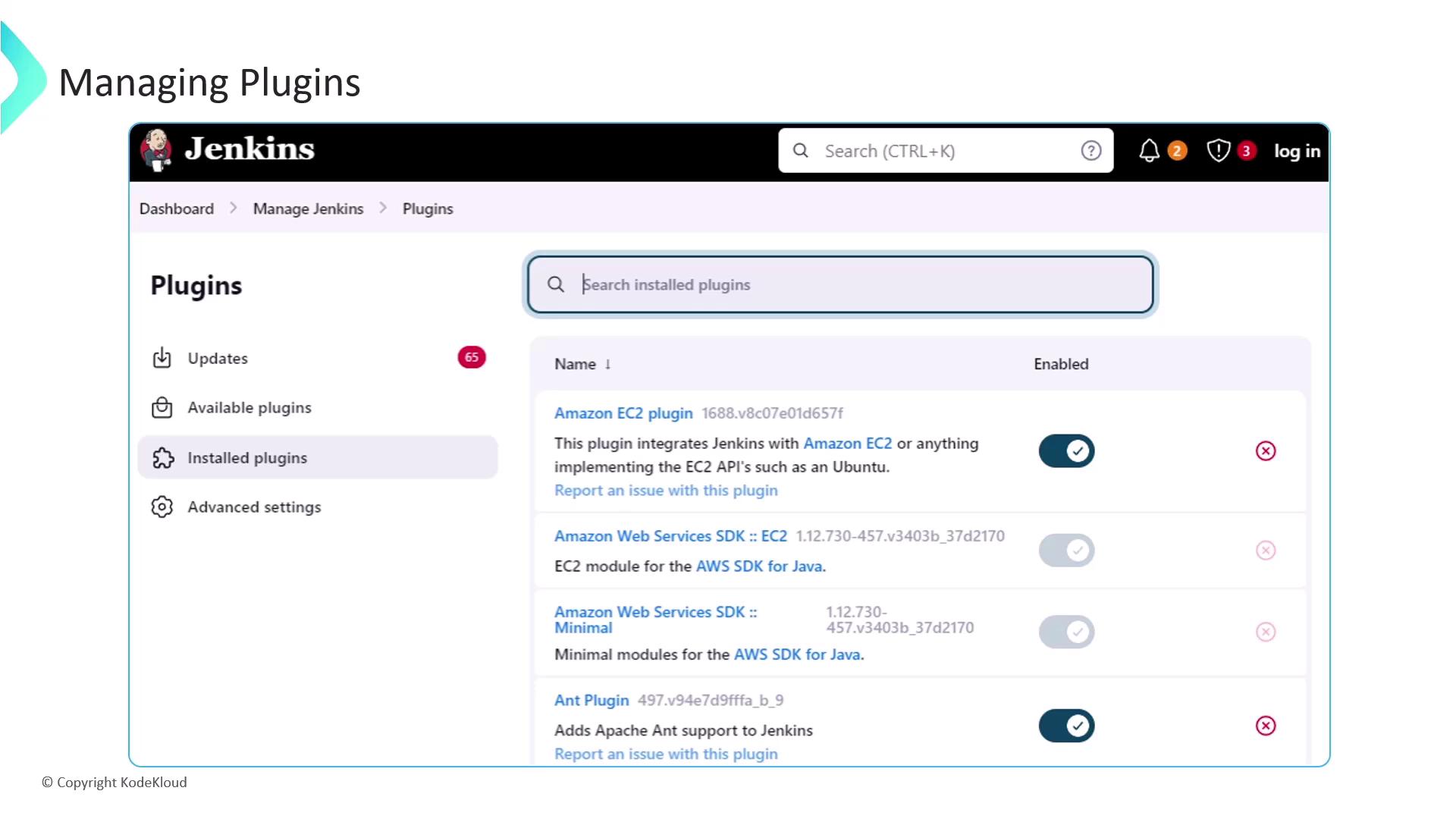
After installation, head to Manage Jenkins ➔ Manage Plugins to enable, disable, update, or uninstall extensions.Removing a plugin can break dependent functionality. Always verify plugin dependencies before uninstalling.
Plugin Update Center
The Updates tab shows available plugin updates. Regularly update to benefit from new features and security fixes.Next Steps
- Automate plugin installation via Jenkins Configuration as Code
- Explore advanced plugins (Blue Ocean, Kubernetes, Terraform)
- Integrate with external security scanners and compliance tools
Links and References
- Jenkins Documentation
- GitHub | Bitbucket | GitLab
- Maven | Gradle | Node.js
- Slack | PagerDuty
- AWS | Google Cloud | Azure