Managing Jenkins through dozens of UI screens can be tedious. With the Configuration as Code (CasC) plugin, you define your entire Jenkins setup—including core settings, security, plugins, tools, and credentials—as YAML. In this guide, you’ll learn how to:
Install and enable the CasC plugin
Inspect your live Jenkins configuration
Modify a setting declaratively and apply it
Validate and reload configurations
1. Installing the Configuration as Code Plugin
In Jenkins, go to Manage Jenkins → Manage Plugins → Available .
Search for Configuration as Code , select it, and click Install (restart if prompted).
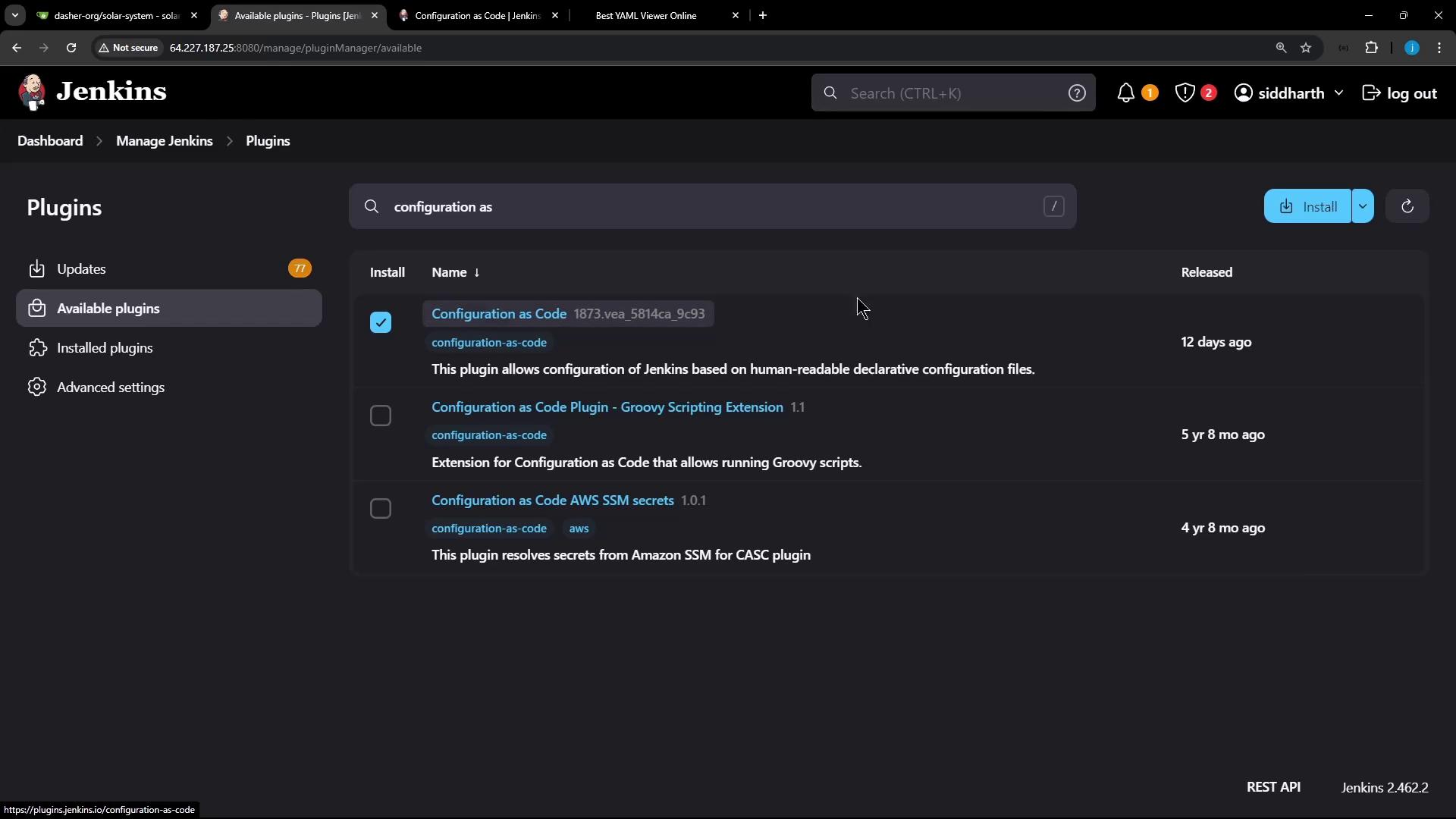
After restart, you’ll see Configuration as Code under Manage Jenkins → System Configuration .
2. Exploring the Current Configuration
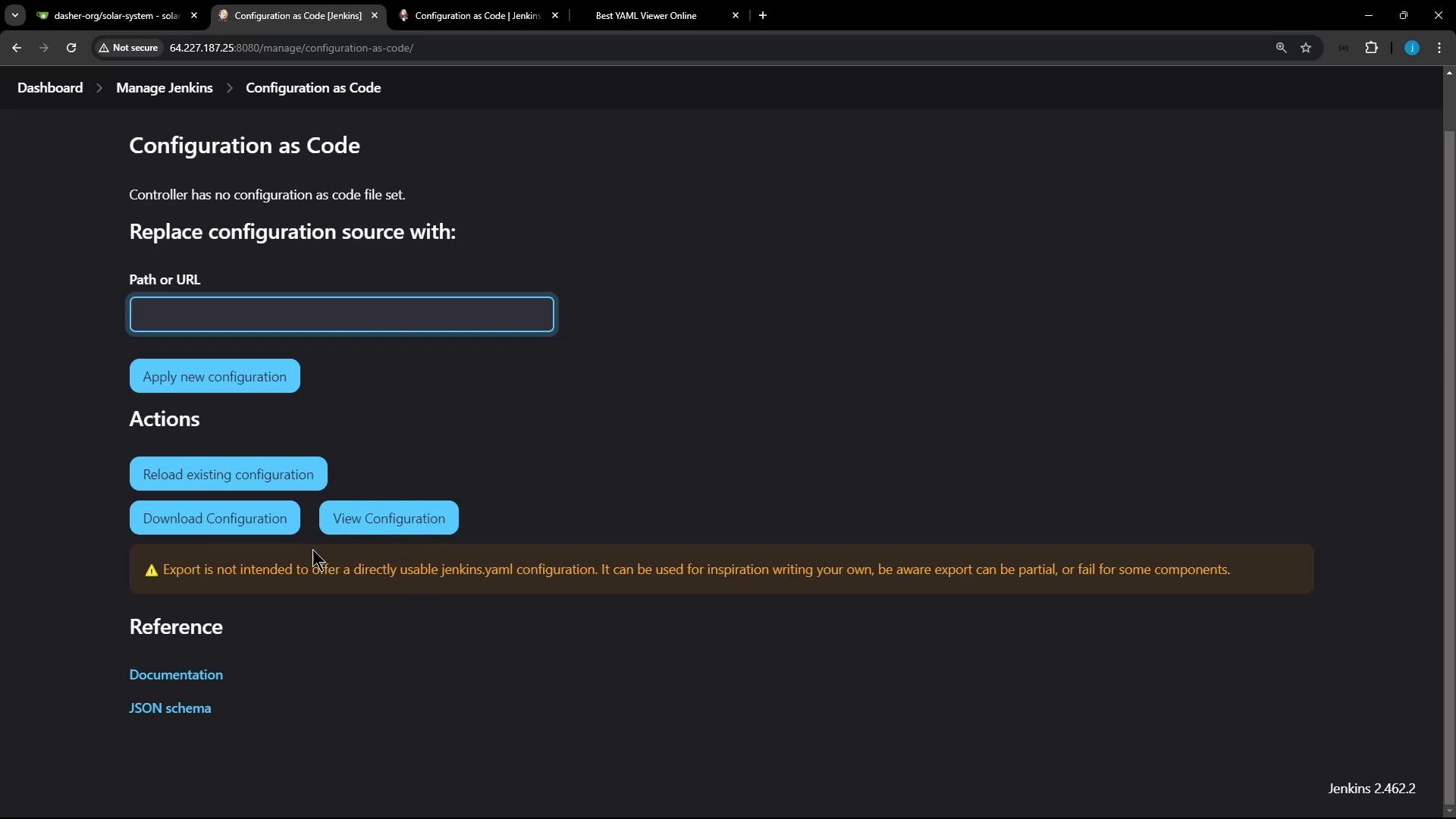
Navigate to Manage Jenkins → Configuration as Code . Here you can:
View Configuration : Download the live settings as YAML or JSON
Replace Configuration : Point to a file on disk or a Git repo
Reload : Reapply the last loaded settings
2.1 Downloaded Configuration Example
When you download your live settings, Jenkins outputs JSON or YAML. Below is a shortened JSON excerpt:
{
"jenkins" : {
"systemMessage" : "Jenkins is ready to use." ,
"numExecutors" : 5 ,
"mode" : "EXCLUSIVE" ,
"scm" : { "gitHub" : "global-git-hub" },
"credentials" : [
{
"scope" : "GLOBAL" ,
"id" : "gh_repo_secret_token" ,
"username" : "GitHub Username" ,
"password" : "GitHub Token"
}
]
}
}
CasC automatically converts JSON into YAML. A typical YAML will include sections like:
jenkins :
systemMessage : "Jenkins is ready to use."
numExecutors : 5
mode : "EXCLUSIVE"
security :
apiToken :
tokenGenerationOnCreationEnabled : false
unclassified :
auditTrail :
displayName : true
tools :
maven :
installations :
- name : "M308"
properties :
- installSource :
installers :
- maven :
id : "3.9.8"
nodejs :
installations :
- name : "nodejs-22-6-0"
properties :
- installSource :
installers :
- nodeJSInstaller :
id : "22.6.0"
2.2 YAML Section Reference
Section Description Example Fields jenkins Core Jenkins settings systemMessage, numExecutors, modesecurity Security and API token management apiToken.tokenGenerationOnCreationEnabledunclassified Plugin-specific configurations auditTrail, slackNotifiertools Tool installers (Git, Maven, Node.js) maven.installations, nodejs.installationscredentials Credentials domains and secrets usernamePassword, string
2.3 Credentials Example
credentials :
system :
domainCredentials :
- credentials :
- usernamePassword :
id : "gitea-server-creds"
description : "Gitea Server Credentials"
username : "gitea-admin"
password : "{AAABAAAAQ4e7IwFYLRu0yZlNsLqahKkpJFtDGTyKUsxQCU=}"
scope : GLOBAL
- string :
id : "sonar-qube-token"
description : "SonarQube Server Token"
secret : "{AAABAAAAQpXMpOkYc2h9v0KshvCkdK8c9207YLPcYZ3ot64=}"
scope : GLOBAL
You can explore more sections like global security, authorization strategies, and plugin settings by scrolling through the full YAML.
3. Modifying Configuration via CasC
Let’s update the Jenkins system message. First, back up and edit your YAML on the controller:
cd /var/lib/jenkins/JENKINS_BACKUP
cp /var/lib/jenkins/casc.yaml jenkins-casc.yaml.bak
vi jenkins-casc.yaml
Add or update the remotingSecurity block:
remotingSecurity :
enabled : true
slaveAgentPort : 0
systemMessage : "Loading data from Jenkins Configuration as Code"
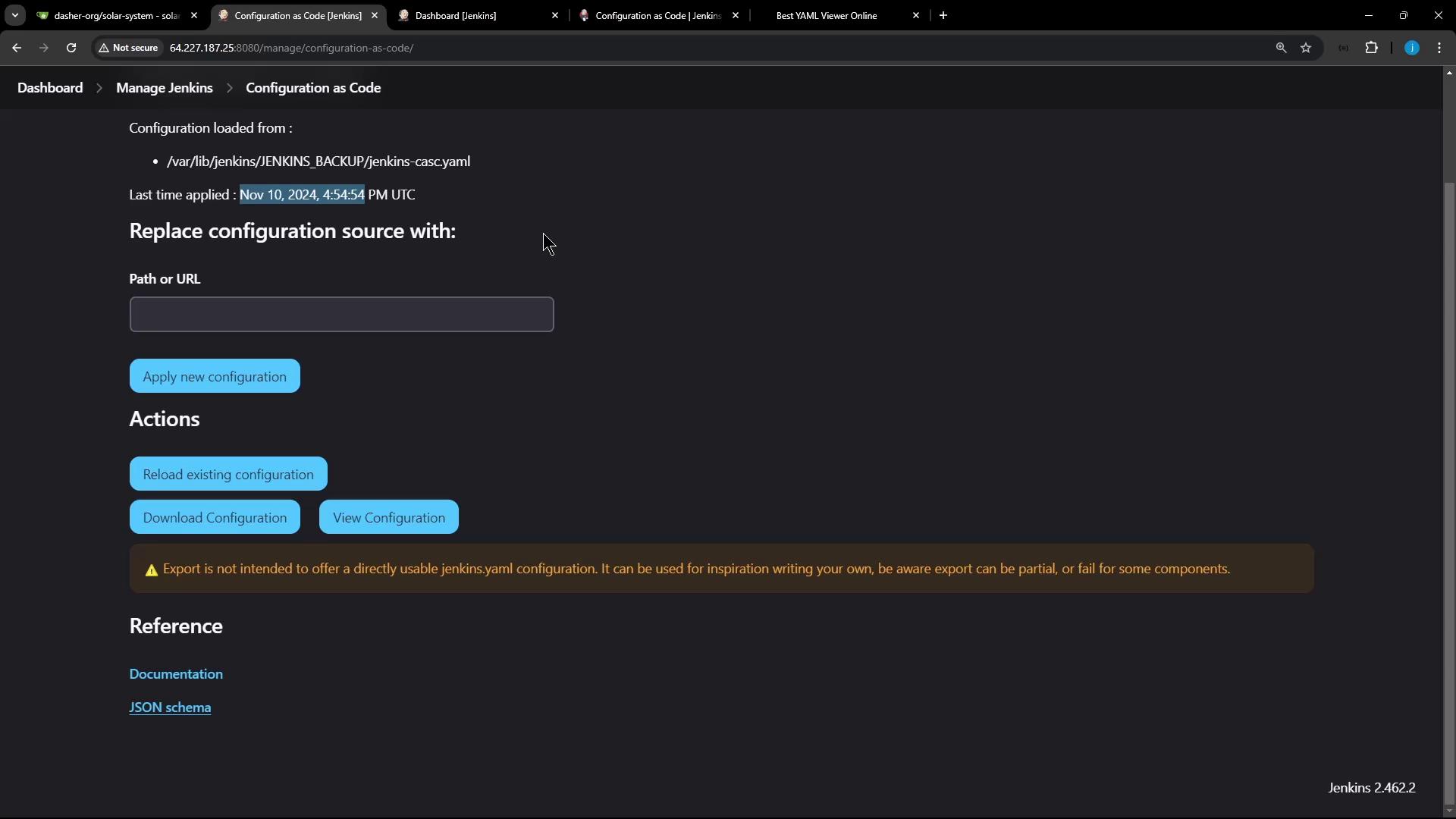
Then, on Manage Jenkins → Configuration as Code , use Replace Configuration to point to:
/var/lib/jenkins/JENKINS_BACKUP/jenkins-casc.yaml
Click Apply New Configuration . Jenkins will validate and apply the YAML, displaying a load timestamp.
Always back up your YAML and test in a non-production instance before applying major changes.
4. Applying and Reloading Configuration
On the CasC page you can also:
Reload Existing Configuration : Reapply last known-good settings
Download Current Configuration : Fetch live YAML/JSON
View Documentation : Open [JCasC docs][casc-doc]
View JSON Schema : Inspect the schema for valid YAML
Here’s a snippet of the JCasC JSON schema:
{
"$schema" : "http://json-schema.org/draft-07/schema#" ,
"description" : "Jenkins Configuration as Code" ,
"type" : "object" ,
"properties" : {
"security" : {
"type" : "object" ,
"properties" : {
"apiToken" : { "type" : "object" }
}
},
"cps" : {
"type" : "object" ,
"properties" : {
"hideSandbox" : { "type" : "boolean" }
}
}
}
}
For more details, see the [official CasC documentation][casc-doc] and explore the [Jenkins schema reference][casc-schema].
Links and References