In this tutorial, we’ll walk through splitting a single Freestyle Project into two separate jobs—ASCII Build Job and ASCII Test Job—and chaining them so that tests run only after a successful build. This approach improves modularity, fault isolation, and scalability of your CI pipeline.

Overview of Workflow

1. Create the Build Job

  1. From the Jenkins dashboard, click New Item, enter ASCII Build Job, and select Freestyle project.
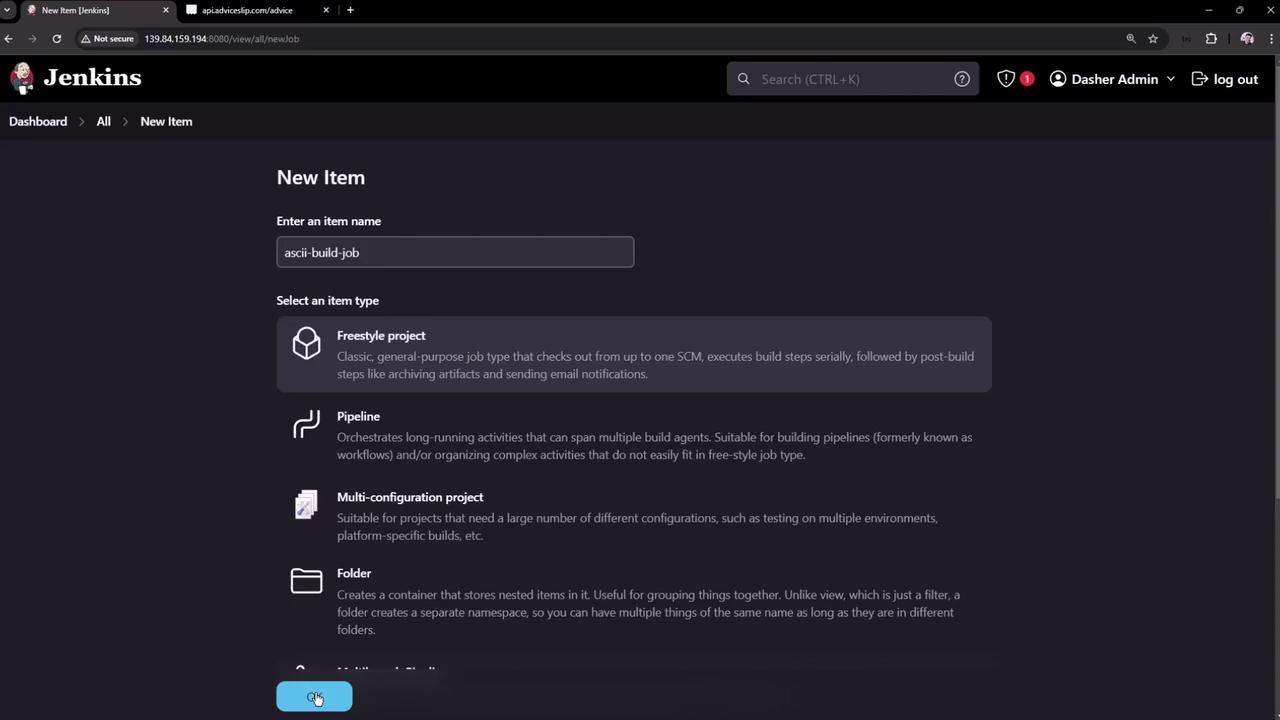
The image shows a Jenkins interface where a new item is being created, with options to select different project types like Freestyle project, Pipeline, Multi-configuration project, and Folder.
  1. In the job’s Build section, add an Execute shell step with:
  2. Save and click Build Now. A successful build shows up on the dashboard:
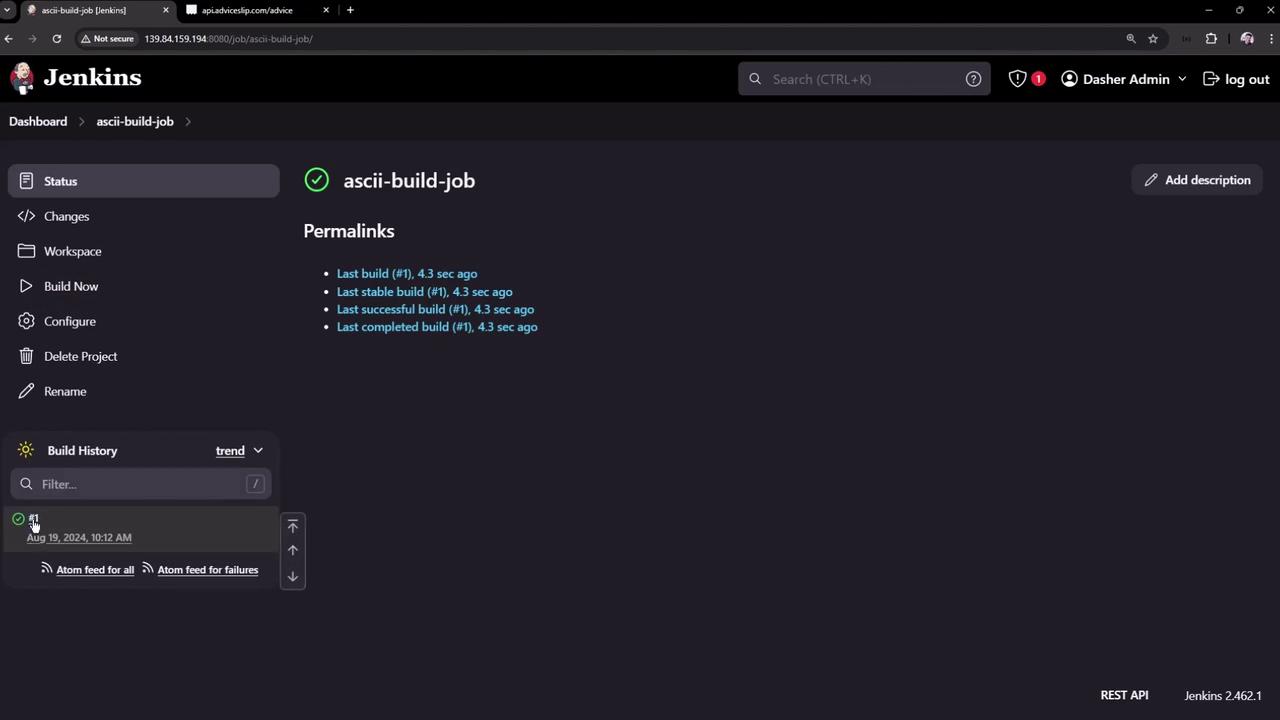
The image shows a Jenkins dashboard for a job named "ascii-build-job," displaying build status and history. It includes details about the last build, stable build, successful build, and completed build, all occurring 4.3 seconds ago.
  1. Inspect the workspace to confirm advice.json exists. Example content:

2. Create the Test Job

  1. Go back to New Item, name it ASCII Test Job, and choose Freestyle project.
  2. In Build → Execute shell, add:
  3. Save the job. (Currently it will fail if run alone, since advice.json is missing.)

3. Chain Jobs with Post-build Actions

Configure ASCII Build Job to trigger ASCII Test Job:
  1. Open ASCII Build Job → Configure.
  2. Scroll to Post-build Actions and choose Build other projects.
  3. Enter ASCII Test Job and select Trigger only if build is stable.
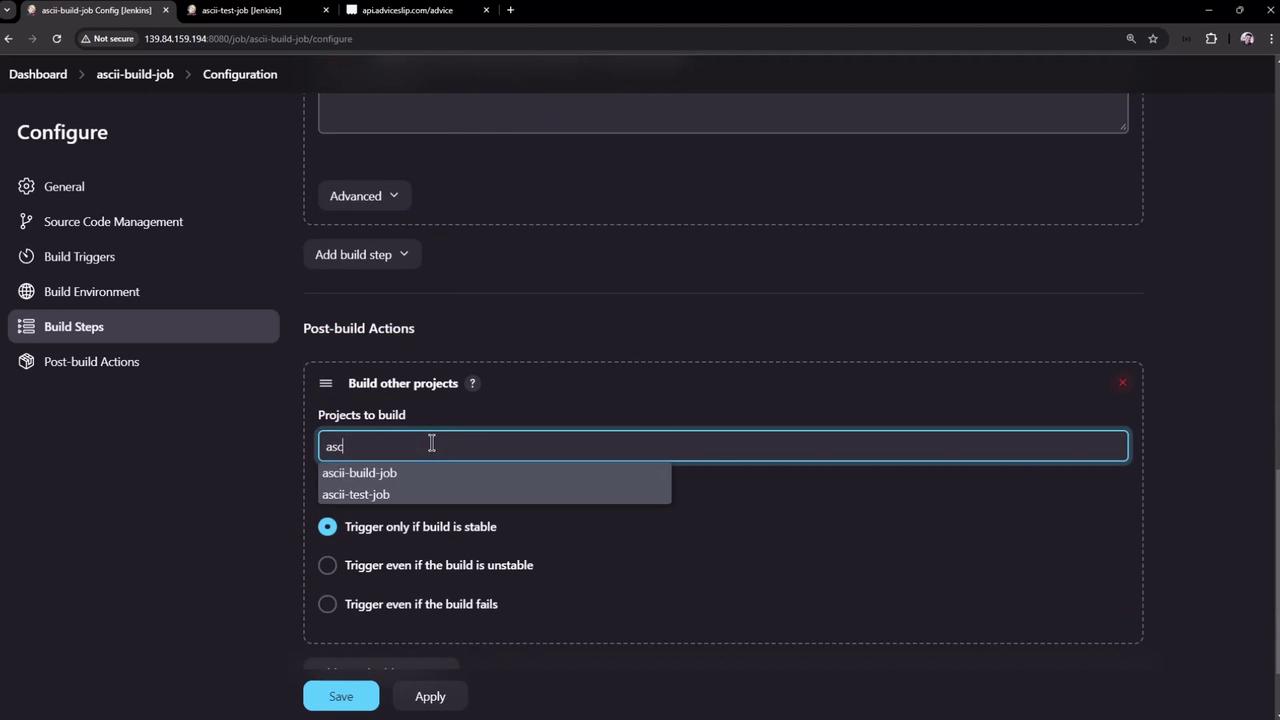
The image shows a Jenkins configuration screen where a user is setting up post-build actions, specifically selecting projects to build and choosing trigger conditions.
  1. Save and rebuild ASCII Build Job. Now the dashboard shows the downstream Test job:
The image shows a Jenkins dashboard for a project named "ascii-build-job," displaying build status, downstream projects, and permalinks to recent builds. The interface includes options for changes, workspace, build history, and configuration.

4. Diagnose Test Failure

If ASCII Test Job fails, open its dashboard:
The image shows a Jenkins dashboard for a project named "ascii-test-job," displaying build status and history, with the last build having failed.
Inspect the console output:
The failure happens because advice.json lives only in the Build job’s workspace.
To share artifacts between upstream and downstream Freestyle Projects, install and use the Copy Artifact Plugin. It lets you pull files like advice.json into the Test job’s workspace before running tests.

References

Watch Video

Practice Lab