

npm audit and OWASP Dependency-Check, then expose the HTML and JUnit reports in your Jenkins pipeline for better visibility and compliance tracking.
1. Identify Failing Dependency Scans
First, run an audit locally to pinpoint blocking issues:2. Fix the Critical Vulnerability
To resolve the critical issue in@babel/traverse, install a version ≥ 7.23.2:
package.json will update under dependencies:
3. Verify in Jenkins
Once pushed, Jenkins triggers a new build. Both NPM Audit and OWASP Dependency Check stages should now pass:4. Publish the HTML Report
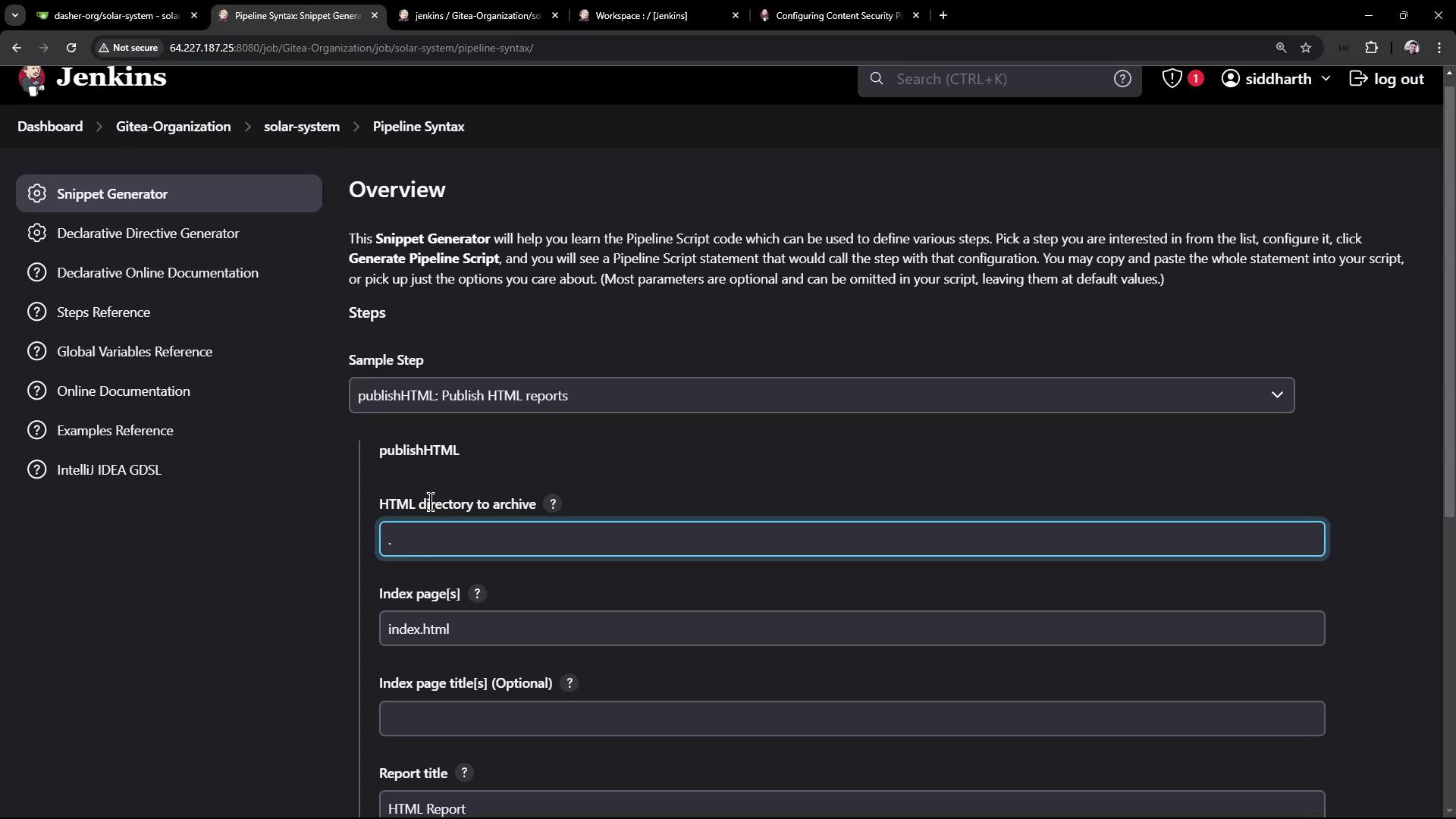
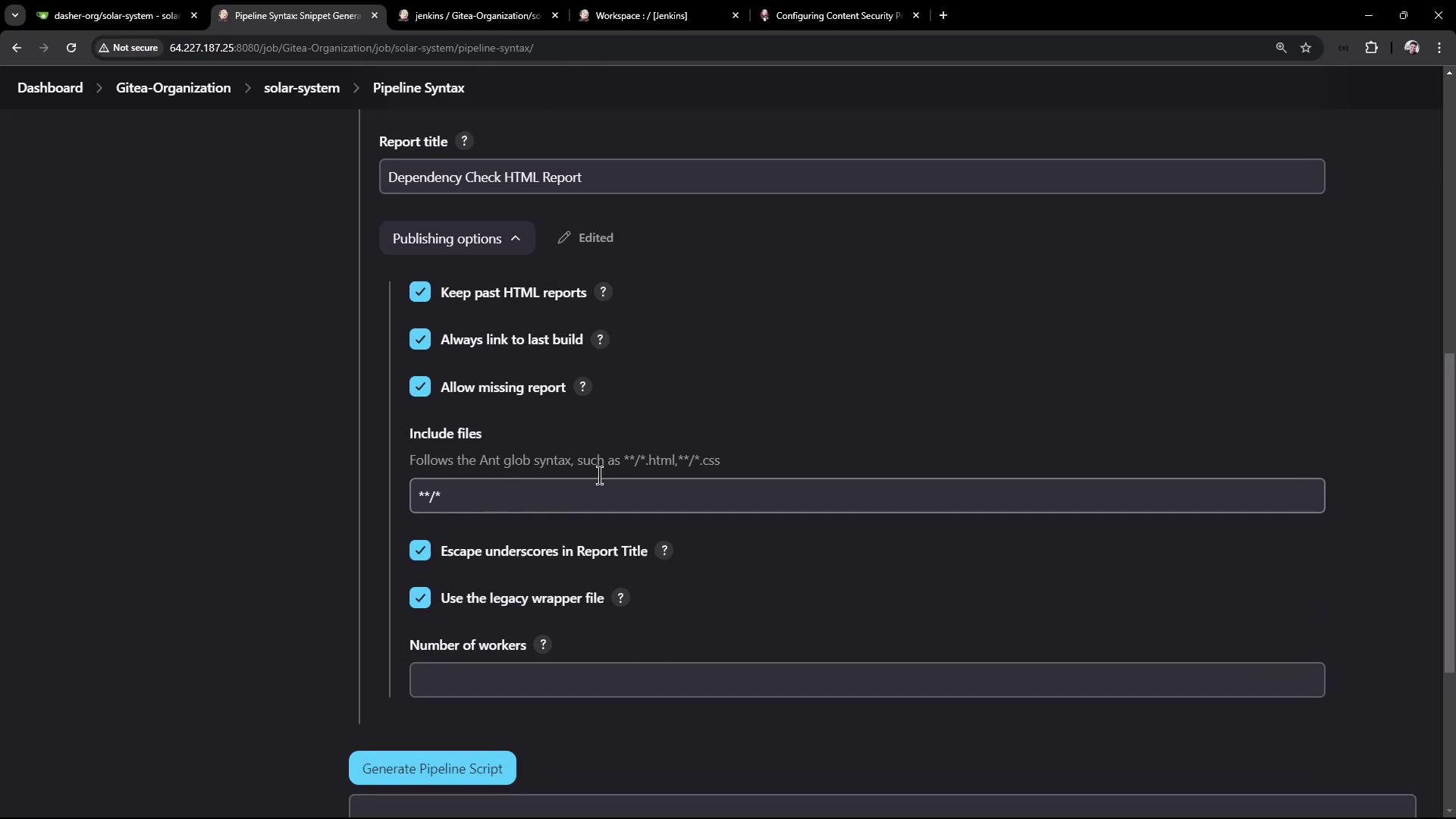
Expose the OWASP Dependency-Check HTML report in Jenkins by using thehtmlPublisher step.
- Open Snippet Generator > Pipeline Syntax > htmlPublisher.
- Set:
- Report directory:
./ - Report files:
dependency-check-jenkins.html - Report name: Dependency Check HTML Report
- Report directory:
- Copy the generated Groovy snippet.
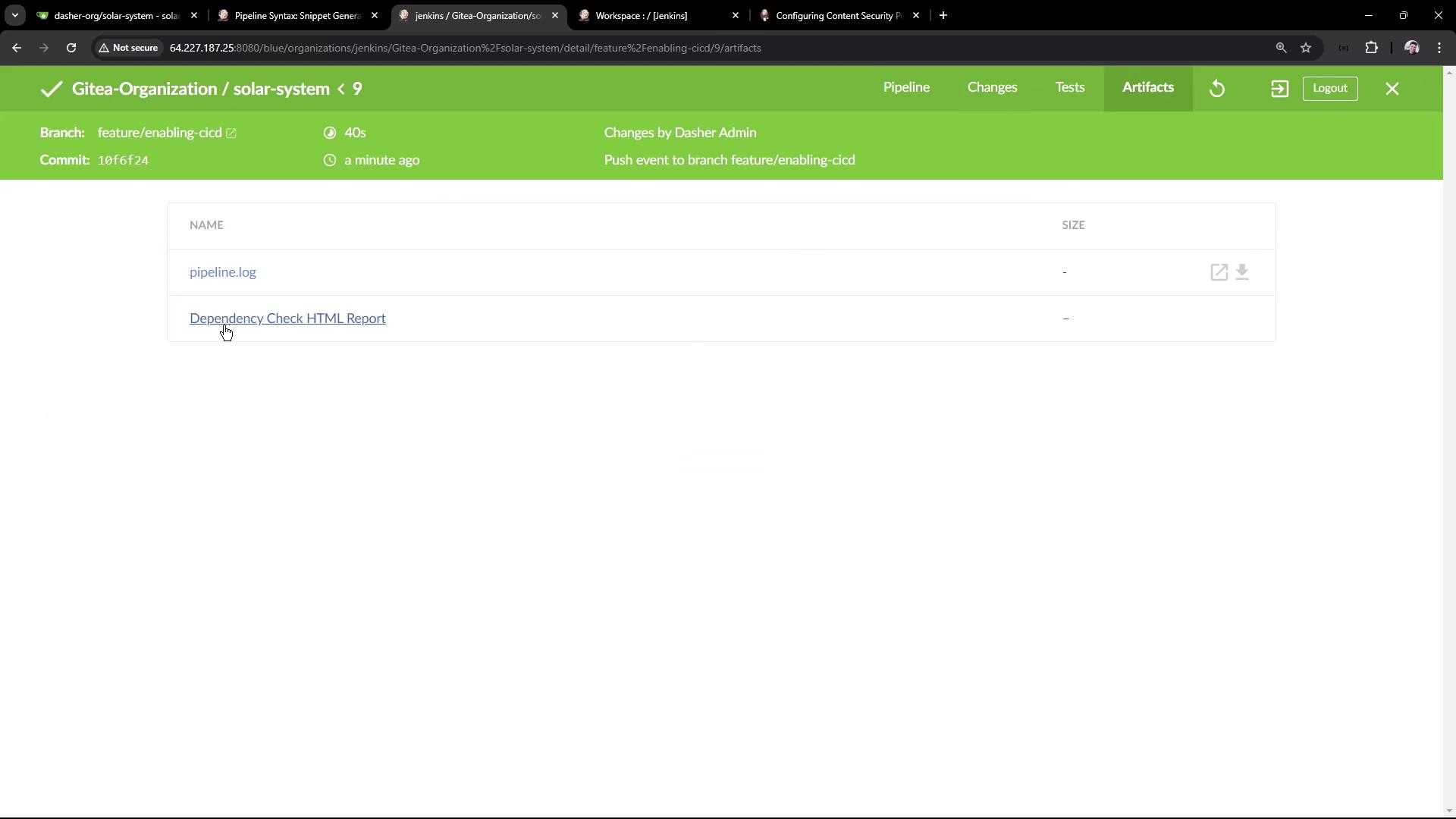
By default, Jenkins enforces a strict Content Security Policy that may strip inline CSS/JS. To allow CSS in archived HTML reports, execute in the Script Console:Then rebuild the job to see the styled report.
5. Publish JUnit XML Results
Show OWASP results in the Test Results tab by adding ajunit publisher:
- Ensure the JUnit plugin is installed.
- In Snippet Generator, select junit.
- Configure:
- Test results:
dependency-check-junit.xml - Allow empty results:
true - Keep properties:
true
- Test results:
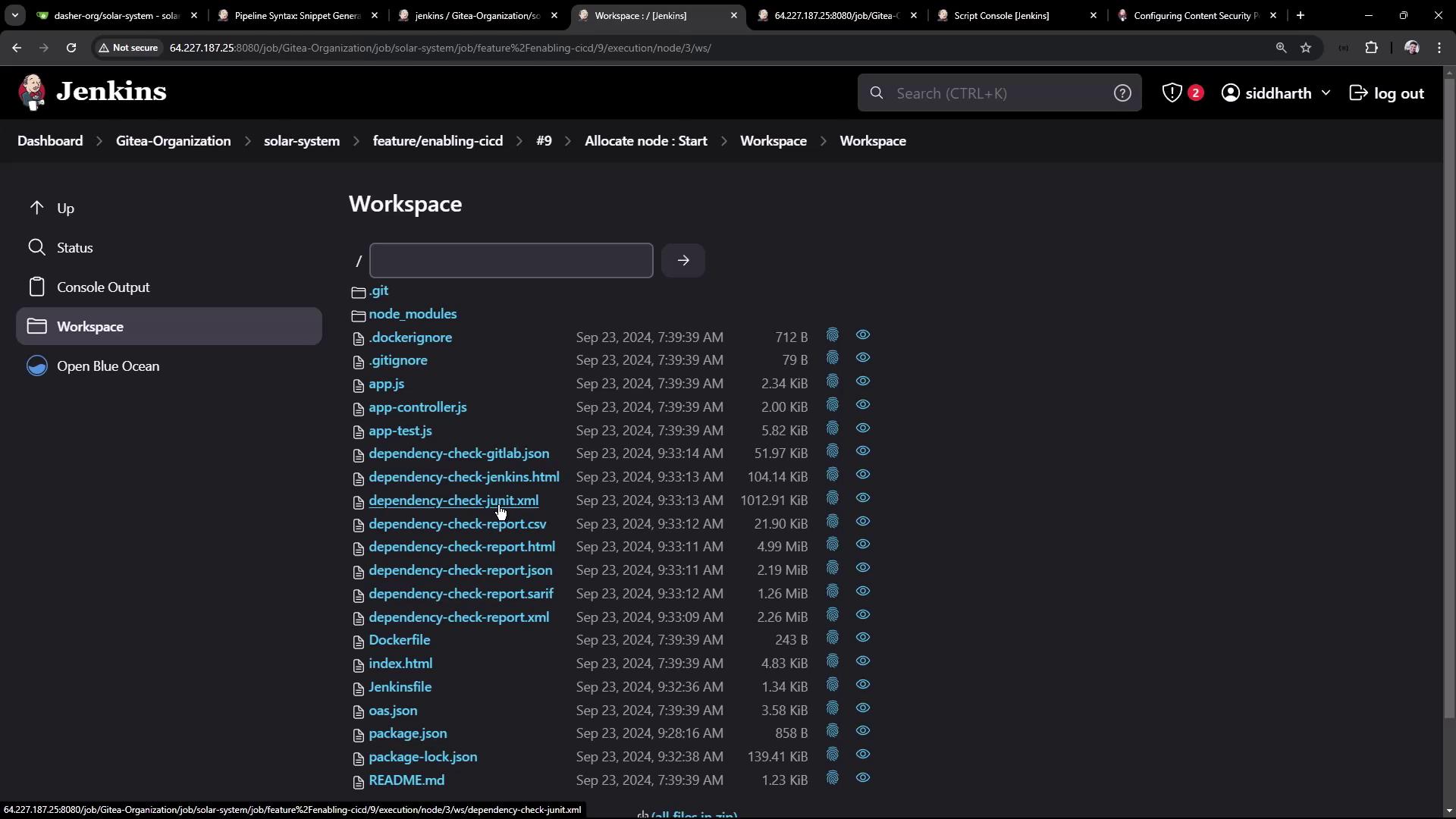
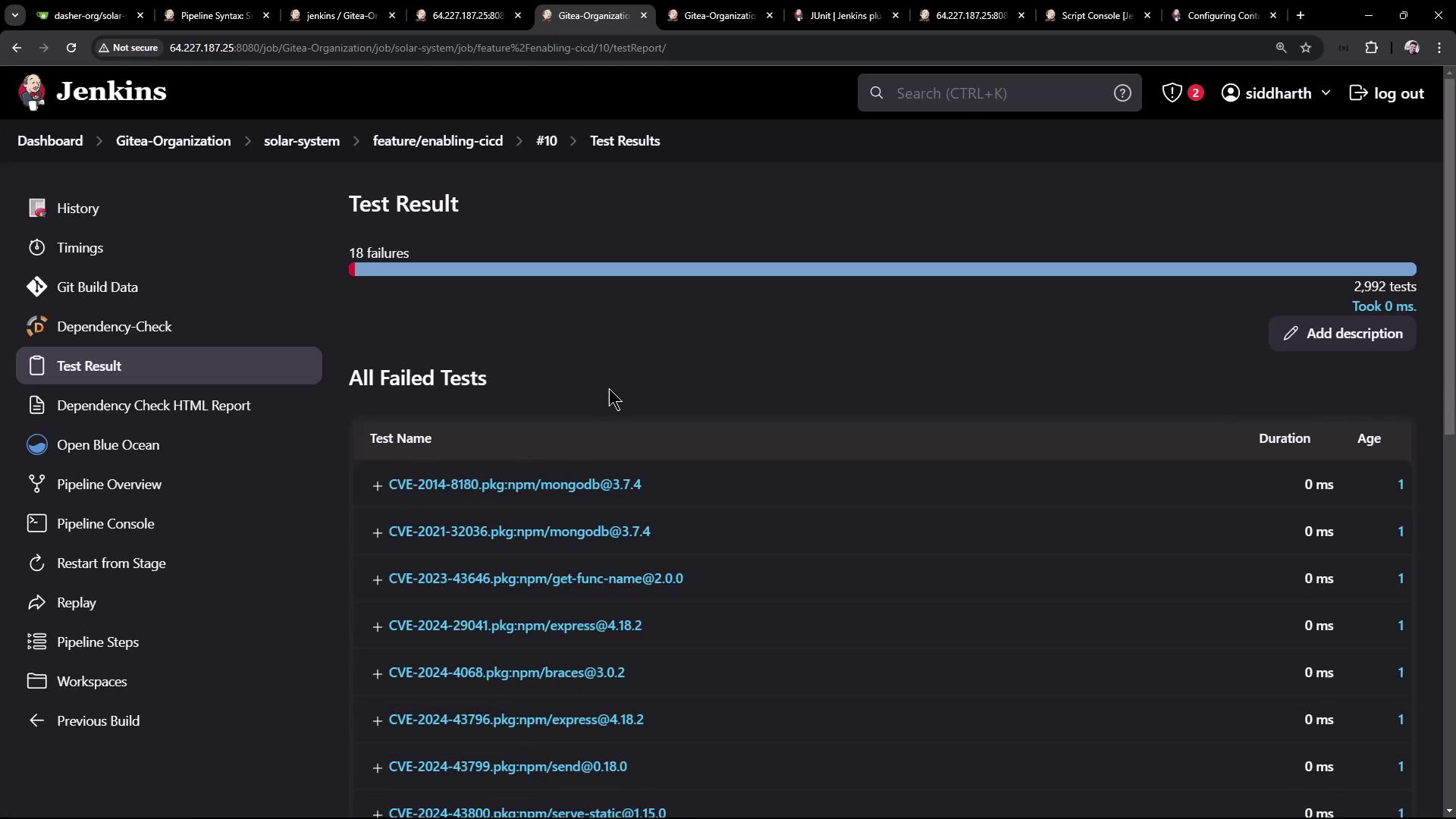
6. View Test Results and Reports
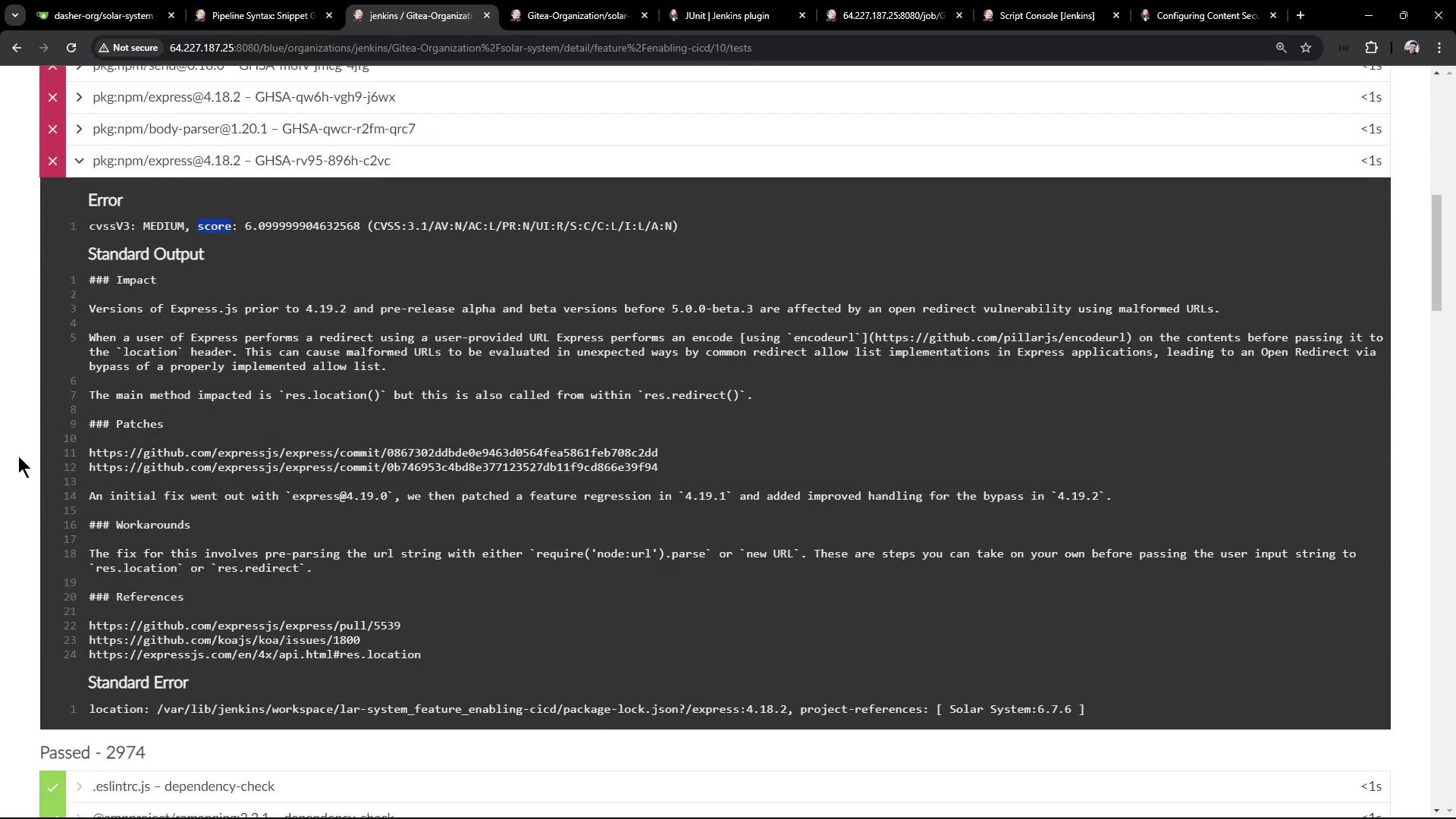
When the pipeline completes (it may show unstable if high-severity issues persist), Jenkins displays a Test Result tab: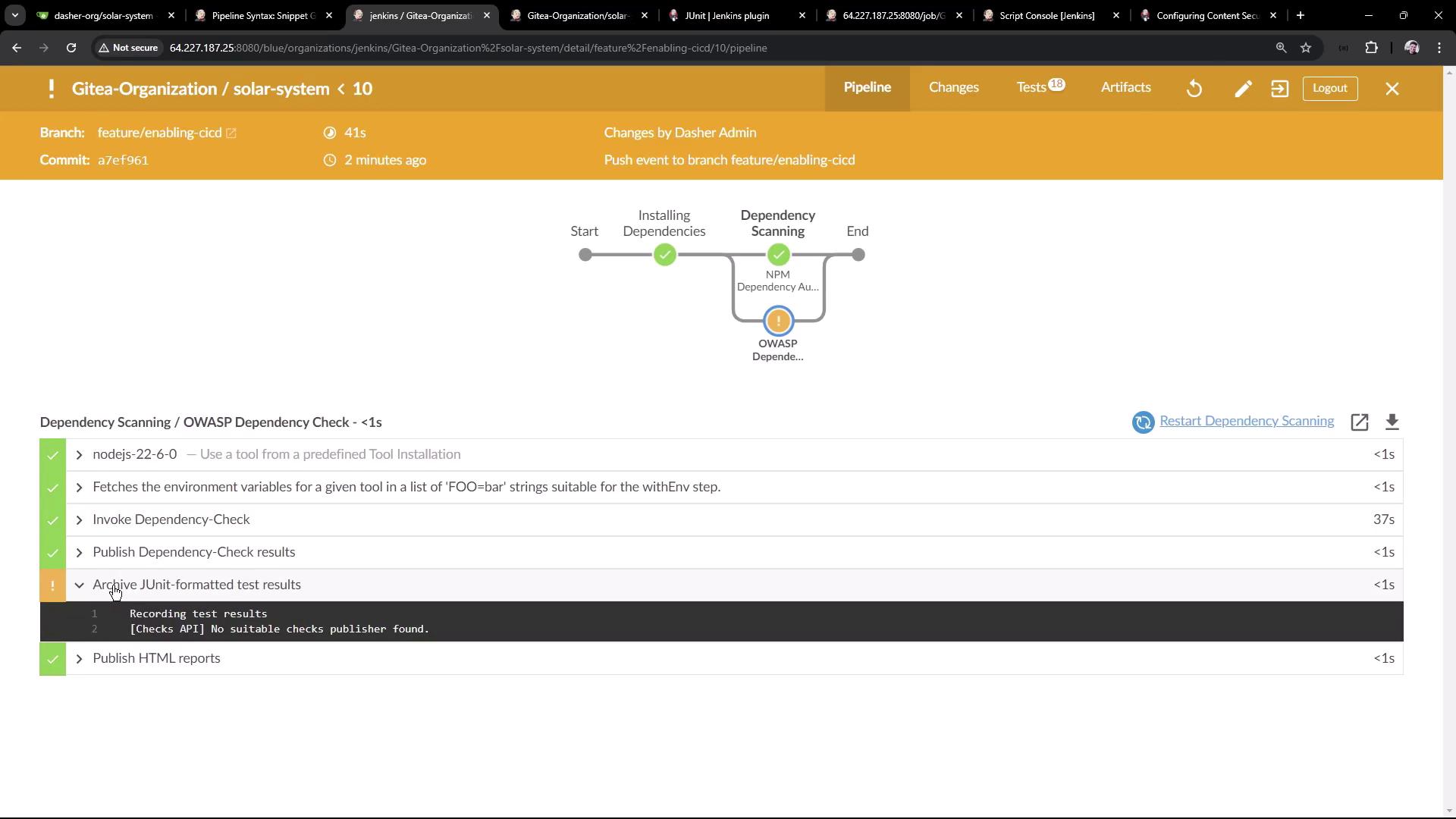
Thank you for following this guide! For further reading, check out: