In this guide, we’ll walk through how to automatically invalidate and recreate your build cache in Jenkins whenever package-lock.json changes. Leveraging the Job Cache Plugin’s cacheValidityDecidingFile option ensures that any update to your dependencies triggers a fresh cache, keeping your builds both fast and reliable.

Prerequisites

  • A Jenkins instance with the Job Cache Plugin installed
  • A Git repository named solar-system checked out on your Jenkins agent
  • Node.js and npm configured on the build agent

1. Install a New Dependency

First, switch to the solar-system repository on your local machine or CI checkout:
cd ~/solar-system
Then install the localtunnel package:
npm install localtunnel
This updates both package.json and package-lock.json:
 npm install localtunnel
added 7 packages, and audited 366 packages in 2s
45 packages are looking for funding
run `npm fund` for details
10 vulnerabilities (1 low, 4 moderate, 5 high)
Changing or adding a dependency always modifies package-lock.json. We’ll use this file’s hash to decide cache validity.
Commit and push your changes to trigger the Jenkins pipeline:
git add package.json package-lock.json
git commit -m "Add localtunnel dependency"
git push origin feature/advanced-demo

2. Observe Cache Invalidation in Jenkins

Navigate to your Jenkins job’s Installing Dependencies stage for build #19, and search the logs for “cache”:
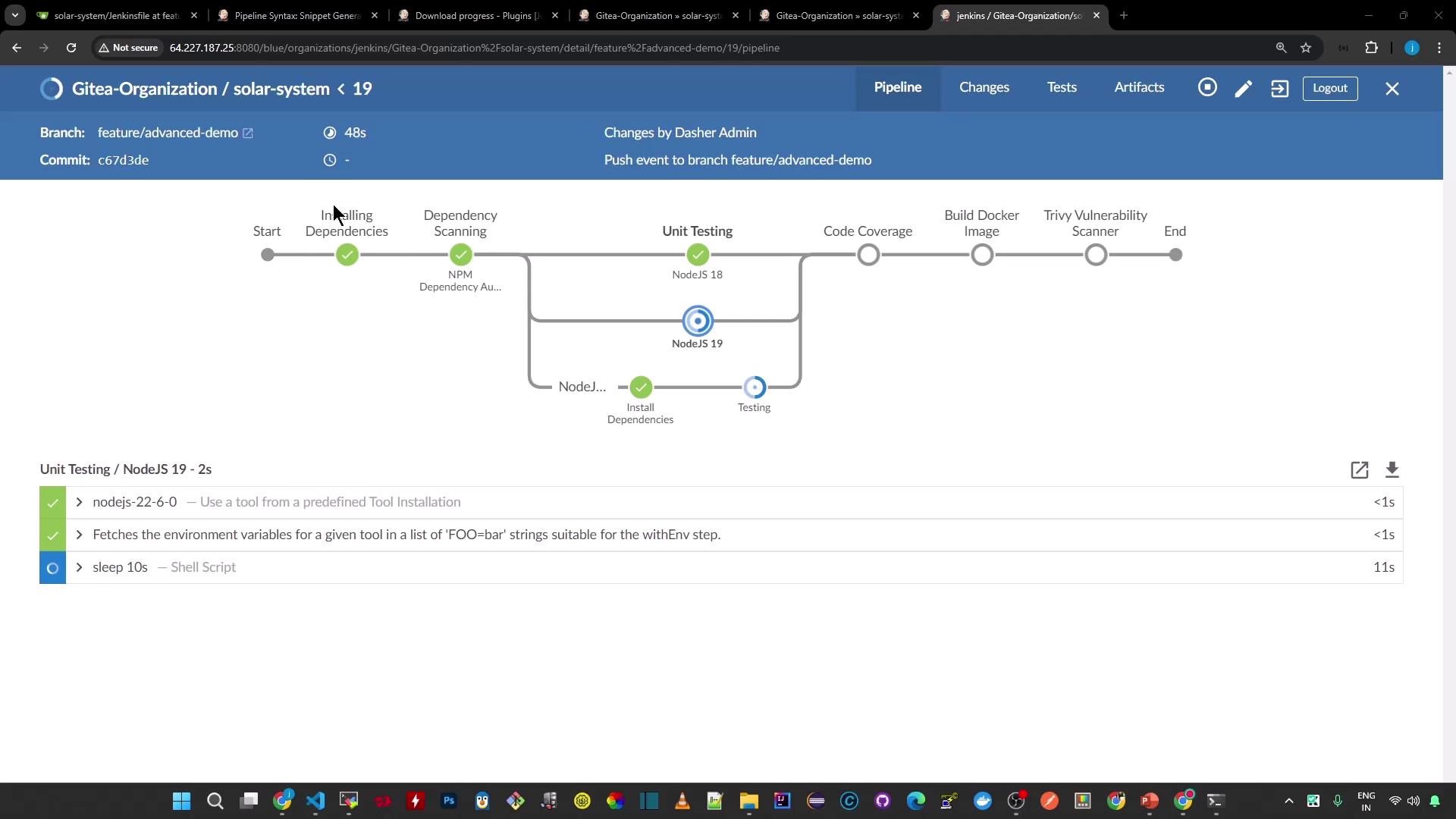
The image shows a Jenkins pipeline interface for a project in the "Gitea-Organization" with stages like "Installing Dependencies," "Dependency Scanning," "Unit Testing," and more. It includes details about the branch, commit, and specific tasks within the pipeline.

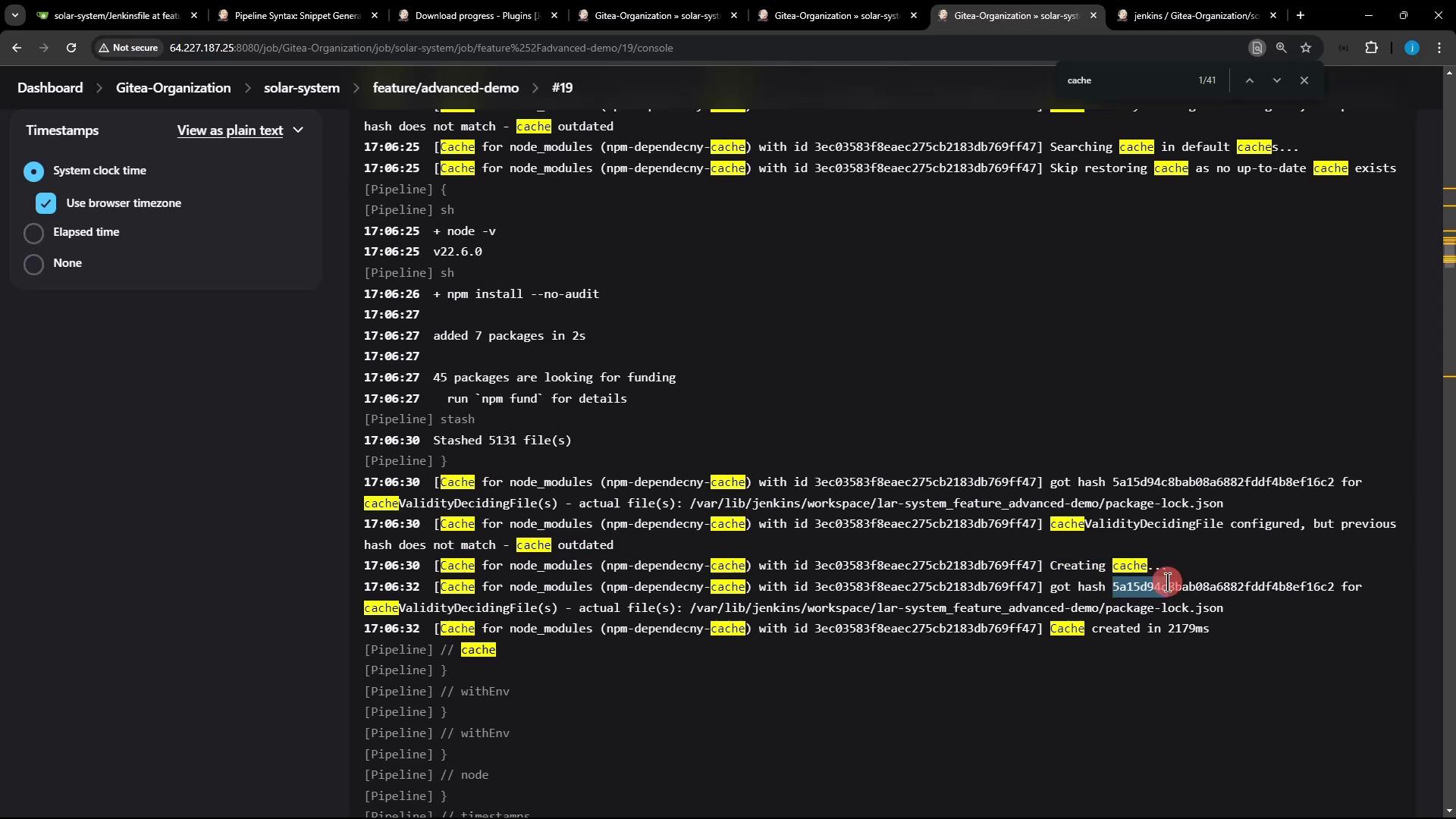
Build #19 Logs (Cache Miss)

17:06:25 [Pipeline] sh
17:06:25 + node -v
17:06:27 [Pipeline] sh
17:06:27 + npm install --no-audit
17:06:27 added 7 packages in 2s
17:06:27 45 packages are looking for funding
               run `npm fund` for details
17:06:30 [Pipeline] stash
17:06:30 Stashed 5131 file(s)
17:06:30 [Pipeline] }
Because package-lock.json changed, the Job Cache Plugin calculates a new hash, decides the existing cache is outdated, skips the restore, and then stashes all files to create a fresh cache.

Prior Build (Cache Hit)

node -v
v22.6.0
npm install --no-audit
# up-to-date (restored from cache)

Cache Invalidation Details

17:06:30 cacheValidityDecidingFile(s) - actual file(s): /var/lib/jenkins/workspace/solar-system_feature_advanced-demo/package-lock.json
17:06:30 hash does not match - cache outdated
17:06:32 Creating cache...
17:06:32 got hash 5a1549c4b8a6882fddf4b8ef16c2 for cacheValidityDecidingFile
17:06:32 Cache created in 2179ms
The image shows a console output from a Jenkins job, displaying logs related to caching and package installation processes. The word "cache" is highlighted multiple times throughout the text.

3. Cache Behavior Comparison

ScenarioCache RestoredAction Taken
package-lock.json unchangedYes (cache hit)Skip install, restore cache
package-lock.json modifiedNo (cache miss)Reinstall & stash new cache

Conclusion

By configuring the Job Cache Plugin’s cacheValidityDecidingFile to point at package-lock.json, Jenkins automatically invalidates the cache whenever your dependencies change. This ensures that you always rebuild on the latest set of packages, while still benefiting from caching on subsequent runs.