

- Simplify credential handling
- Remove duplicate
withCredentialsblocks - Centralize test report and HTML publishing in a
postsection
Original Jenkinsfile Snippet
Both the Unit Testing and Code Coverage stages currently use identicalwithCredentials wrappers:
1. Injecting Credentials via environment
Instead of wrapping every stage in withCredentials, Jenkins can populate environment variables automatically:
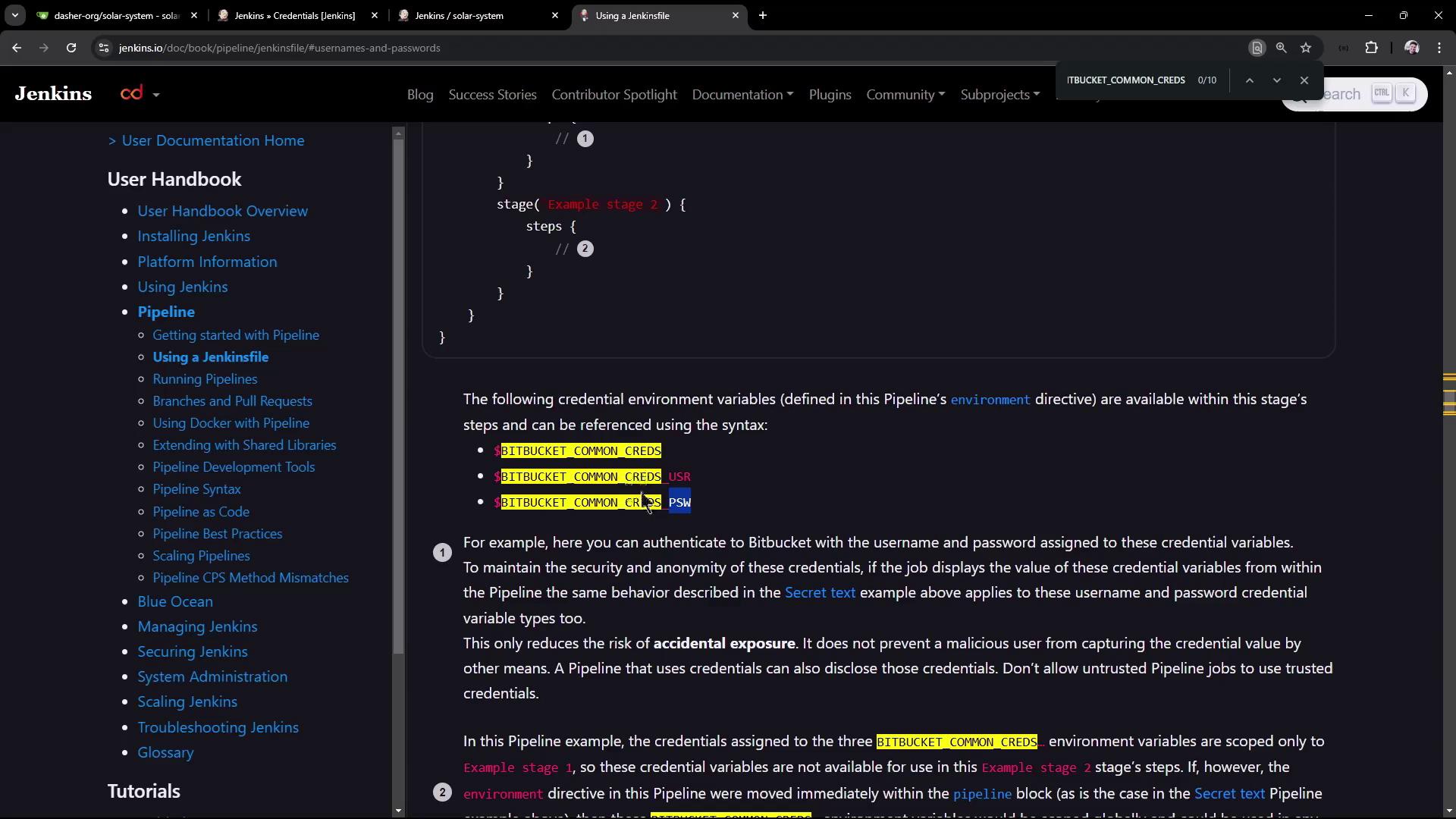
Define a Single Credential
You can echo these variables to confirm that Jenkins injects them correctly, but remember that secrets remain masked in logs.
2. Why the Stage Fails
After pushing, the build fails: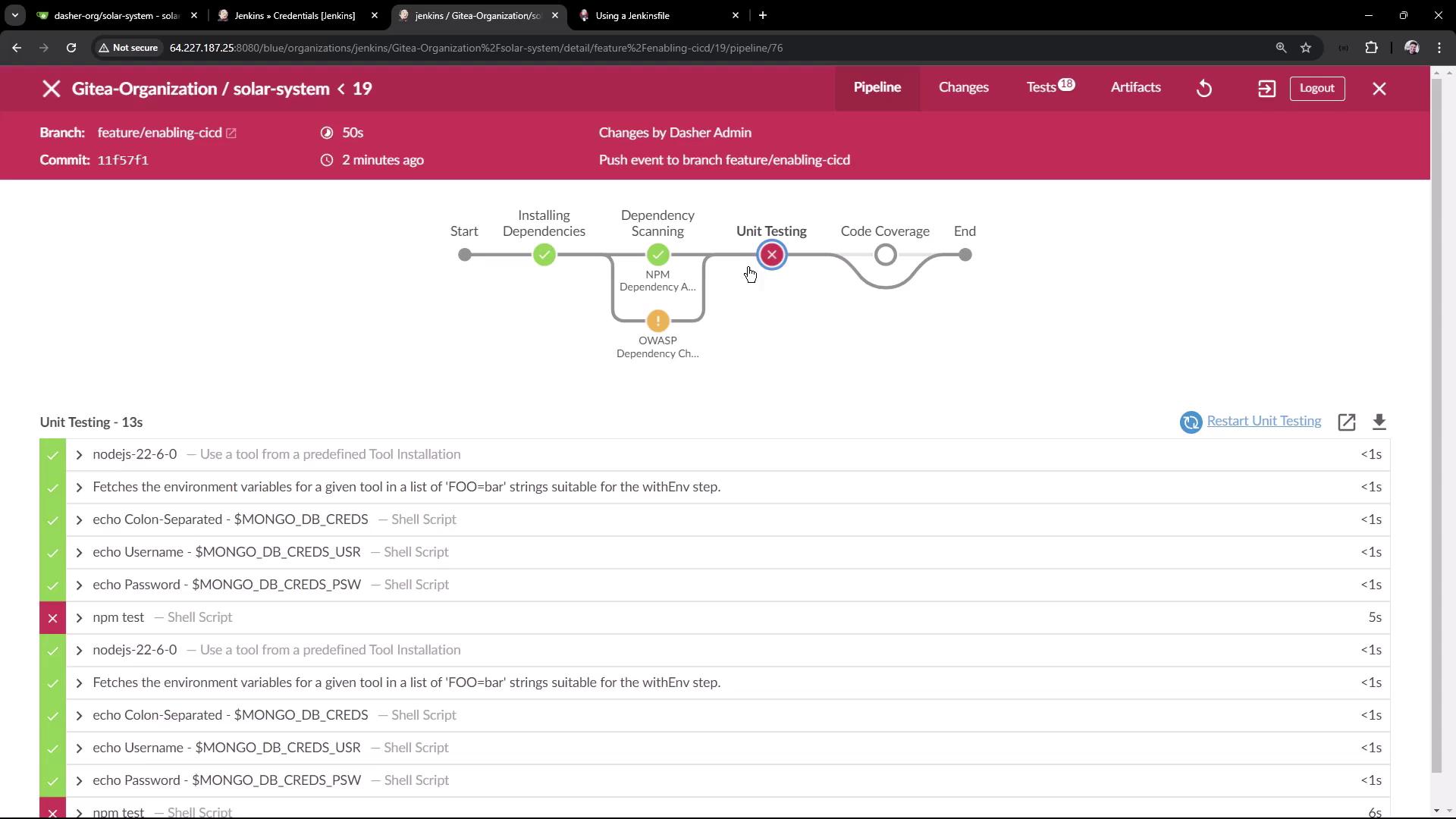
$MONGO_DB_CREDSis masked$MONGO_DB_CREDS_USRis displayed$MONGO_DB_CREDS_PSWis masked
MONGO_USERNAME and MONGO_PASSWORD, so the stage cannot authenticate.
3. Defining Separate Secret-Text Credentials
To match your test code, split the single credential into two Secret text entries:- In Jenkins UI, go to Credentials > Global.
- Add Secret text credentials:
- ID:
mongo-db-username→ MongoDB username - ID:
mongo-db-password→ MongoDB password
- ID:
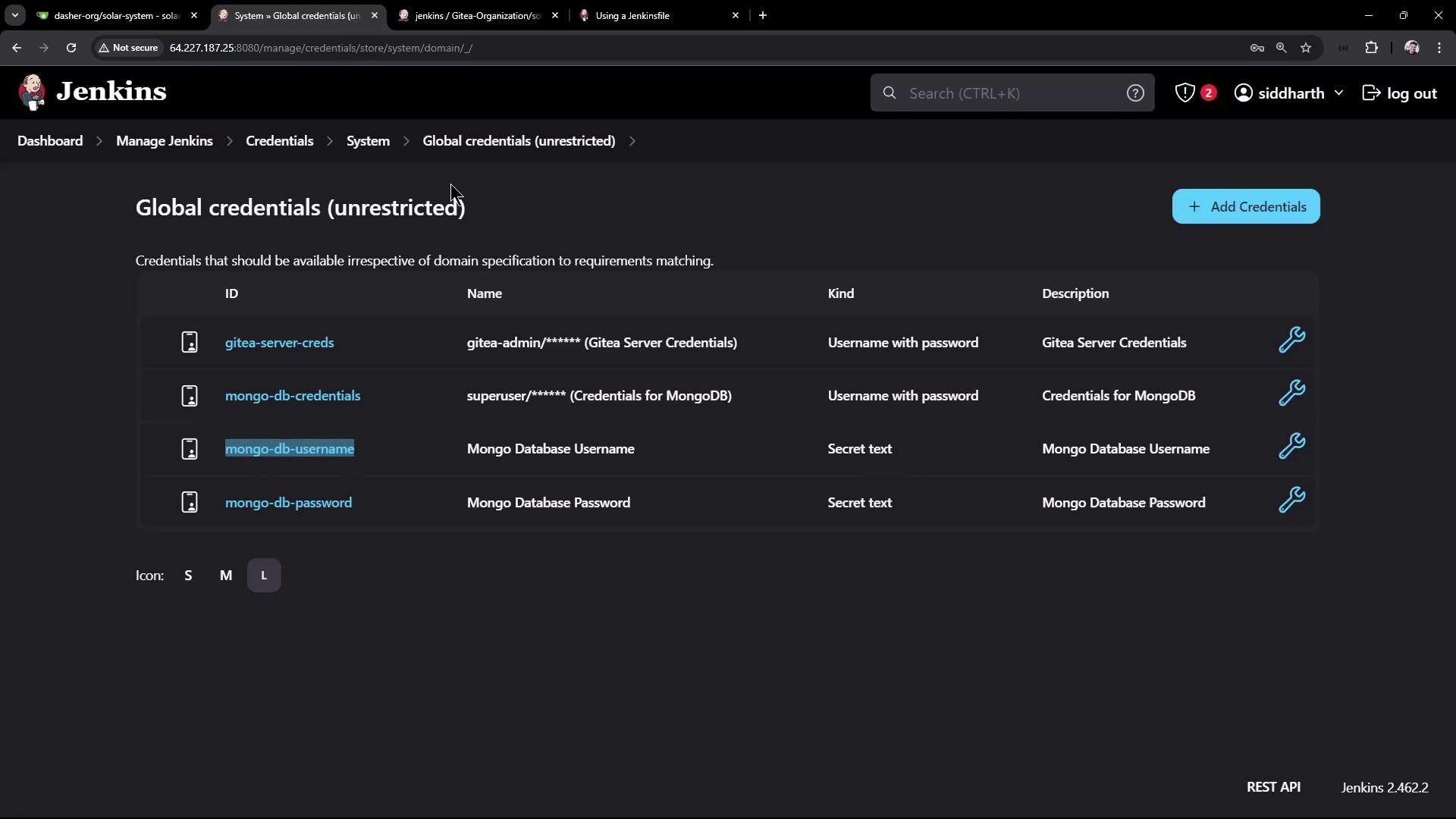
- Update the
environmentblock accordingly:
4. Centralizing Reports in post { always { ... } }
Rather than repeating junit and publishHTML in each stage, use a post block to archive all reports after every build:
Don’t forget to adjust
testResults patterns if you rename or relocate report files—otherwise Jenkins may skip them.5. Run the Refactored Pipeline
With credentials injected at the top and reports centralized, the build should now succeed:Final Full Example
Links and References
- Jenkins Pipeline Syntax: Environment
- Jenkins Credentials Binding Plugin
- Mocha JUnit Reporter
- Jenkins HTML Publisher Plugin