

- Scalability — run builds and tests in parallel on many worker machines.
- Resilience — isolate failures to worker nodes and protect controller state.
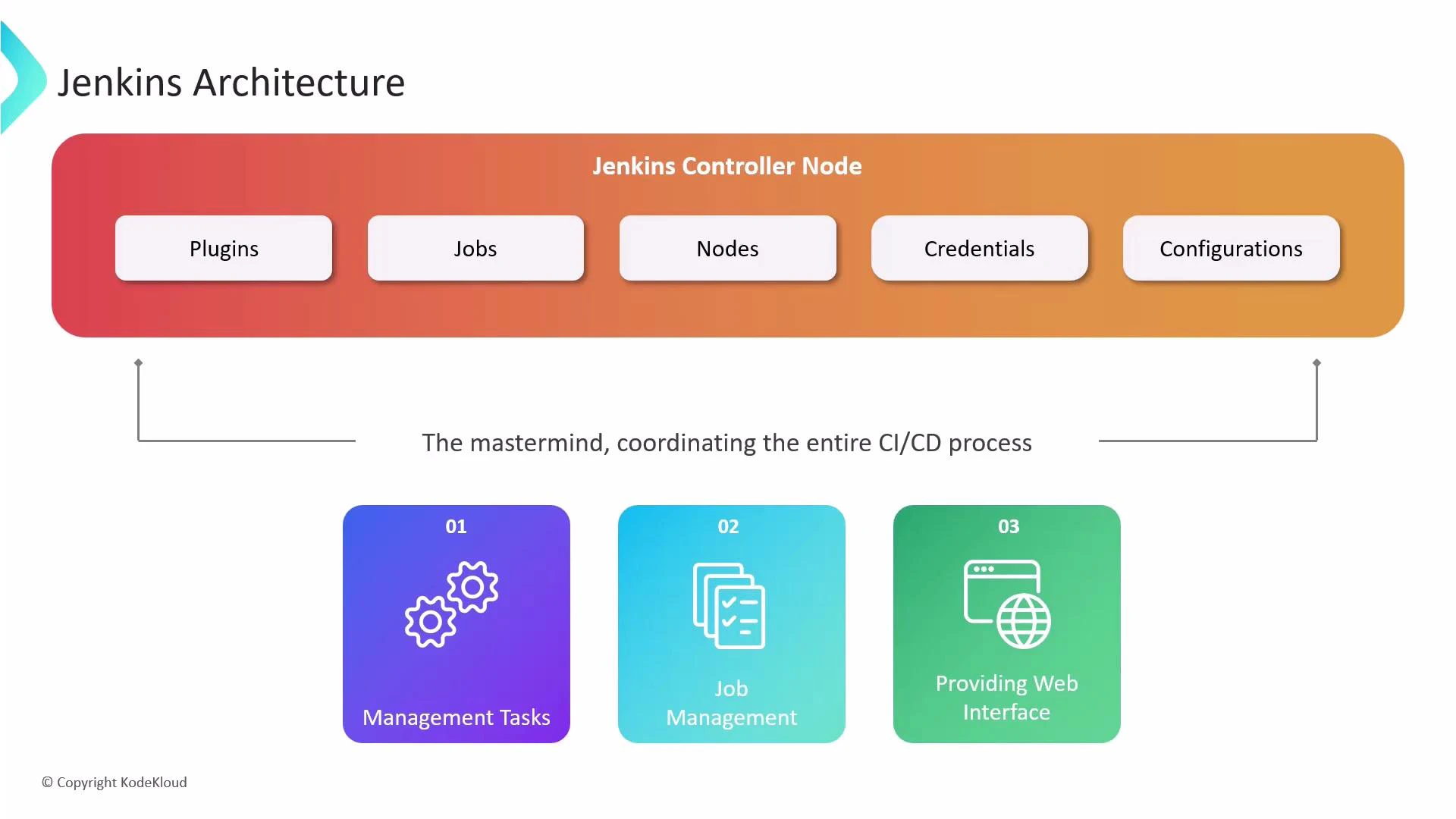
- Centralized control — one controller coordinates jobs, plugins, and configuration.
Jenkins Controller (the coordination hub)
The central component is the Jenkins Controller (historically called the “master”). The controller is responsible for:- Authentication and authorization (user management and access control).
- Defining, scheduling, and monitoring jobs and pipelines.
- Hosting the web UI, managing plugins, and handling global configuration.
- Persisting metadata such as credentials, job definitions, and job history.
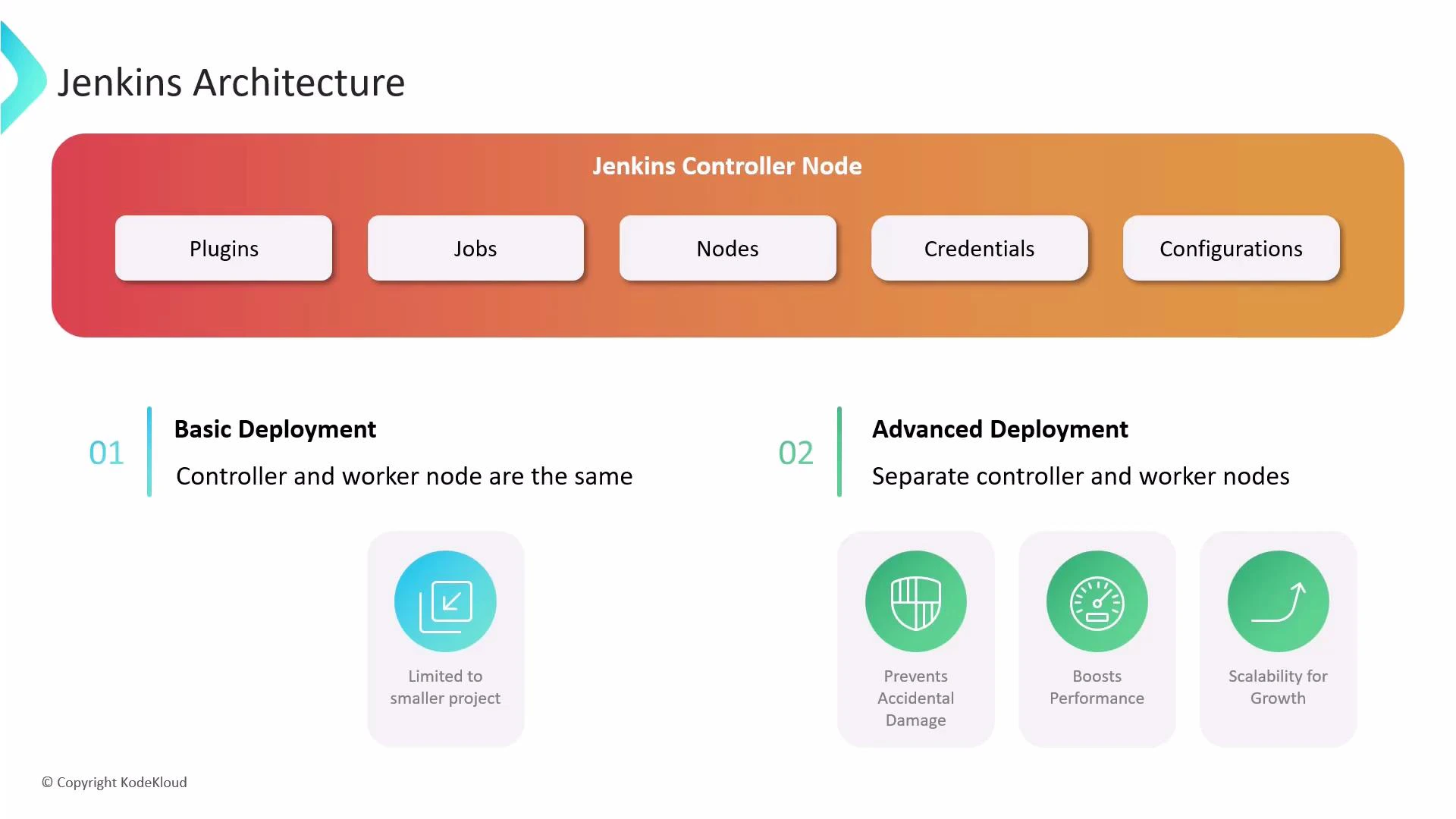
Deployment topologies: single-node vs. distributed
Separating the controller from worker nodes is the recommended production practice. Benefits include:- Protecting controller configuration and state from job-side effects.
- Improving throughput by distributing build workloads.
- More predictable scaling—add more worker nodes when demand increases.
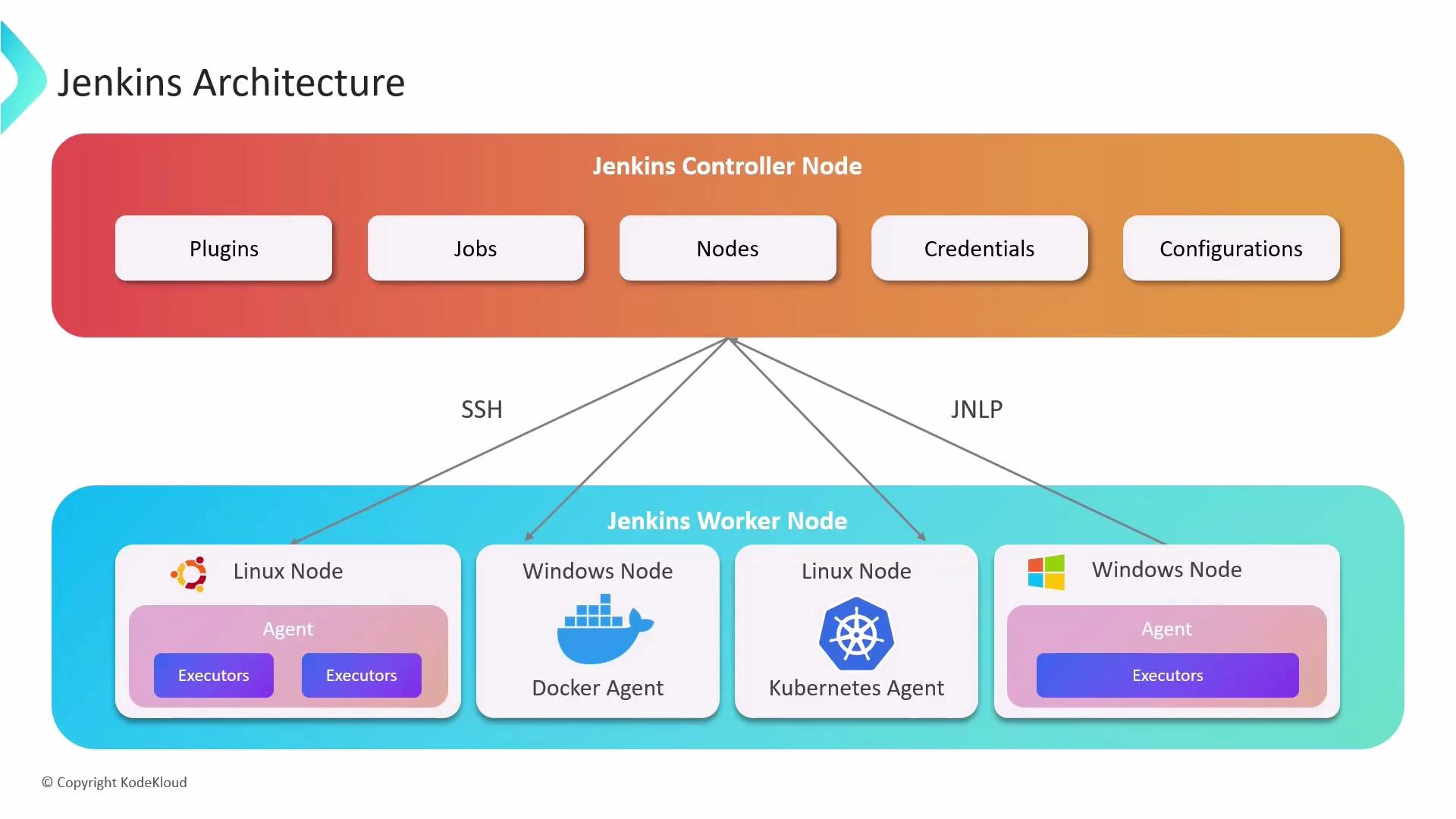
Nodes, agents, and executors
Nodes (also called agents; legacy docs may use “slaves”) are the worker machines that perform builds, tests, and deployments. They can be physical or virtual machines, VMs, containers, or pods.- Connection protocols: Nodes connect to the controller via SSH or JNLP (Java Network Launching Protocol). See SSH and JNLP for details.
- Executors: Each node exposes a configurable number of executors — each executor is a slot that can run one build at a time. The number of executors determines concurrency on that node.
- Assign more executors for parallel builds if the node has sufficient CPU, memory, and I/O.
- Limit executors to avoid resource contention and unstable builds.
Best practice: For isolation, assign one executor per node for critical or heavy tasks. On powerful machines, starting with one executor per CPU core is common—measure resource usage and tune executors accordingly.
- SSH agents — controller connects over SSH and launches the agent process on the node.
- JNLP agents — the node initiates a connection to the controller using JNLP.
- Docker agents — builds execute inside containers using a specified Docker image, ensuring reproducible environments.
- Kubernetes agents — Jenkins provisions ephemeral pods in a Kubernetes cluster to run jobs on-demand and scale dynamically.
Quick comparison table
How Jenkins schedules and runs work
- Define jobs and pipelines on the controller using the web UI, CLI, or REST API.
- The controller maintains the inventory of connected nodes and their free executors.
- When a job is triggered, the controller selects an appropriate node and allocates an executor.
- The agent on that node runs the build using available tools or inside a container, producing logs and artifacts.
- On completion, the node returns build status, artifacts, and logs to the controller for display, storage, and downstream processing.
Do not run resource-intensive builds directly on the controller in production. Keep the controller focused on coordination, and run builds on dedicated worker nodes or containerized agents to avoid impacting Jenkins availability.
References and further reading
- Jenkins - Using Agents
- Jenkins - Remote Access API
- Jenkins - Managing Jenkins (CLI)
- OpenSSH
- Docker
- Kubernetes