In this tutorial, you’ll learn how to build a single, parameterized Jenkins pipeline that can switch between branches, customize ports, and adjust timeouts—all without duplicating your Jenkinsfile. Parameterized pipelines make your CI/CD workflows more flexible and maintainable.
What Is a Parameterized Pipeline?
A parameterized build in Jenkins lets you define input variables that users can set at build time. This approach helps you:
Reuse the same pipeline for multiple branches or environments
Pass dynamic values such as branch names, ports, or timeouts
Reduce Jenkinsfile duplication and improve maintainability
Example Repository
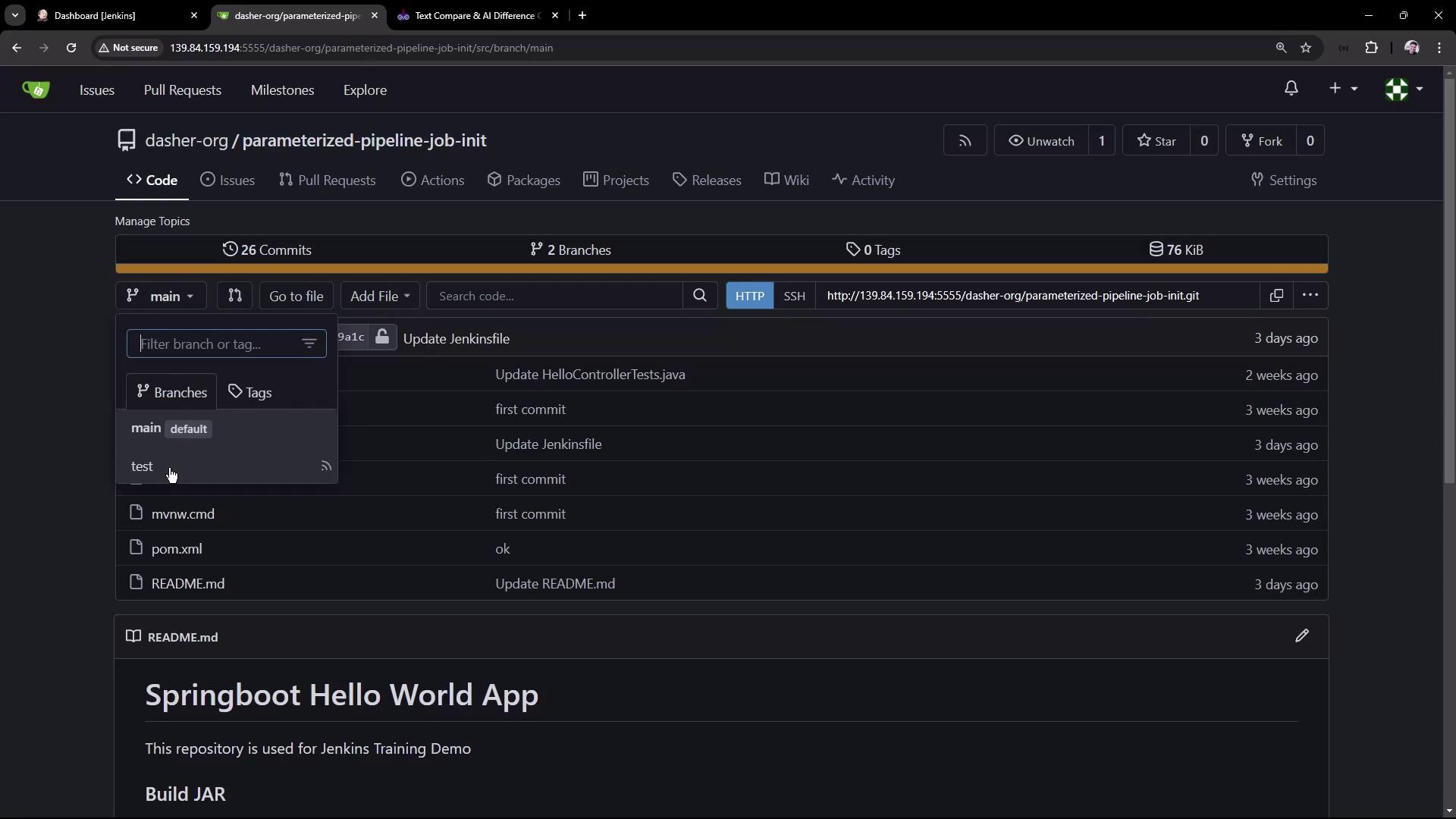
We’ll use the parameterized-pipeline-job-init GitHub repository, which contains a simple Spring Boot “Hello World” application. There are two branches:
main : Production pipeline with containerization and Kubernetes deployment
test : Basic pipeline that builds, tests, and deploys locally
Pipeline Definition: test Branch
pipeline {
agent any
tools { maven 'M398' }
stages {
stage( 'Maven Version' ) {
steps {
sh 'echo Print Maven Version'
sh 'mvn -version'
}
}
stage( 'Build' ) {
steps {
sh 'mvn clean package -DskipTests=true'
archiveArtifacts 'target/hello-demo-*.jar'
}
}
stage( 'Test' ) {
steps {
sh 'mvn test'
junit( testResults : 'target/surefire-reports/TEST-*.xml' ,
keepProperties : true ,
keepTestNames : true )
}
}
stage( 'Local Deployment' ) {
steps {
sh 'java -jar target/hello-demo-*.jar > /dev/null &'
}
}
stage( 'Integration Testing' ) {
steps {
sh 'sleep 10s'
sh 'echo Testing using cURL commands......'
}
}
}
}
Pipeline Definition: main Branch
pipeline {
agent any
tools { maven 'M398' }
stages {
stage( 'Build' ) {
steps {
sh 'mvn clean package -DskipTests=true'
archiveArtifacts 'target/hello-demo-*.jar'
}
}
stage( 'Test' ) {
steps {
sh 'mvn test'
junit( testResults : 'target/surefire-reports/TEST-*.xml' ,
keepProperties : true ,
keepTestNames : true )
}
}
stage( 'Containerization' ) {
steps {
sh 'echo Docker Build Image..'
sh 'echo Docker Tag Image....'
sh 'echo Docker Push Image......'
}
}
stage( 'Kubernetes Deployment' ) {
steps {
sh 'echo Deploy to Kubernetes using ArgoCD'
}
}
stage( 'Integration Testing' ) {
steps {
sh 'sleep 10s'
sh 'echo Testing using cURL commands......'
}
}
}
}
Goal: One Job for Both Branches
Instead of creating separate Jenkins jobs, we’ll parameterize a single pipeline so it can target either branch at build time.
1. Create the Parameterized Job
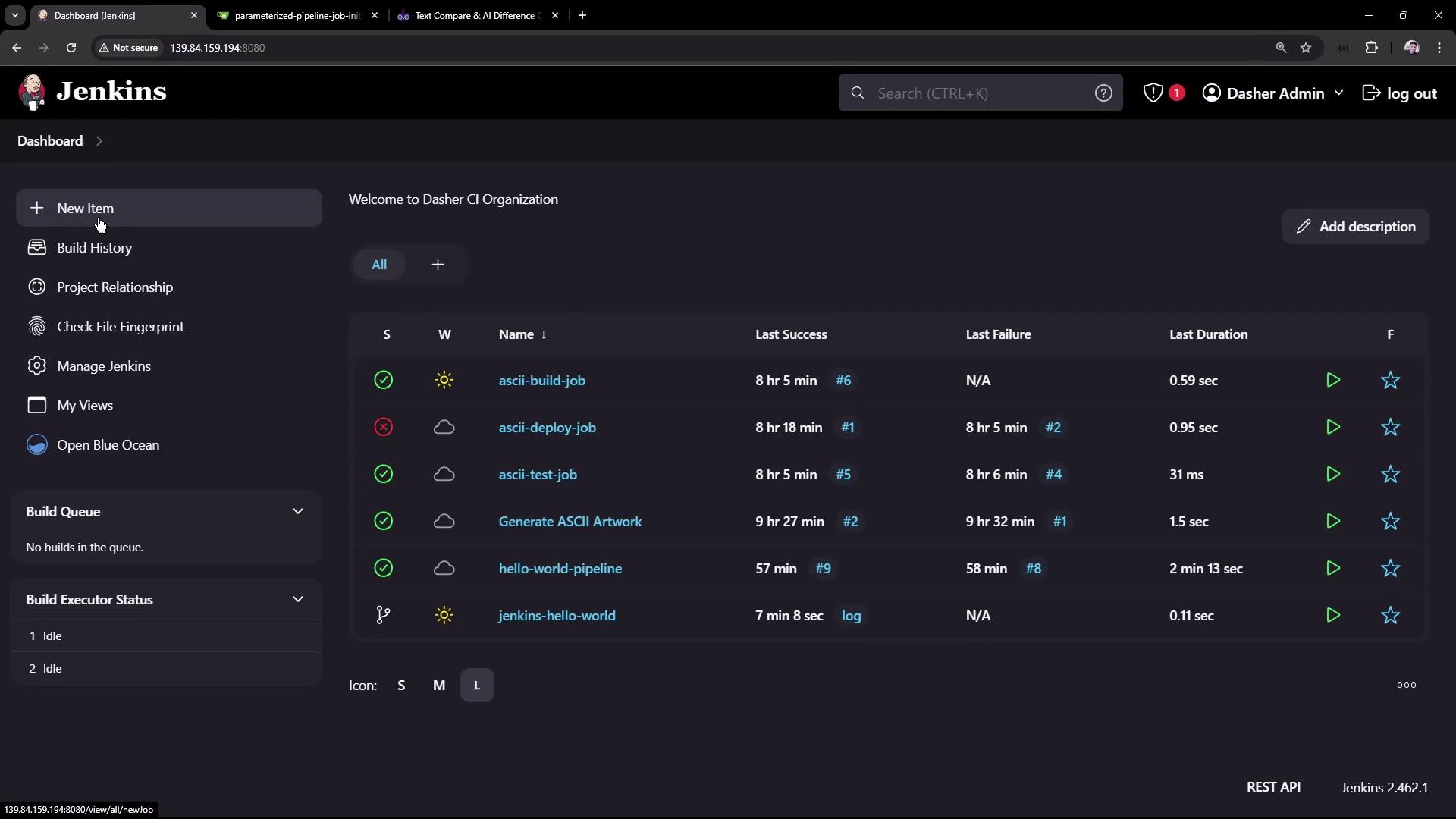
In Jenkins Classic UI, click New Item .
Enter Parameterized Pipeline Job , select Pipeline , then click OK .
Under Pipeline , choose Pipeline script from SCM .
Point SCM to your Git repo and set Branch Specifier to test for now.
Keep Script Path as Jenkinsfile.
2. Verify the test Branch
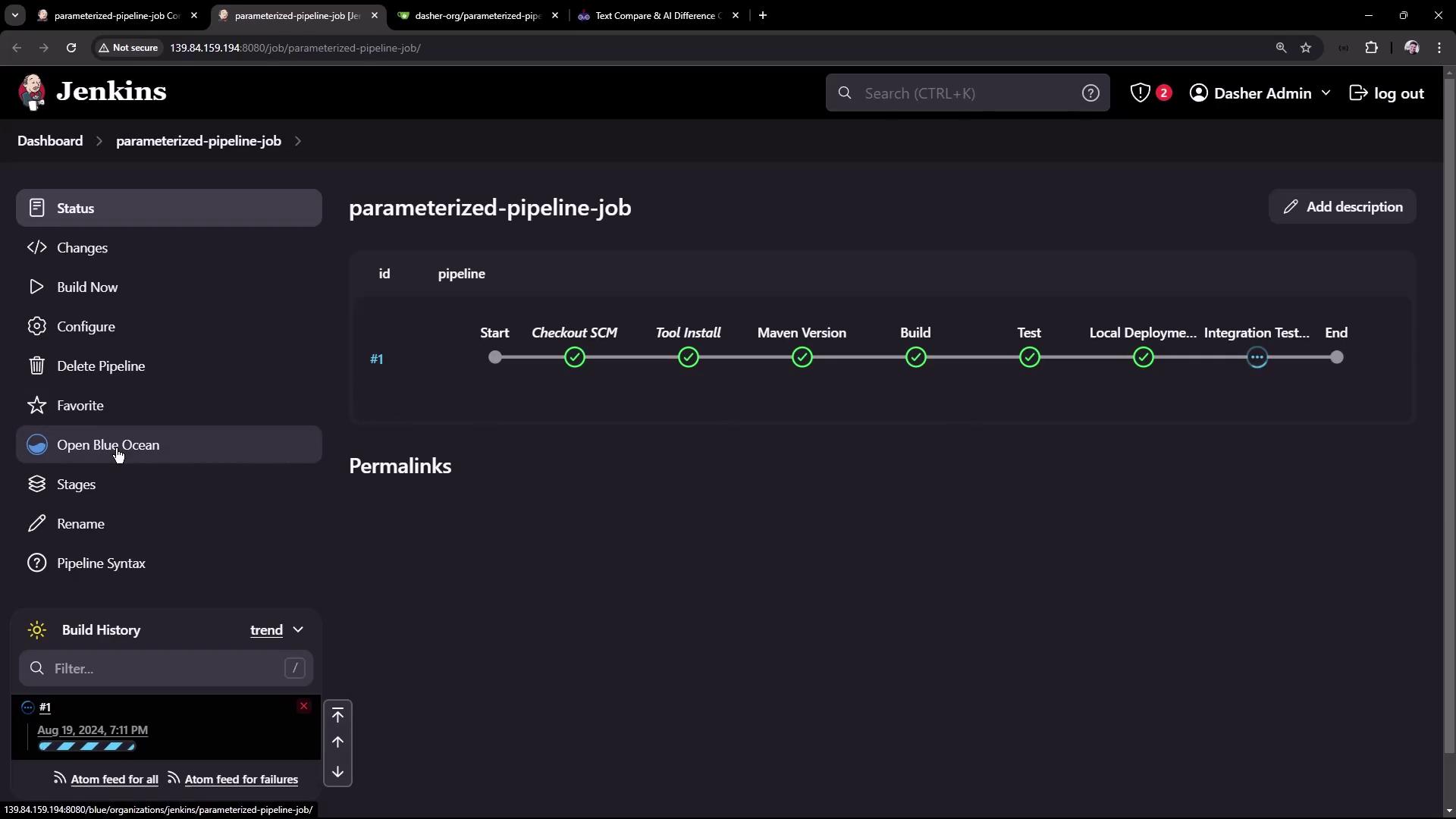
Run the job once to ensure the test pipeline works as expected. In Blue Ocean, you should see all stages complete successfully:
3. Define Build Parameters
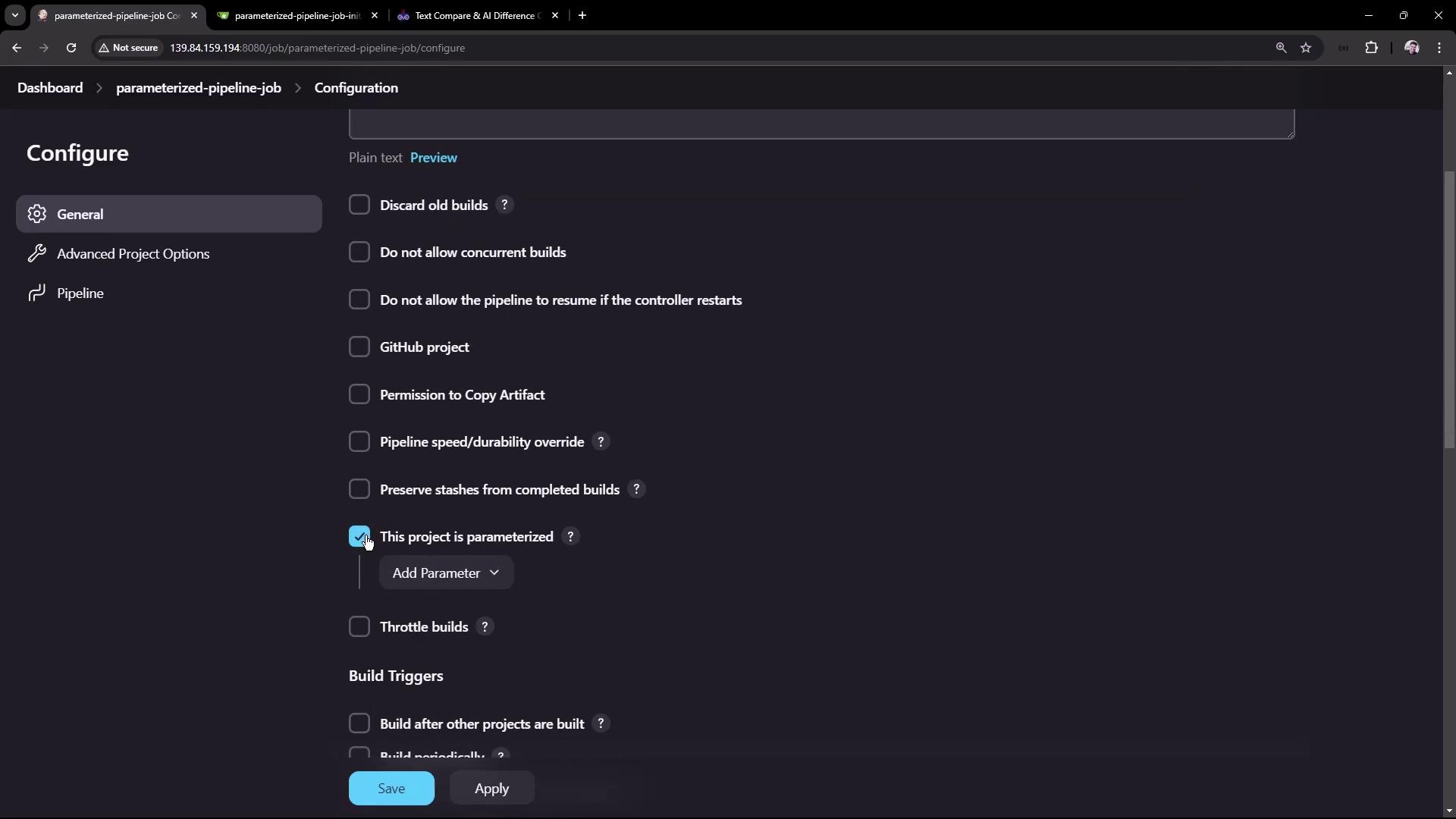
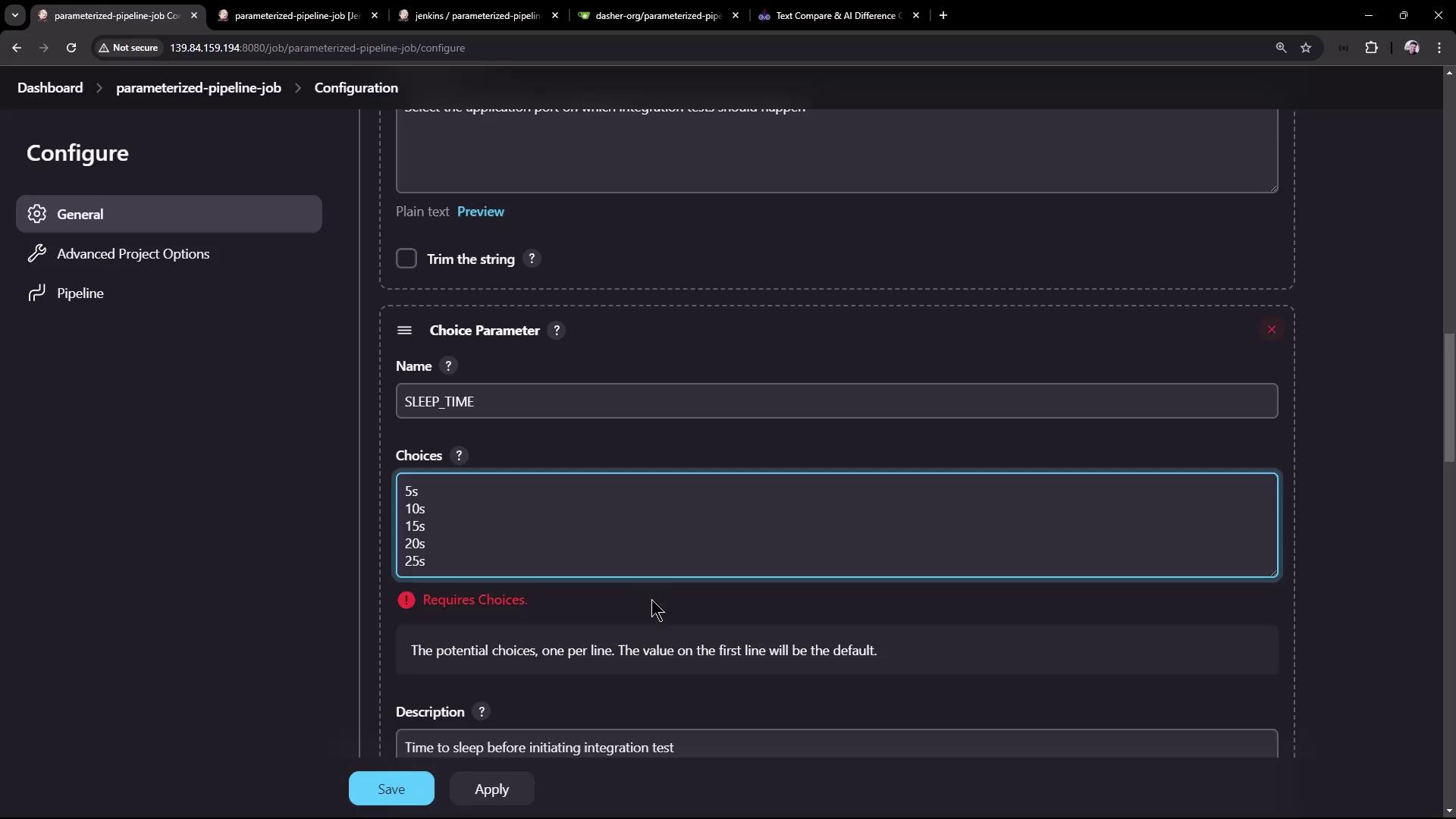
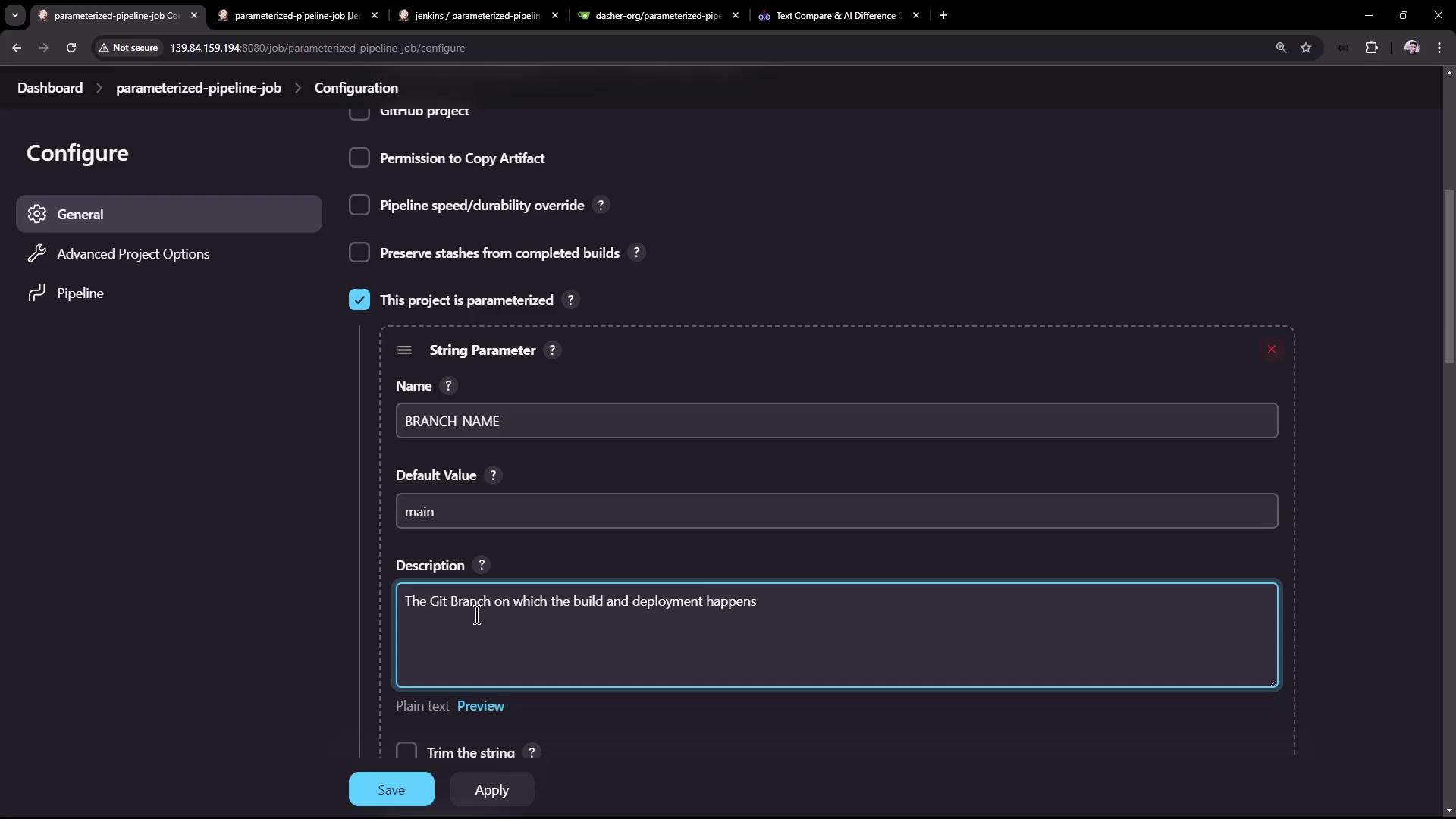
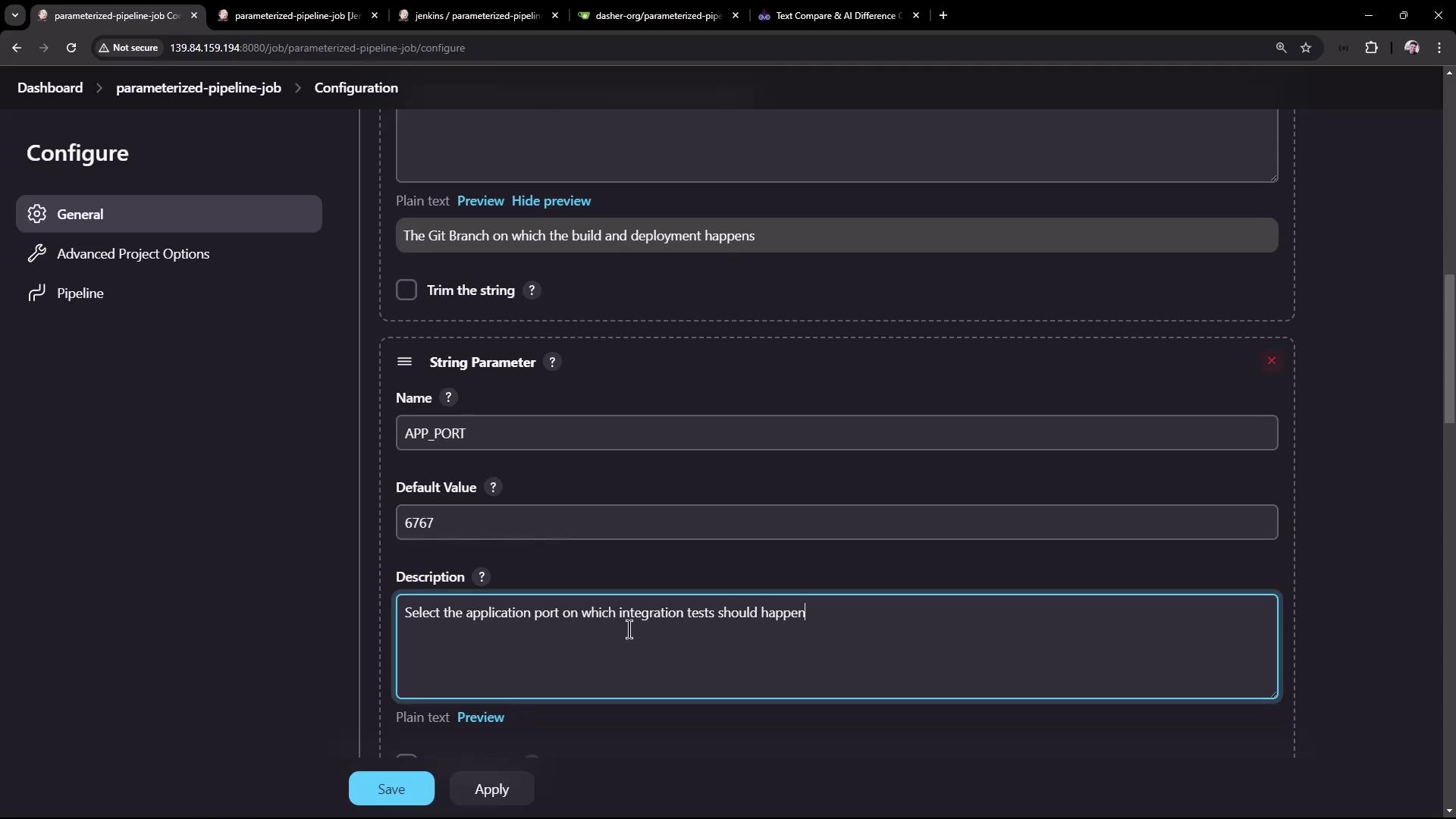
Go back to Configure and enable This project is parameterized . Add the following parameters:
Parameter Type Default Description BRANCH_NAME String main Git branch to build APP_PORT String 6767 Port for local or integration test SLEEP_TIME Choice 10s Delay before running tests
You can add more parameters (e.g., TIMEOUT, ENVIRONMENT) to adapt this pipeline for different use cases.
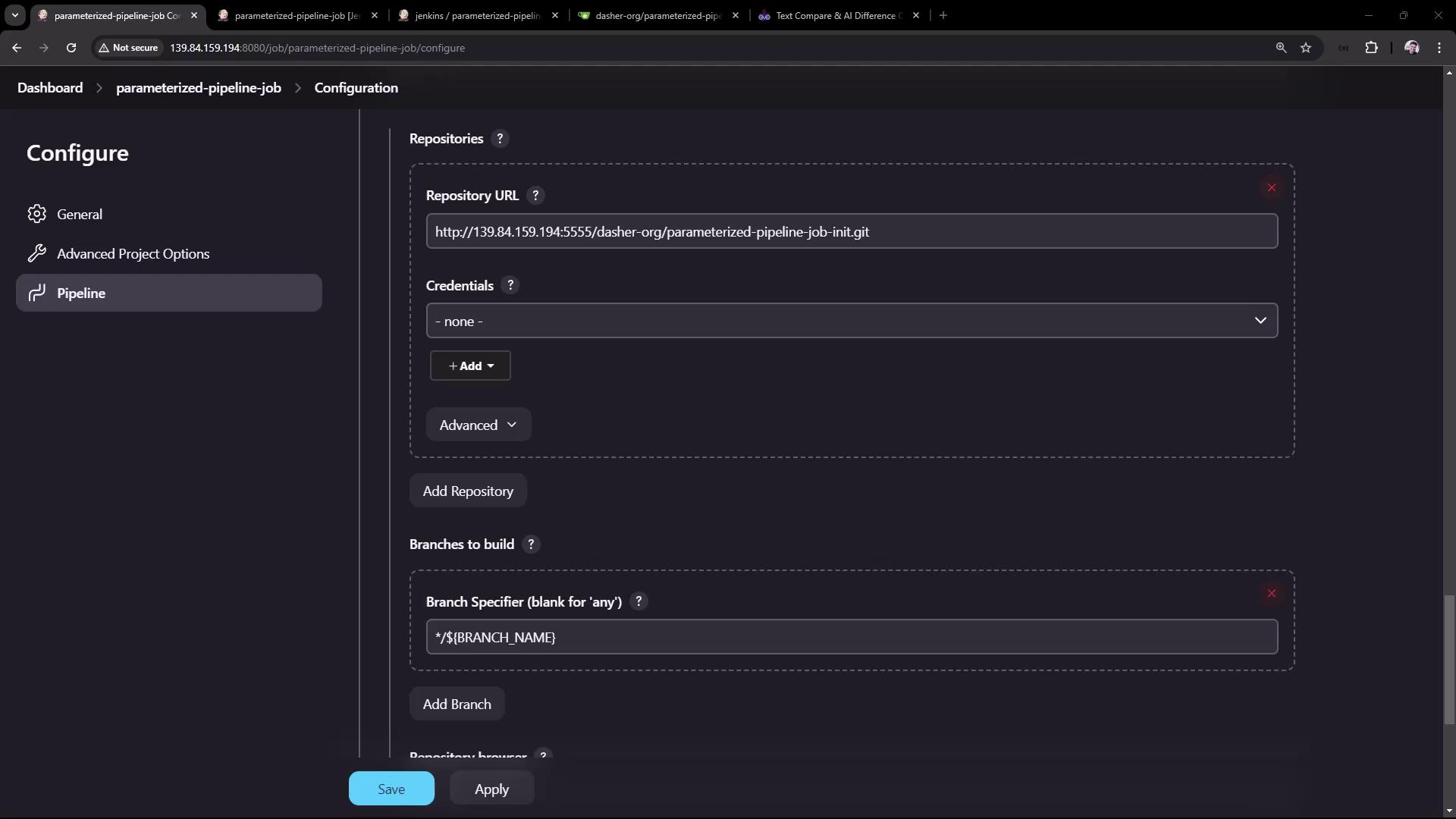
Next, update Branch Specifier under Source Code Management to:
Make sure to commit these parameterized Jenkinsfile changes to each branch; otherwise, ${params.*} will not be available.
4. Update the test Branch Jenkinsfile
Switch to the test branch and edit Jenkinsfile to leverage the new parameters:
pipeline {
agent any
stages {
stage( 'Maven Version' ) {
steps {
sh "echo Print Maven Version"
sh "mvn -version"
sh "echo Sleep-Time - ${ params.SLEEP_TIME } , Port - ${ params.APP_PORT } , Branch - ${ params.BRANCH_NAME } "
}
}
stage( 'Build' ) {
steps {
sh 'mvn clean package -DskipTests=true'
archiveArtifacts 'target/hello-demo-*.jar'
}
}
stage( 'Test' ) {
steps {
sh 'mvn test'
junit( testResults : 'target/surefire-reports/TEST-*.xml' ,
keepProperties : true ,
keepTestNames : true )
}
}
stage( 'Local Deployment' ) {
steps {
sh "java -jar target/hello-demo-*.jar > /dev/null &"
}
}
stage( 'Integration Testing' ) {
steps {
sh "sleep ${ params.SLEEP_TIME } "
sh "curl -s http://localhost: ${ params.APP_PORT } /hello"
}
}
}
}
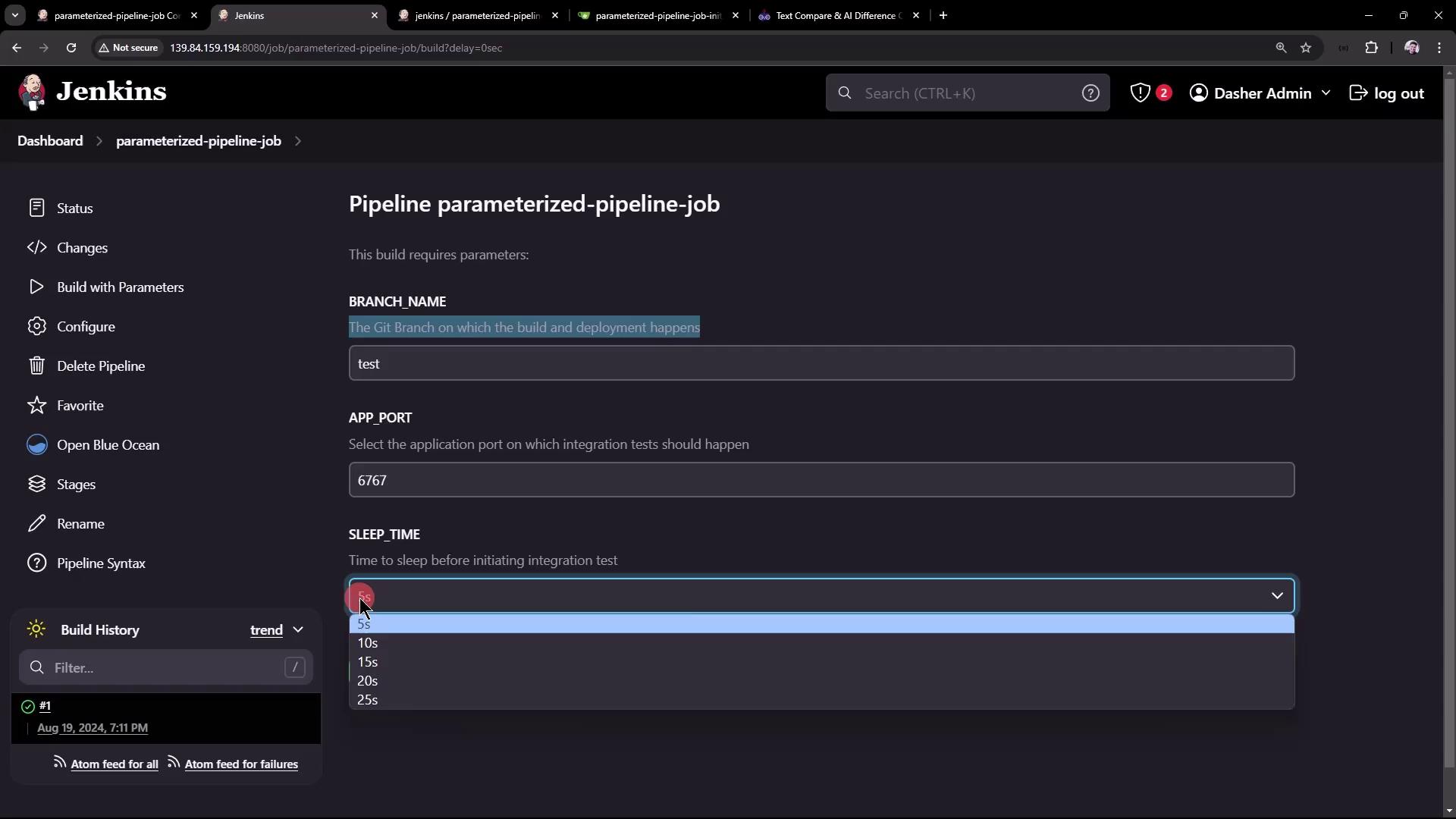
Commit and push these updates. Then in Jenkins, select Build with Parameters , choose:
BRANCH_NAME : test
APP_PORT : 6767
SLEEP_TIME : 5s
In the logs, you’ll see the parameter values substituted correctly:
echo Sleep-Time - 5s, Port - 6767, Branch - test
Sleep-Time - 5s, Port - 6767, Branch - test
+ sleep 5s
+ curl -s http://localhost:6767/hello
Hello, KodeKloud community!
5. Update the main Branch Jenkinsfile
Repeat a similar update in the main branch to reference ${params.SLEEP_TIME}:
pipeline {
agent any
stages {
stage( 'Build' ) {
steps {
sh 'mvn clean package -DskipTests=true'
archiveArtifacts 'target/hello-demo-*.jar'
}
}
stage( 'Test' ) {
steps {
sh 'mvn test'
junit( testResults : 'target/surefire-reports/TEST-*.xml' ,
keepProperties : true ,
keepTestNames : true )
}
}
stage( 'Containerization' ) {
steps {
sh 'echo Docker Build Image..'
sh 'echo Docker Tag Image....'
sh 'echo Docker Push Image......'
}
}
stage( 'Kubernetes Deployment' ) {
steps {
sh 'echo Deploy to Kubernetes using ArgoCD'
}
}
stage( 'Integration Testing' ) {
steps {
sh "sleep ${ params.SLEEP_TIME } "
sh 'echo Testing using cURL commands......'
}
}
}
}
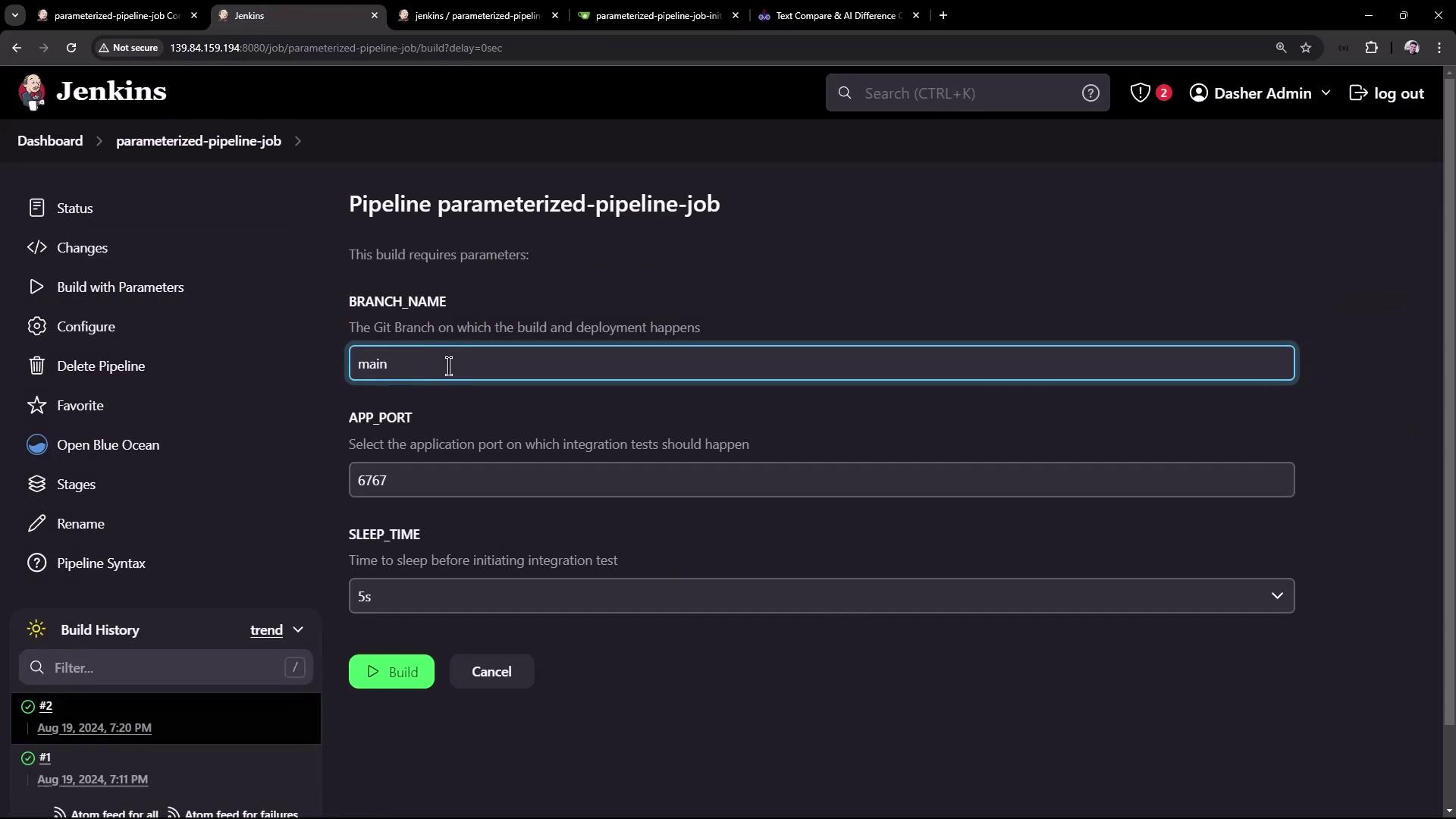
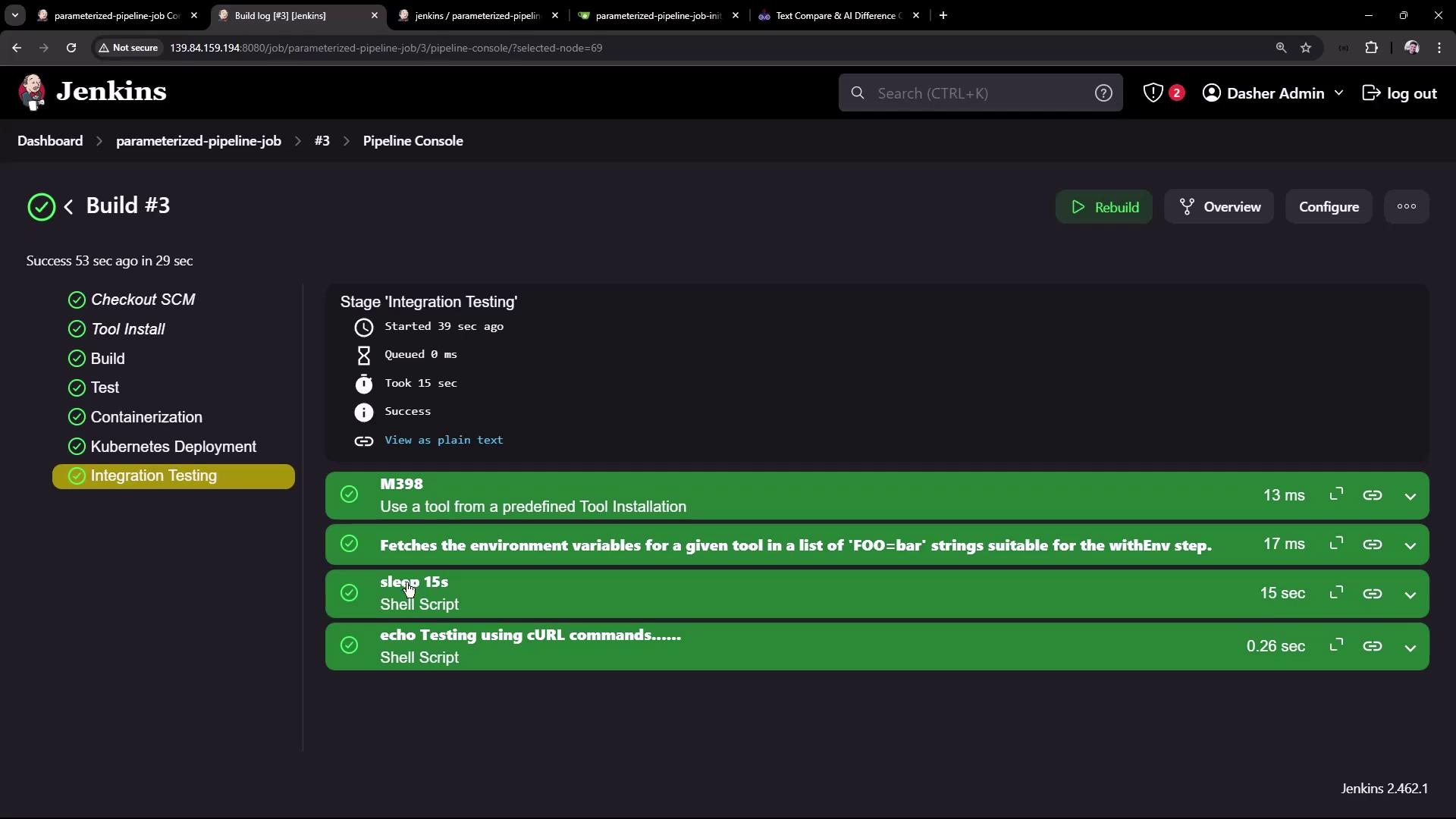
Commit, push, then run Build with Parameters :
BRANCH_NAME : main
SLEEP_TIME : 15s
You should see the main branch pipeline honor the parameters:
Conclusion
By defining job-level parameters and referencing them in your Jenkinsfile, you can maintain a single pipeline that adapts to multiple branches and environments. This strategy:
Reduces duplication across branches
Simplifies CI/CD maintenance
Enables dynamic, user-driven builds
For more on Jenkins pipelines and job parameters, check out:
Happy building!