In this guide, we’ll transform the existing Solar System Pipeline Jenkinsfile from using agent any to leveraging a Kubernetes agent. By externalizing Pod definitions into a YAML manifest and targeting specific Node.js containers for build stages, we achieve more consistent, scalable CI/CD workflows.

Original Jenkinsfile Overview

The current pipeline uses a generic agent and defines global tools, environment variables, and stages:
pipeline {
    agent any

    environment {
        MONGO_URI          = "mongodb+srv://supercluster.d83jj.mongodb.net/superData"
        MONGO_DB_CREDS     = credentials('mongo-db-credentials')
        MONGO_USERNAME     = credentials('mongo-db-username')
        MONGO_PASSWORD     = credentials('mongo-db-password')
        SONAR_SCANNER_HOME = tool 'sonarqube-scanner-610'
        GITEA_TOKEN        = credentials('gitea-api-token')
    }

    options {
        // Shared pipeline options
    }

    stages {
        stage('Installing Dependencies') {
            options { timestamps() }
            steps {
                // npm install, etc.
            }
        }
        // Additional stages...
    }
}
FeatureDescription
agent anyRuns on any available Jenkins node
environment variablesDatabase URIs, credentials, and SonarQube scanner path
stagesDependency install, tests, Docker build, security scans

Defining the Kubernetes Pod Manifest

Create a k8s-agent.yaml at your repo root to specify two Node.js containers:
apiVersion: v1
kind: Pod
spec:
  containers:
    - name: node-18
      image: node:18-alpine
      command: ["cat"]
      tty: true
    - name: node-19
      image: node:19-alpine
      command: ["cat"]
      tty: true
This manifest defines the node-18 and node-19 containers that Jenkins will schedule within a single Pod.
Ensure the Kubernetes plugin is installed in Jenkins and your Kubernetes cloud configuration (dasher-prod-k8s-us-east) is active before running the refactored pipeline.

Refactoring Jenkinsfile to Use Kubernetes Agent

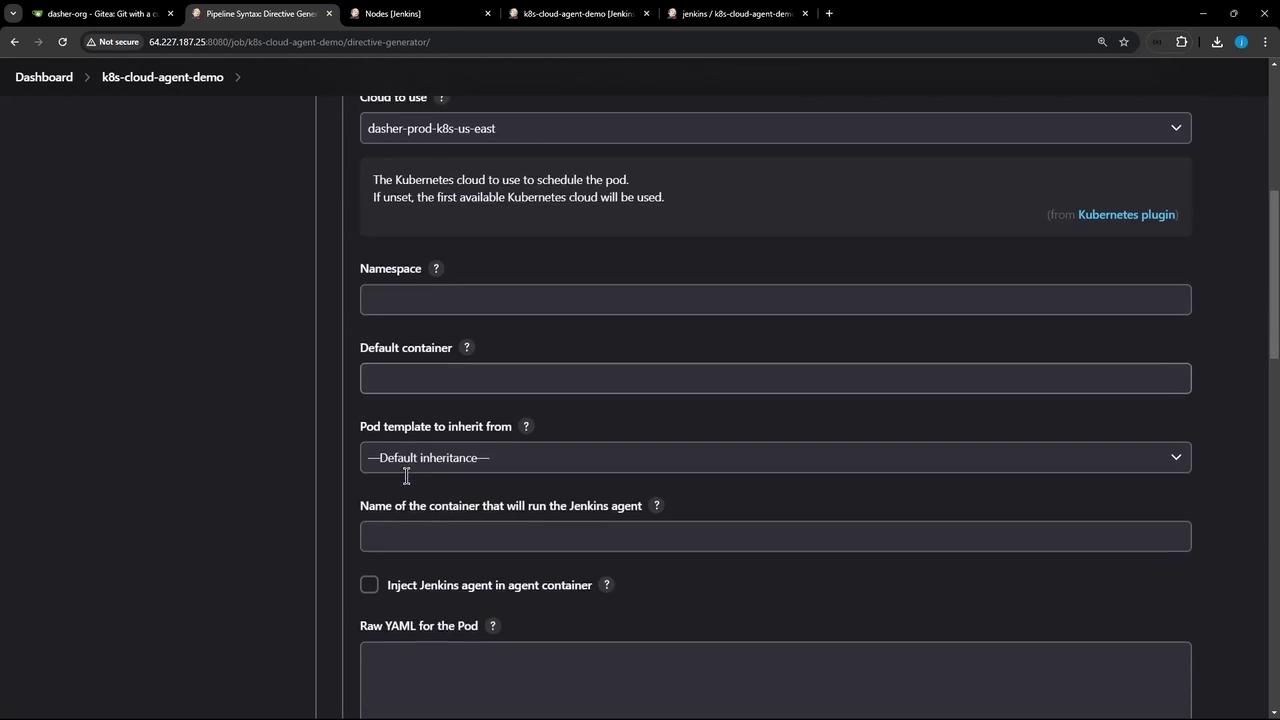
Replace the top-level agent any with the kubernetes agent block, referencing the YAML manifest and defaulting to node-18:
pipeline {
    agent {
        kubernetes {
            cloud 'dasher-prod-k8s-us-east'
            yamlFile 'k8s-agent.yaml'
            defaultContainer 'node-18'
        }
    }

    tools {
        // Tool declarations here
    }

    environment {
        MONGO_URI          = "mongodb+srv://supercluster.d83jj.mongodb.net/superData"
        MONGO_DB_CREDS     = credentials('mongo-db-credentials')
        MONGO_USERNAME     = credentials('mongo-db-username')
        MONGO_PASSWORD     = credentials('mongo-db-password')
        SONAR_SCANNER_HOME = tool 'sonarqube-scanner-610'
        GITEA_TOKEN        = credentials('gitea-api-token')
    }

    options {
        // Pipeline-level options
    }

    stages {
        // Updated stages below
    }
}
The image shows a Jenkins dashboard interface for configuring Kubernetes cloud agent settings, including fields for cloud selection, namespace, and container options.

Stage-Level Container Configuration

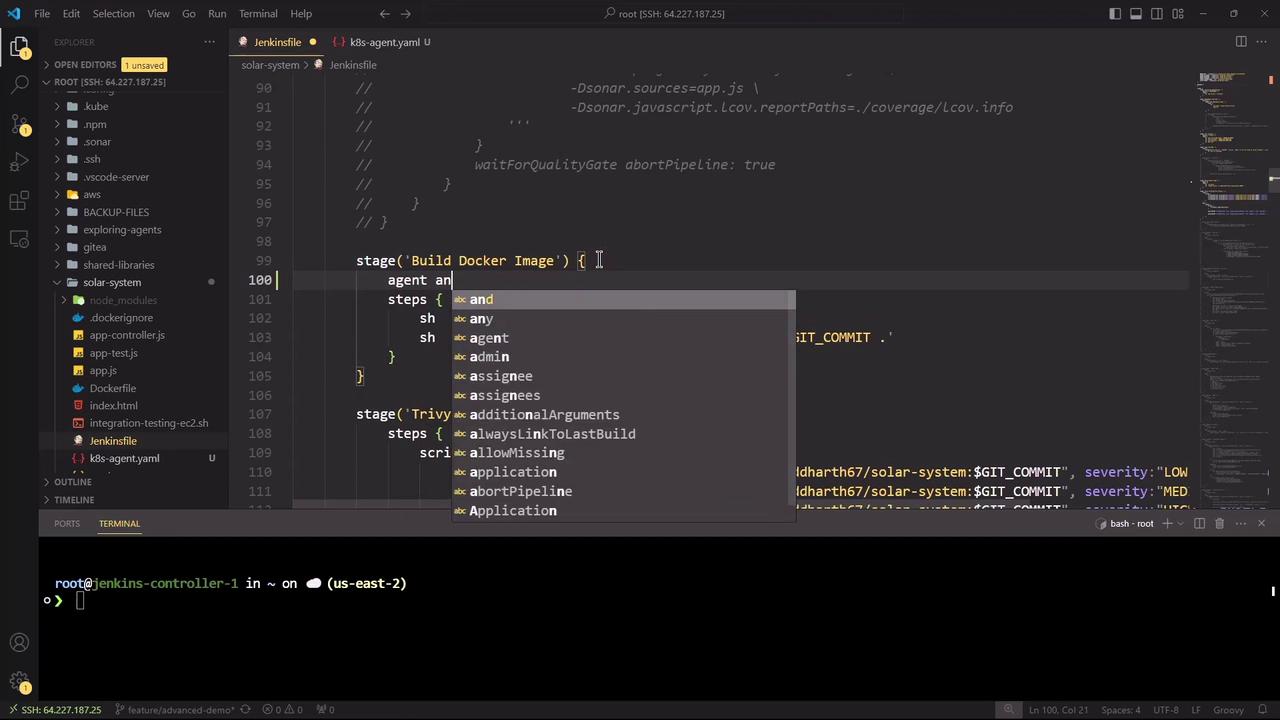
We’ll run Node.js–specific stages in node-18, while Docker build and security scans fall back to agent any. Here’s the updated stage block:
stages {
    stage('Installing Dependencies') {
        options { timestamps() }
        steps {
            container('node-18') {
                sh 'node -v'
                sh 'npm install --no-audit'
            }
        }
    }

    stage('Dependency Scanning') {
        parallel {
            stage('NPM Dependency Audit') {
                steps {
                    container('node-18') {
                        sh '''
                            node -v
                            npm audit --audit-level=critical
                            echo $?
                        '''
                    }
                }
            }
        }
    }

    stage('Unit Testing') {
        options { retry(2) }
        steps {
            container('node-18') {
                sh 'npm test'
            }
        }
    }

    stage('Code Coverage') {
        steps {
            container('node-18') {
                catchError(buildResult: 'SUCCESS', message: 'Coverage step failed, will fix later', stageResult: currentBuild.currentResult) {
                    sh 'node -v'
                    sh 'npm run coverage'
                }
            }
        }
    }

    stage('Build Docker Image') {
        agent any
        steps {
            sh 'printenv'
            sh 'docker build -t siddharth67/solar-system:$GIT_COMMIT .'
        }
    }

    stage('Trivy Vulnerability Scanner') {
        agent any
        steps {
            script {
                trivyScanScript.vulnerability(imageName: "siddharth67/solar-system:$GIT_COMMIT", severity: "LOW")
                trivyScanScript.vulnerability(imageName: "siddharth67/solar-system:$GIT_COMMIT", severity: "MEDIUM")
                trivyScanScript.vulnerability(imageName: "siddharth67/solar-system:$GIT_COMMIT", severity: "HIGH")
            }
        }
    }
}
StageContainerAgent
Installing Dependenciesnode-18kubernetes
Dependency Scanningnode-18kubernetes
Unit Testingnode-18kubernetes
Code Coveragenode-18kubernetes
Build Docker Imagedefault hostany
Trivy Vulnerabilitydefault hostany
The image shows a Visual Studio Code interface with a Jenkinsfile open, displaying code for building a Docker image. There's also a terminal at the bottom connected to a remote server.

Running and Monitoring the Refactored Pipeline

Commit your changes and push to trigger the pipeline. You can monitor status and logs in Blue Ocean:
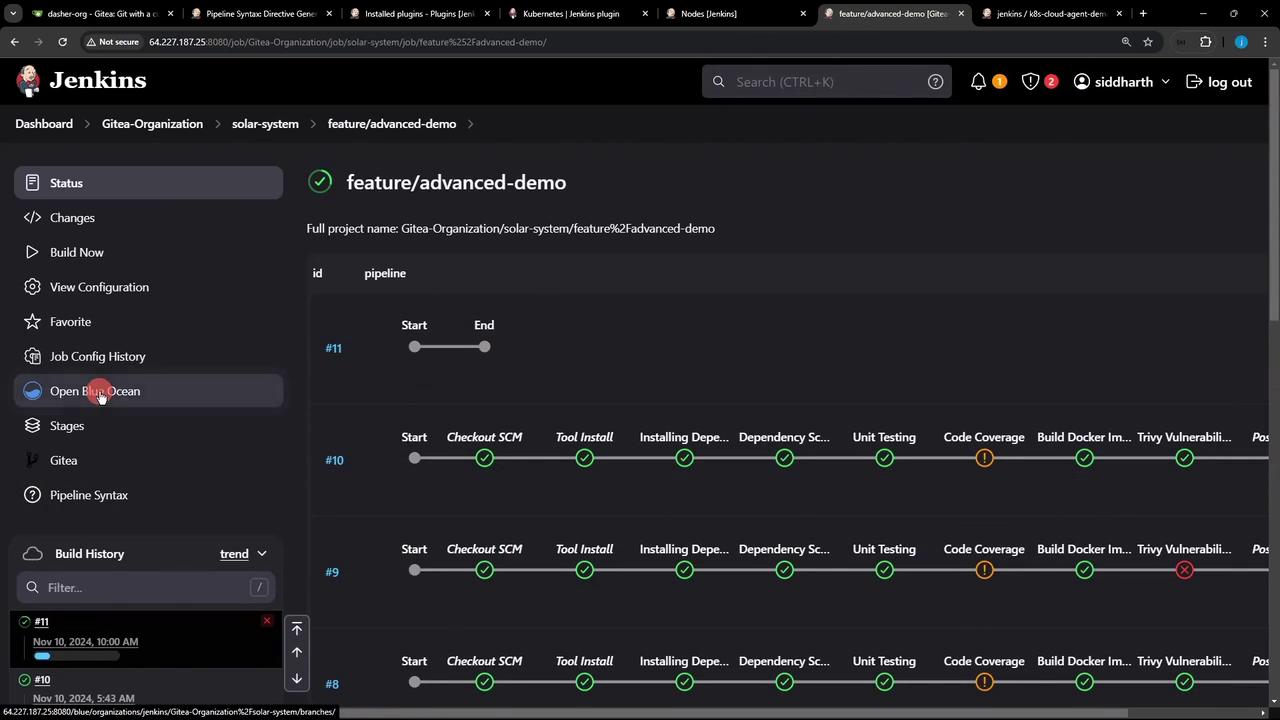
The image shows a Jenkins dashboard displaying the status of a pipeline for a project named "feature/advanced-demo," with various stages like "Checkout SCM," "Tool Install," and "Unit Testing" marked with success or failure indicators. The interface includes navigation options on the left and a build history at the bottom.
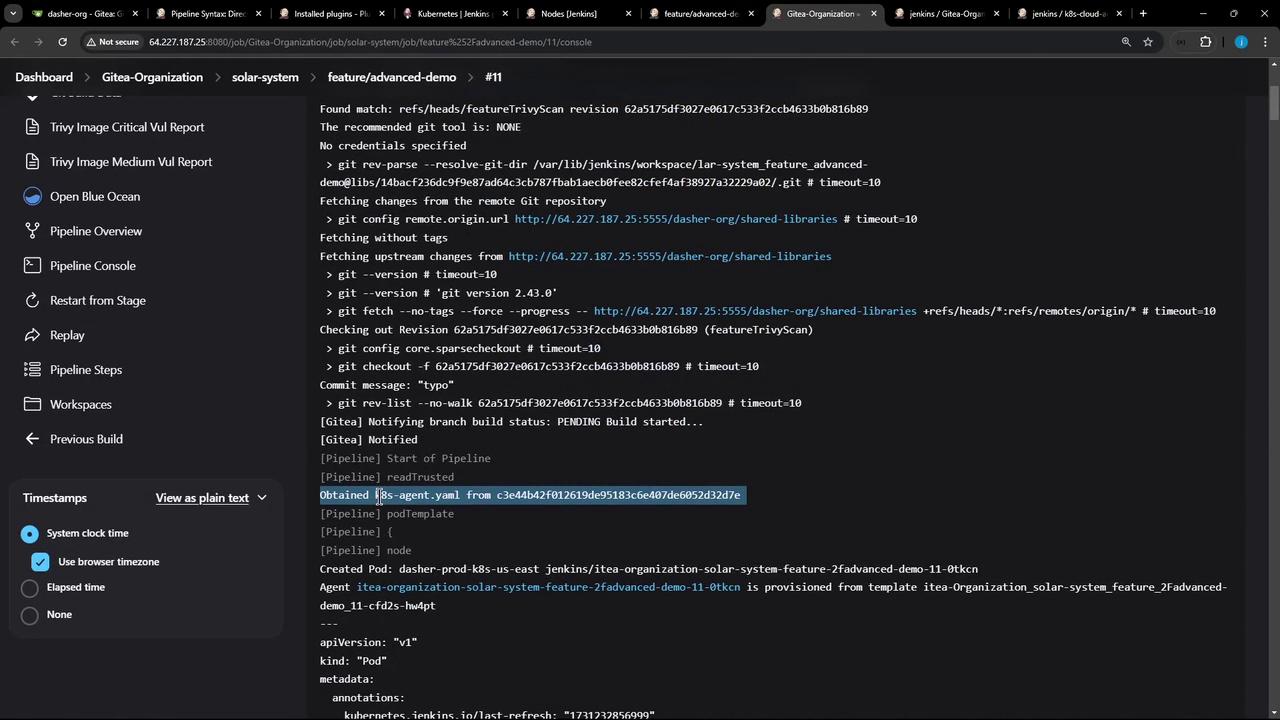
The console output confirms that the Pod definition was fetched and containers spun up:
The image shows a Jenkins pipeline console output with details about a build process, including Git operations and YAML file retrieval. The interface includes options for viewing timestamps and navigating through pipeline stages.
15:31:10  + node -v
15:31:10  v18.20.4
15:31:11  + npm install --no-audit
15:31:16  added 358 packages in 4s
...
15:31:30  + npm test
...
15:32:02  + npm run coverage
...
All Node.js stages share an emptyDir volume by default, so dependencies installed in one stage persist for subsequent stages within the same Pod.