

1. Leftover Plugin Configuration
Even after removing the Copy Artifact plugin, job XML still holds references to it:2. Accessing the Manage Old Data Page
- Navigate to Manage Jenkins → Troubleshooting → Manage Old Data.
- Refresh the page. If Jenkins finds no outdated configurations, you’ll see:
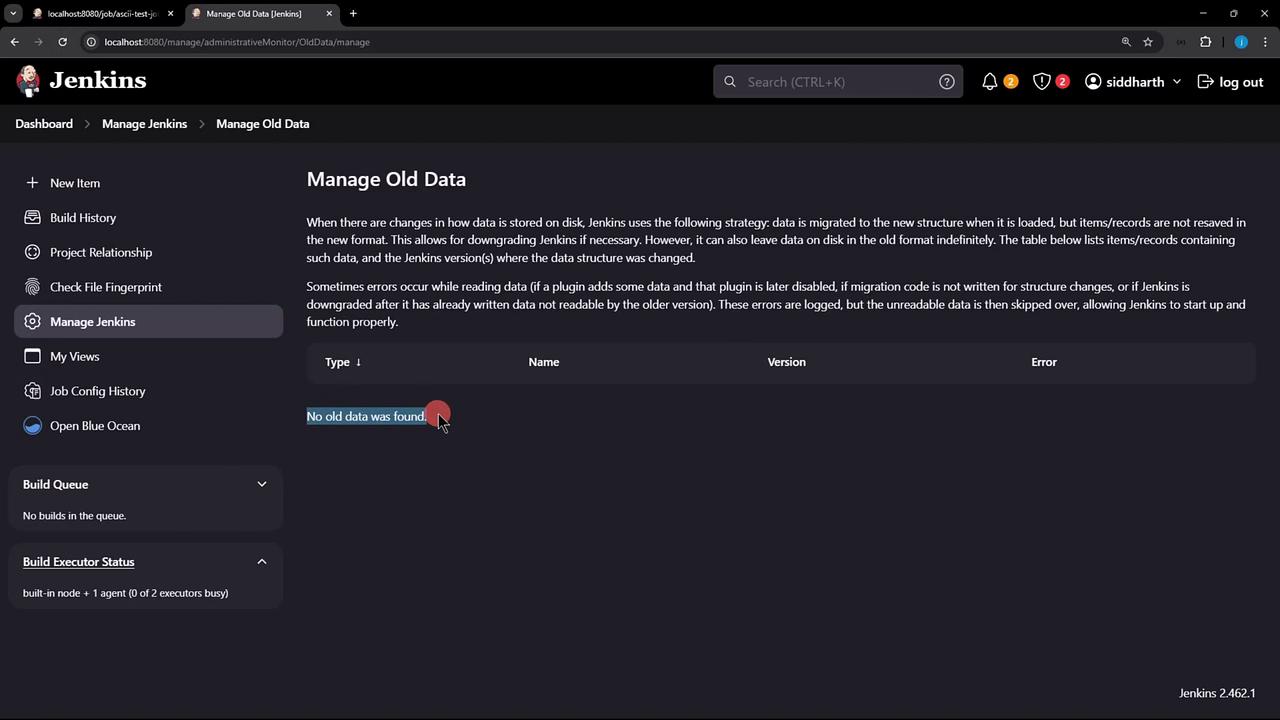
- Restart Jenkins to force detection of stale plugin entries.
3. Detecting Unreadable Data
After the restart, return to Manage Old Data. Now Jenkins lists entries likeCannotResolveClassException for missing plugins:
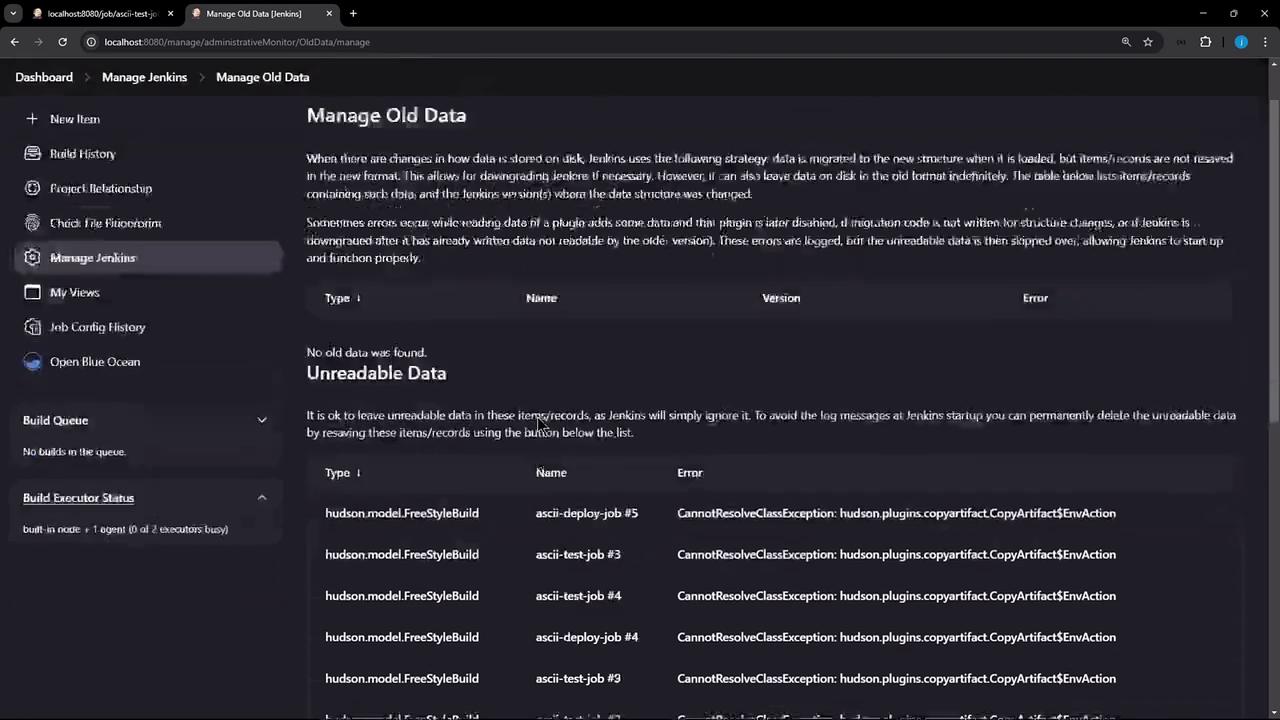
Unreadable entries indicate XML blocks pointing to plugins that no longer exist. These must be discarded to clean up job configs.
4. Discarding Unreadable Data
- Click Discard Unreadable Data.
- Confirm the prompt to remove all XML fragments referencing the deinstalled plugin.
Discarding is irreversible. Ensure you’ve backed up your job configurations before proceeding.
5. Verifying Cleanup
- Trigger a build of ascii-build-job.
- Then run ascii-test-job.
Cleaning Up Local Workspaces
Remove any leftover files on the Jenkins controller:advice.json no longer exists: