Effective Source Control Management (SCM) is the foundation of reliable CI/CD pipelines in Jenkins. By storing your application code in a versioned repository—commonly referred to as a repo—you gain access to branching, change history, and granular permissions that enhance collaboration and security. Best practices for repository organization:Documentation Index
Fetch the complete documentation index at: https://notes.kodekloud.com/llms.txt
Use this file to discover all available pages before exploring further.
- Maintain one repository per product or microservice
- Assign read, write, or admin roles to teams or individuals
- Protect the main branch with branch protection rules in your SCM
Standard Git Workflow
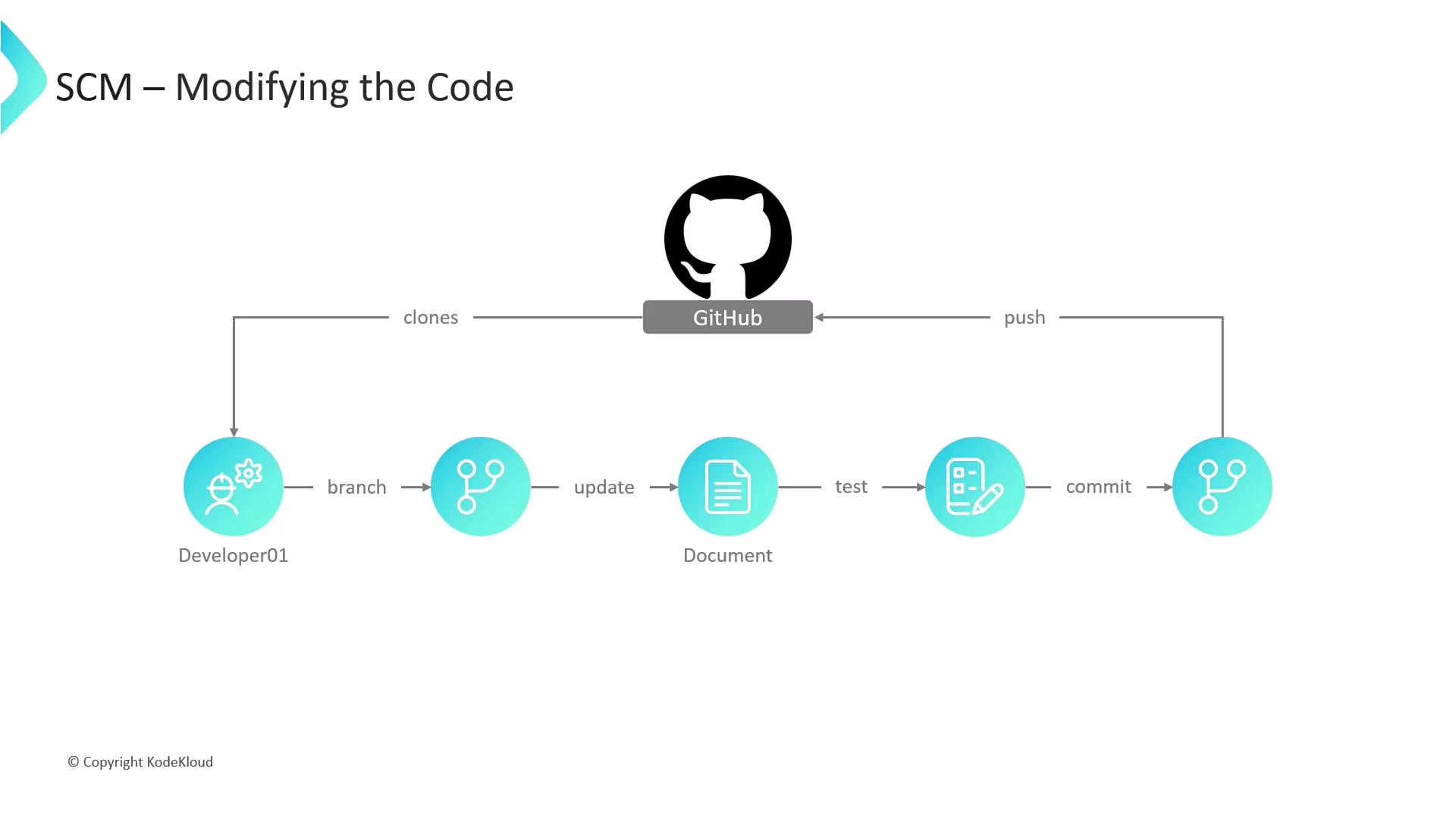
A consistent workflow ensures that developers can work in parallel without destabilizing the main codebase. Below is a step-by-step guide using Git commands:- Clone the repository
- Create a feature branch
- Develop and test locally
- Make code changes in your IDE
- Run unit tests or integration tests
- Commit your changes
- Push your branch to the remote
Use clear, descriptive branch names (e.g.,
feature/payment-api) to make pull request reviews and CI/CD tracking easier.
Key SCM Terms
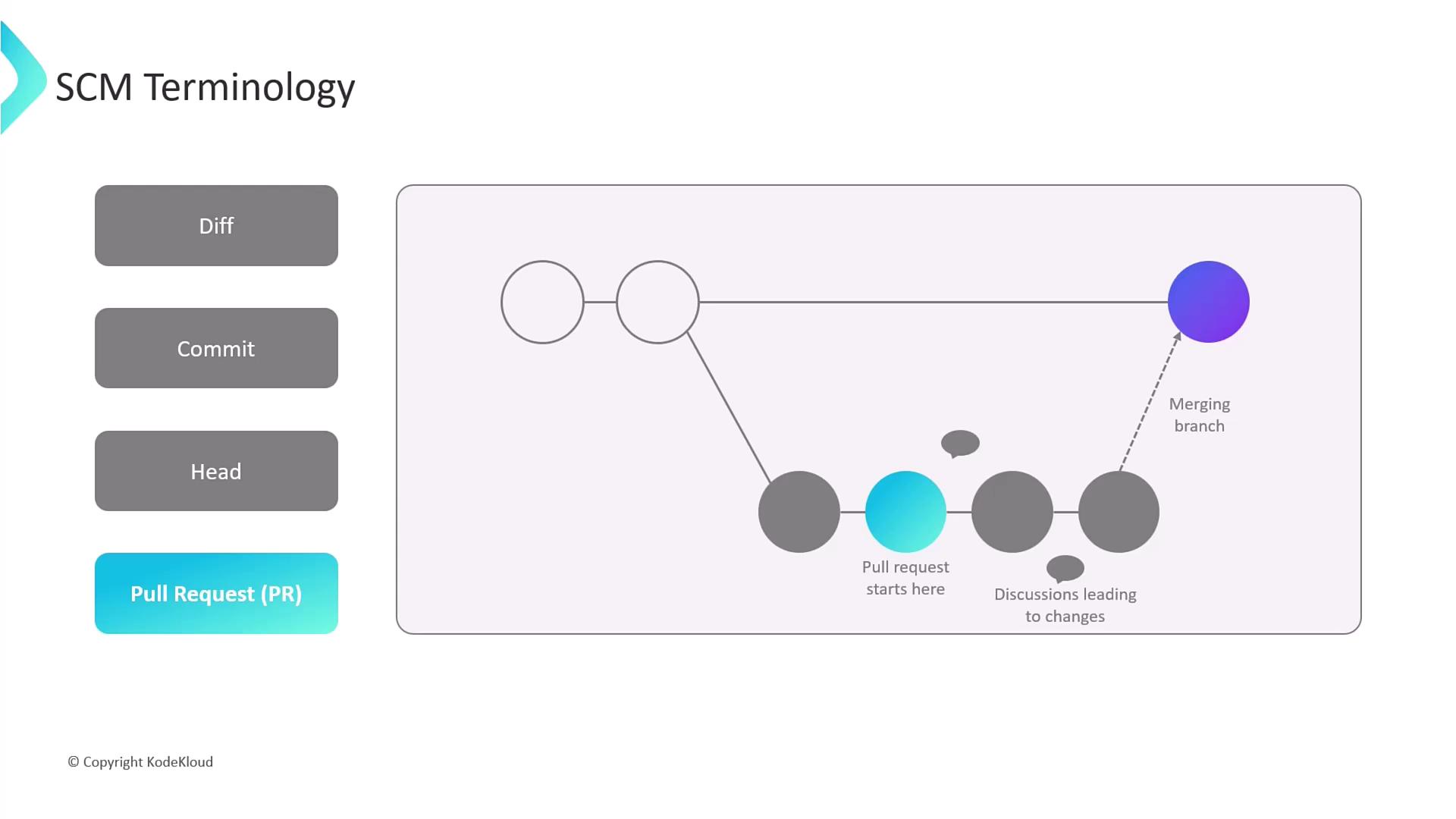
Below is a quick reference table for essential Git concepts you’ll encounter in Jenkins pipelines and code reviews:| Term | Description |
|---|---|
| Diff | A line-by-line comparison showing additions, deletions, and modifications between file versions. |
| Commit | A snapshot of your codebase at a given point, bundling one or more diffs with a commit message. |
| HEAD | A movable pointer referencing the latest commit on your current branch (the tip of development). |
| Pull Request (PR) | A request to merge changes from one branch into another, enabling discussion and review before merging. |
Never push directly to the protected
main branch. Always open a pull request to enforce code reviews, automated testing, and compliance checks.