

What is Cloud Dataprep?
Cloud Dataprep (built jointly with Trifacta) is a self-service data preparation tool on Google Cloud that focuses on interactive profiling, discovery, and transformation. It’s serverless — you pay only for jobs that run — and it leverages machine learning to suggest transformations, detect patterns, and infer schema. While heavy-duty execution typically runs on Google Cloud Dataflow, Dataprep’s primary value is its visual UI and intelligent assistant that accelerate routine cleaning tasks. Key benefits:- Serverless execution and automatic scaling.
- ML-guided recommendations for parsing, casting, splitting, and normalization.
- Visual, self-service interface with immediate previews and profiling.
- Integrations with common sources and sinks across Google Cloud and external systems.
Typical user flow
- Connect or upload a dataset (CSV, JSON, BigQuery, Cloud Storage, Google Sheets, etc.).
- Profile and explore the data to surface distributions, nulls, outliers, and detected patterns.
- Review and accept or refine suggested transformations (e.g., parse dates, split columns, fill or flag nulls).
- Run a job to write a clean dataset to the chosen destination (BigQuery, Cloud Storage, Cloud SQL, etc.).
Cloud Dataprep’s suggestions can identify null-heavy columns, inconsistent formats, and parsing problems. It accelerates routine cleaning but highly custom transformations or complex logic may still be better implemented in code (for example using Apache Beam/Dataflow or Spark).
Core features and capabilities
- Automatic schema detection and interactive data profiling (distributions, null rates, outliers).
- Pattern recognition and ML-driven transformation suggestions.
- One-click or guided operations: parse, split, trim, cast, detect date/time, standardize formats, and more.
- Side-by-side preview of transformations before running jobs at scale.
- Connectors for common data sources and sinks.
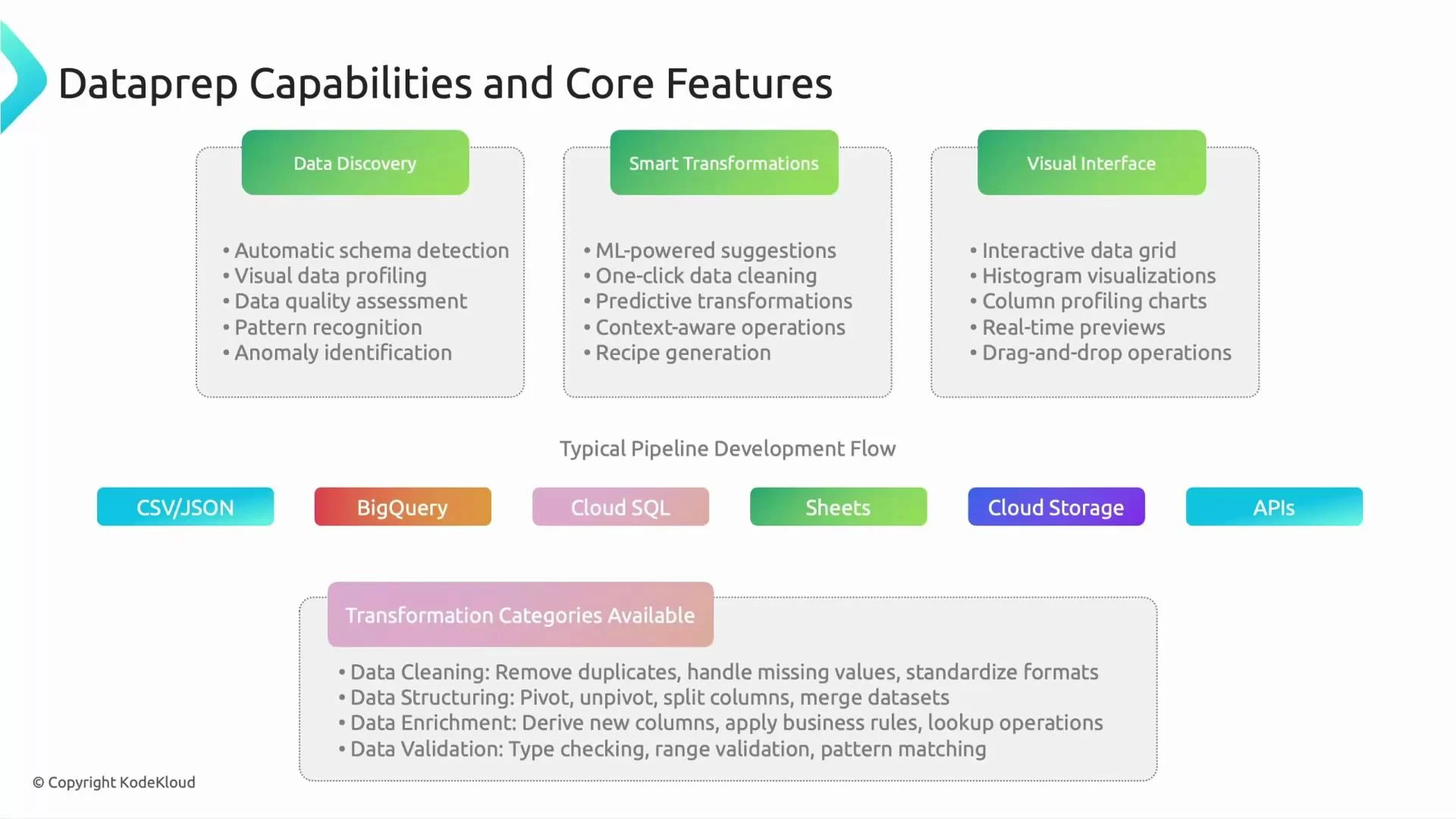
Common sources and destinations
When Dataprep is a good fit
- Small teams or organizations that want fast, low-maintenance data cleaning without building a full ETL codebase.
- Analysts who prefer an interactive, visual UI with immediate feedback and ML-guided suggestions.
- Use cases that prioritize quick turnaround, ad-hoc exploration, and self-service data preparation.
When to choose a code-first or orchestration solution
If your requirements include large-scale programmatic workflows, version-controlled ETL, complex logic best expressed in code, or tight CI/CD integration, you may prefer solutions like Apache Beam/Dataflow, Spark, or an orchestration platform such as Data Fusion or Airflow.Dataprep is optimized for interactive, self-service prep. For production-grade, code-first pipelines that require advanced orchestration, versioning, or very complex transformations, prefer programmatic ETL (e.g., Apache Beam/Dataflow, Spark) or an orchestration platform (e.g., Data Fusion, Airflow).
How Dataprep complements other Google Cloud services
- Execution: Jobs can run on Dataflow for scalable, server-side execution.
- Storage and analytics: Integrates smoothly with BigQuery and Cloud Storage for downstream analytics and BI.
- Orchestration: Use Dataprep for the data-cleaning stage and Data Fusion or Cloud Composer (Airflow) to orchestrate end-to-end pipelines.
Quick comparison summary
- Use Dataprep when you need fast, low-code, ML-assisted cleaning with interactive previews.
- Use Data Fusion or Dataflow when you need programmatic, version-controlled, and highly orchestrated ETL at scale.