Welcome back. In this lesson we explain Google Cloud Key Management Service (Cloud KMS): what it is, how it’s organized, the protection options, and common data-engineering use cases. This article preserves the original diagrams and sequences while improving clarity for study and practical use.

What is Cloud KMS?

Every system that handles sensitive data needs strong encryption and a reliable way to manage the cryptographic keys that perform encryption and decryption. Cloud KMS is Google Cloud’s managed service for creating, storing, rotating, and destroying cryptographic keys. It centralizes key lifecycle operations so you don’t need to track keys manually across services. At a glance, KMS lets you:
  • Create cryptographic keys and key versions.
  • Use keys to encrypt and decrypt data across GCP (and sometimes outside GCP).
  • Rotate keys by creating new key versions.
  • Schedule and perform secure destruction of key material.
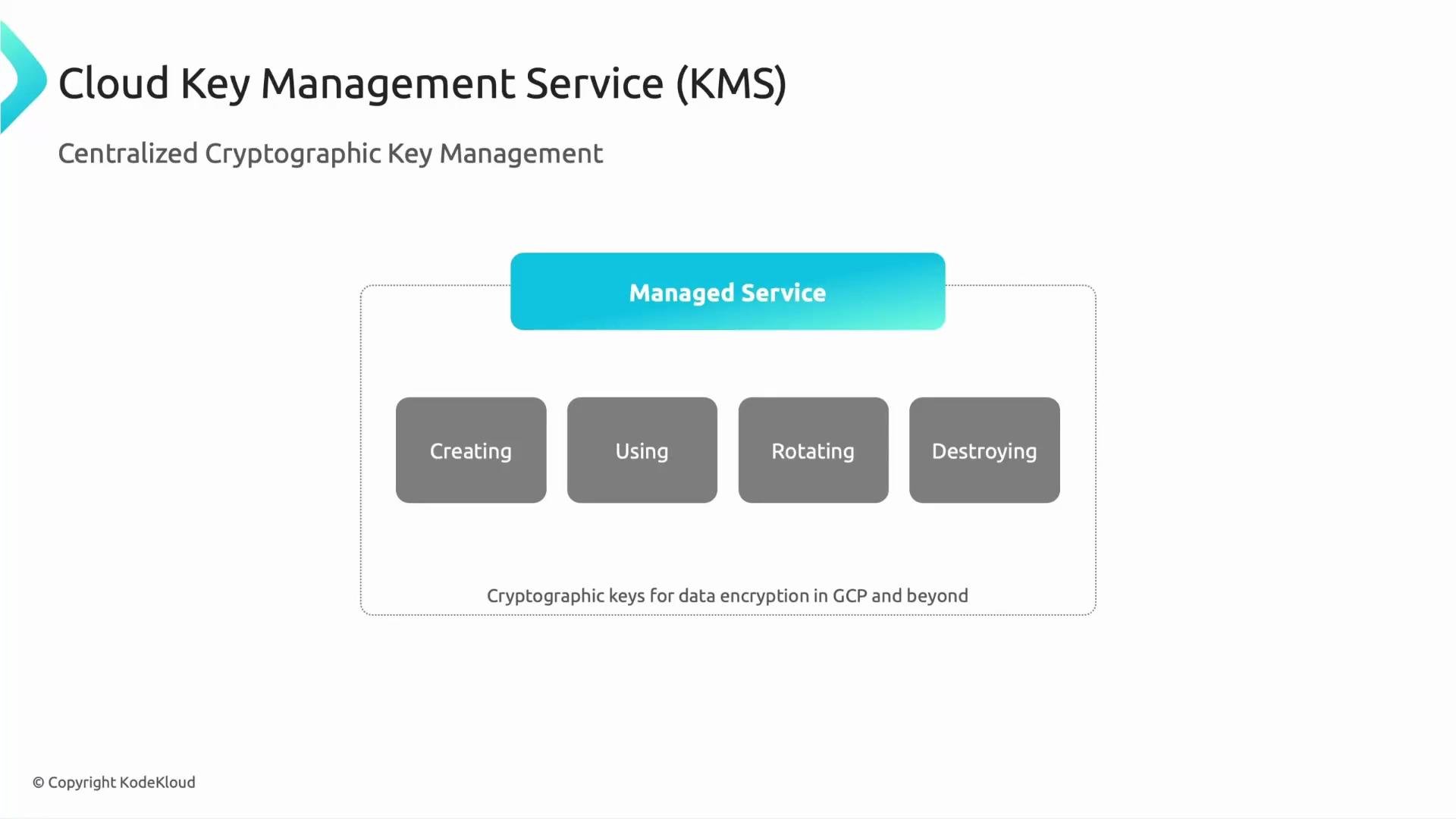
This is a lifecycle: create → use → rotate → destroy — all handled by KMS as a managed service.
A presentation slide titled "Cloud Key Management Service (KMS)" describing centralized cryptographic key management. It shows a "Managed Service" box with four gray boxes labeled Creating, Using, Rotating, and Destroying, and a note about keys for data encryption in GCP and beyond.
Cloud KMS also integrates with external key systems. If compliance or policy requires key material to remain outside Google Cloud, you can use External Key Manager (EKM) to retain key control while letting GCP services call those external keys.

KMS resource hierarchy — where keys live

KMS resources are created within a Google Cloud project (or organization) and are organized into a simple hierarchy:
  • Organization / Project — top-level scope for KMS resources.
  • Key ring — logical grouping of related keys (e.g., dev, prod, finance).
  • Crypto key — the key resource used by services to encrypt/decrypt.
  • Crypto key version — the actual key material; new versions are created to rotate keys without replacing the key resource.
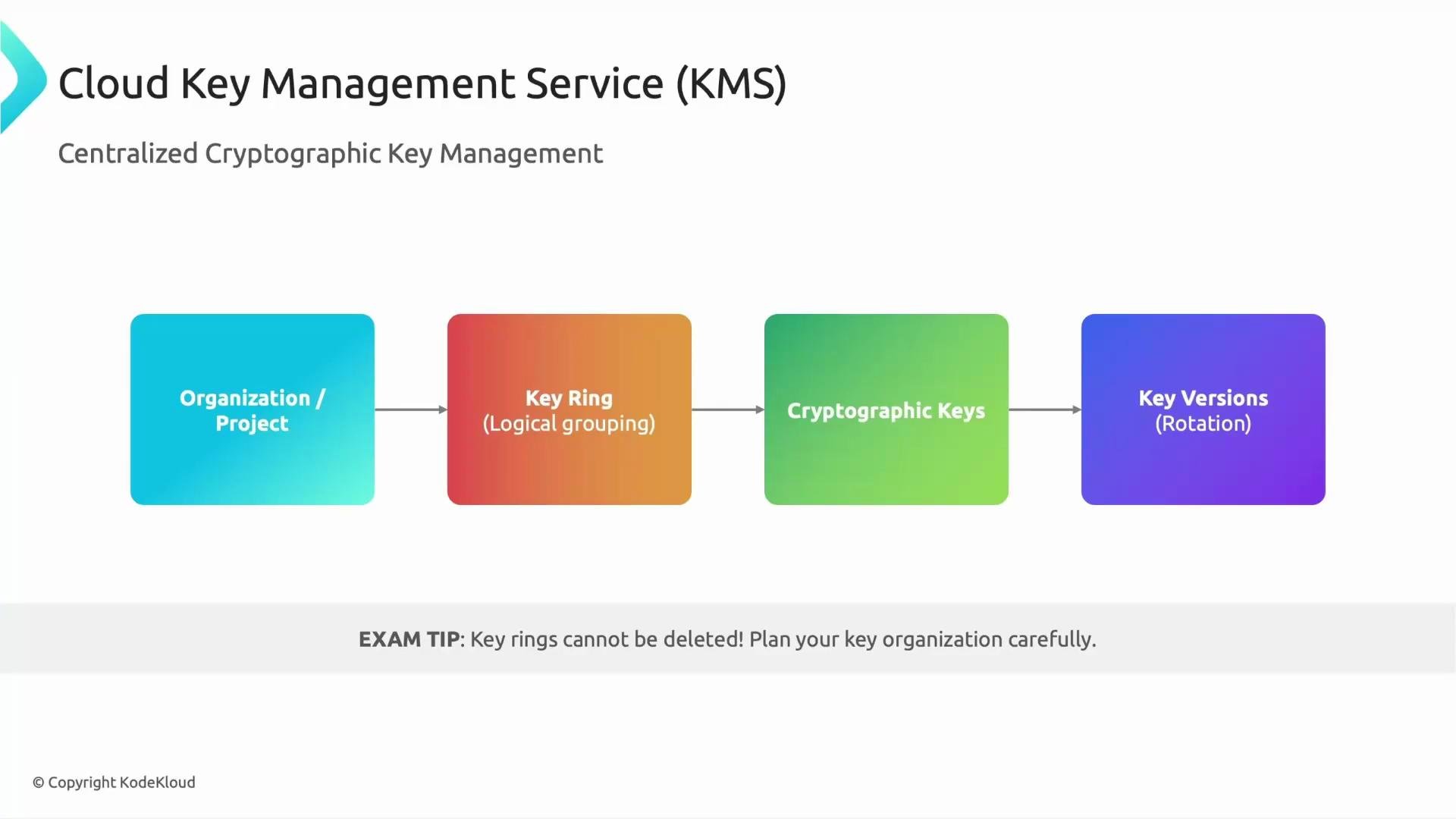
Plan your key-ring layout carefully: certain decisions (like key ring creation) are persistent.
A slide showing the Cloud Key Management Service (KMS) hierarchy: Organization/Project → Key Ring (logical grouping) → Cryptographic Keys → Key Versions (rotation). An exam tip at the bottom notes that key rings cannot be deleted.
Exam tip: Key rings cannot be deleted once they are created. Plan your naming and structure carefully.
You can also view the hierarchy as a quick reference table:
LevelPurposeExample
Organization / ProjectScope where KMS resources are createdprojects/my-project
Key ringLogical grouping for related keysprojects/my-project/locations/global/keyRings/prod-ring
Crypto keyKey resource attached to services (CMEK)projects/.../cryptoKeys/my-key
Crypto key versionSpecific key material used for cryptographic operationsprojects/.../cryptoKeys/my-key/cryptoKeyVersions/1

Protection levels — software, Cloud HSM, and external keys

Choose a protection level based on compliance, cost, and control needs. The main options:
Protection levelDescriptionTypical compliance
Software-protectedKeys stored in Google-managed software (default). Cost-effective and suitable for most workloads.FIPS 140-2 Level 1
HSM-backed (Cloud HSM)Keys held in Google Cloud HSM devices (hardware-backed). Higher assurance for regulated workloads.Underlying HSM: FIPS 140-2 Level 3
External keys (EKM)Key material remains outside GCP; Google calls the external key manager for cryptographic operations. Maximum customer control.Depends on your external KMS
Choosing a protection level depends on regulatory constraints, required assurance level, and budget. For most analytic workloads, software-protected is sufficient; for high-assurance financial or healthcare workloads consider Cloud HSM or EKM.

Common KMS use cases in data engineering

Cloud KMS is commonly used to protect data across GCP services and data pipelines:
  • Customer-Managed Encryption Keys (CMEK): Attach keys to services (BigQuery, Cloud Storage, Compute Engine) so you control the key lifecycle.
  • Data lakes and storage: Encrypt Cloud Storage objects or buckets with CMEK.
  • Streaming and messaging: Encrypt messages or secrets in streaming pipelines (Pub/Sub, Dataflow).
  • Disk encryption: Use CMEK for Compute Engine persistent disk encryption.
Quick mapping of use cases to GCP services:
Use caseGCP services
Data warehouse encryptionBigQuery (CMEK)
Object storage encryptionCloud Storage (CMEK)
VM disk encryptionCompute Engine disks (CMEK)
Streaming pipeline encryptionPub/Sub, Dataflow

Key terminology to remember

TermMeaning
CMEK (Customer-Managed Encryption Keys)You manage keys in Cloud KMS and attach them to GCP services for persistent resource encryption.
CSEK (Customer-Supplied Encryption Keys)You supply the raw key material to a GCP service for each operation; Google does not store this key. Limited support and higher operational burden.
EKM / External Key ManagerKey material stays outside Google Cloud; Google calls out to your external key manager for cryptographic operations.
When answering exam or architecture questions about key management, citing Cloud KMS (or CMEK, EKM) is usually appropriate for managed key lifecycles.

Additional resources

Summary: Cloud KMS centralizes key lifecycle management (create, use, rotate, destroy), supports multiple protection levels (software, Cloud HSM, EKM), and integrates with many GCP services via CMEK (and CSEK in limited scenarios). Use KMS to improve security posture, meet compliance needs, and reduce operational key-management burden. Thanks for reading — see you in the next lesson.

Watch Video