

- Streaming data is unbounded: events may arrive continuously and out of order. Windowing gives us a way to group events into finite, time-based segments so we can compute aggregates, metrics, and other results.
- Windowing is normally used with event time (when the event actually occurred), watermarks (estimates of event-time progress), and triggers (when to emit results). Together these let you compute correct, timely results from late or out-of-order events.
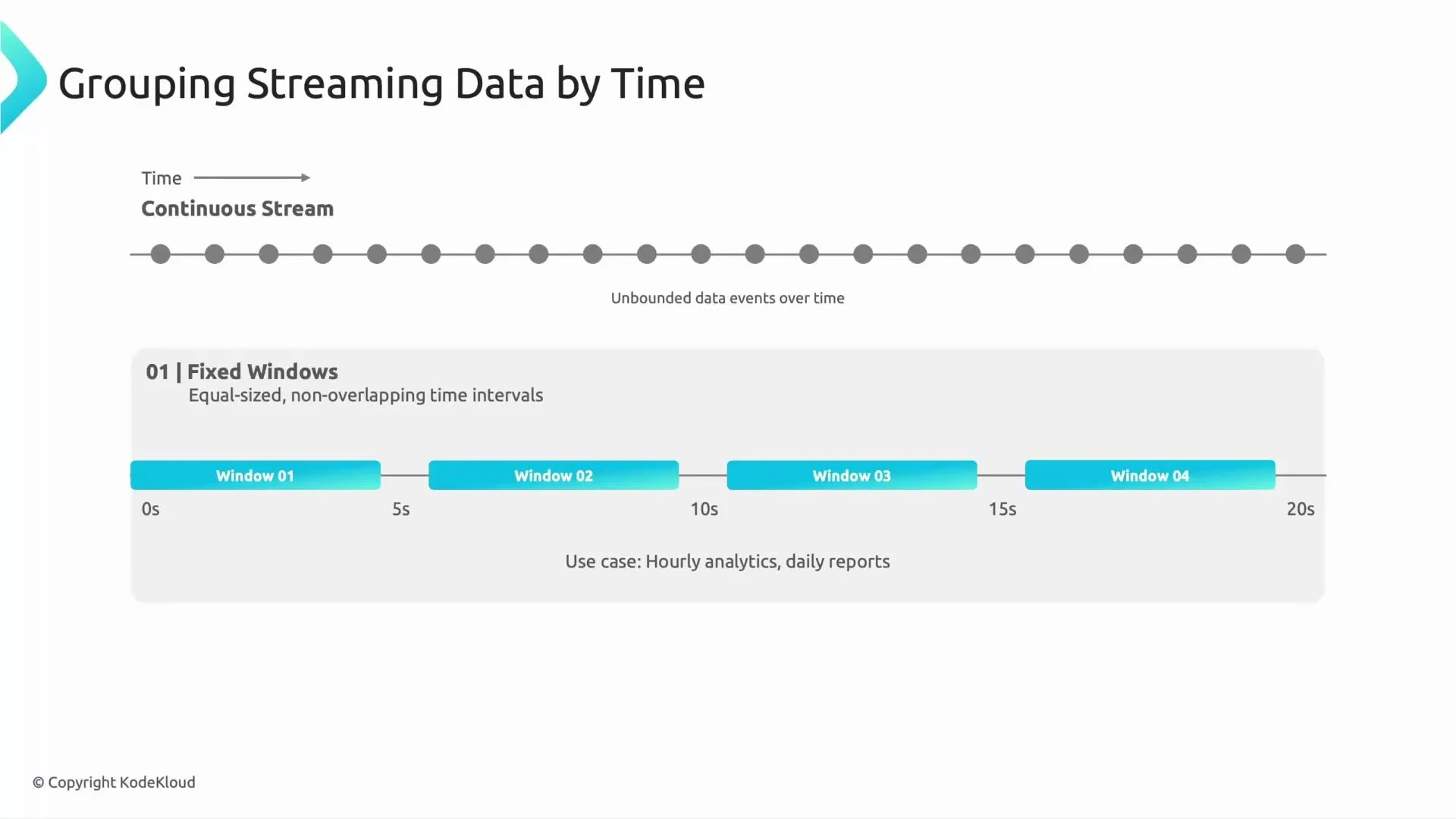
- Fixed windows divide the event stream into equal-length, non-overlapping intervals. Each event belongs to exactly one fixed window.
- Example use case: hourly counts of cars passing a toll booth. When the hour ends, the window is closed and the next window begins.
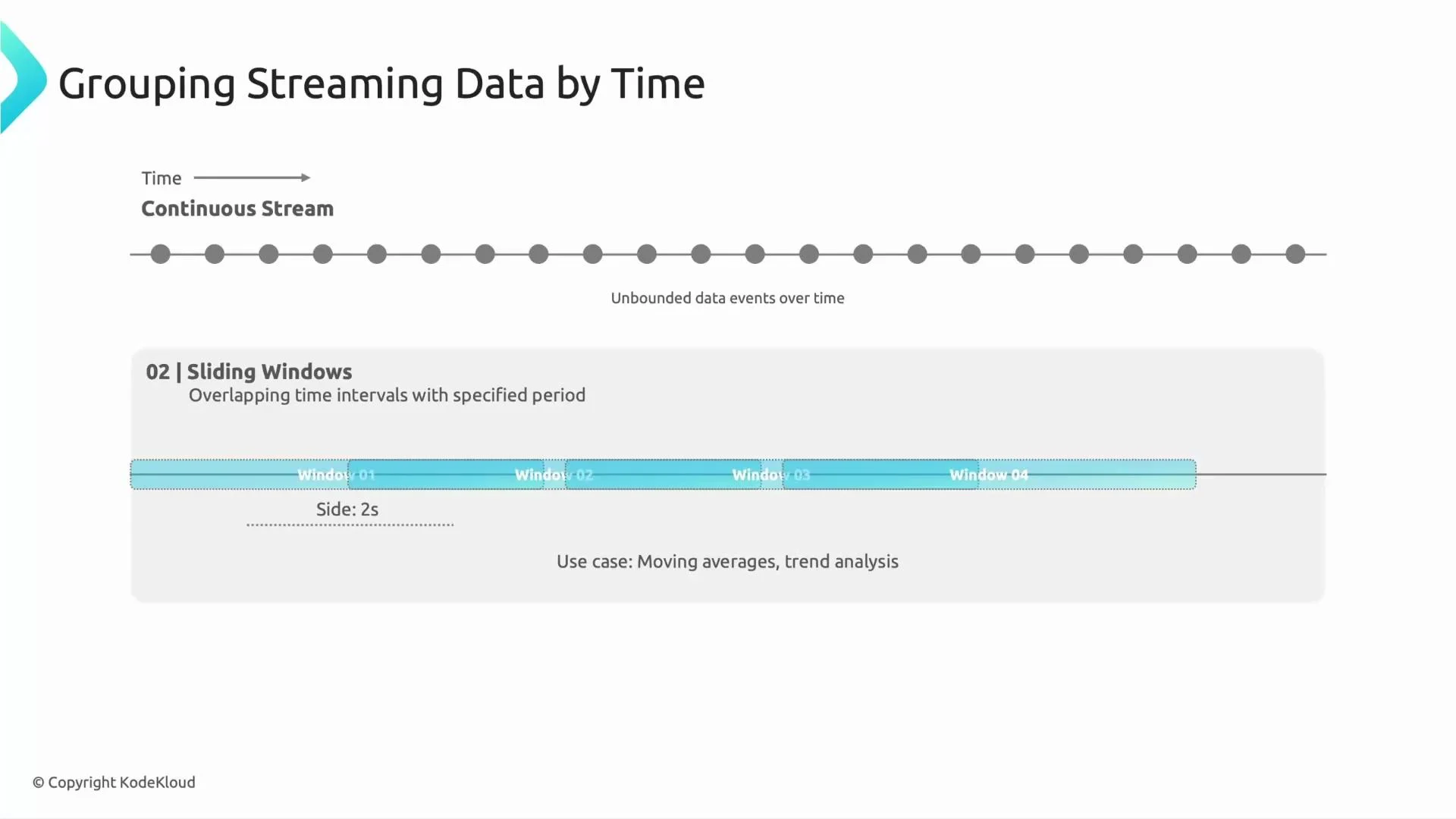
- Sliding windows have a fixed duration (window length) but advance by a smaller step (the slide). Windows therefore overlap and an event can belong to multiple windows.
- Example use case: a 10-second moving average updated every 2 seconds. This provides more frequent insight while considering a longer interval.
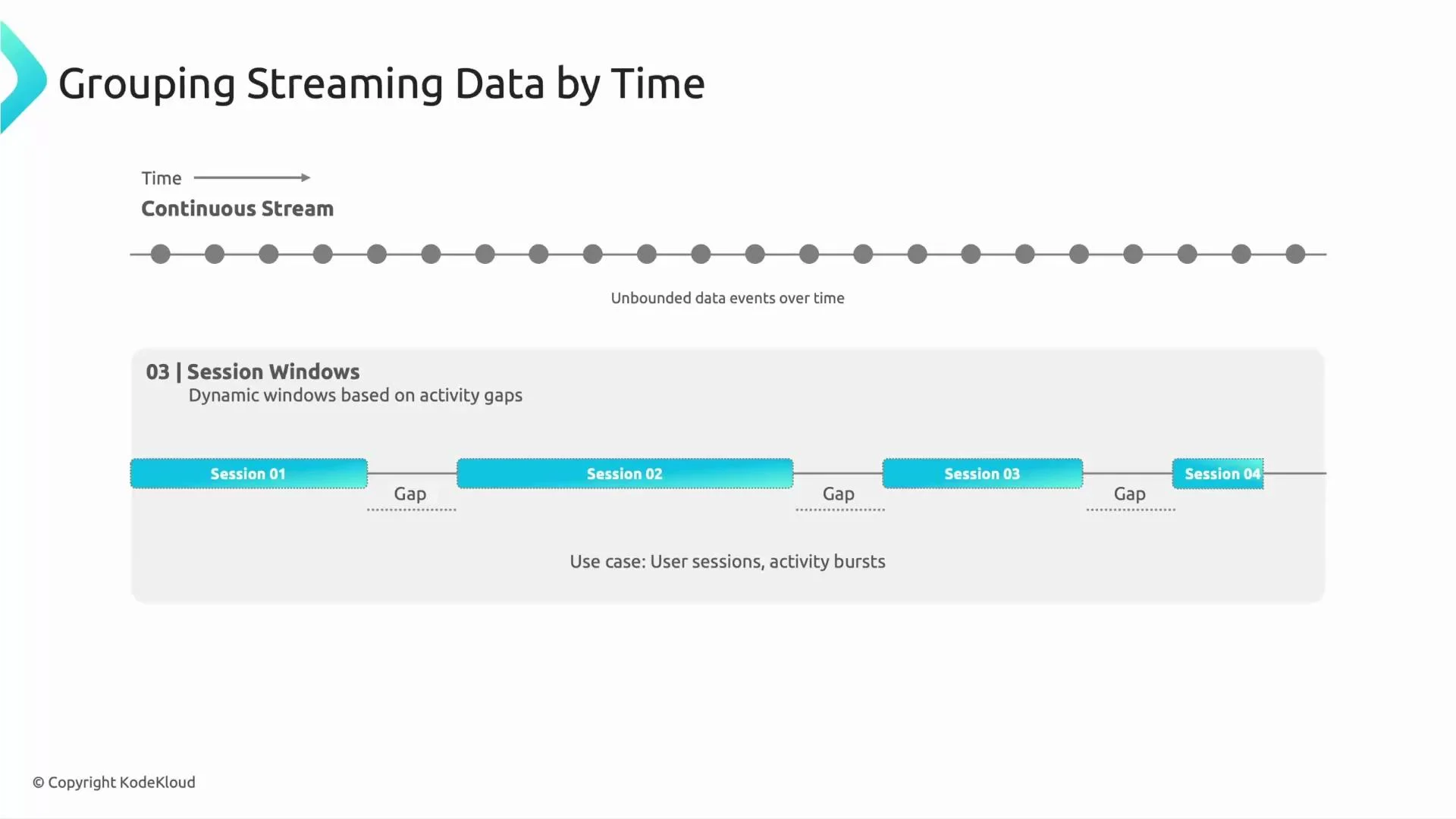
- Session windows are dynamic: they group events based on activity, not fixed time boundaries. A session continues while events keep arriving within a defined inactivity gap; when the gap is exceeded, the session closes and a new one begins.
- Example use case: web browsing sessions. If a user is continuously active, events remain in the same session; after an inactivity gap (for example, 30 seconds), the next activity starts a new session.
- The global window places all data into a single, long-lived window that spans the entire pipeline execution.
- In batch (bounded) pipelines this effectively groups the full dataset and processes it to completion.
- In streaming, a global window groups all events indefinitely, so you must use triggers (with watermarks and allowed lateness) to decide when to emit intermediate and final results because the input never naturally completes.
- Fixed windows: equal, non-overlapping time ranges.
- Sliding windows: overlapping time ranges for more frequent updates.
- Session windows: dynamic windows based on activity gaps.
- Global window: all data in one bucket (common for batch; requires triggers for streaming).
Example: Apache Beam windowing snippets
- These examples show how to apply common windows in Apache Beam (the SDK Dataflow uses). Replace
PCollectionand transforms with your pipeline’s elements.
- Windowing groups events, but emission (when results are output) is controlled by triggers and coordinated with watermarks that estimate event-time progress.
- Common trigger choices:
- On watermark (default): emit when the watermark passes the end-of-window.
- Processing-time timers: emit periodically based on wall-clock time.
- Repeated/accumulating triggers for early/late firings.
- Always consider allowed lateness to accept late events into already-closed windows or to drop them.
Global windows don’t close on their own in streaming mode. If you choose a global window for a streaming pipeline, explicitly configure triggers and allowed lateness; otherwise intermediate or final results will not be emitted as expected.
BigQuery or Cloud Storage). Emission is controlled by watermarks and triggers, which govern lateness handling and output timing. Watermarks and triggers are covered in a separate lesson.
Windowing operates in the context of event time (the time an event occurred) and is coordinated with watermarks that indicate how far event time has progressed. Triggers control when the pipeline emits results for a window (on watermark progress, on processing-time timers, or on other conditions).
- Apache Beam Windowing Concepts
- Dataflow Streaming Engine and Windowing
- BigQuery documentation
- Cloud Storage documentation