

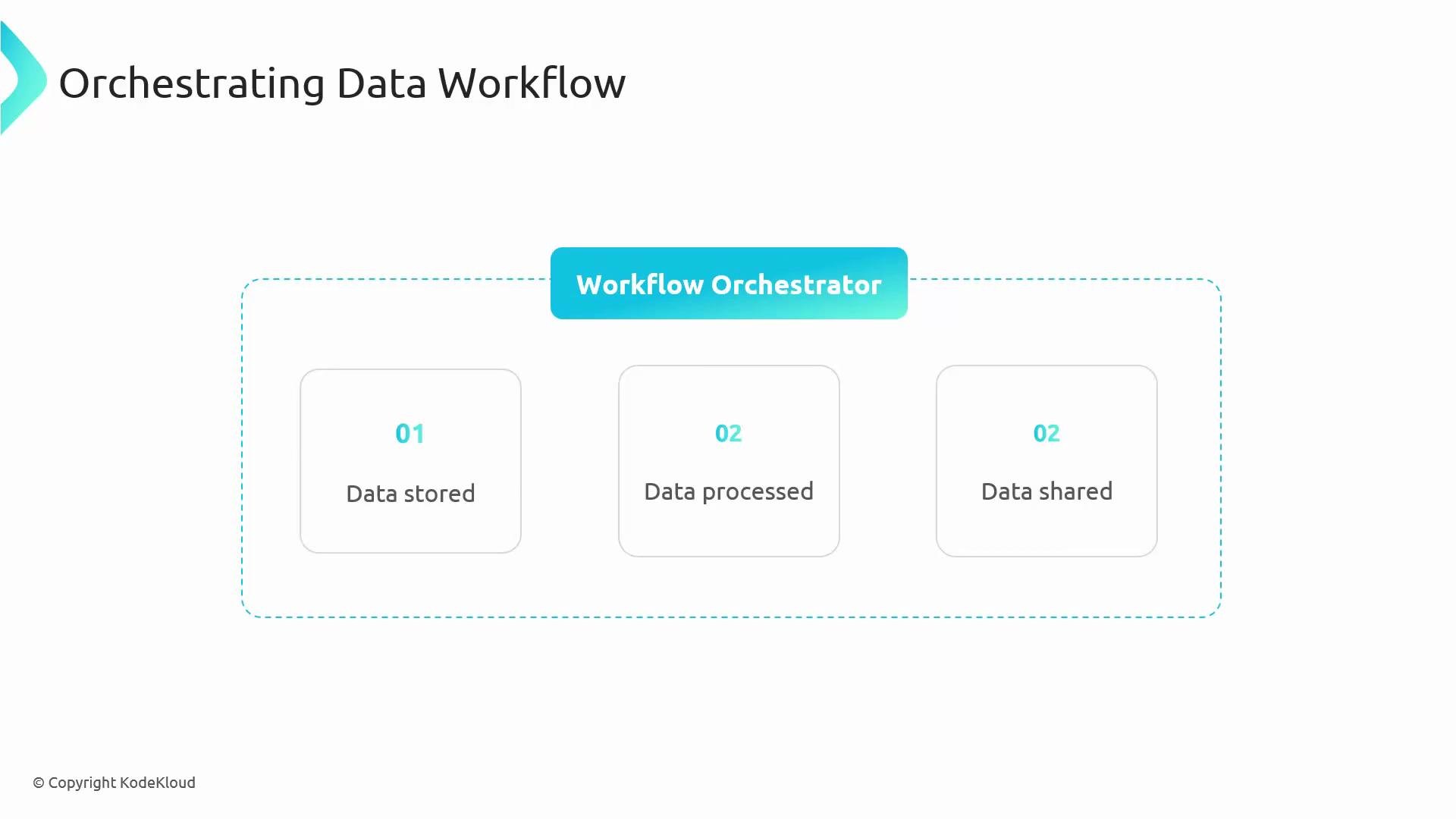
- Regularly extract orders from Cloud SQL
- Transform the data (for example with Dataflow)
- Load the transformed results into BigQuery
- Send alerts when steps fail
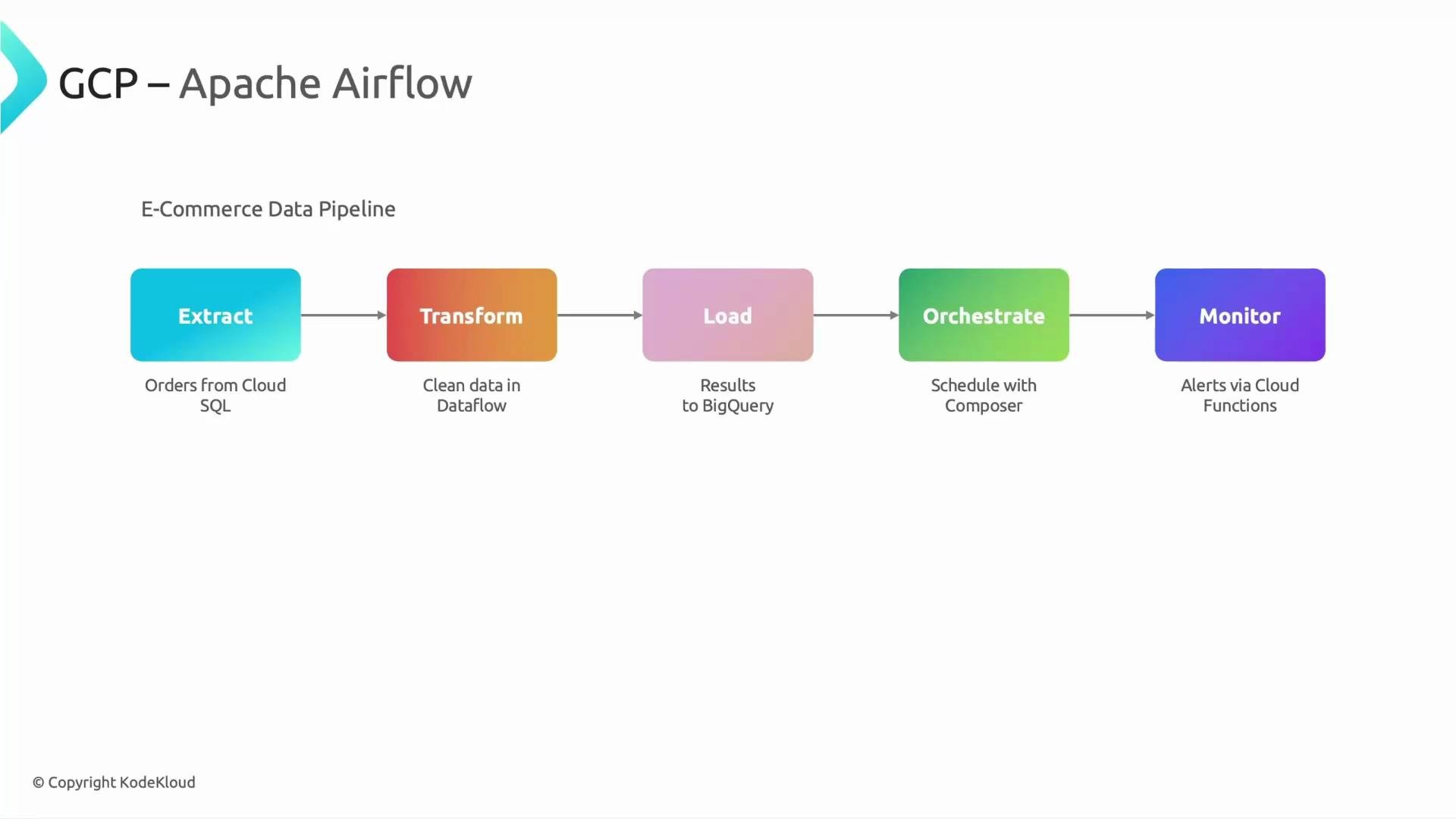
- Centralized scheduling and dependency management
- Standardized retry and failure handling
- Centralized logs, metrics, and alerting
- Easier to author and maintain many pipelines
- Managed Apache Airflow environment hosted on Google Cloud.
- You write DAGs in Python and use the familiar Airflow UI.
- Google manages the underlying services (provisioning, scaling, upgrades, monitoring).
Cloud Composer exposes the familiar Airflow UI and DAG semantics but handles provisioning and management of the underlying services for you.
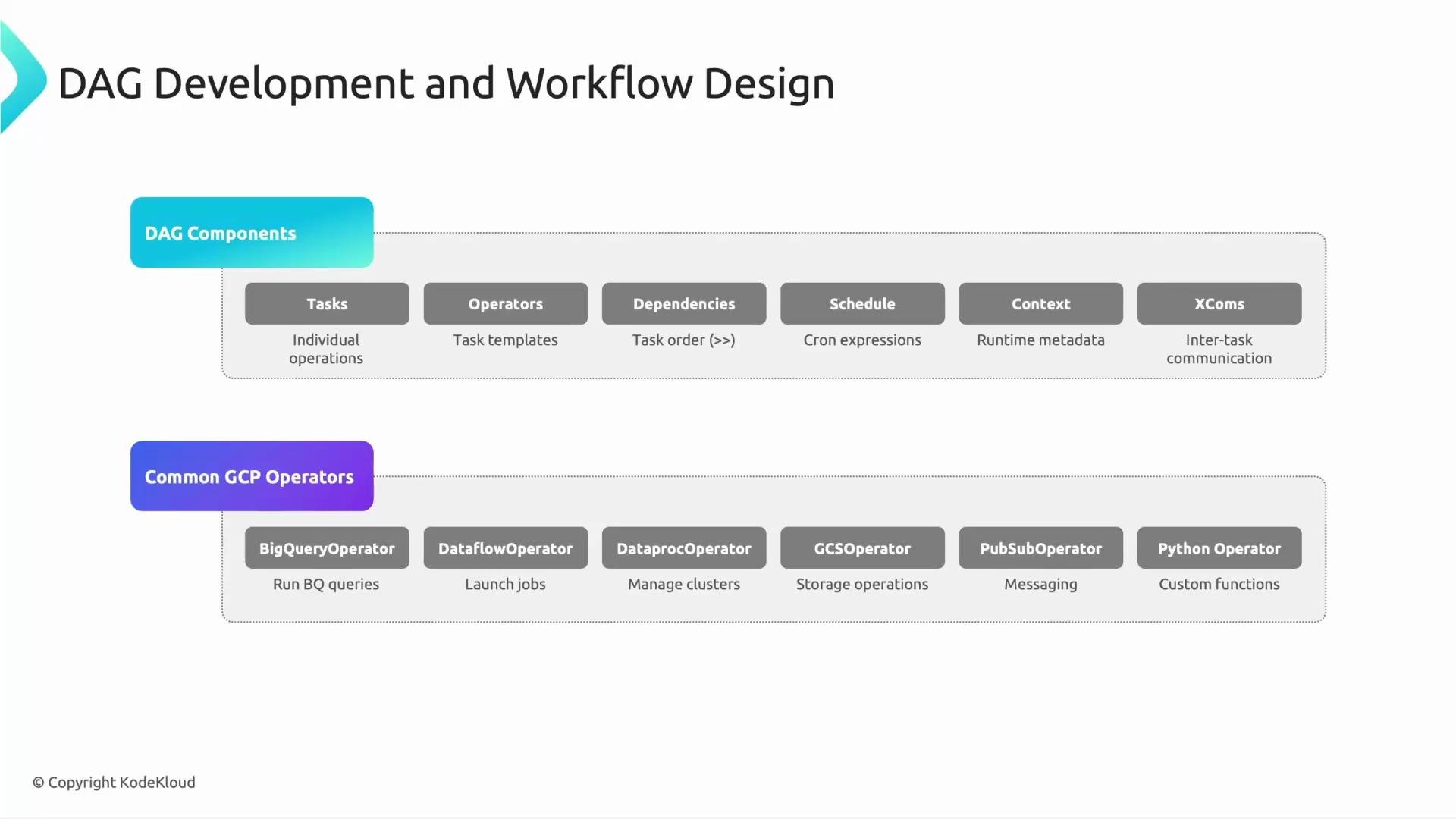
Core Airflow/DAG fundamentals
- Tasks: units of work inside a DAG.
- Operators: task templates that define work to execute.
- Dependencies: edges that control execution order.
- Schedules: cron or preset expressions that trigger DAG runs.
- Context: runtime metadata available to tasks.
- XCom: small payload mechanism for task-to-task data exchange.
You can also use third-party operators (e.g., AWS S3, Salesforce). Store credentials securely (for example in Secret Manager) and expose them to Airflow via Connections.
- Airflow 2.x′s TaskFlow API (using
@task) pushes return values to XCom automatically and can simplify code. - When using
PythonOperator, return values can be pushed ifdo_xcom_pushis enabled, or useti.xcom_push(...). - Keep XCom payloads small — use references (GCS paths, job IDs) rather than large datasets.
- Access the Airflow UI from the Cloud Composer environment page in the GCP Console.
- The UI shows DAG graphs, task instance status, logs, and historical runs.
- Task logs are stored in the configured Cloud Storage bucket; you can view logs via the UI or directly in GCS.
- Use Cloud Monitoring to create alerting policies for failed DAG runs or abnormal metrics.
- Cloud Functions — event-driven single-purpose functions.
- Cloud Workflows — manage serverless orchestration for APIs and services.
- Combine scheduling with Dataflow or Dataproc jobs for batch pipelines.
- Cloud Data Fusion — low-code ETL for typical data integration scenarios.
Cloud Composer environments involve multiple managed services and can incur significant costs. Evaluate workload size and frequency before choosing Composer, and consider alternatives for small or infrequent jobs.
- Cloud Composer is Google’s managed Apache Airflow: author DAGs in Python and let Google manage the underlying infrastructure.
- Composer maps Airflow components to Google-managed services (GKE, Cloud SQL, Cloud Storage, App Engine/managed runtime, Cloud Monitoring).
- DAGs express workflows using tasks, operators, dependencies, schedules, context, and XComs.
- Composer is ideal for large-scale orchestration but evaluate cost and alternatives for simpler scenarios.