

Core serverless concepts for Cloud Functions
-
No server management
Google Cloud manages provisioning, patching, and the runtime environment so you don’t have to. -
Automatic scaling
Functions scale out automatically by creating instances to handle increased traffic. -
Pay-per-use billing
You are charged only while your function is executing; idle time is not billed. -
Event-driven execution
Functions execute in response to events: HTTP requests, Pub/Sub messages, storage events, Firestore changes, etc. -
Statelessness
Each execution is independent and should not rely on local filesystem state. Use external services (Firestore, Cloud Storage, BigQuery) for persistence.
Cloud Functions are best for short-lived, stateless compute tasks. Persist any durable state in external stores such as Firestore, Cloud Storage, or BigQuery.
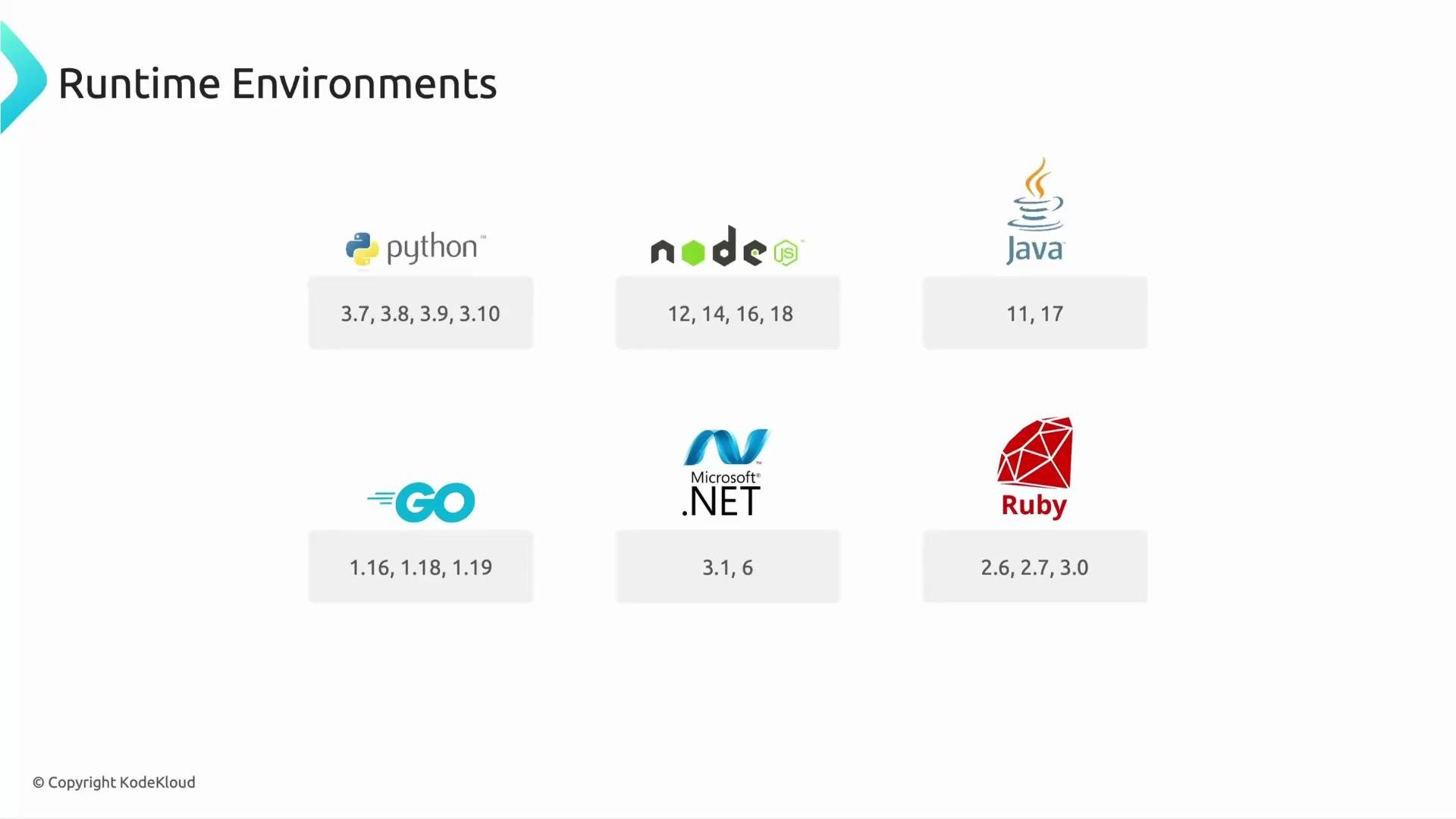
Supported languages and runtimes
Cloud Functions supports multiple runtimes so teams can use familiar languages. Supported languages typically include:- Python
- Node.js
- Java
- Go
- .NET
- Ruby
Triggers — how functions are invoked
Functions run in response to one of several trigger types:Minimal examples
HTTP-triggered Cloud Function examples — these show the handler signature and basic response. Node.js (HTTP):--trigger-topic or --trigger-bucket during deployment.
Quick exam-style question
Which billing model does Cloud Functions use?- Pay for servers running 24/7.
- Pay per use only when your code executes.
- Monthly subscription, regardless of usage.
Summary
Cloud Functions offers lightweight, event-driven compute that scales automatically and removes the burden of server management. Use Cloud Functions for small, focused units of logic that respond to events; rely on external services for persistent state. Topics to explore next:- Performance characteristics and cold-start behavior
- Data-processing design patterns with Cloud Functions
- Rate limiting, batching, and retry strategies
- When to choose Cloud Functions vs. Cloud Run or Workflows
Links and references
- Cloud Functions documentation
- Cloud Functions runtime support
- Google Cloud Storage events
- Pub/Sub documentation