

At-a-glance summary
-
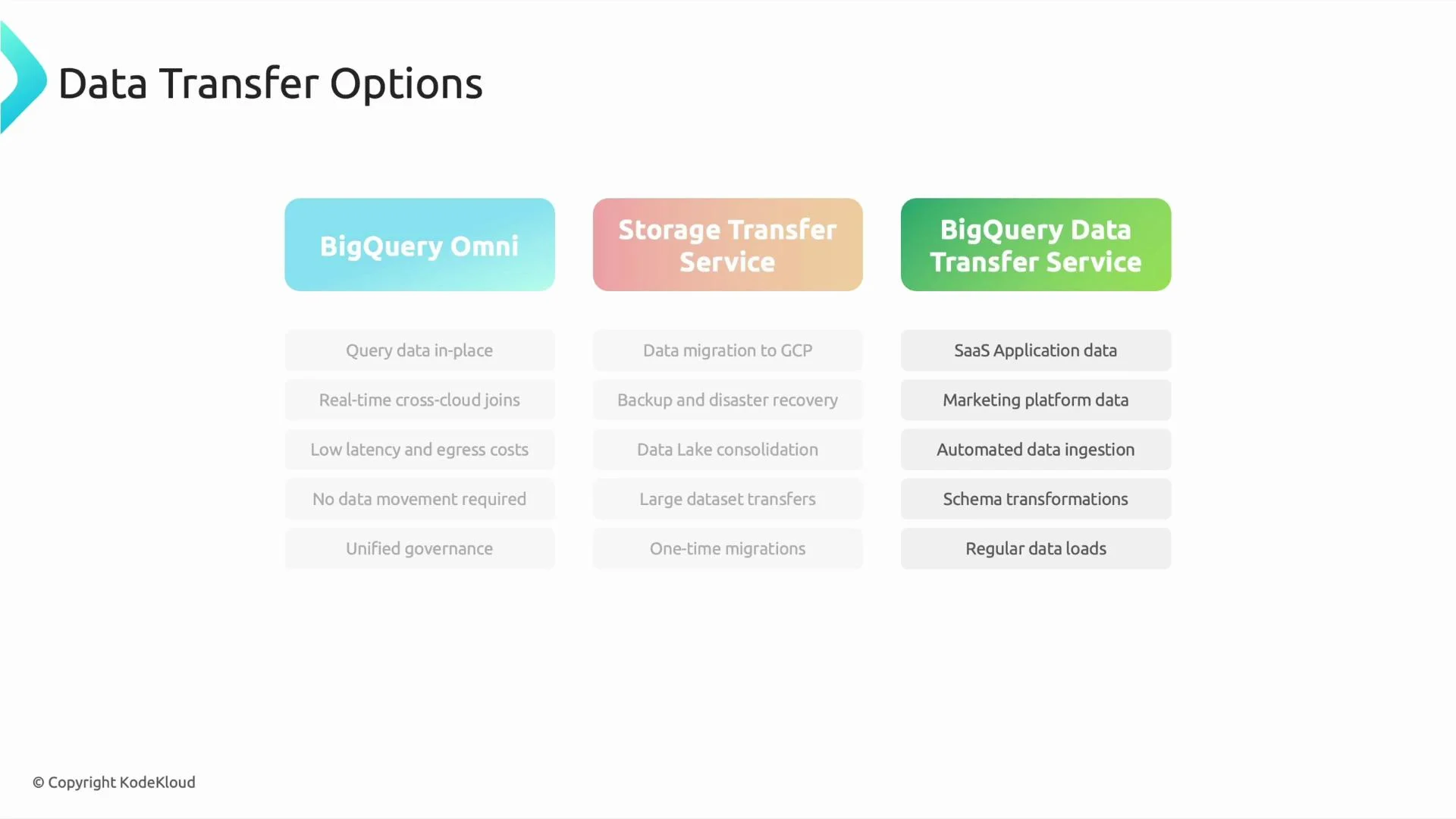
BigQuery Omni
- Best when data must remain outside Google Cloud (for example, in AWS S3 or Azure Blob Storage).
- Runs BigQuery compute in the same cloud/region as the storage, enabling in-place SQL queries and minimizing large-scale data transfer.
- Supports cross-cloud joins with external datasets, reducing egress costs and migration time (runtime performance depends on locality and network).
- Maintains a consistent BigQuery SQL experience; ensure appropriate IAM and governance across clouds.
- Docs: https://cloud.google.com/bigquery-omni
-
Storage Transfer Service (STS)
- Moves data into Google Cloud Storage (GCS).
- Ideal for one-time migrations, bulk transfers, data-lake consolidation, backups, and discovery.
- Use STS when you want to centralize storage or modernize by bringing data into GCP for downstream processing.
- Docs: https://cloud.google.com/storage-transfer
-
BigQuery Data Transfer Service (DTS)
- Automates and schedules ingestion from managed sources and SaaS applications (Google Ads, YouTube Analytics, many CRMs).
- Handles recurring loads, incremental updates, and common schema-change patterns.
- Use DTS for automated, repeatable ingestion into BigQuery.
- Docs: https://cloud.google.com/bigquery-transfer
Decision framework (high level)
Use the short decision flow below to pick the right tool:- Must run analytics where the data physically resides (AWS or Azure) and cannot/must not move the data → BigQuery Omni.
- One-time bulk migration or consolidation into Google Cloud → Storage Transfer Service (or Transfer Appliance for extremely large physical transfers).
- Continuous, scheduled ingestion from SaaS or managed services into BigQuery → BigQuery Data Transfer Service.

Examples — quick Q&A
-
Q: We need to migrate an on-premises data lake (a very large set of files) into Google Cloud. What should we choose?
- A: Storage Transfer Service (STS). For extremely large physical datasets, consider using Transfer Appliance to move data physically, then STS or GCS to ingest into Google Cloud.
-
Q: Our data will remain in AWS S3 or Azure Blob Storage and cannot be moved, but we want to run BigQuery analytics (including joins with datasets in GCP). What should we choose?
- A: BigQuery Omni. It lets you query the external cloud storage in place. If you later choose to centralize for performance or tighter integration, use STS to migrate.
-
Q: We want daily ingestion from a SaaS app (e.g., Google Ads or Salesforce) into BigQuery for reporting. What should we choose?
- A: BigQuery Data Transfer Service. DTS schedules and automates recurring transfers from many SaaS sources and supports incremental patterns.
Operational considerations
- Latency and runtime: Omni reduces bulk data movement but can introduce cross-cloud network latency and performance variability. STS/DTS centralization often yields lower-latency queries inside GCP.
- Costs: Evaluate egress fees, storage costs, and compute costs. Omni minimizes transfer costs but may incur cross-cloud compute and network charges.
- Governance and security: Cross-cloud IAM, encryption, and policy enforcement require careful configuration. Centralizing data in GCS simplifies applying uniform GCP policies.
- Operational overhead: DTS is low-maintenance for supported SaaS sources. STS and Omni may require more operational planning for schema management, monitoring, and error handling.
When deciding among Omni, STS, and DTS, weigh latency, egress costs, governance needs, and operational overhead. Omni avoids large data moves but introduces cross-cloud runtime considerations; STS/DTS centralize data into GCP and enable tighter integration with GCP-native analytics and processing.
Further reading and references
- BigQuery Omni — https://cloud.google.com/bigquery-omni
- Storage Transfer Service — https://cloud.google.com/storage-transfer
- Transfer Appliance — https://cloud.google.com/transfer-appliance
- BigQuery Data Transfer Service — https://cloud.google.com/bigquery-transfer
- BigQuery documentation — https://cloud.google.com/bigquery