

- Inspect data to detect sensitive types and produce findings (sensitive types, locations, likelihoods).
- De-identify data using masking, redaction, tokenization, replacement, or format-preserving encryption.
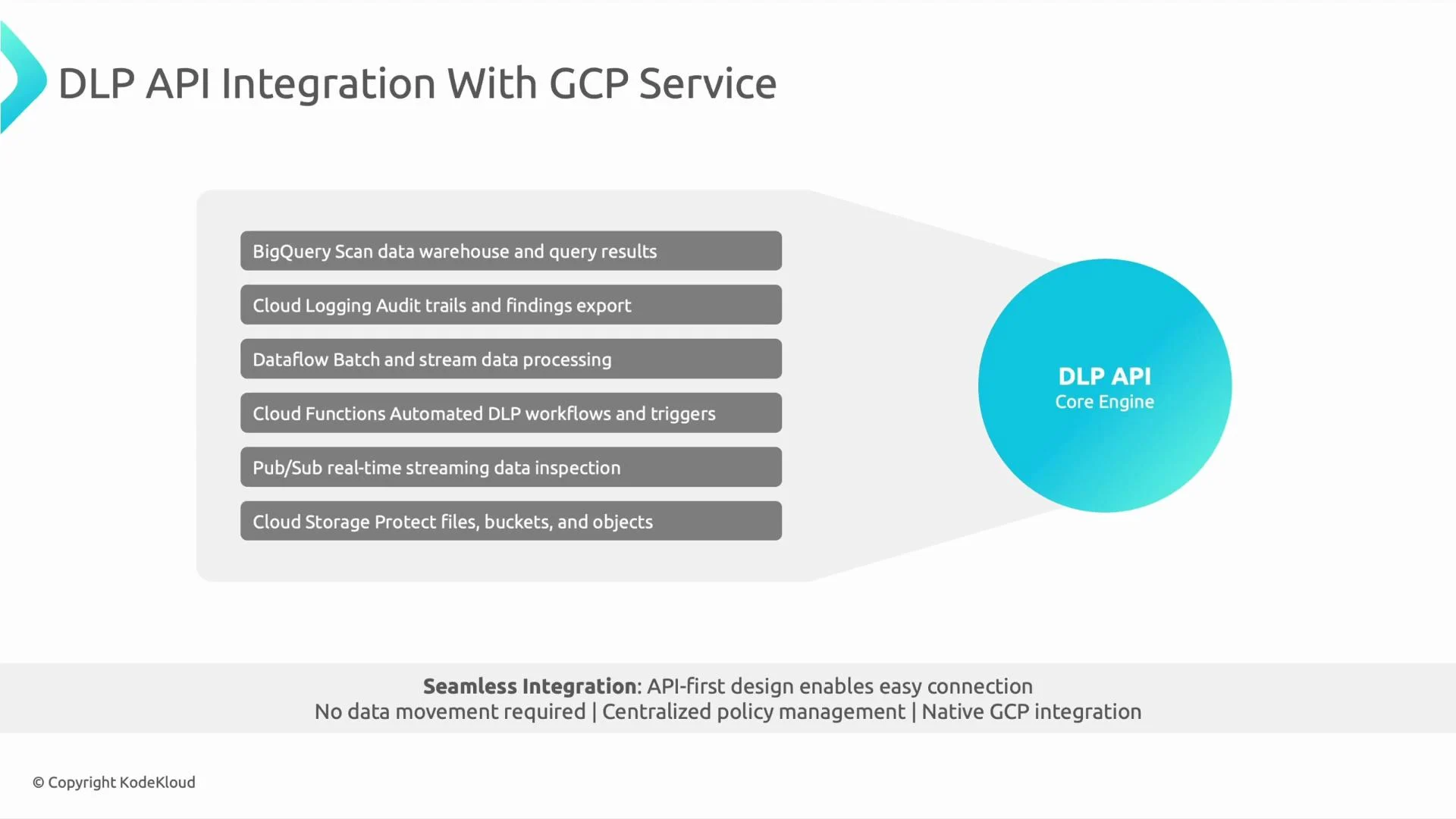
- Integrate with other GCP services for scanning at ingestion, in transit, or at rest.
-
BigQuery
- What DLP does: Inspect tables, specific columns, or query results to discover PII.
- Typical pattern: Run DLP inspection jobs that target BigQuery as a storage location and write findings back to BigQuery or Cloud Storage.
- When to use: Large-scale warehouse scans, scheduled recurring scans, or pre-ingest inspection of query results.
- See: BigQuery Documentation
-
Cloud Logging
- What DLP does: Analyze exported logs (including audit logs) for leaked PII or sensitive content.
- Typical pattern: Export logs via a sink to Cloud Storage, BigQuery, or Pub/Sub and run DLP jobs on the exported data.
- When to use: Detecting accidental PII exposure through logs or monitoring systems.
- Note: Cloud Logging does not call DLP directly; use exported log sinks.
- See: Cloud Logging Documentation
-
Dataflow
- What DLP does: Inspect and optionally de-identify data inline in streaming or batch pipelines.
- Typical pattern: Dataflow transforms call the DLP API to mask, tokenize, or redact data before writing to downstream systems (e.g., BigQuery).
- When to use: Real-time transformation or protection of data in transit.
- See: Dataflow Documentation
-
Cloud Functions
- What DLP does: Trigger DLP operations in response to events (object creation, Pub/Sub messages, etc.).
- Typical pattern: Cloud Functions invoke DLP to inspect or de-identify newly uploaded objects and then perform remediation or notifications.
- When to use: Event-driven scanning and quick-remediation workflows.
- See: Cloud Functions Documentation
-
Pub/Sub
- What DLP does: Acts as the transport layer; subscribers (Cloud Functions, Dataflow) invoke DLP on message contents.
- Typical pattern: Inspect or transform messages before further propagation to downstream systems.
- When to use: Real-time message inspection and mid-stream de-identification.
- See: Pub/Sub Documentation
-
Cloud Storage
- What DLP does: Scan bucket objects (CSV, JSON, PDF, images with OCR, Office files, etc.).
- Typical pattern: On-demand or scheduled DLP jobs for entire buckets, or event-driven scans using Cloud Functions to trigger DLP when new objects arrive.
- When to use: Scanning data at rest and preventing PII from persisting in storage.
- See: Cloud Storage Documentation
Best practices and operational tips
- Decide where to act:
- Ingestion: Prevent sensitive data from entering downstream systems.
- In transit: Transform data in pipelines (Dataflow).
- At rest: Periodic scans of BigQuery or Cloud Storage.
- IAM: Ensure the invoking principal has appropriate DLP roles (for example,
roles/dlp.adminorroles/dlp.user) plus storage or BigQuery access as needed. - Cost & quotas: Large-scale or frequent scans can incur significant cost and quota usage—use sampling, scheduling, or target-specific scans to control spend.
- Automation: Use Cloud Functions, Pub/Sub, or Dataflow to automate scanning and remediation workflows for operational efficiency.
DLP supports both inspection (discover) and de-identification (mask, redact, replace, tokenize, encrypt). When designing integration flows, consider where to act (ingestion, in-transit, or at-rest), assign precise IAM roles (for example,
roles/dlp.admin or roles/dlp.user plus storage/BigQuery permissions), and evaluate cost and quota implications for large-scale scans.- Scenario: A client uploads a CSV with PII to a Cloud Storage bucket. A common solution: trigger a DLP scan on that bucket using an event-driven Cloud Function that invokes the DLP API, then run remediation (automatic de-identification) or alerts (email, ticket) when PII is detected. Alternatively, schedule periodic DLP jobs for comprehensive bucket scans.
- Cloud Data Loss Prevention (DLP) Overview
- BigQuery Documentation
- Cloud Storage Documentation
- Cloud Logging Documentation
- Dataflow Documentation
- Cloud Functions Documentation
- Pub/Sub Documentation