Welcome back. This lesson compares Cloud Functions and Cloud Workflows so you can choose the right orchestration approach for event-driven applications on Google Cloud. We build on Cloud Functions best practices and optimization techniques and expand the perspective to multi-service coordination, long-running sequences, and stateful orchestrations. Quick overview:
  • Use Cloud Functions for single-purpose, short-lived event handlers.
  • Use Cloud Workflows when you need to coordinate multiple steps, persist state across steps, or run long-running processes.

Key differences: execution model, duration, and control flow
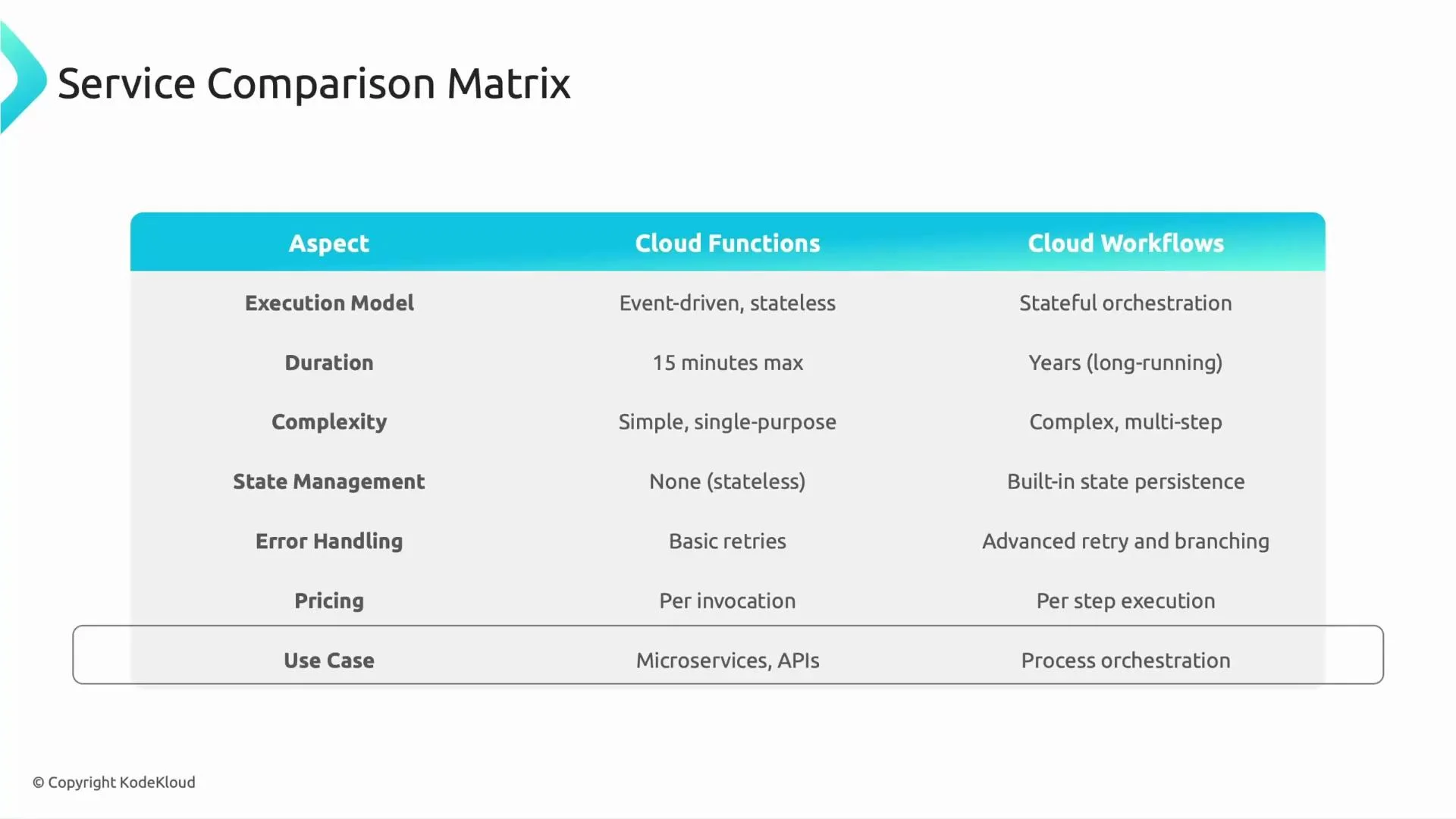
AspectCloud FunctionsCloud Workflows
Execution modelEvent-driven, stateless functions that react to a single trigger and finishOrchestrator that sequences multiple steps, passes data between steps, and coordinates services
DurationShort-lived tasks (minutes). Newer runtimes may allow longer timeouts, but Functions are optimized for short tasksDesigned for long-running orchestrations; can wait, pause, or span hours/days
Control flowSimple single-purpose logic; any branching or complex flow must be managed by the function codeBuilt-in branching, error handling, retries, and conditional logic defined in YAML or JSON workflow definitions
State managementNo built-in state — persist externally (Cloud Storage, Firestore, database)State passing between steps and execution history are built-in
Error handling & retriesBasic retry behavior via trigger configuration or custom retry logic in codeAdvanced retry policies, conditional error handling, and explicit fallback paths in workflow definitions
Pricing modelBilled for invocations, compute time, and resources usedBilled per state transition/step and for certain callouts; pricing units differ from Functions
Typical use casesMicroservices, single-event responses (e.g., transform/store a file on upload)Orchestrations spanning multiple APIs/services, long-running flows, and processes requiring approvals
A slide titled "Service Comparison Matrix" showing a table that compares Cloud Functions and Cloud Workflows across aspects like execution model, duration, complexity, state management, error handling, pricing, and use cases. The matrix contrasts event-driven, short-lived, stateless functions with stateful, long-running, multi-step workflows.

Duration and state: when time and persistence matter

  • Cloud Functions: best for tasks that complete quickly. For persistent data, rely on external stores (Cloud Storage, Firestore, Cloud SQL).
  • Cloud Workflows: maintain execution context across steps; outputs flow into subsequent steps without needing an external store for intermediate state.

Complexity and orchestration

  • Cloud Functions: keep functions focused and stateless. Suitable for simple event handlers or small microservices.
  • Cloud Workflows: model complex business processes (branching, parallel steps, waits for approvals, external API calls) declaratively in a workflow definition.

Error handling and retries

  • Cloud Functions: rely on trigger-level retries or custom retry logic inside the function.
  • Cloud Workflows: define retry policies, backoff, and alternate paths in the workflow. Useful for resilient, multi-step integrations.

Pricing considerations

Both are usage-based but charge on different metrics. Evaluate expected invocation counts, compute duration (Functions), and number of state transitions/callouts (Workflows) to estimate costs for your scenario. See Cloud Functions pricing and Cloud Workflows pricing for current details.

Typical use cases and examples

ServiceExample use cases
Cloud Functions- Image or file processing upon upload to Cloud Storage
- Lightweight API backends or webhook handlers
- Event-driven microservices (single responsibility)
Cloud Workflows- Multi-step onboarding with document checks, ID verification, manual approvals, and external API calls
- Orchestrating a transaction across several services with retries and compensating actions
- Long-lived ETL pipelines that require coordination and checkpoints
Example scenarios:
  • Cloud Function: calculate an estimated fare and assign a nearby driver when a ride request arrives — one trigger, one responsibility, short execution.
  • Cloud Workflow: a driver onboarding process that collects documents, verifies IDs, waits for human approval, and activates accounts — many steps, branching paths, and waits.

Exam-style question

What would you choose for a long-running process involving multiple GCP APIs where state must be maintained? Answer: Cloud Workflows — they are designed to orchestrate steps, persist execution state between steps, and provide rich error handling and retry strategies.
Simple decision rule: ask yourself “Do I need just a single event response?” If yes, Cloud Functions are usually the right fit. If no — if you need orchestration, retries, multiple API calls, or long-running stateful sequences — choose Cloud Workflows.

Decision guidance

  • Choose Cloud Functions when: you need a fast, single-purpose event response, minimal orchestration, and stateless execution.
  • Choose Cloud Workflows when: you need to coordinate multiple steps, preserve state across steps, implement complex branching or retry policies, or support long-running processes.
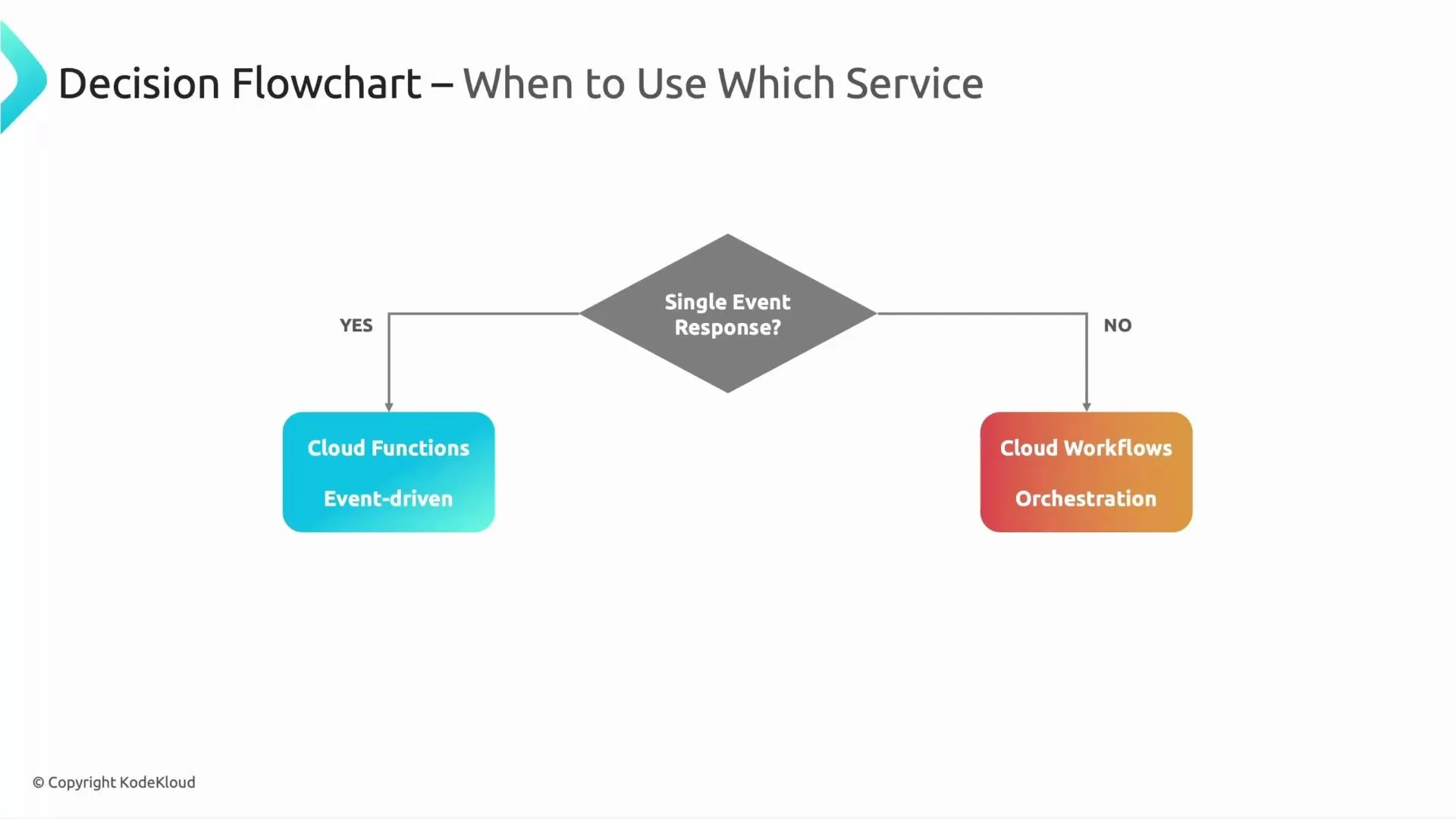
A consolidated visual decision flow can help guide the choice below.
A simple decision flowchart titled "Decision Flowchart – When to Use Which Service" showing a diamond labeled "Single Event Response?" With "Yes" it leads to a blue box "Cloud Functions — Event-driven," and with "No" it leads to an orange box "Cloud Workflows — Orchestration."
Further reading and references: See you in the next lesson.

Watch Video