

- Sign into the Google Cloud Console and ensure the correct project is selected.
- In the top search bar enter
VPCand choose VPC network from the results to view the project’s VPC list.
default VPC that GCP creates for convenience. Creating a custom VPC gives you control over subnet CIDR ranges, regions, and routing behavior.
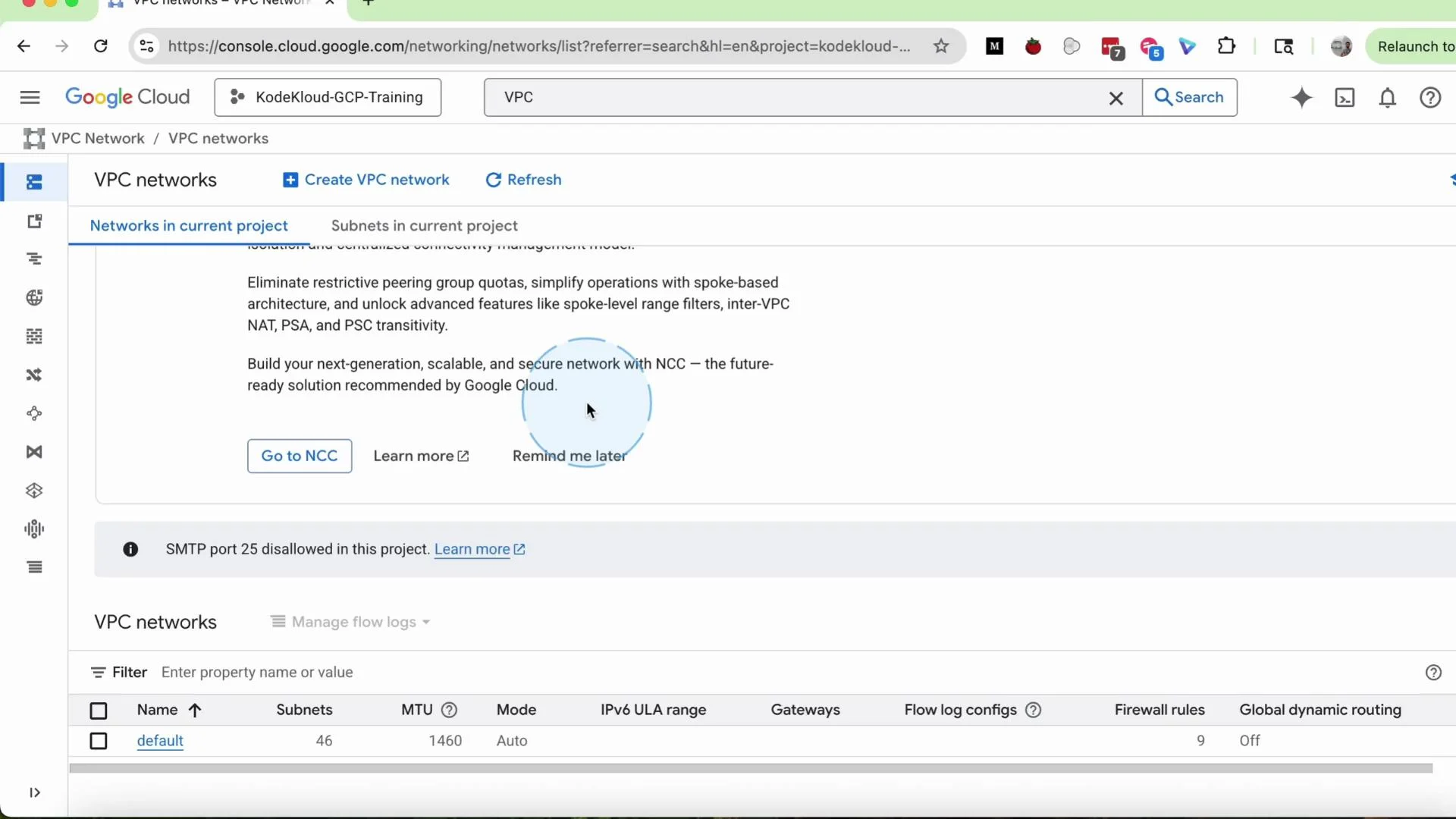
- Click the
Create VPCbutton on the VPC networks page. - Enter a VPC name, for example
my-vpc. Optionally add a short description such as “simple VPC for demo”. - Select the Subnet creation mode:
Automatic: GCP will create a subnet in every region with default address ranges. Use this for fast testing but note it’s less flexible.Custom: you define specific subnets, regions, and CIDR ranges. Select Custom for this tutorial.
- Add a subnet:
- Set the subnet
Name, e.g.my-subnet. - Choose a
Region, for exampleus-central1(Iowa). - Provide the
Primary IPv4 rangeas a CIDR block, e.g.10.0.0.0/24.
- Set the subnet
us-central1 selected and the primary IPv4 range set to 10.0.0.0/24.
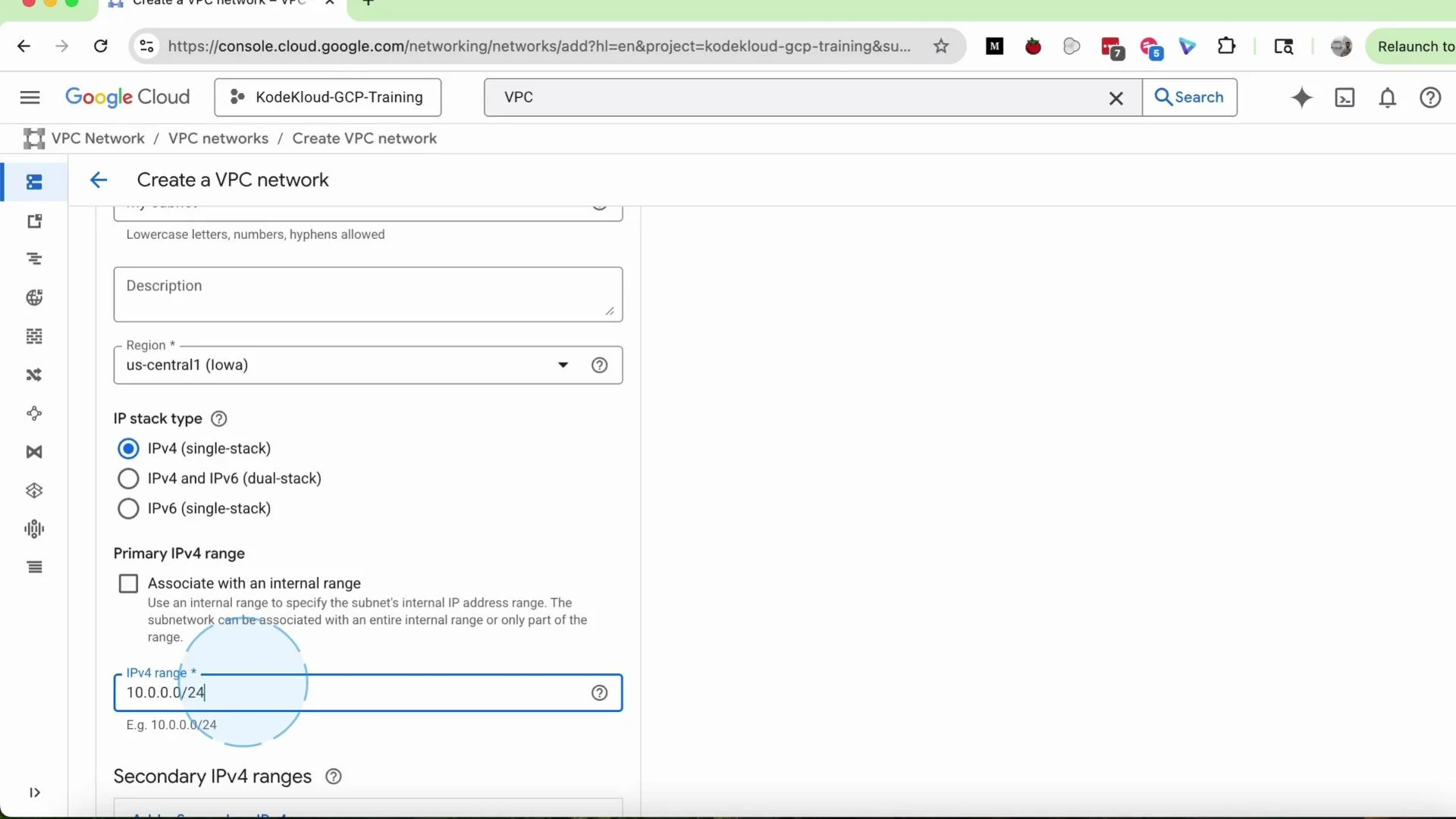
Choose a prefix length that matches your expected number of hosts and future growth. If unsure, pick a slightly larger CIDR to avoid having to resize later.
Firewall rules and routing
- Defaults: You can leave most settings at their default values during VPC creation and add firewall rules later.
- Firewall rules: After the VPC exists, add firewall rules to control traffic between instances or to/from the internet. Common examples are allowing SSH (
TCP:22), HTTP (TCP:80), and HTTPS (TCP:443). - Dynamic routing mode: Select
Regionalfor typical single-region deployments. UseGlobalonly if you need cross-region route advertisement across Cloud Routers and dynamic routing.
my-vpc-allow-ssh that permits ingress on tcp:22 from your IP or a CIDR block.
Create and verify
- Click
Createto provision the VPC and subnet. Creation usually completes in seconds, but may take a minute. - The new VPC appears in the VPC list with the number of subnets shown. Click the VPC name, then open the
Subnetstab to inspect the subnet you added. - To add more subnets later, click
Add subnet, and repeat the name → region → CIDR steps.
- From the VPC networks list, select your
my-vpc. - Click
Delete VPC. - When prompted, type the VPC name (e.g.
my-vpc) to confirm and complete deletion.
Deletion will fail if the VPC still has active resources attached (VM instances, reserved IPs, load balancers, etc.). Remove or move dependent resources before deleting the VPC.
GCP creates a
default VPC for new projects. That default is sufficient for many tutorials and quick labs. Create custom VPCs when you need dedicated addressing, segmentation, or custom routing behavior.- VPC networks overview — Google Cloud Documentation
- Creating VPC networks — Google Cloud Documentation
- Subnetworks — Google Cloud Documentation