

Core concepts: Row keys and storage order
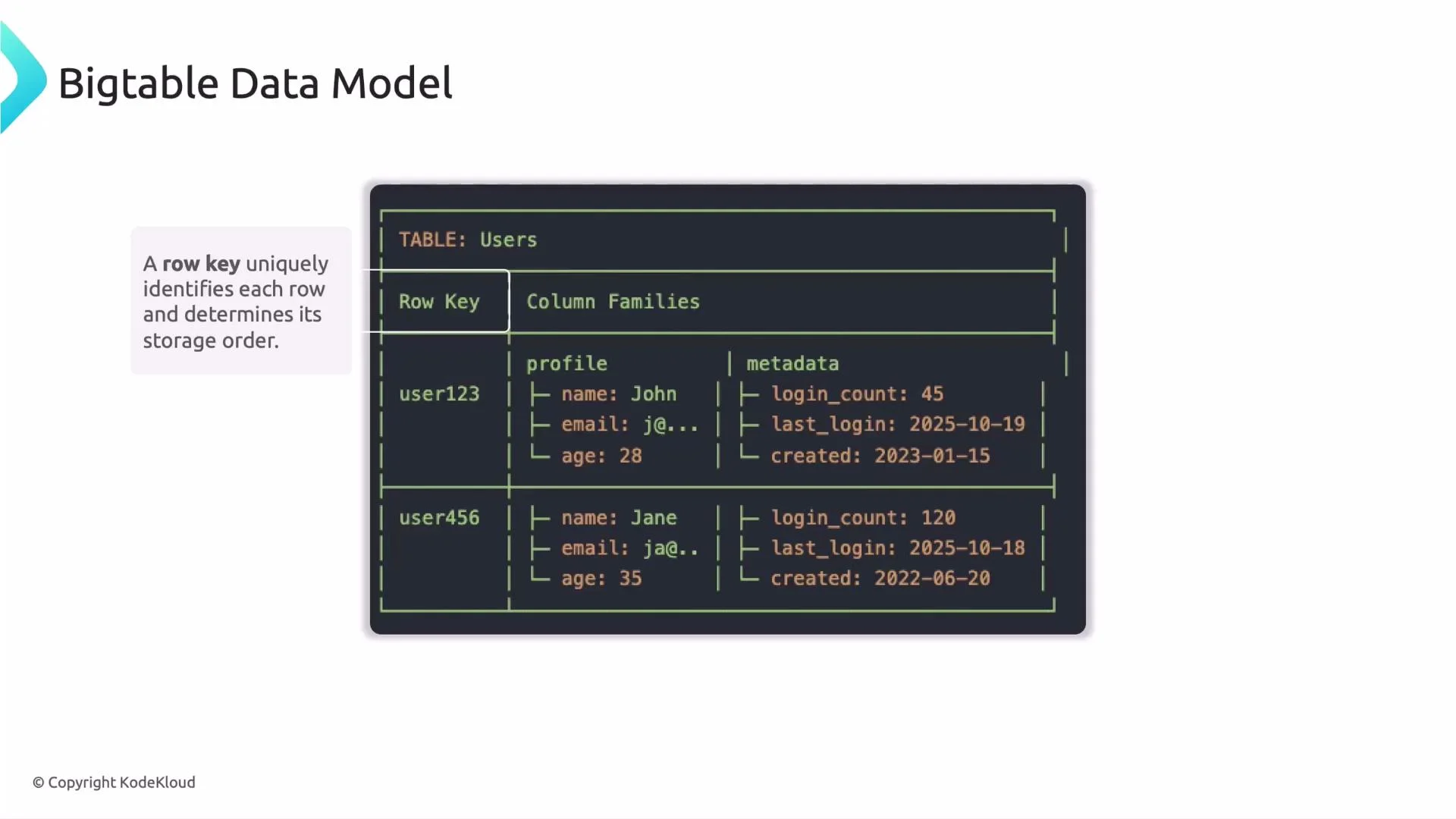
At the heart of Bigtable is the row key. The row key:- Uniquely identifies each row in a table.
- Determines storage order: rows are stored in lexicographic (byte-wise) order by row key.
user1,user2,user3,user4,user5,user6
Avoid purely sequential row keys (for example, monotonically increasing IDs or timestamps at the start of the key). Sequential keys can cause hotspotting because new rows are written to a small set of tablets until they split, overloading those nodes.
Column families: physical grouping for performance
Column families are the second major concept. A column family groups related columns so they are stored physically together on disk and read together. Proper use of column families reduces I/O, lowers latency, and cuts cost by avoiding reads of unrelated data. Key points:- Only group columns together in a family if they are typically read or written together.
- Keep the number of column families small—each family adds overhead.
- Use families to separate hot, frequently-read data from cold or archival data.
- Fewer unnecessary reads: queries that only need
profileavoid readingmetadata. - Better performance: hot fields remain colocated and are served with lower latency.
- Lower storage and network cost: you avoid scanning or transmitting unused data.
Best practices for column families
- Keep the number of column families small (typically 1–10). Each family introduces memory and I/O overhead.
- Organize families according to access patterns: put frequently-read or high-throughput fields together; separate infrequently-accessed or archival data.
- Only group columns in the same family if they are queried together.
Design column families around access patterns, not just logical grouping. Because Bigtable stores families physically together, grouping by query behavior yields the best performance and cost savings.
Practical example: analytics table
Separation of high-throughput event data from reference metadata is a common pattern:events family, keeping reads fast and reducing I/O on metadata.
Analogy: how to think about Bigtable
- Row key = unique book title / ID (locates the specific book)
- Column family = a library section (fiction, science, history)
- Columns = attributes of the book (author, year, pages)
- Cell value = the content for that attribute
Quick checklist for schema design
- Choose row keys that distribute writes and avoid hotspotting.
- Group columns into families by how they are queried together.
- Limit the number of column families to minimize overhead.
- Separate hot data from cold/archival data to reduce I/O and contention.
Summary
- Bigtable stores rows identified by a row key that determines lexicographic storage order.
- Column families group related columns and determine physical storage layout.
- Thoughtful row-key design and column-family partitioning improve performance and reduce cost.